

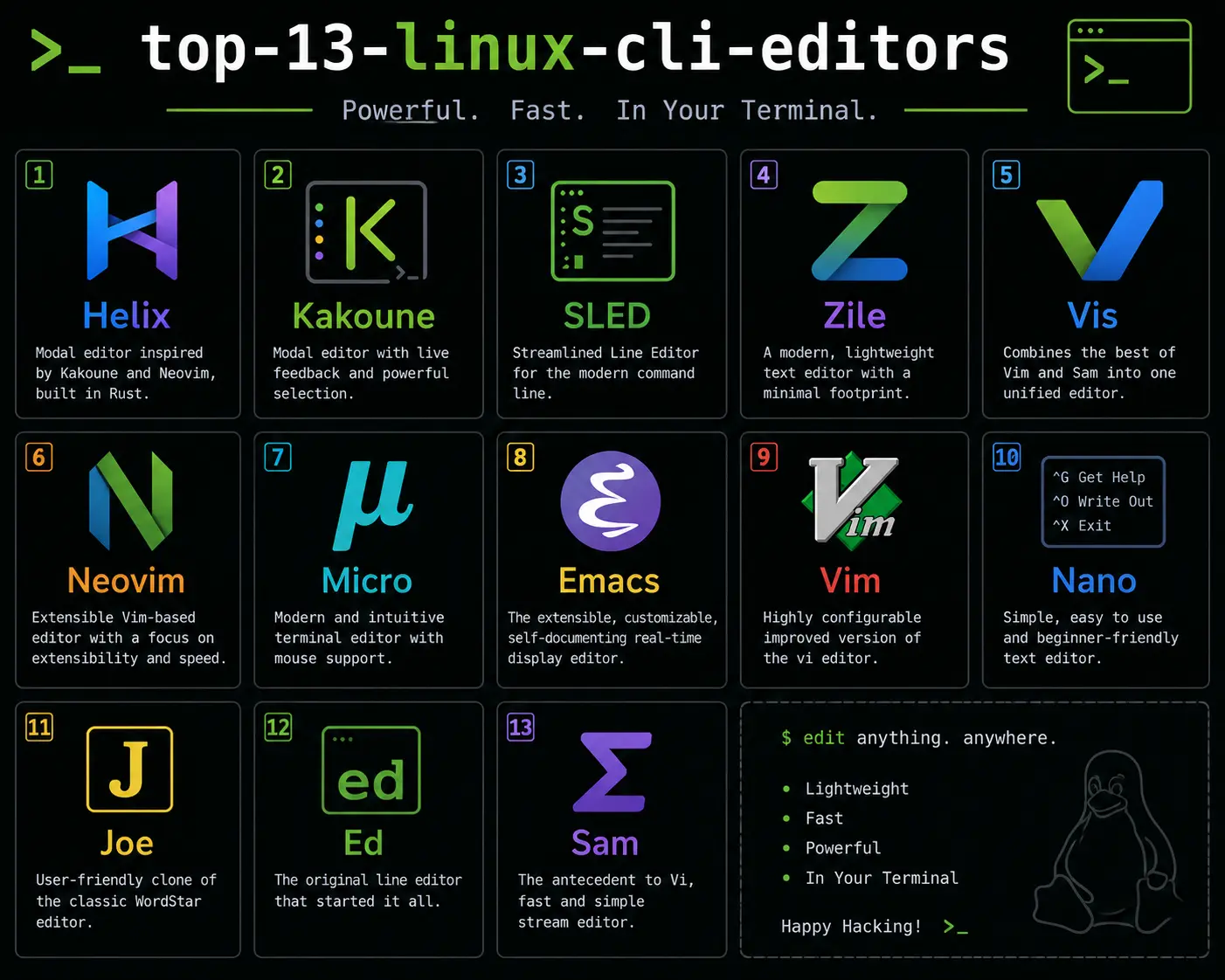
The Linux terminal is a developer’s second home, and the most important piece of furniture in that home is your text editor.
Whether you are editing a simple configuration file on a remote server, writing complex Python applications, or navigating embedded systems with virtually zero memory, choosing the right CLI text editor is crucial. But with decades of history behind them, the sheer number of terminal editors available today can be overwhelming.
Should you learn Vim? Is Nano enough? What exactly is Helix?
To help you decide, we have created the Ultimate Master Guide to Linux CLI Text Editors. Below, you will find 13 of the best terminal editors, categorized by their strengths.
Click the links below each editor to read our full, comprehensive deep-dive tutorial on how to install, configure, and master them!
The Classics: The Titans of the Terminal
These are the editors that have shaped computing history. If you learn these, you can edit code on practically any machine in the world.
1. Vim
The undisputed king of the terminal. Vim’s modal editing paradigm (separating insert mode from command mode) gives you unparalleled speed, allowing you to edit code at the speed of thought without ever touching your mouse. 👉 Read our Complete Vim Tutorial
2. Emacs
If Vim is a specialized surgical tool, Emacs is an entire operating system. Driven by keyboard “chords” and highly extensible via Emacs Lisp, it features the legendary Org Mode for productivity and project management. 👉 Read our Ultimate Emacs Guide
3. Nano
The default editor on almost every Linux distribution today. Nano is entirely modeless and displays its keyboard shortcuts permanently at the bottom of the screen, making it incredibly welcoming for absolute beginners. 👉 Read our Nano Beginner’s Guide
4. Ed
The granddaddy of them all. Created in 1969, Ed is the standard Unix text editor. It provides absolutely no visual interface and forces you to edit files purely by issuing line commands and regular expressions. 👉 Read our Ed Survival Guide
The Modern Powerhouses: IDEs in the Terminal
These editors take the paradigms established by the classics and drag them into the 21st century, offering features like intelligent autocomplete, syntax highlighting, and multiple cursors out of the box.
5. Neovim
A highly aggressive modernization of Vim. By moving configuration to Lua, integrating native Language Server Protocols (LSP), and using Treesitter for syntax parsing, Neovim transforms the terminal into a blazing-fast, modern IDE. 👉 Read our Neovim Modern Editor Guide
6. Helix
Written in Rust, Helix provides the modal editing speed of Vim but flips the grammar to a “Selection First” model. It boasts built-in LSP and Treesitter support, meaning you get IDE features with zero configuration required. 👉 Read our Helix Modal Editor Guide
7. Kakoune
Kakoune heavily prioritizes visual feedback. Like Helix, it uses a Selection → Action model, but it treats multiple cursors as a first-class feature, allowing you to execute massive refactoring operations visually and instantly. 👉 Read our Kakoune Guide
8. Micro
If you love Nano’s simplicity but wish it had modern features like true mouse support, multiple cursors, and GUI-style keybindings (like Ctrl+C to copy), Micro is the perfect modern upgrade. 👉 Read our Micro Alternative Guide
The Advanced Specialists
For developers with very specific, highly technical workflows, these editors provide unique paradigms you won’t find anywhere else.
9. Vis
Vis marries the lightning-fast modal editing of Vim with the structural regular expression engine of Plan 9’s Sam editor. It allows you to select, filter, and edit massive blocks of text across multiple lines simultaneously. 👉 Read our Vis Structural Editor Guide
10. JOE (Joe’s Own Editor)
A classic terminal editor that relies on the legendary WordStar keybindings. JOE provides powerful macro recording and window-splitting capabilities without forcing you to learn modal editing. 👉 Read our JOE Classic Editor Guide
The Ultra-Minimalists: Editors for Constrained Environments
When you are working on embedded systems, IoT devices, or ancient hardware, every kilobyte matters. These editors provide immense utility in microscopic packages.
11. Zile (Zile Is Lossy Emacs)
Zile strips away Emacs Lisp and Org Mode to provide a pure text editor that perfectly mimics Emacs keybindings, all while weighing in at a mere 100KB. 👉 Read our Zile Emacs Clone Guide
12. SLED (Simple Line Editor)
At under 50KB, SLED is even lighter than Zile. It prioritizes extreme simplicity and speed, offering a tiny memory footprint and virtually zero learning curve for rapid configuration edits. 👉 Read our SLED Minimalist Guide
13. e3
An engineering marvel. e3 is a 30KB editor written purely in Assembly that has multiple personalities. It can instantly morph its keybindings to emulate Vim, Emacs, Nano, WordStar, or Nedit on the fly. 👉 Read our e3 Portable Editor Guide
Which Editor Should You Choose?
- If you are a beginner: Start with Nano or Micro.
- If you want maximum speed and efficiency: Learn Vim, then graduate to Neovim or Helix.
- If you want an entire operating system for productivity: Commit to Emacs.
- If you work on severely restricted systems: Reach for SLED or e3.
No matter which path you choose, mastering a terminal text editor is a superpower that will pay dividends for the rest of your career. Pick your favorite from the list above, dive into our comprehensive tutorials, and start editing!
Discussion
Loading comments...