
Developer Tools
HTML Encoder / Decoder
Encode and decode HTML entities like &, <, > and more.
A universal, 100% client-side Number Base and Encoding Converter. Instantly translate data between Text (ASCII/UTF-8), Binary, Hexadecimal, Decimal, and Octal formats. Features automatic input format detection, multi-output simultaneous display, and formatting options like 8-bit grouping. Essential for developers, networking students, and cybersecurity learners.
The FreeTechLearner Binary ↔ Hex ↔ ASCII Converter is a robust universal translator for computer encoding and number bases. It takes any input—be it raw text, binary code, hexadecimal strings, decimal numbers, or octal values—and instantly calculates all other equivalent formats.
Simply paste your text into the input box. The tool will automatically detect that it is Text, and immediately provide the Binary translation (along with Hexadecimal, Decimal, and Octal formats) in the output panel.
No. This converter runs entirely locally in your web browser using JavaScript. No data is ever uploaded, ensuring complete privacy.
Yes! Unlike simple ASCII converters, this tool safely encodes and decodes UTF-8 characters (like emojis or special symbols) into their proper byte representations.
Hexadecimal (Base-16) is a number system that uses 16 symbols (0-9 and A-F). It is widely used in computing because it provides a human-friendly representation of binary-coded values.
ASCII is an older encoding standard that only supports 128 basic English characters. UTF-8 is a modern standard that includes ASCII but also supports millions of international characters and emojis. Our tool uses UTF-8.
You can paste the hex code (without the #) into the tool. However, this specific tool converts the raw bytes. For web color codes, you would translate each 2-character hex pair into a decimal number.
Computers process data in 8-bit groups called "bytes". Grouping the 1s and 0s into blocks of 8 makes it significantly easier for humans to read and understand the binary code.
Yes. Just paste your standard numbers into the input box and select "Decimal" as the input format. The tool will instantly show you the binary equivalent.
This happens if your text contains characters that are not allowed in the selected format. For example, a binary input can only contain 0, 1, and spaces. A hex input can only contain 0-9 and A-F.
Octal (Base-8) was commonly used in early computing systems. Today, it is mostly used in Unix/Linux systems for setting file permissions (like chmod 777).

A guide on modern encryption. Learn about AES-256, Full-Disk Encryption (VeraCrypt), E2EE messaging, and Post-Quantum Cryptography.
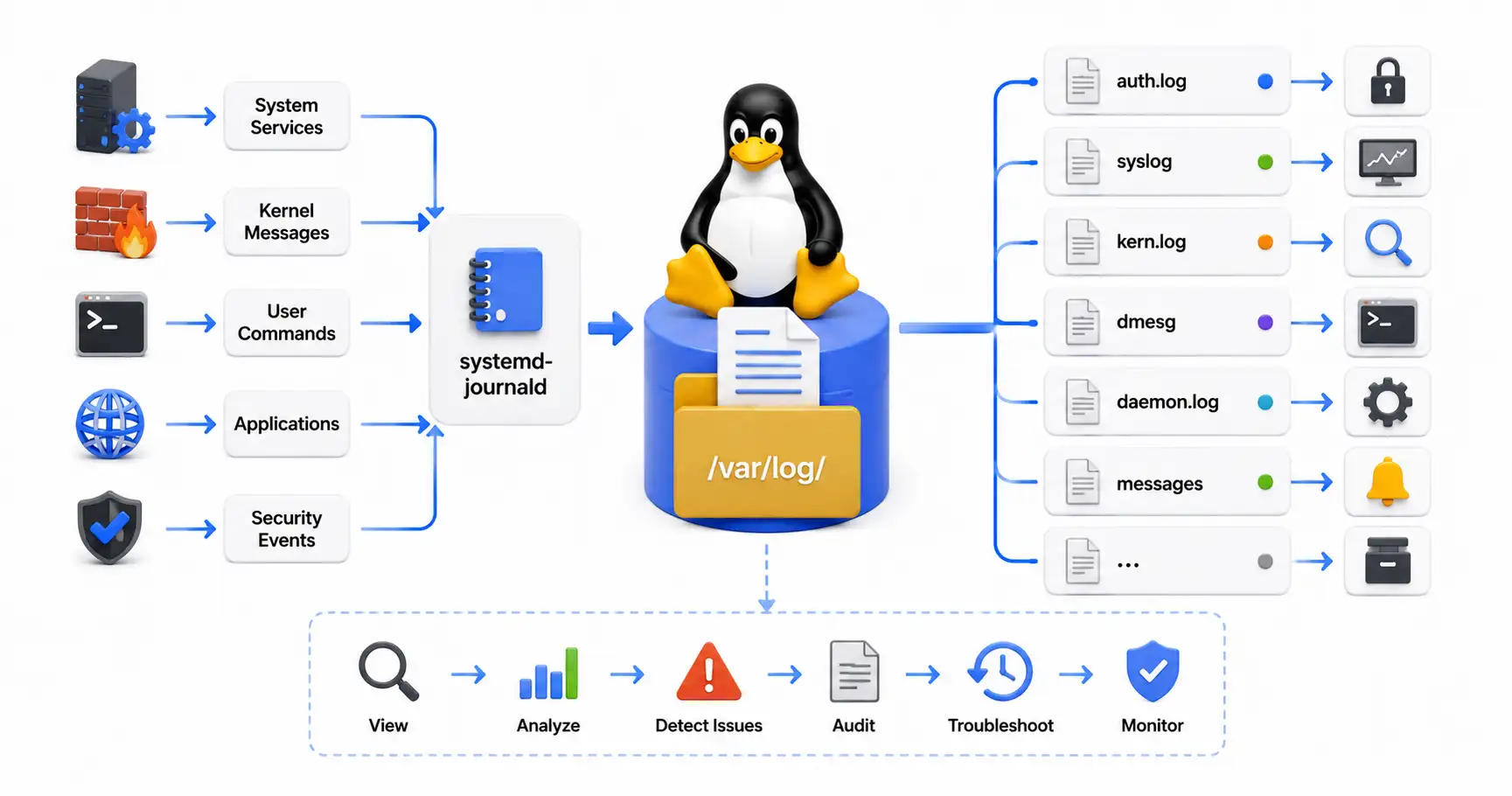
Master Linux logging systems. Learn where to find key logs in /var/log, how to use journalctl, and how to troubleshoot system errors like a pro.

Master Burp Suite Community Edition. A complete tutorial on HTTP proxy interception, Repeater, Intruder payloads, and finding XSS and SQLi vulnerabilities.
Explore our full collection of free, privacy-first developer and SEO tools.
Browse All 134+ ToolsStart typing to search across articles, tools & courses