

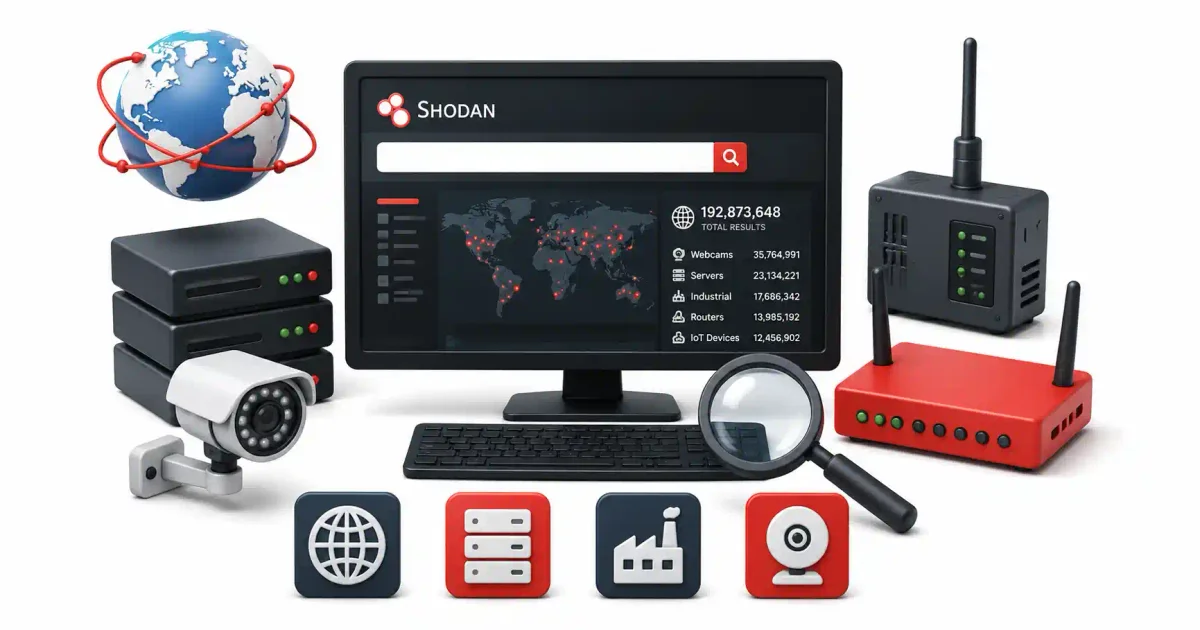
The modern internet is no longer just a collection of HTML websites and corporate email servers. Today, it is a sprawling, globally interconnected web of smart TVs, residential security cameras, home routers, sensitive industrial control systems, and enterprise cloud databases. Every second of every day, millions of these Internet of Things (IoT) devices transmit data across the IPv4 and IPv6 address space.
While traditional search engines like Google or Bing are designed to index standard web pages and PDF documents, they are blind to the underlying infrastructure. Google cannot find a corporate router with a Telnet port left open, it cannot index an unsecured MongoDB database, and it will not display a live, unauthenticated webcam stream monitoring a hospital lobby.
For that level of deep-infrastructure reconnaissance, you need Shodan.
Shodan is often referred to by mainstream media as the “Search Engine for Hackers,” but that is a mischaracterization. It is a critical daily tool for professional cybersecurity researchers, threat intelligence analysts, and corporate security engineers. By understanding how to search Shodan’s databases, defensive security teams can identify exposed assets on their own corporate network before threat actors do.
In this guide for 2026, we will demystify Shodan. We will explore its scanning mechanics, master search filters, build real-world Shodan dorks, explore the power of the Python Command-Line Interface (CLI), and define the ethical rules of engagement for IoT research.
1. What is Shodan? (The Scanning Mechanics)
Shodan is a specialized, globally distributed search engine designed to scan the internet for connected devices, and map their open ports, running software services, and system configurations.
Instead of parsing HTML website code (like Googlebot does when it crawls and indexes websites), Shodan’s distributed network of crawlers continuously sweeps the public IP address space, 24 hours a day.
How Shodan Gathers Data (Banner Grabbing)
Shodan’s scanners do not look for web links or clickable buttons. Instead, they interact with network ports directly using a technique known as Banner Grabbing.
When a Shodan scanner locates a device with an open port (for example, Port 22 for SSH), it initiates a connection and requests basic service information from the host. The target server’s textual response is called a banner.
These banners are goldmines of intelligence. They contain specific metadata about the running software, such as:
- The web server daemon name and version number: (e.g.,
Apache/2.4.41ornginx/1.18.0. If a vulnerability is released forApache/2.4.41, Shodan knows every server running it). - Security protocols and cryptographic configurations: (Which SSL/TLS versions are supported, and the public SSH keys).
- Default welcome messages or system prompts: (e.g., “Welcome to the Cisco RV320 Router Management Portal”).
- Device hardware details and manufacturer firmware versions: (Identifying if a device is a Netgear router, a Samsung printer, or a Philips smart switch).
Shodan grabs these text banners, parses the string data, and indexes them, making them searchable by IP address, open port, physical geography, or software name.
The Power of Passive Reconnaissance
Because Shodan behaves as a passive repository of pre-scanned, historical data, querying its web database is a passive OSINT technique. You are not interacting with the target server directly; Shodan’s servers did that previously. This keeps your IP address invisible and your identity safe from the target’s firewall logs.
2. Mastering Shodan Search Filters
If you type a single keyword like “Apache” into the Shodan search bar, you will be met with millions of results. To narrow this noise down to specific target hosts, you must use Shodan’s search filters.
Shodan filters use a strict syntax: filter:value.
Crucial Rule: If the value contains any spaces, it must be enclosed in quotation marks (e.g., city:"New York").
Here are the most essential Shodan filters used in professional security research:
1. Network & Protocol Filters
port:– Filters the results by specific network port numbers.- Example:
port:21(FTP),port:22(SSH),port:23(Telnet - vulnerable),port:3389(Remote Desktop - ransomware vector).
- Example:
net:– Limits all searches to specific IP ranges or CIDR blocks.- Example:
net:192.0.2.0/24(Maps a corporate subnet).
- Example:
hostname:– Finds devices registered under a specific domain name.- Example:
hostname:nasa.gov
- Example:
2. Geographic Filters (GEOINT)
country:– Restricts the results to a specific two-letter country code.- Example:
country:USorcountry:CN
- Example:
city:– Targets devices located within a specific municipality.- Example:
city:"Los Angeles"
- Example:
3. Software, Organization, and Hardware Filters
org:– Restricts searches to the IP blocks owned by a specific company or organization.- Example:
org:"Amazon.com"ororg:"Tesla Motors"
- Example:
isp:– Filters by the Internet Service Provider hosting the device.- Example:
isp:"Comcast Cable"
- Example:
product:– Searches for a specific software product.- Example:
product:"OpenSSH"orproduct:"Microsoft IIS"
- Example:
os:– Searches for a target’s underlying operating system.- Example:
os:"Windows 10"
- Example:
3. Shodan Dorks (Common Search Queries)
To perform targeted audits, security researchers stack multiple filters together into queries known as “Shodan Dorks.” Below are common searches used to audit public exposures.
1. Locating Exposed Default Web Interfaces
Many network routers, office printers, and firewalls ship with default management web interfaces exposed on the public internet.
- The Dork:
title:"Router" port:80 - What it does: Searches for unencrypted web servers running on HTTP port 80 that contain the word “Router” in their HTML title tag.
- The Dork:
product:"Linksys" - What it does: Filters the internet for devices running Linksys hardware firmware.
2. Searching for Unsecured Databases
A common source of data leaks is misconfigured databases that do not require password authentication to access.
- The Dork:
"MongoDB Server Information" port:27017 -authentication - What it does: Finds open MongoDB databases that show database command lists in their banner and do not have authentication enabled.
- The Dork:
port:9200 "status:200" product:"Elastic" - What it does: Finds open Elasticsearch logging servers exposed on port 9200, often leaking corporate logs.
3. Identifying Vulnerable Remote Access Protocols
Remote Desktop Protocol (RDP) and Virtual Network Computing (VNC) are primary targets for ransomware gangs conducting brute-force attacks.
- The Dork:
port:3389 os:"Windows" - What it does: Locates Windows servers globally exposing RDP to the internet.
- The Dork:
"Authentication disabled" port:5900 - What it does: Finds VNC servers allowing remote desktop graphical access without password validation.
4. Auditing Industrial Control Systems (ICS/SCADA)
SCADA systems manage infrastructure like water treatment plants, municipal electrical grids, and building HVAC systems. Shodan indexes these protocols:
- The Dork:
port:502 - What it does: Finds devices running the Modbus protocol, a common standard in factory manufacturing.
- The Dork:
port:47808 - What it does: Finds building automation networks running the BACnet protocol.
4. Mastery: Using Shodan via the Command Line (CLI)
For threat intelligence audits, using the Shodan website in a browser can be slow and inefficient. Shodan provides a Python-based Command-Line Interface (CLI) that allows you to query lists of hosts directly from your terminal, automating the OSINT process.
Installation and Setup
First, ensure Python 3 is installed on your system. Then, open your terminal and install the Shodan library via pip:
pip install shodanInitializing Your API Key
You must authenticate the CLI tool using your Shodan API key (available on your Shodan account dashboard). Run the following command:
shodan init YOUR_PRIVATE_API_KEY_HERECLI Command Examples
- Search Host Details (
shodan host): Retrieves geographical, network, vulnerability, and open port information for a specific IP address, formatting it in your terminal.shodan host 8.8.8.8 - Search Queries (
shodan search): Queries the database directly from the CLI without opening a browser.shodan search "port:22 product:openssh country:US" - Data Downloads (
shodan download): Downloads search results into a compressed JSON format for offline analysis.shodan download results "port:27017 country:UK" - Parsing the Data (
shodan parse): Once downloaded, you use the parse command to extract specific fields (like IP addresses) out of the JSON file to feed into other security tools.shodan parse --fields ip_str results.json.gz > target_ips.txt
5. Ethical and Legal Considerations
Because Shodan provides direct access to insecure devices globally, understanding the boundaries of ethical usage is vital.
1. The Legality of Passive Searching
Typing queries into Shodan, downloading JSON reports, and reviewing the indexed text banners is legal. Shodan is a public database; searching its records does not constitute hacking. This is similar to running WHOIS queries on a domain name.
2. The Line of Unauthorized Access
The legal issue begins the moment your computer interacts directly with the target device you found on Shodan.
- Legal: Finding a vulnerable hospital router on Shodan that displays a broken login screen in its banner.
- Illegal: Opening your web browser, typing in that hospital’s IP address, and inputting default passwords (like
admin/password) to see if they work. - Under the United States Computer Fraud and Abuse Act (CFAA), attempting to log into a system without explicit authorization is a federal crime, even if the credentials you used were factory defaults.
3. The Hacker’s Ethics
If you discover a vulnerability in an organization’s public systems via Shodan, you should follow responsible disclosure policies. Contact their corporate security team privately and securely. You should never post the vulnerable IP address publicly.
6. Defensive Operations: Hardening Against Shodan Enumeration
If you are a Systems Administrator, you should operate under the assumption that Shodan is scanning your corporate network. If your servers are exposed on Shodan, you must take defensive measures to protect your infrastructure:
- Disable Unnecessary Public Ports: You should never expose backend management ports (like Port 22 for SSH, Port 23 for Telnet, or Port 3389 for RDP) directly to the public internet. Use a secure VPN or an SSH tunnel to connect to internal services.
- Implement Firewall Restrictions: Configure a firewall to reject incoming connection requests from unknown IP addresses. Implement a “Default Deny” policy for inbound traffic.
- Change Default Credentials: Ensure every device on your network (especially IoT devices) has a strong, unique administrator password as soon as it is deployed.
- Audit Your Own Deployments: Proactively run your company’s CIDR IP ranges through Shodan alerts. This verifies that new staging servers or installed IoT hardware have not bypassed your firewall protocols.
Frequently Asked Questions (FAQ)
What is Shodan?
Shodan is a search engine that indexes internet-connected devices instead of web pages. It scans IP addresses worldwide and catalogs information about servers, webcams, routers, industrial control systems, and any other device connected to the internet.
Is Shodan legal to use?
Yes. Shodan only indexes publicly available information from devices that are already exposed to the internet. Searching Shodan is legal. However, attempting to log into or exploit any device you find through Shodan without authorization is illegal.
How is Shodan different from Google?
Google indexes web pages and their text content. Shodan indexes the banners and metadata of internet-connected devices — including open ports, software versions, SSL certificates, and default credentials — regardless of whether they have a website.
Can Shodan find vulnerable devices?
Yes. Shodan allows you to search for devices running outdated software, using default passwords, or exposing sensitive services to the internet. Security researchers and penetration testers use Shodan to identify vulnerable assets before attackers do.
Do I need a paid Shodan account?
A free Shodan account gives you basic search capabilities. A paid membership unlocks advanced features like bulk scanning, API access, network monitoring alerts, and the ability to view full scan results for enterprise-level research.
Conclusion: The Eye on the Internet
Shodan is a leading tool for global infrastructure mapping. By mastering its search filters, crafting targeted queries, and integrating its Python CLI commands into your daily workflows, you transition from a casual web researcher into a capable threat intelligence analyst. You can proactively discover exposure vulnerabilities and harden your organization’s digital footprint before automated botnets find you. Use this power responsibly.
Discussion
Loading comments...