

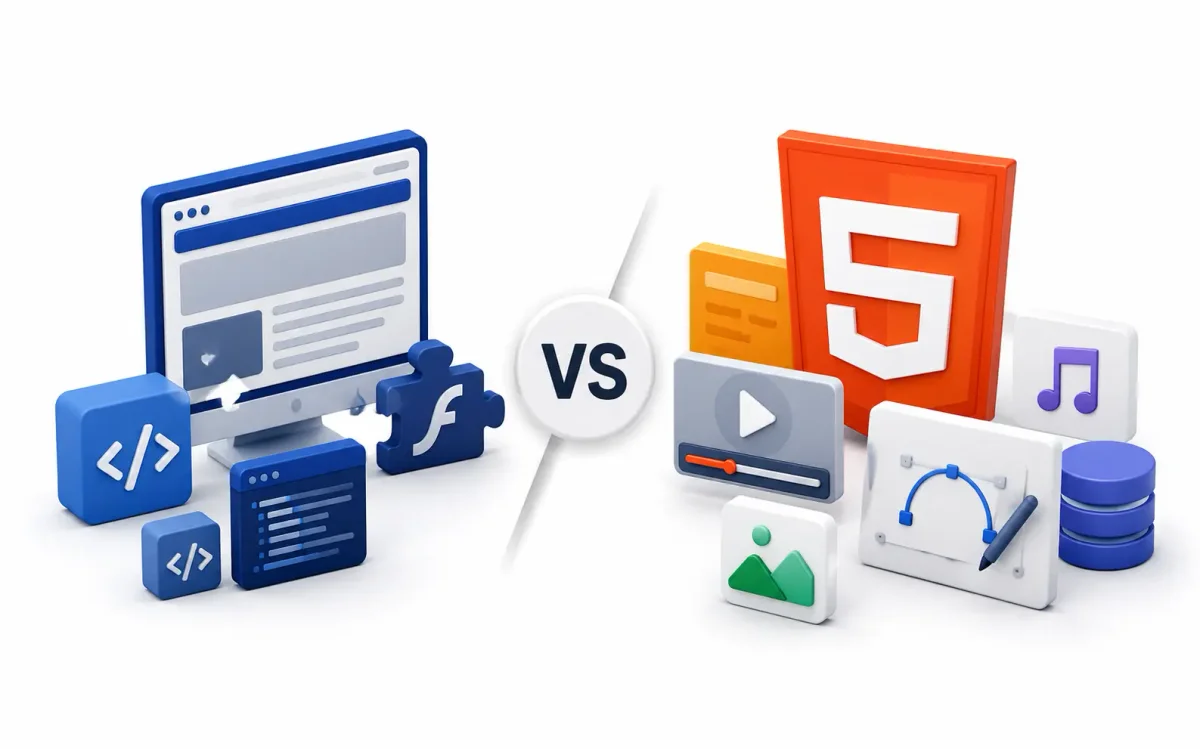
If you are a sysadmin debugging a Node.js backend or a DevOps engineer managing Docker deployments, frontend languages like HTML often seem trivial—just a static layer of markup sitting safely behind an Nginx reverse proxy.
But the shift from HTML4 to HTML5 was not just a cosmetic update for web designers. It fundamentally altered how we architect web servers, cache data at the edge, and route REST APIs.
In this deep dive, we are stripping away the generic “how to make a bold text” tutorials. Instead, we are looking at HTML5 through the lens of modern infrastructure. We will explore how HTML5 introduced WebSockets, mandated strict caching rules, enabled client-side databases, and transformed the web browser from a simple document viewer into a full-blown operating system.
The Architectural Shift: Documents to Applications
Before HTML5 was finalized in 2014, the web was built on HTML 4.01 and XHTML.
The HTML4 Era (The Document Web)
HTML4 was designed to render static documents. If you needed dynamic functionality—like playing a video or establishing a persistent connection to a server—you had to rely on heavy, insecure browser plugins like Adobe Flash or Microsoft Silverlight.
From an infrastructure perspective, serving HTML4 was simple:
- You spun up an Apache or Nginx server on a basic Linux VPS.
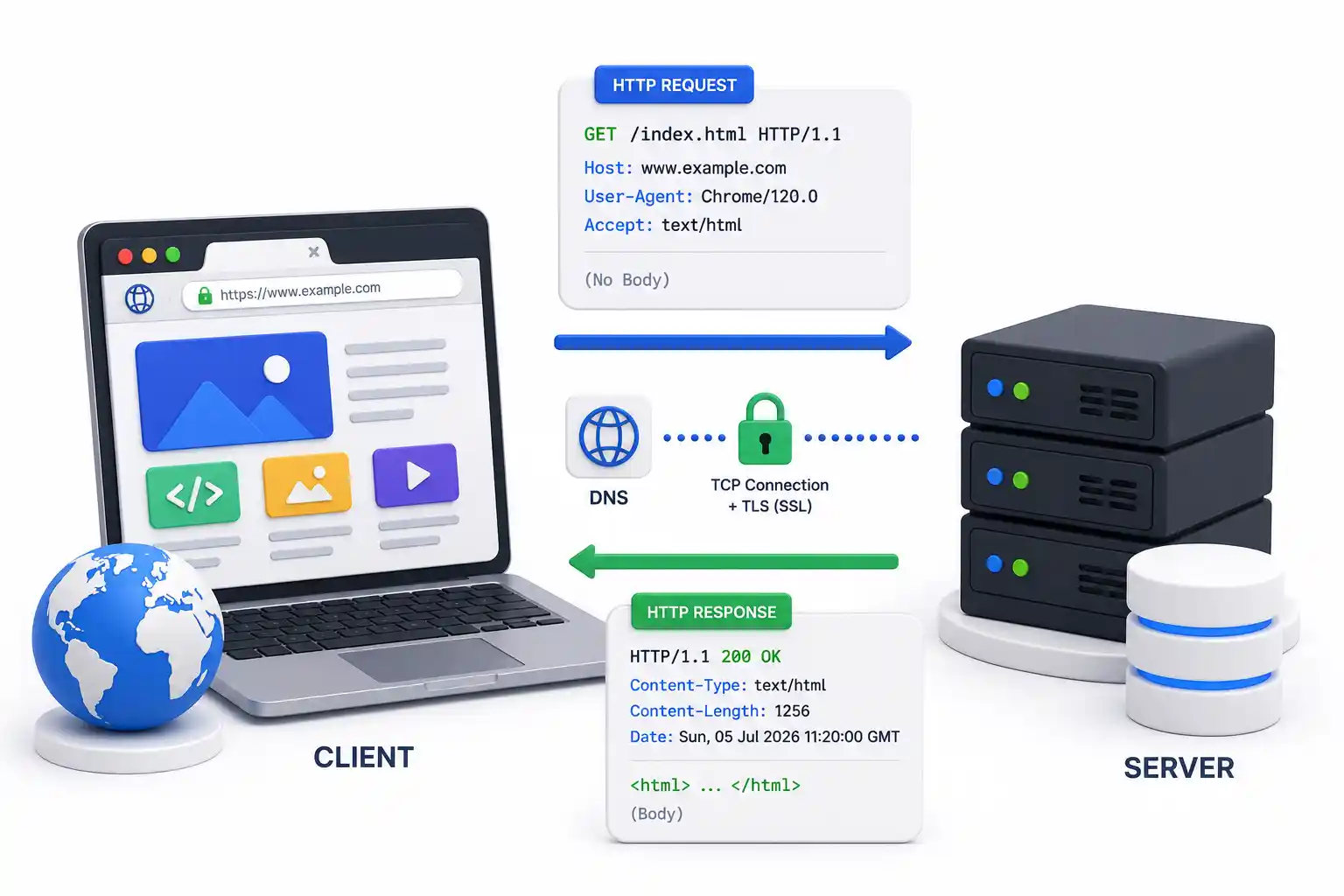
- The client requested a page via HTTP.
- The server sent the static HTML file.
- The connection closed immediately.
The HTML5 Era (The Application Web)
HTML5 fundamentally changed the rules. It isn’t just a markup language; it is an ecosystem of APIs. It introduced native media rendering, background threading, and persistent client-server connections.
HTML5 allowed developers to build frameworks like React, Vue, and Svelte (see our React vs Vue vs Svelte breakdown). These frameworks compile down to HTML5, CSS3, and JavaScript, shifting massive computational workloads away from our backend servers and onto the user’s local device.
1. WebSockets: Breaking the Request/Response Cycle
Perhaps the most massive architectural shift HTML5 brought to backend engineering was the standardization of WebSockets.
Before HTML5, if a user wanted live data (like a chat app or a live stock ticker), the browser had to constantly poll the server:
- Client: Do you have new data? (No)
- Client: Do you have new data? (No)
This polling annihilated server resources and clogged network firewalls.
HTML5 WebSockets solved this by allowing a single, persistent, bi-directional TCP connection between the client and the server.
- The client sends an HTTP Upgrade request.
- The server accepts, and the connection remains open.
- The server can push data to the client instantly without the client asking.
DevOps Implication: WebSockets require specific configurations in your reverse proxies. If you are using Nginx Proxy Manager, Traefik, or HAProxy, you must explicitly configure them to upgrade WebSocket headers and bypass aggressive timeout policies.
2. Storage APIs: Moving the Database to the Edge
In the HTML4 era, if you wanted to store state on the client, you used Cookies. Cookies are terrible for performance because they are appended to every single HTTP request, wasting massive amounts of bandwidth.
HTML5 introduced powerful client-side storage APIs:
LocalStorage and SessionStorage
These APIs allow browsers to store up to 5MB (or more) of key/value data natively. This is how modern apps store JWT tokens for SSO authentication without clogging up network headers.
IndexedDB
HTML5 introduced IndexedDB, a transactional, client-side NoSQL database. If you use a tool like Nextcloud or Vaultwarden, they can cache massive amounts of structural data entirely offline.
DevOps Implication: Because the client handles so much data locally, backend engineers can scale down their highly expensive PostgreSQL or MySQL clusters and rely more on edge caching networks like Cloudflare.
3. Web Workers: True Multithreading
Historically, JavaScript was strictly single-threaded. If a webpage ran a heavy calculation, the entire user interface locked up.
HTML5 introduced Web Workers, allowing developers to spin up background threads that run completely independent of the main UI thread.
When you deploy a massive web application (like a browser-based video editor or an in-browser IDE), Web Workers process the heavy lifting (like cryptography or data compression) in the background. When paired with modern build tools like Vite or Webpack, the browser acts almost indistinguishably from a native desktop application.
4. Semantic HTML and SEO Infrastructure
While backend engineers focus on Linux logs and Docker security, marketing teams care about SEO (Search Engine Optimization).
HTML4 was “Div Soup”—developers wrapped everything in generic <div> tags. Google’s crawlers had no idea what part of the page was the navigation, what was the main article, or what was the footer.
HTML5 introduced Semantic Elements:
<header>,<nav>,<main>,<article>,<aside>,<footer>
These elements strictly define the architecture of the DOM (Document Object Model).
DevOps Implication: When you configure CI/CD pipelines via GitLab CI or GitHub Actions, you often integrate tools like Google Lighthouse. Lighthouse programmatically scans your deployed HTML to ensure these semantic tags are used correctly. If your frontend team ignores them, your site’s SEO ranking will tank, rendering all your beautiful Kubernetes infrastructure pointless since no one will ever find the site.
5. Security and Content Security Policies (CSP)
With HTML5 offloading so much logic to the client, the browser became a massive attack vector. Cross-Site Scripting (XSS) became the most common vulnerability on the internet.
To mitigate this, infrastructure engineers configure a Content Security Policy (CSP). A CSP is an HTTP header sent by your server (like Nginx) that explicitly tells the HTML5 browser which domains are allowed to execute scripts, load images, or establish WebSockets.
If you are hosting your own applications using orchestration tools like Coolify, DokPloy, or Portainer, you should strictly enforce CSP headers to lock down your frontend execution environment.
6. Native Multimedia: Killing Flash
Finally, HTML5 brought us the <audio> and <video> tags.
Before this, streaming video required Adobe Flash. Flash was a monolithic black box that bypassed the browser’s security model and drained host resources.
By standardizing multimedia, HTML5 allowed DevOps teams to serve media natively through standard HTTP protocols. Now, you can host your own videos using S3-compatible object storage like MinIO, serve them behind a CDN, and the HTML5 browser natively handles the buffering, playback, and hardware acceleration. Tools like Jellyfin rely heavily on HTML5’s native streaming capabilities.
Conclusion
HTML5 isn’t just a set of new tags; it was a fundamental paradigm shift in internet architecture.
It pushed the database, the processing logic, and the UI rendering down to the user’s local machine, allowing backend infrastructure to become highly focused, stateless API routers.
Whether you are building Node.js backends, configuring UFW firewalls, or routing traffic through secure WireGuard VPNs, understanding the capabilities of the HTML5 client allows you to design vastly more efficient and scalable systems.
Official Documentation
For deep technical insights into HTML5 APIs, rendering pipelines, and security headers, consult these authoritative sources:
- Mozilla Developer Network (MDN) HTML5 Guide: https://developer.mozilla.org/en-US/docs/Web/HTML
- W3C HTML5 Specification: https://html.spec.whatwg.org/
- WebSockets API Documentation: https://developer.mozilla.org/en-US/docs/Web/API/WebSockets_API
- Content Security Policy (CSP) Reference: https://content-security-policy.com/
- Google Lighthouse Performance Auditing: https://developer.chrome.com/docs/lighthouse/
Frequently Asked Questions (FAQ)
What is the primary architectural difference between HTML and HTML5?
HTML (versions up to 4.01) was designed strictly as a markup language to present static documents. HTML5 is a complete application platform that includes advanced APIs for local storage, background processing (Web Workers), and bi-directional network communication (WebSockets).
Does HTML5 require an external plugin to play video?
No. HTML5 introduced the native <video> and <audio> tags, rendering third-party plugins like Adobe Flash and Microsoft Silverlight entirely obsolete. Modern browsers use hardware acceleration to play these streams efficiently.
What are HTML5 Semantic Elements?
Semantic elements are strictly defined tags (like <article>, <nav>, and <main>) that clearly describe their purpose to both the browser and web crawlers, replacing the generic <div> tags used heavily in older HTML versions.
How does HTML5 improve database scaling?
By introducing local storage APIs like IndexedDB and localStorage, HTML5 allows frontend applications to cache massive amounts of data directly on the user’s device. This drastically reduces the number of queries that must be processed by backend databases like PostgreSQL.
What are Web Workers in HTML5?
Web Workers are background scripts that run independently of the main UI thread. They allow intensive computational tasks to process without freezing the user interface, bringing true multithreading capabilities to web applications.
How did HTML5 change real-time communication?
Before HTML5, real-time apps had to use inefficient “long-polling” HTTP requests. HTML5 introduced WebSockets, a protocol that keeps a single, persistent TCP connection open between the browser and the server, allowing instant bi-directional data flow.
Is HTML5 fully backward compatible?
Yes. HTML5 was intentionally designed to parse older HTML4 code perfectly. You can freely mix classic <div> structuring with modern HTML5 APIs in the same document without breaking the browser renderer.
What does the <!DOCTYPE html> declaration do?
In HTML4, the doctype declaration was an extremely long, complex string linking to specific DTD (Document Type Definition) files. HTML5 simplified this to exactly <!DOCTYPE html>, which instructs the browser to render the page using modern standards mode rather than legacy quirks mode.
How do I secure an HTML5 application?
Because HTML5 executes complex JavaScript locally, you must secure it using server-side headers. A Content Security Policy (CSP) is the most critical defense, explicitly restricting which external domains the HTML5 document is allowed to communicate with or execute scripts from.
Can I build mobile apps with HTML5?
Yes. Progressive Web Apps (PWAs) utilize HTML5 service workers and local storage APIs to behave exactly like native mobile applications, including offline functionality, push notifications, and home-screen installation.
Discussion
Loading comments...