

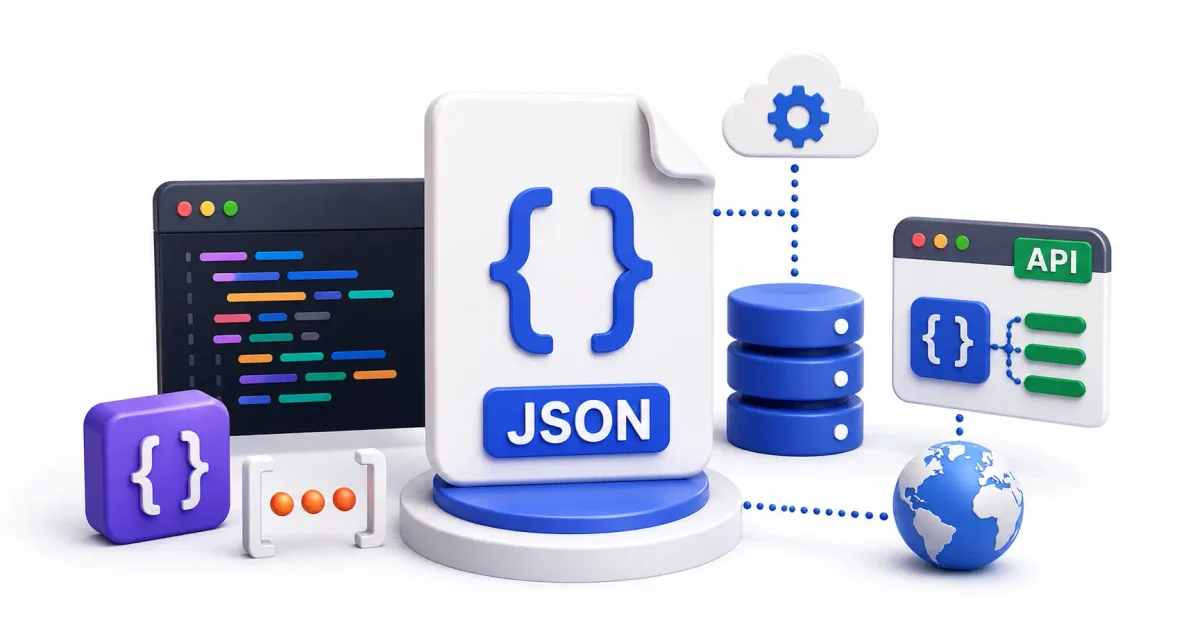
If you manage any modern web infrastructure, write deployment scripts, or debug REST API architectures, you are constantly interacting with JSON.
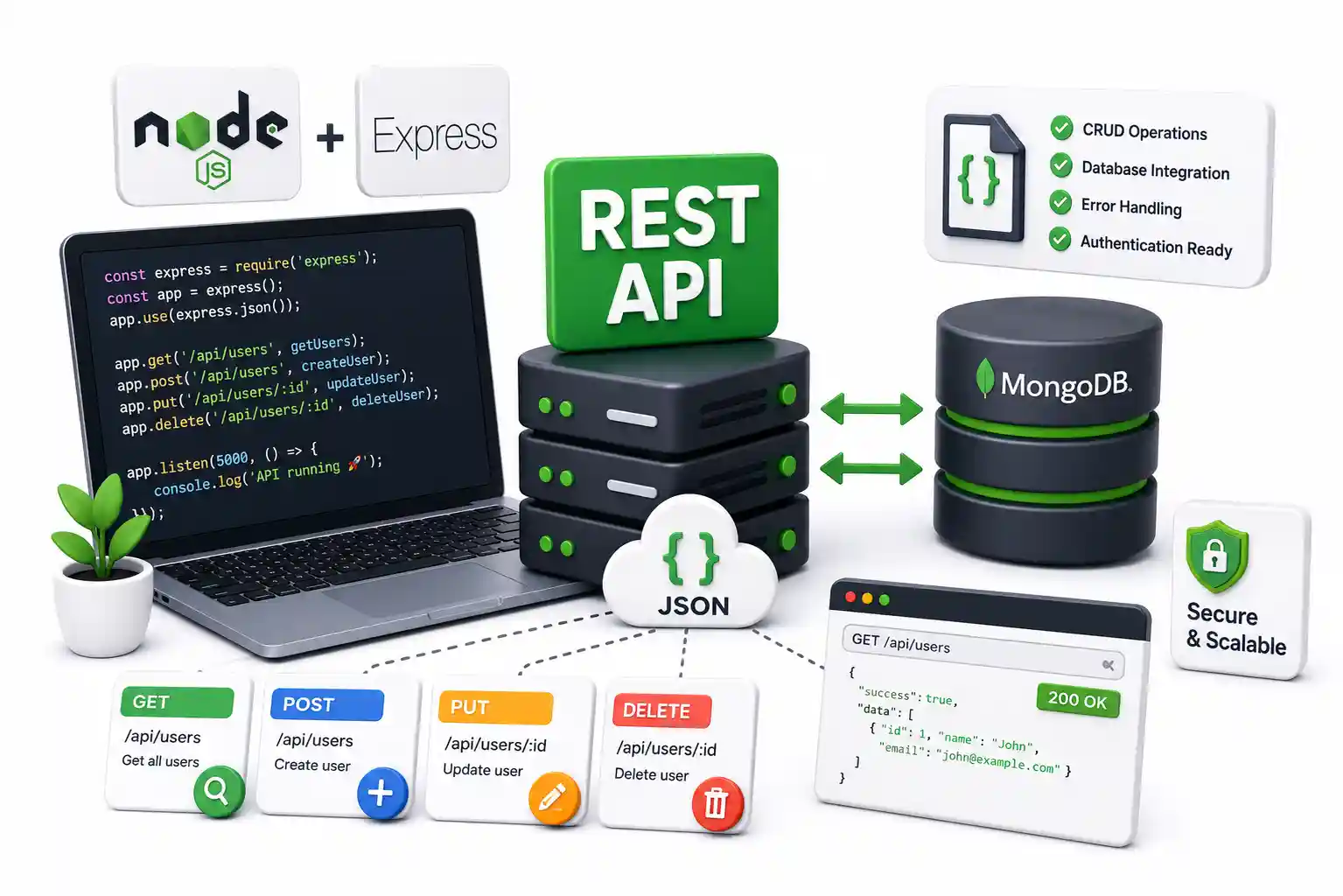
It is the lifeblood of the modern web. When your Node.js backend talks to a frontend framework, the payload is JSON. When your Docker containers output logs, they are frequently structured in JSON. When you configure Cloudflare routing rules, parse Prometheus metrics in Grafana, or store NoSQL documents in MongoDB, you are relying entirely on this specific data format.
But what exactly is JSON? Why did it violently dethrone XML in the 2010s, and why do sysadmins still rely on tools like jq to traverse it in the terminal every day?
As a DevOps engineer who spends hours parsing raw JSON payloads from failing GitHub Actions CI/CD pipelines, I am going to explain JSON not just as a frontend concept, but as the foundational data transport layer of modern computing.
What is JSON?
JSON stands for JavaScript Object Notation. Despite having “JavaScript” in the name, it is completely language-independent. Python, Golang, Java, Rust—every single major programming language has a native standard library designed to parse and generate JSON.
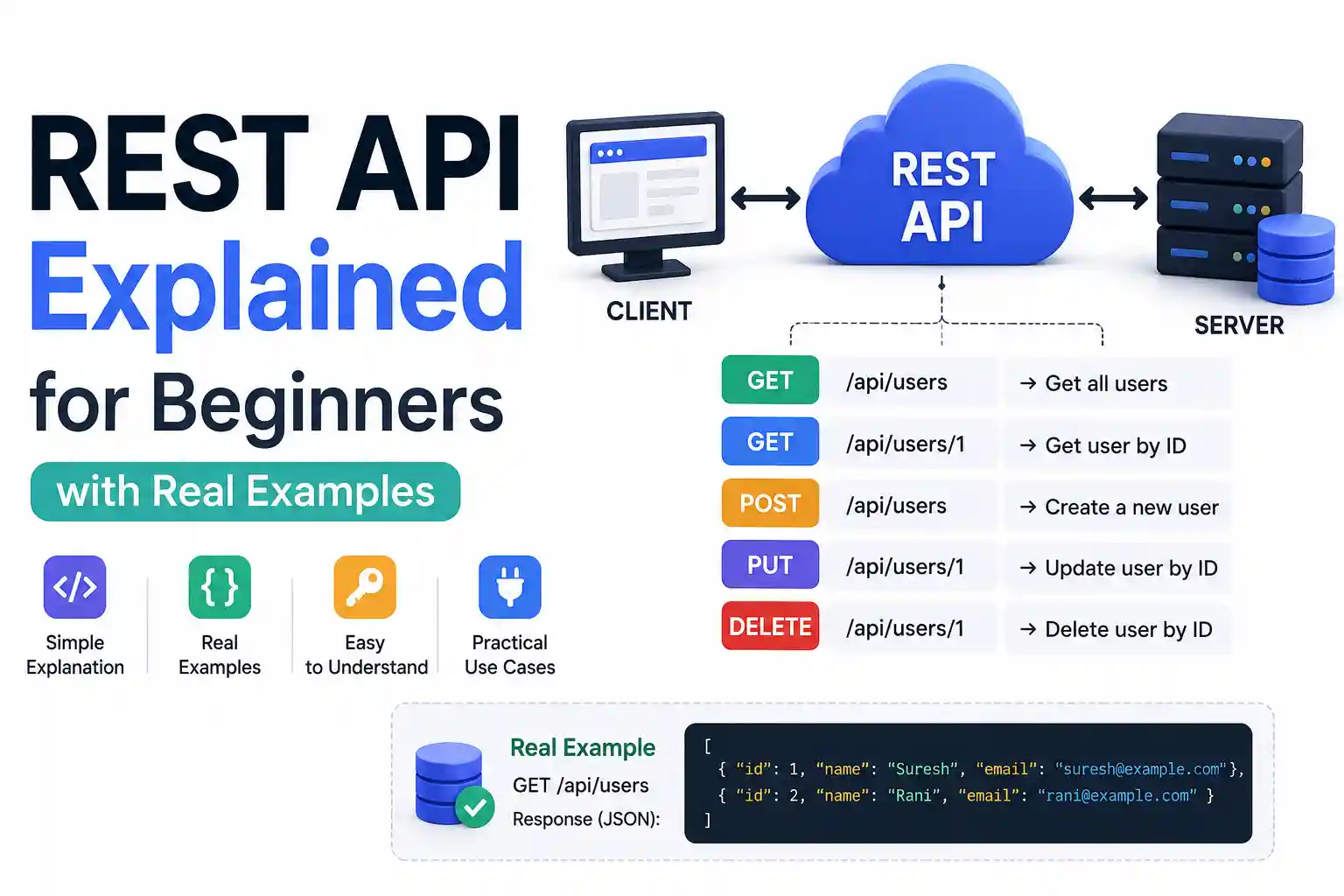
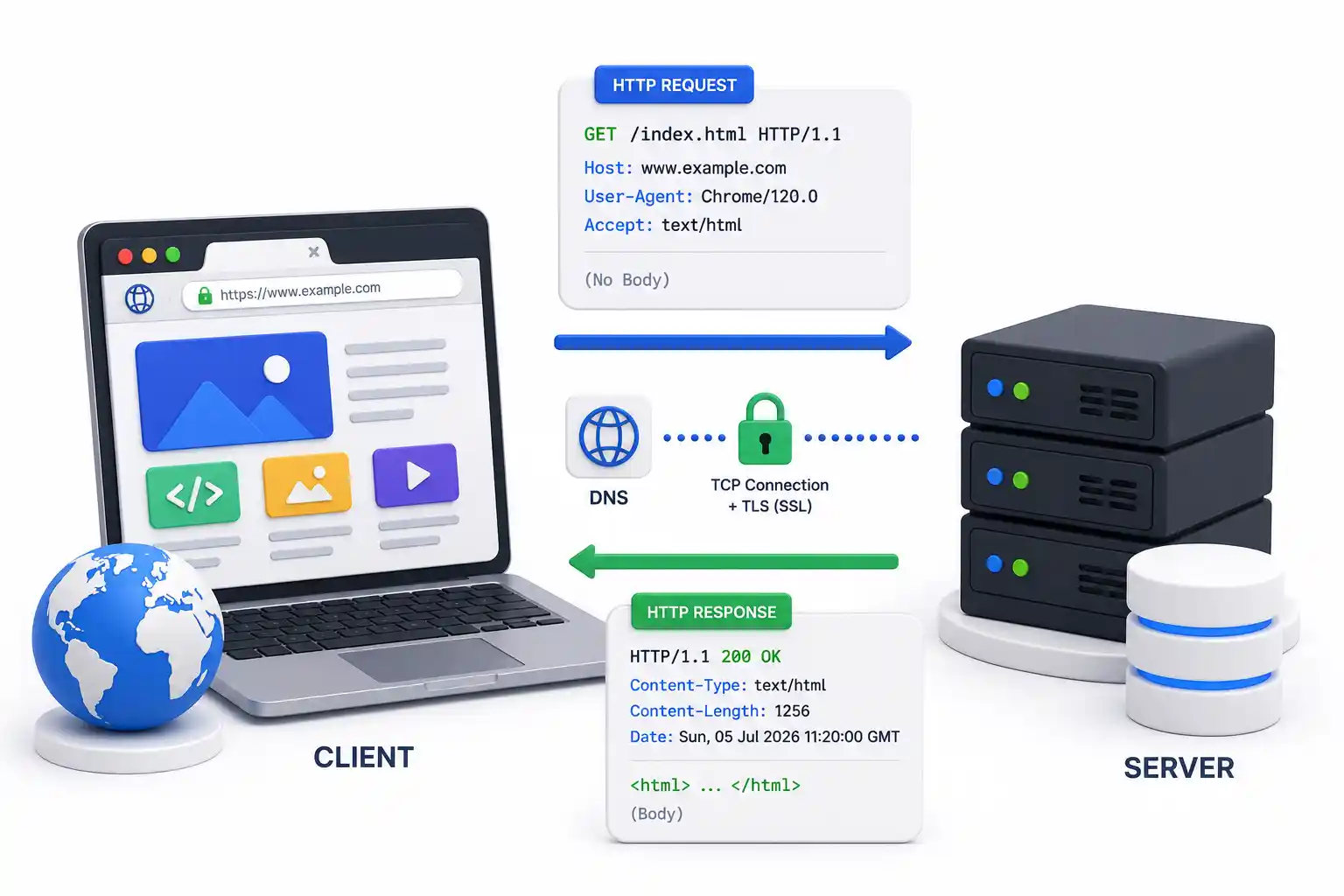
JSON acts as a universal translator. Imagine you have a backend written in Go and a frontend written in React. They cannot natively share variables in memory. Instead, the backend serializes the data into a plain text JSON string, sends it over the network, and the frontend deserializes that text back into usable objects.
The Syntax: Strict but Predictable
Configuration management tools like Ansible rely on YAML, while modern Rust projects often use TOML. Unlike YAML, which relies on ambiguous whitespace indentation, JSON relies on rigid bracket syntax. This makes it infinitely less error-prone when generated by machines.
There are three unbreakable rules to JSON:
- Data is stored in Key/Value Pairs: Separated by a colon.
- Pairs are separated by Commas: No trailing commas are allowed.
- Curly Braces
{}hold Objects, Square Brackets[]hold Arrays.
Syntax Example: The docker-compose equivalent
If you have ever spun up a Docker Compose stack on Ubuntu, you know YAML. Here is a configuration mapped as JSON:
{
  "serviceName": "nginx-proxy",
  "image": "nginx:latest",
  "ports": [
    "80:80",
    "443:443"
  ],
  "environment": {
    "NODE_ENV": "production",
    "SSL_ENABLED": true
  },
  "restartPolicy": null
}
The 6 Native Data Types
JSON is strictly limited to six data types. You cannot natively store a Javascript function() or a raw binary file inside JSON.
- String:
"Hello"(Must be double-quoted. Single quotes will break the parser). - Number:
443or3.14(No quotes). - Boolean:
trueorfalse(Lowercase, no quotes). - Null:
null(Represents explicitly empty data). - Object:
{ "key": "value" }(Nested dictionaries). - Array:
[ "apple", "banana" ](Ordered lists).
Reading JSON in the Terminal: The Power of jq
When you SSH into a Linux VPS to debug a broken Node.js backend, you will often curl an API endpoint and receive a massive wall of unformatted JSON text.
Sysadmins use jq, the ultimate command-line JSON processor. It allows you to format, slice, and filter JSON natively in the bash terminal.
# Fetch data from an API and pipe it into jq for pretty-printing
curl -s https://api.example.com/health | jq '.'

# Extract only the "status" field from a massive JSON response
curl -s https://api.example.com/health | jq '.status'
If you are serious about managing Linux filesystem hierarchies and backend systems, mastering jq is just as important as mastering standard Linux security commands.
JSON in the Database: The Rise of JSONB
Historically, relational databases like PostgreSQL and MySQL required rigid, pre-defined column structures. If you had unstructured JSON data, you were forced to deploy a NoSQL database like MongoDB or Elasticsearch.
This changed with the introduction of JSONB (Binary JSON) in PostgreSQL.
When you insert a JSON string into a JSONB column, PostgreSQL parses the text, strips unnecessary whitespace, and stores it in an optimized binary format. This allows you to build GIN (Generalized Inverted Indexes) directly on the JSON data.
-- Querying unstructured JSON data natively in PostgreSQL
SELECT
    payload->>'username' as username
FROM api_logs
WHERE payload @> '{"action": "login_failed", "severity": "high"}';
This query executes in milliseconds, proving that JSON is no longer just a network transport format—it is a native storage format for modern infrastructure.
Securing JSON Payloads
Because JSON is the standard language for APIs, it is the primary attack vector for hackers. When you expose a JSON endpoint, you must secure it.
- Authentication via JWT: JSON Web Tokens (JWT) are literally base64-encoded JSON objects cryptographically signed by the server. They are the backbone of modern SSO (Single Sign-On) implementations and OAuth2.
- Payload Validation: Never trust incoming JSON. Malformed JSON can crash your Node.js server. Use validation libraries like
ZodorJoito verify the JSON structure before your database processes it. - Firewall Protection: Put your APIs behind an Nginx Proxy Manager or Traefik reverse proxy. Enforce rate limiting and use CrowdSec or Fail2ban to ban IPs spamming malformed JSON payloads.
- Internal Routing: If your internal microservices exchange JSON, do not route them over the public internet. Keep them inside isolated secure Docker containers or tunnel them via a Tailscale or WireGuard VPN.
JSON vs XML: Why JSON Won
Before 2010, enterprise applications communicated via XML (Extensible Markup Language), specifically using SOAP protocols. Today, XML is largely relegated to legacy banking systems and older Java enterprise codebases.
| Feature | JSON | XML |
|---|---|---|
| Readability | Minimal brackets, highly intuitive. | Bulky, cluttered with opening/closing tags. |
| Parsing Speed | Natively parsed in memory (lightning fast). | Requires complex DOM manipulation to parse. |
| Data Size | Extremely lightweight. | Extremely heavy due to repeated tag names. |
| Arrays | Native support via []. | Must hack arrays using repeated tags. |
The Size Difference in Action:
JSON (40 Bytes):
{"user": {"name": "Admin", "id": 1}}XML (62 Bytes):
<user><name>Admin</name><id>1</id></user>At scale, when a server is handling 10,000 requests per second, that extra bandwidth and parsing overhead matters massively.
Infrastructure Automation and Deployment
When you configure modern infrastructure, you are usually writing YAML (for Kubernetes or Helm), but under the hood, Kubernetes natively speaks JSON. When you run kubectl get pods -o json, the API server returns the true JSON representation of your cluster state.
Even modern self-hosting tools orchestrate their state using JSON. If you are backing up a Proxmox VE home lab or managing self-hosted stacks via Portainer or Coolify, the internal configuration files mapped to your persistent volumes are almost entirely JSON.
If you are a beginner, learn to deploy and test JSON APIs securely. Start by using Postman or cURL to query endpoints, and always ensure your external APIs are encrypted with Let’s Encrypt HTTPS.
Official Documentation
For deep technical specifications on JSON parsing, tooling, and database integration, refer to these official resources:
- The JSON Standard Specification: https://www.json.org/
- MDN Web Docs for
JSON.parse(): https://developer.mozilla.org/en-US/docs/Web/JavaScript/Reference/Global_Objects/JSON - jq Command-Line JSON Processor: https://jqlang.github.io/jq/
- PostgreSQL JSONB Documentation: https://www.postgresql.org/docs/current/datatype-json.html
- JWT (JSON Web Tokens) RFC 7519: https://jwt.io/
Frequently Asked Questions (FAQ)
What does JSON actually stand for?
JSON stands for JavaScript Object Notation. Although its syntax is derived from JavaScript, it is a completely language-independent data format utilized by Python, Go, Rust, Java, and virtually every other modern programming language.
Can JSON hold executable functions or methods?
No. JSON is strictly a data transport format. It can only hold strings, numbers, booleans, null, arrays, and objects. You cannot embed executable logic, which makes it safer to parse than executable formats.
How do I fix a trailing comma error in JSON?
A trailing comma error occurs when a comma is left after the final item in a JSON array or object. Because JSON parsers are strictly standardized, trailing commas instantly throw syntax errors. You must delete the final comma before the closing bracket ] or brace }.
Why does JSON strictly require double quotes?
The JSON specification explicitly mandates double quotes "" for all keys and string values to ensure universal, unambiguous compatibility across all language parsers. Single quotes '' will cause a fatal parsing error.
What is the difference between JSON and JSONB?
JSON is a raw text format. JSONB (Binary JSON) is a specialized storage format used by databases like PostgreSQL. JSONB parses the text upon insertion, strips unnecessary whitespace, and stores it in an optimized binary tree, enabling lightning-fast GIN indexing and complex queries.
What is a JSON Web Token (JWT)?
A JWT is an industry-standard mechanism for stateless authentication. It consists of three base64-encoded strings (header, payload, signature) that allow two parties to securely transmit verified identity data as a JSON object, heavily used in modern OAuth2 and SSO flows.
How can I read a massive JSON file in a Linux terminal?
Use the jq command-line utility. By piping a raw JSON string into jq '.', the tool automatically parses, colorizes, and pretty-prints the JSON structure, making it incredibly easy to debug massive API responses in a headless Linux environment.
Why did JSON defeat XML?
JSON won because it maps directly to native data structures (dictionaries and arrays) in almost every programming language. It is significantly lighter in file size (no closing tags) and dramatically faster to parse in-memory than XML’s complex DOM hierarchy.
Can I include comments inside a JSON file?
By strict specification, no. JSON does not support comments (like // or /* */). If you need comments for configuration files, developers usually switch to JSONC (JSON with Comments), YAML, or TOML, which are designed specifically for human-readable configurations.
Is JSON secure?
JSON itself is just plain text. It is not inherently secure or encrypted. Sensitive JSON payloads must be transmitted over HTTPS (TLS/SSL) to prevent interception. Additionally, incoming JSON payloads must be strictly validated by the backend server to prevent injection attacks and denial-of-service crashes.
Discussion
Loading comments...