
Developer Tools
XML Formatter
Format, beautify, and validate messy XML strings. 100% client-side and secure.
A secure, strict, client-side XML syntax checker and validator. Ensure your XML documents are perfectly well-formed. This tool automatically parses your XML, counts elements and attributes, and flags precise line/column locations of any missing closing tags, invalid nesting, or illegal characters.
The XML Validator analyzes your XML payload to verify that it is syntactically well-formed, identifying exact line numbers and columns where structural errors occur.
A well-formed XML document strictly adheres to the XML syntax rules. This means it must have a single root element, all tags must be properly nested and closed, attribute values must be quoted, and special characters must be properly escaped.
Currently, this tool focuses on structural validation (checking if the XML is well-formed and syntactically correct). Strict schema (XSD/DTD) validation typically requires external schema fetching which is outside the scope of this client-side syntax checker.
Absolutely. The XML Validator processes all data locally in your browser using the native DOMParser API. Your files and text are never transmitted to our servers.
XML strictly requires that every opening tag (like <user>) has a corresponding closing tag (</user>). This error occurs if you forgot to close a tag or made a typo in the tag name.
A well-formed XML document must have exactly ONE root element that contains everything else. If you have multiple sibling elements at the very top level, the parser will throw this error.
Certain characters like < and & have special meaning in XML. If you want to use them as text data, you must escape them (e.g., use < instead of < and & instead of &).
Yes. In XML, all attribute values must be enclosed in quotation marks (either single \' or double "). If an attribute is missing quotes, the validator will flag it immediately.
DOMParser is a native JavaScript API built into modern web browsers. It securely parses XML and HTML source code into a Document Object Model, which allows our tool to detect exact syntax errors.
Many backend systems, APIs, and databases will crash or reject a payload if the XML is not perfectly well-formed. Validating beforehand saves you from confusing server-side 500 errors.
Yes! RSS and Atom feeds are built using XML. You can paste your raw feed code here to ensure it is structurally sound before publishing it to aggregators.

Master Web Analytics Tracking in 2026. Architectural guide on GA4 event schemas, server-side tagging, privacy-first tracking (Umami, PostHog), and multi-touch attribution.
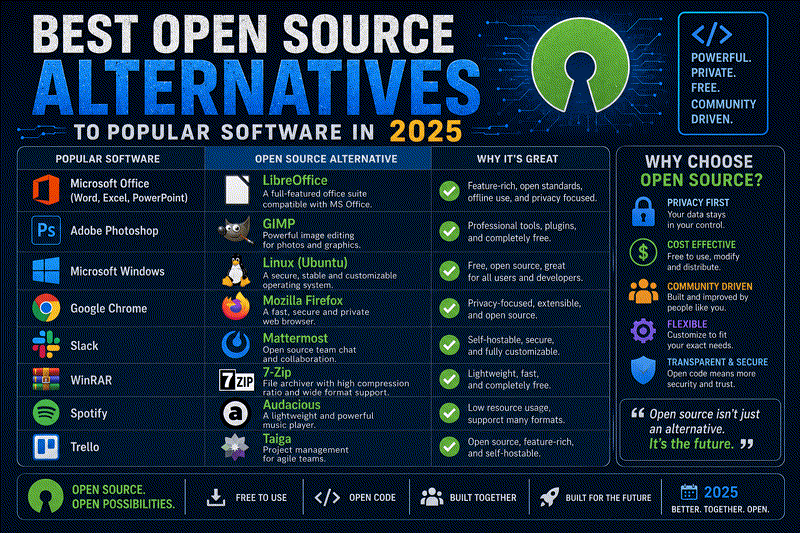
Discover the best free, open-source alternatives to proprietary software. Find secure, privacy-respecting FOSS replacements for office, dev, and personal use.
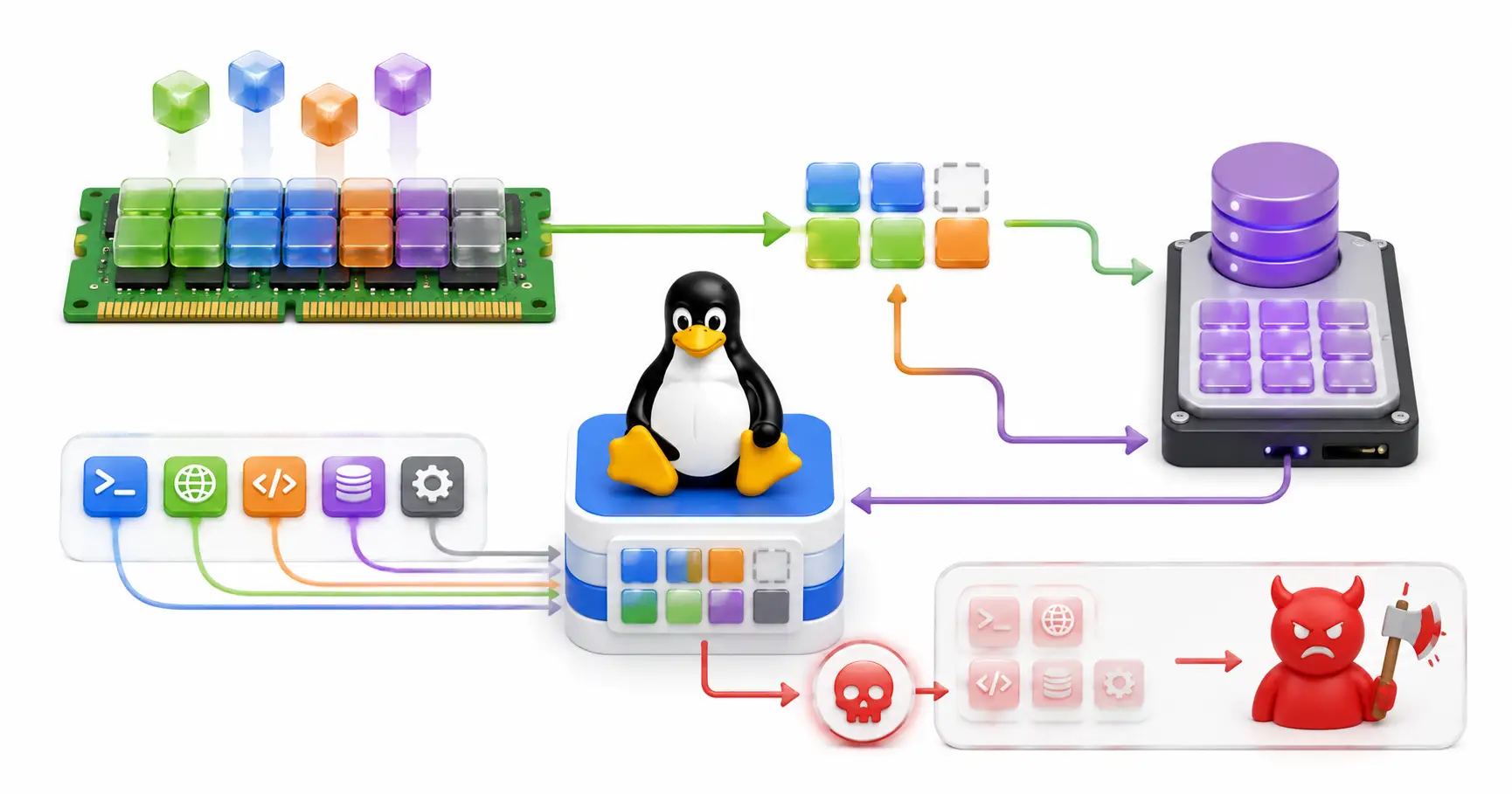
A DevOps deep dive into Linux memory management. Understand Virtual Memory, Page Cache, Swappiness, Zram, and how to tune the OOM Killer for production.
Explore our full collection of free, privacy-first developer and SEO tools.
Browse All 134+ ToolsStart typing to search across articles, tools & courses