
Developer Tools
Word Counter
Count words, characters, sentences, paragraphs, and reading time in any text.
Count characters, words, sentences, and paragraphs in your text instantly. Features options to count with and without spaces, check real-time character limit guidelines for major social networks (Twitter, LinkedIn, Instagram, SMS) and SEO metadata (Title tag, Meta description), and run quick case transformations (UPPERCASE, lowercase, Title Case, Sentence Case).
The FreeTechLearner Character Counter analyzes text length, counting characters (with/without spaces), words, sentences, paragraphs, and reading duration. It displays real-time compliance indicators for Google SEO title/meta fields and popular social media posts.
Counting with spaces includes all whitespace characters (spaces, tabs, newlines), which is standard for most platform limits (like Twitter or Google SEO). Counting without spaces filters out all whitespaces, showing only letters, numbers, and symbols.
Reading time is calculated at an average adult reading speed of 200 words per minute. Speaking time is calculated at an average speech rate of 130 words per minute, which is standard for presentations and voiceovers.
For optimal search engine indexing, Google Title tags should be kept under 60 characters, and Meta descriptions should be kept under 160 characters. Keeping text within these limits ensures it is not truncated on Search Engine Results Pages (SERPs).
Yes. All character counting, metric analysis, and casing conversions happen 100% locally in your web browser. No text you write or paste is sent to a server.
Currently, standard Twitter (X) accounts have a limit of 280 characters per tweet. Subscribers to Twitter Premium can post significantly longer tweets.
A standard SMS text message is limited to 160 characters. If you use special Unicode characters (like emojis), that limit drops significantly to 70 characters.
A standard LinkedIn post has a maximum limit of 3,000 characters, allowing for detailed professional updates and micro-blogging.
In modern systems, yes, emojis count as characters. However, depending on the specific emoji and encoding (UTF-8/UTF-16), a single emoji might take up more underlying bytes. Our counter treats them visually as single characters.
If you don't have Word open, you can simply copy your text and paste it into our tool. We provide real-time updates and helpful SEO/social media guidelines that Word doesn't offer.
Google typically truncates meta descriptions after about 155-160 characters. Our tool includes a handy progress bar to ensure your description stays within the safe zone.

Learn how to use KeePassDX across Android, Windows, and Linux. Discover browser integration, passkey support, TOTP authentication, database syncing, and advanced security features.

Master online password attacks with our comprehensive Hydra guide. Learn to brute-force SSH, FTP, HTTP POST forms, and optimize attack speeds.
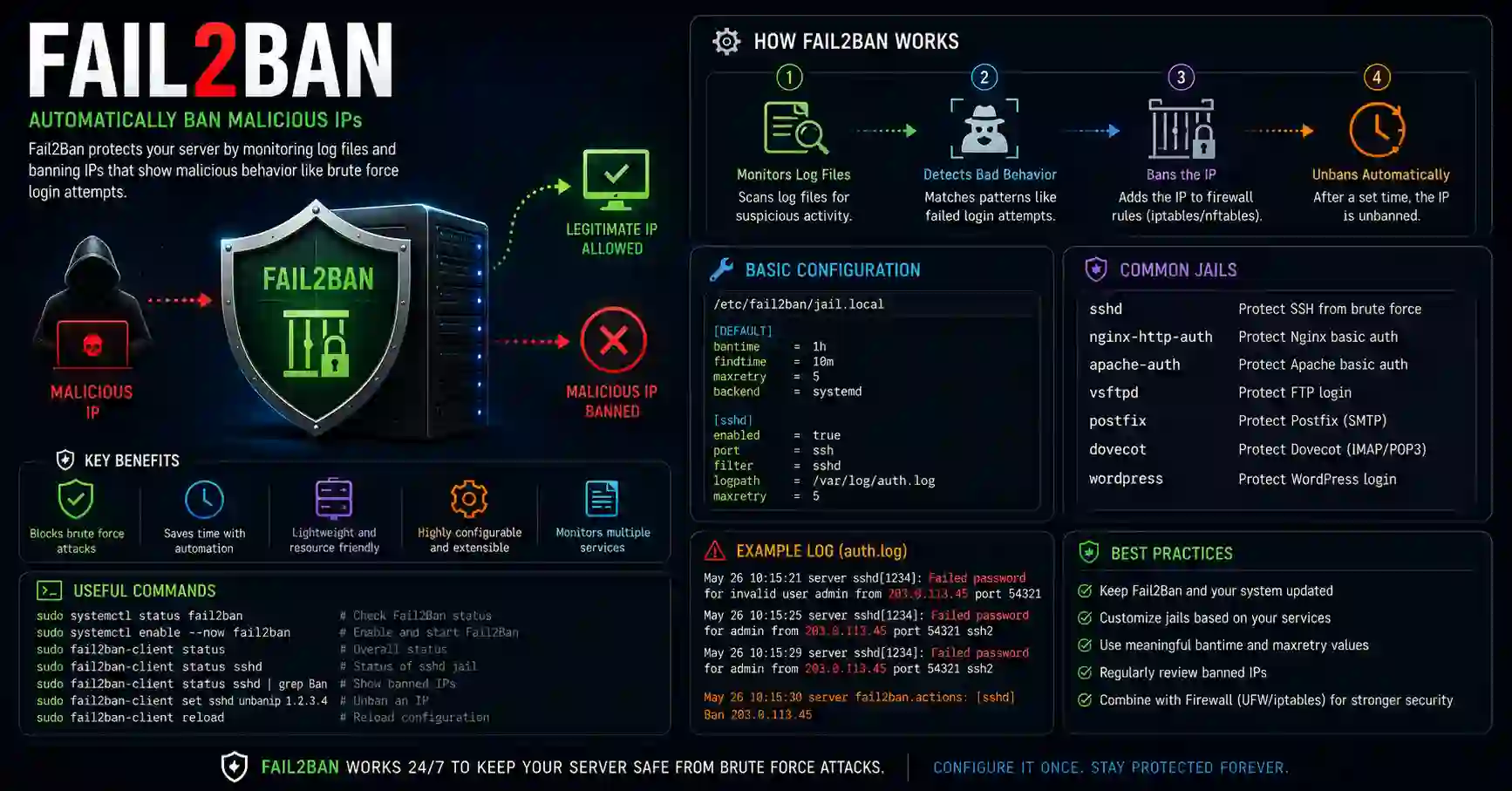
Master Fail2Ban setup on Linux. Learn how to configure custom jails, filters, and firewall rules to protect servers from brute-force attacks.
Explore our full collection of free, privacy-first developer and SEO tools.
Browse All 134+ ToolsStart typing to search across articles, tools & courses