
Developer Tools
CSS Minifier
Compress and minify CSS code online to reduce file size and improve website load speed.
A fast, client-side CSS Beautifier and Formatter. Convert ugly, unreadable, or minified CSS back into perfectly indented, structured, and beautiful code. Fully customizable with options for tabs, spaces, brace placement, and newline preservation. Essential for debugging or reverse-engineering stylesheets.
The FreeTechLearner CSS Beautifier takes dense, minified, or poorly formatted stylesheets and transforms them into clean, structured code. It acts as the exact inverse of our CSS Minifier.
A CSS beautifier (or formatter) takes messy, compressed, or minified CSS code and reformats it with proper indentation, line breaks, and spacing, making it easily readable by humans.
While it will neatly organize your code, it is not a validator. It relies on the code being syntactically valid to format it correctly.
No. This formatter runs 100% locally in your web browser, ensuring your code remains entirely private.
Minified CSS is written on a single line, making it impossible to read or find the source of visual bugs. Beautifying restores line breaks and indentation, allowing you to easily locate and inspect individual CSS rules and properties.
No, beautifying only changes the whitespace (spaces, tabs, and line breaks) in the stylesheet. Browsers ignore this extra whitespace, so your website will look and function exactly the same.
Yes, our formatting engine is robust and can correctly beautify modern CSS supersets, including SCSS and LESS syntax, preserving variables, nesting, and mixins.
No, it is highly recommended to minify your CSS before deploying it to a production server to reduce file size and improve loading speed. Beautified CSS is strictly for development and debugging purposes.
Absolutely. Our tool allows you to easily switch between 2 spaces, 4 spaces, or tab-based indentation so the output matches your personal or team coding standards.
They are often used interchangeably. An unminifier specifically refers to reversing the minification process, while a beautifier focuses on applying aesthetically pleasing formatting and proper indentation. Our tool does both simultaneously.
Since the processing happens entirely within your web browser, the only limit is your device's memory. It can easily handle large CSS frameworks like Bootstrap or Tailwind instantly.
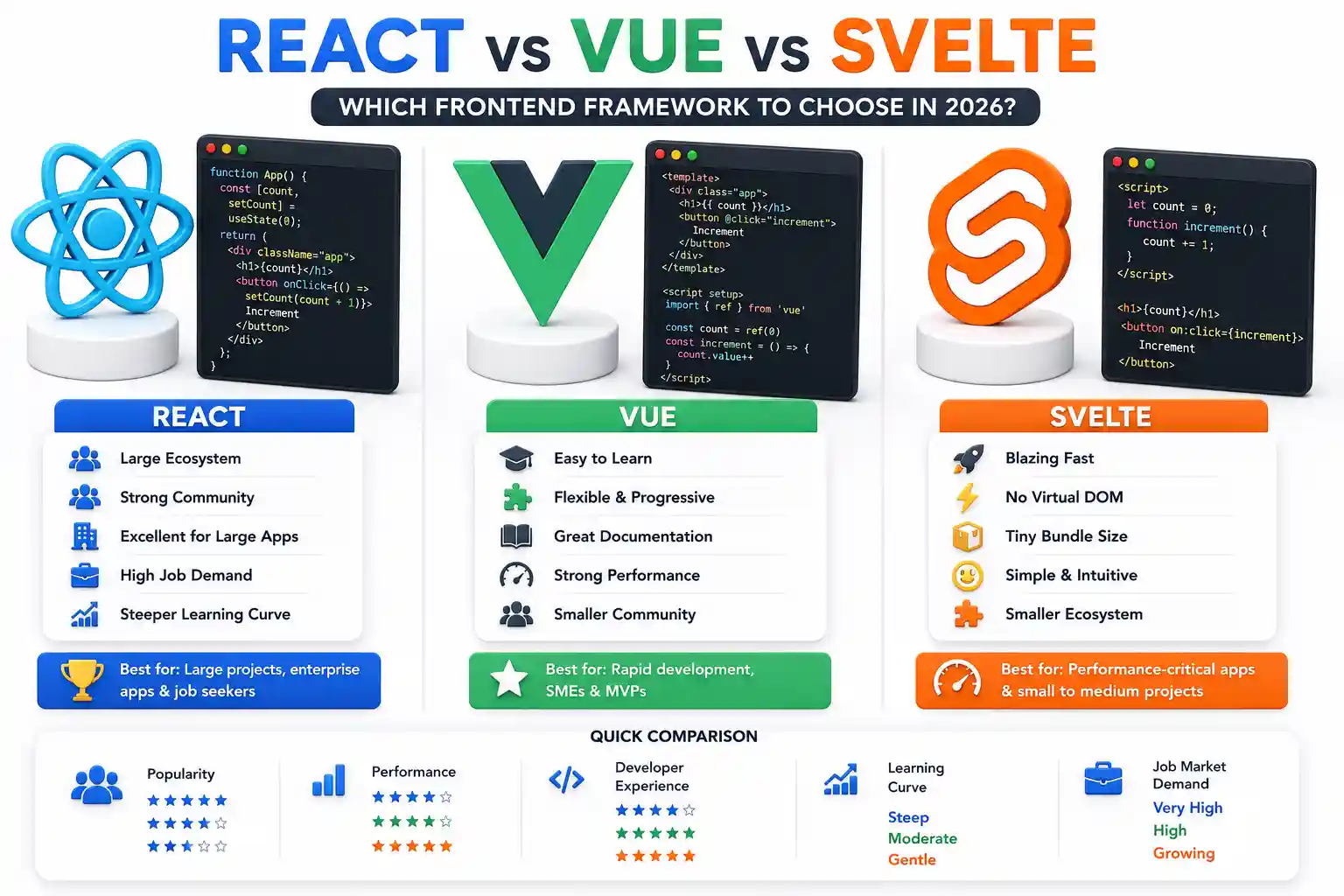
A comprehensive technical comparison of React, Vue, and Svelte in 2026. Explore bundle sizes, deployment strategies, reactivity models, and production considerations.

Learn essential Docker security best practices. Master container hardening, user namespaces, resource limits, and secure registry setup on Linux.

Learn how to install and configure CrowdSec on Linux. Protect servers from malicious IPs, brute-force attacks, and modern security threats.
Explore our full collection of free, privacy-first developer and SEO tools.
Browse All 134+ ToolsStart typing to search across articles, tools & courses