
Utility Tools
File Validator
Validate file signatures, magic byte headers, and format integrity locally in your browser.
The FreeTechLearner File Comparator is a high-performance client-side binary diffing utility engineered to perform exact byte-by-byte comparisons between any two uploaded files. Utilizing JavaScript ArrayBuffer and Uint8Array memory structures, it calculates size deltas, pinpoints the precise offset index of the first mismatched byte, and provides a real-time side-by-side hexadecimal diff preview.
Choose File A or drag here
Choose File B or drag here
The File Comparator performs exact binary byte-by-byte comparisons between two files, revealing size deltas, match statuses, and mismatch hex offsets.
It reads both files as raw binary data buffers (Uint8Array) and iterates byte-by-byte to verify if every single byte value matches in sequence.
Yes. The tool compares any two binary or text files regardless of extension or size, highlighting both size differences and content mismatches.
No. All comparison operations take place locally inside your browser's memory. No file data is ever transmitted over the network.
The tool reports the exact byte index offset (in decimal and hexadecimal), the file size difference, and a side-by-side binary hex byte preview of the mismatched region.
The tool displays a green "Exact Binary Match" badge confirming that all bytes and file sizes are completely identical.
File size is only limited by your web browser's available RAM memory. Large files up to hundreds of megabytes can be compared seamlessly.
Yes! It compares text files at the raw byte level, catching subtle encoding differences, line-ending mismatches (CRLF vs LF), and hidden characters.
It is the numerical index (starting from byte 0) where the first non-matching byte between File A and File B was detected.
Absolutely. It is ideal for comparing compiled binaries, firmware builds, database exports, or disk images.
Yes, it is 100% free with no registration or usage limitations.
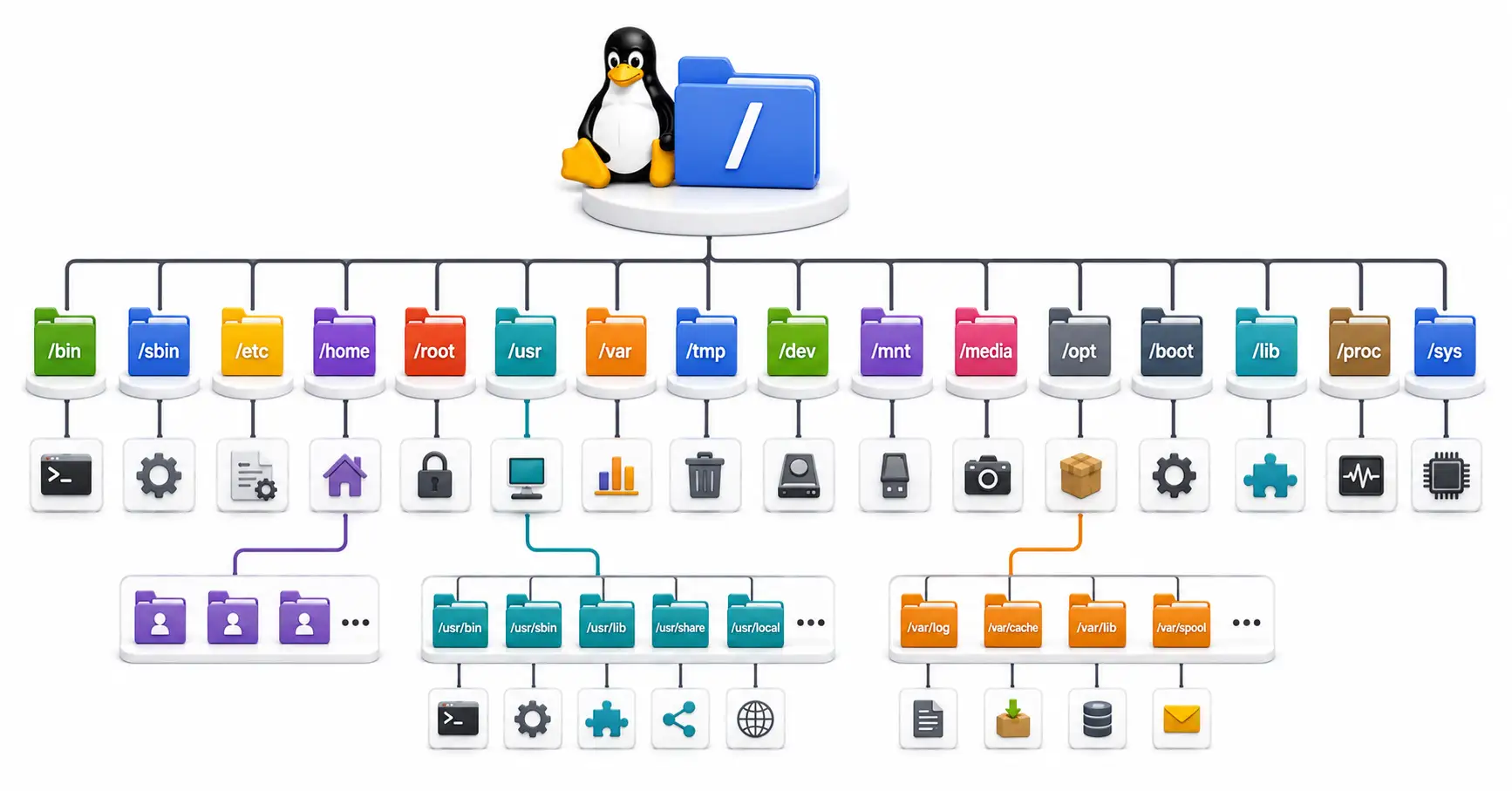
Confused by /etc, /usr, and /var? Master the Linux directory structure with this comprehensive guide to the Filesystem Hierarchy Standard (FHS) in 2026.
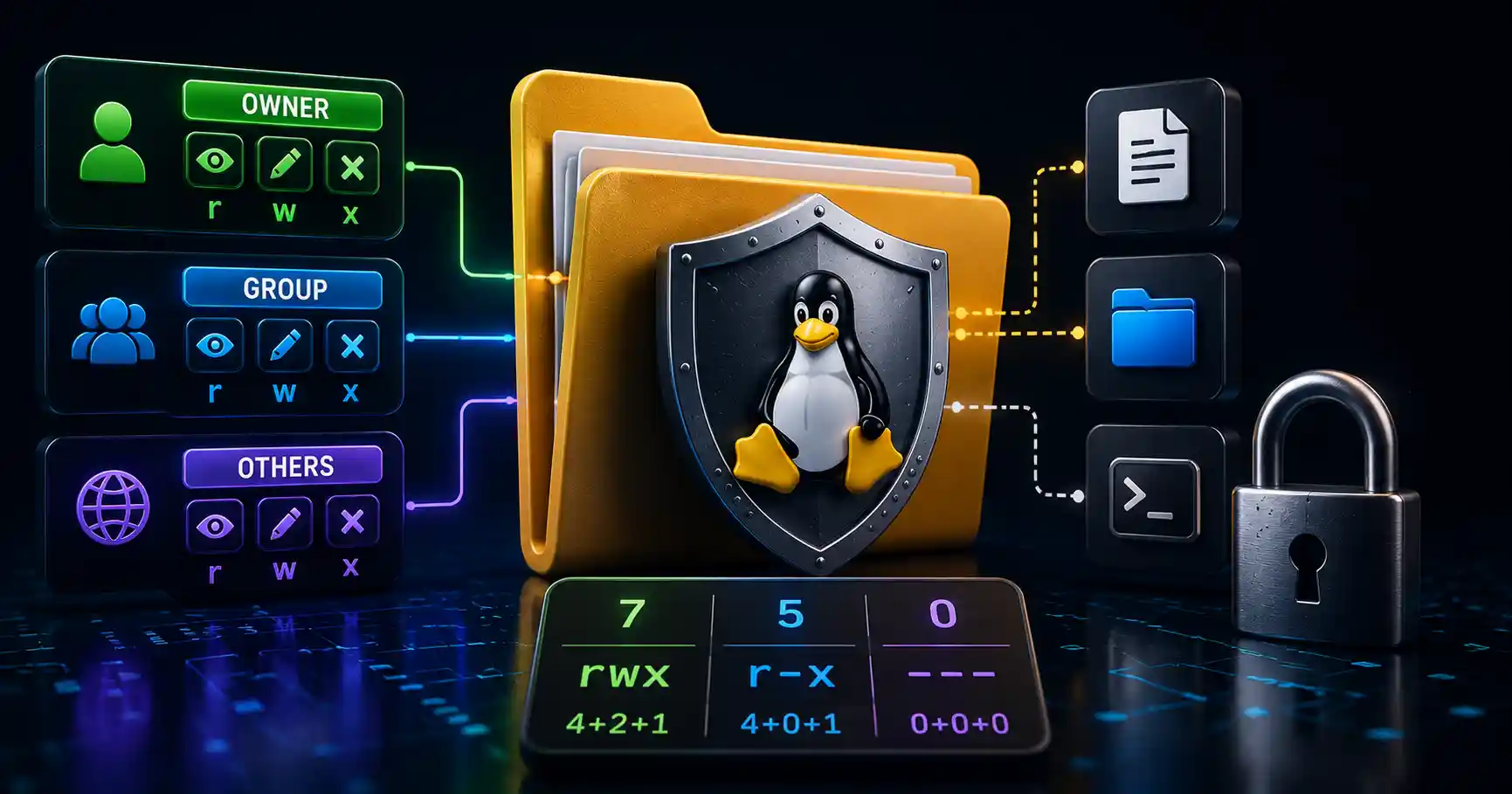
Master Linux file permissions. A sysadmin guide to chmod, chown, SUID/SGID, sticky bits, ACLs, and securing production server filesystems.
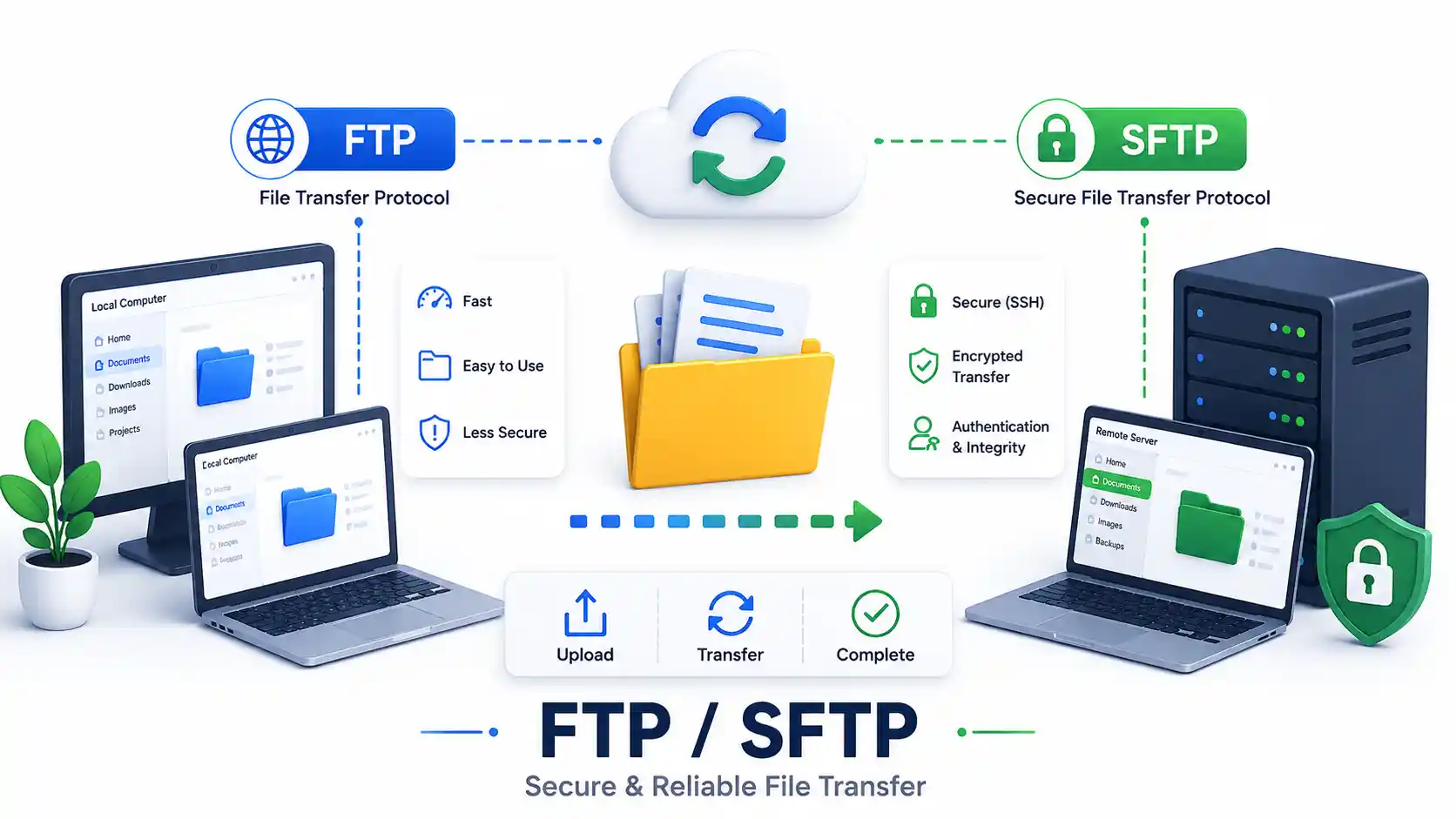
A DevOps guide to secure file transfers in 2026. Compare FTP, FTPS, and SFTP. Master rsync, scp, GUI clients, and configure a secure OpenSSH Chroot Jail.
Explore our full collection of free, privacy-first developer and SEO tools.
Browse All 134+ ToolsStart typing to search across articles, tools & courses