
Linux Tools
Cron Expression Generator
Build and validate cron expressions with a visual scheduler interface.
Search and explore Linux commands with examples and man page summaries.
List information about files and directories in the current working directory or specified locations.
ls [OPTION]... [FILE]... | Option | Description |
|---|---|
-l | Use a long listing format |
-a | Do not ignore entries starting with . |
-h | Print sizes in human readable format (e.g., 1K 234M 2G) |
-R | List subdirectories recursively |
-t | Sort by modification time (newest first) |
-r | Reverse order while sorting |
List all files including hidden ones with detailed information
ls -la List files in /var/log with human-readable file sizes
ls -lh /var/log Change the current working directory to the specified path.
cd [DIRECTORY] | Option | Description |
|---|---|
~ | Change to home directory |
.. | Change to parent directory |
- | Change to previous directory |
Change to home directory
cd ~ Change to parent directory
cd .. Print the full pathname of the current working directory.
pwd [OPTION] | Option | Description |
|---|---|
-P | Display physical path without symlinks |
-L | Display logical path with symlinks |
Display current working directory
pwd Create new directory or directories.
mkdir [OPTION]... DIRECTORY... | Option | Description |
|---|---|
-p | Create parent directories as needed |
-v | Print a message for each created directory |
-m | Set file mode/permissions |
Create a directory
mkdir new_folder Create nested directories
mkdir -p parent/child/grandchild Remove empty directories.
rmdir [OPTION]... DIRECTORY... | Option | Description |
|---|---|
-p | Remove parent directories when empty |
-v | Print a message for each removed directory |
Remove an empty directory
rmdir empty_folder Change file timestamps or create an empty file.
touch [OPTION]... FILE... | Option | Description |
|---|---|
-c | Do not create any files |
-a | Change only the access time |
-m | Change only the modification time |
-t | Use specified timestamp |
Create a new empty file
touch file.txt Update modification time of existing file
touch file.txt Copy files and directories from source to destination.
cp [OPTION]... SOURCE... DESTINATION | Option | Description |
|---|---|
-r/-R | Copy directories recursively |
-i | Prompt before overwriting |
-u | Copy only newer files |
-p | Preserve attributes (permissions, timestamps) |
Copy a file
cp file1.txt file2.txt Copy directory recursively
cp -r /source /destination Move or rename files and directories.
mv [OPTION]... SOURCE... DESTINATION | Option | Description |
|---|---|
-i | Prompt before overwriting |
-u | Move only newer files |
-n | Do not overwrite existing files |
-v | Explain what is being done |
Rename a file
mv oldname.txt newname.txt Move file to different directory
mv file.txt /home/user/documents/ Remove files or directories from the system.
rm [OPTION]... FILE... | Option | Description |
|---|---|
-r/-R | Remove directories recursively |
-f | Force removal without prompting |
-i | Prompt before every removal |
-v | Explain what is being done |
Remove a file
rm file.txt Remove directory recursively (careful!)
rm -rf directory/ Create hard or symbolic links between files.
ln [OPTION]... TARGET LINK_NAME | Option | Description |
|---|---|
-s | Create symbolic (soft) link |
-f | Remove existing destination files |
-n | Treat destination as normal file |
-v | Print name of each linked file |
Create symbolic link
ln -s /usr/bin/python3 python Create hard link
ln file.txt file_hardlink.txt Read and output the content of files sequentially.
cat [OPTION]... [FILE]... | Option | Description |
|---|---|
-n | Number output lines |
-b | Number non-empty output lines |
-E | Display $ at end of each line |
-s | Suppress repeated empty lines |
Display file content
cat file.txt Number lines while displaying
cat -n file.txt Display file content in reverse order (last line first).
tac [OPTION]... [FILE]... | Option | Description |
|---|---|
-b | Separate before rather than after |
-r | Interpret separator as regex |
-s | Use specified string as separator |
Display file in reverse
tac file.txt Number lines in files with customizable formatting.
nl [OPTION]... [FILE]... | Option | Description |
|---|---|
-b | Number body lines style |
-f | Number footer lines style |
-h | Number header lines style |
-n | Number format (ln, rn, rz) |
-w | Number width |
Add line numbers to file
nl file.txt Display the first lines of files (default: 10 lines).
head [OPTION]... [FILE]... | Option | Description |
|---|---|
-n | Number of lines to display |
-c | Number of bytes to display |
-q | Never print headers |
-v | Always print headers |
Show first 20 lines of file
head -n 20 file.txt Display the last lines of files (default: 10 lines).
tail [OPTION]... [FILE]... | Option | Description |
|---|---|
-n | Number of lines to display |
-f | Follow file growth (stream mode) |
-F | Follow with file rotation |
-c | Number of bytes to display |
Show last 20 lines of file
tail -n 20 file.txt Monitor log file in real-time
tail -f /var/log/syslog View file contents with pagination and scrolling.
less [OPTION]... [FILE]... | Option | Description |
|---|---|
-N | Show line numbers |
-S | Chop long lines |
-g | Highlight search results |
-i | Case-insensitive search |
View file with pagination
less file.txt View file contents page by page.
more [OPTION]... [FILE]... | Option | Description |
|---|---|
-d | Display help prompt |
-c | Clear screen before display |
-p | Don't scroll, clean screen |
-n | Lines per screen |
View file page by page
more file.txt Search files for patterns/regular expressions.
grep [OPTION]... PATTERN [FILE]... | Option | Description |
|---|---|
-i | Ignore case distinctions |
-r | Recursive search |
-v | Invert match (exclude) |
-l | Show only matching files |
-n | Show line numbers |
Search for text in file
grep "error" log.txt Search recursively in all files
grep -r "password" /etc/ Search using extended regular expressions (equivalent to grep -E).
egrep [OPTION]... PATTERN [FILE]... | Option | Description |
|---|---|
-i | Ignore case |
-r | Recursive |
-v | Invert match |
-w | Match whole word |
Search with extended regex
egrep "(error|warning)" log.txt Search for fixed strings (equivalent to grep -F).
fgrep [OPTION]... PATTERN [FILE]... | Option | Description |
|---|---|
-i | Ignore case |
-r | Recursive |
-v | Invert match |
-l | Show only matching files |
Search for literal string
fgrep "error*" log.txt Text stream editor for filtering and transforming text.
sed [OPTION]... {script} [input-file]... | Option | Description |
|---|---|
-i | Edit files in-place |
-n | Suppress automatic printing |
-e | Add script to commands |
-f | Use script file |
Replace text in file
sed 's/old/new/g' file.txt Delete lines containing pattern
sed '/pattern/d' file.txt Pattern scanning and processing language for text manipulation.
awk [OPTION]... 'program' [file]... | Option | Description |
|---|---|
-F | Field separator |
-v | Assign variable |
-f | Use program file |
Print first column
awk '{print $1}' file.txt Search pattern and print
awk '/error/ {print $0}' log.txt Extract sections/columns from each line of file.
cut [OPTION]... [FILE]... | Option | Description |
|---|---|
-c | Extract by character positions |
-f | Extract by fields |
-d | Field delimiter |
--complement | Output other fields |
Extract first 5 characters
cut -c 1-5 file.txt Extract second field (delimited by comma)
cut -d',' -f2 file.csv Merge lines from multiple files.
paste [OPTION]... [FILE]... | Option | Description |
|---|---|
-d | Delimiter (tab by default) |
-s | Serial (paste one file at a time) |
Merge two files side by side
paste file1.txt file2.txt Sort lines of text files.
sort [OPTION]... [FILE]... | Option | Description |
|---|---|
-n | Numeric sort |
-r | Reverse order |
-k | Sort by key/field |
-u | Unique (remove duplicates) |
-t | Field delimiter |
Sort file alphabetically
sort file.txt Sort numerically
sort -n numbers.txt Report or omit repeated lines (must be sorted).
uniq [OPTION]... [INPUT [OUTPUT]] | Option | Description |
|---|---|
-c | Count occurrences |
-d | Only print duplicates |
-i | Ignore case |
-u | Only print unique lines |
Display unique lines
uniq file.txt Count duplicate occurrences
sort file.txt | uniq -c Print line, word, and byte/character counts.
wc [OPTION]... [FILE]... | Option | Description |
|---|---|
-l | Line count |
-w | Word count |
-c | Byte count |
-m | Character count |
-L | Longest line length |
Count lines in file
wc -l file.txt Display all counts
wc file.txt Translate or delete characters from input.
tr [OPTION]... SET1 [SET2] | Option | Description |
|---|---|
-d | Delete characters in SET1 |
-s | Squeeze repeated characters |
-c | Complement SET1 |
Convert uppercase to lowercase
tr 'A-Z' 'a-z' < file.txt Delete specified characters
tr -d 'aeiou' < file.txt Read from stdin and write to stdout and files.
tee [OPTION]... [FILE]... | Option | Description |
|---|---|
-a | Append to files (don't overwrite) |
-i | Ignore interrupt signals |
Write to file and display output
echo "Hello" | tee file.txt Append to multiple files
command | tee -a log1.txt log2.txt Build and execute commands from stdin input.
xargs [OPTION]... [COMMAND] [INITIAL-ARGS] | Option | Description |
|---|---|
-n | Max arguments per command |
-p | Prompt before executing |
-0 | Items separated by null |
-I | Replace string |
Delete all .tmp files
find . -name "*.tmp" | xargs rm -f Run commands in parallel
echo "cmd1 cmd2" | xargs -n 1 -P 2 sh -c Split file into smaller pieces.
split [OPTION]... [INPUT] [PREFIX] | Option | Description |
|---|---|
-b | Split by bytes |
-l | Split by number of lines |
-n | Number of pieces |
Split by lines
split -l 1000 bigfile.txt Split by size
split -b 10M largefile.bin Join lines of two files on common field.
join [OPTION]... FILE1 FILE2 | Option | Description |
|---|---|
-1 | Field in first file |
-2 | Field in second file |
-t | Field delimiter |
-a | Include unpairable lines |
Join two CSV files
join -t',' file1.csv file2.csv Compare two sorted files line by line.
comm [OPTION]... FILE1 FILE2 | Option | Description |
|---|---|
-1 | Suppress column 1 (lines in file1) |
-2 | Suppress column 2 (lines in file2) |
-3 | Suppress column 3 (common lines) |
Show only common lines
comm -12 file1.txt file2.txt Compare files line by line and show differences.
diff [OPTION]... FILES | Option | Description |
|---|---|
-u | Unified format |
-r | Recursive for directories |
-i | Ignore case |
-b | Ignore whitespace |
Compare two files
diff file1.txt file2.txt Unified diff output
diff -u file1.txt file2.txt Compare files byte by byte.
cmp [OPTION]... FILE1 [FILE2] | Option | Description |
|---|---|
-l | Verbose output |
-s | Silent (return code only) |
-i | Skip initial bytes |
Compare two files
cmp file1.bin file2.bin Extract printable strings from binary files.
strings [OPTION]... [FILE]... | Option | Description |
|---|---|
-n | Minimum length |
-a | Scan entire file |
-t | Show offset |
Extract strings from binary
strings /bin/ls Format text by wrapping paragraphs.
fmt [OPTION]... [FILE]... | Option | Description |
|---|---|
-w | Set line width |
-s | Split only long lines |
-t | Tab formatting |
Format text to 80 columns
fmt -w 80 file.txt Wrap each input line to fit specified width.
fold [OPTION]... [FILE]... | Option | Description |
|---|---|
-w | Set line width (default 80) |
-s | Break at spaces |
Fold lines to 50 characters
fold -w 50 file.txt Reverse characters in each line of file.
rev [OPTION]... [FILE]... Reverse each line
rev file.txt Randomly permute lines from input.
shuf [OPTION]... [FILE] | Option | Description |
|---|---|
-n | Number of output lines |
-o | Output to file |
-r | Repeat output |
Shuffle lines randomly
shuf file.txt Generate random numbers
shuf -i 1-100 -n 5 Print sequence of numbers.
seq [OPTION]... LAST
seq [OPTION]... FIRST LAST
seq [OPTION]... FIRST INCREMENT LAST | Option | Description |
|---|---|
-f | Format string |
-s | Separator |
-w | Equal width with leading zeros |
Generate sequence 1 to 10
seq 10 Generate with format
seq -f "0%g" 5 Output a string repeatedly (default: 'y').
yes [STRING]... | Option | Description |
|---|---|
--version | Display version |
--help | Display help |
Automatically confirm yes
yes | command Output custom string repeatedly
yes "Hello World" Format and print data (C-like printf).
printf FORMAT [ARGUMENT]... | Option | Description |
|---|---|
-v | Assign to variable |
-f | Include file |
Print formatted text
printf "Hello %s\n" "World" Format with padding
printf "%10d\n" 123 Display line of text/string to stdout.
echo [OPTION]... [STRING]... | Option | Description |
|---|---|
-n | Do not output trailing newline |
-e | Enable escape sequences |
-E | Disable escape sequences |
Print simple text
echo "Hello World" Enable escape sequences
echo -e "Line1\nLine2" Strip directory prefix from path.
basename [OPTION]... NAME [SUFFIX] | Option | Description |
|---|---|
-a | Support multiple arguments |
-s | Remove suffix |
Get filename from path
basename /home/user/file.txt Remove extension
basename file.txt .txt Strip filename suffix from path.
dirname [OPTION]... NAME | Option | Description |
|---|---|
-z | Separate output with null |
Get directory from path
dirname /home/user/file.txt Print resolved absolute path.
realpath [OPTION]... FILE... | Option | Description |
|---|---|
-s | Don't expand symlinks |
-m | Ignore nonexistent files |
-e | Require files to exist |
Get absolute path
realpath file.txt Print value of symbolic link.
readlink [OPTION]... FILE | Option | Description |
|---|---|
-f | Canonicalize by following links |
-e | Canonicalize with existence check |
Read symbolic link
readlink /usr/bin/python Determine file type and MIME type.
file [OPTION]... [FILE]... | Option | Description |
|---|---|
-b | Brief output |
-i | MIME type output |
-z | Look inside compressed files |
Determine file type
file document.pdf Show MIME type
file -i image.png Display detailed file status/information.
stat [OPTION]... FILE... | Option | Description |
|---|---|
-c | Format string |
-L | Follow symbolic links |
-f | Display filesystem info |
Show file statistics
stat file.txt Display only size
stat -c %s file.txt Search for files in directory hierarchy.
find [PATH]... [EXPRESSION] | Option | Description |
|---|---|
-name | Match filename pattern |
-type | Match file type (f,d,l) |
-size | Match file size |
-mtime | Match modification time |
-exec | Execute command on found files |
Find all .txt files
find . -name "*.txt" Find files larger than 10MB
find . -size +10M -type f Find files by name using pre-built database.
locate [OPTION]... PATTERN... | Option | Description |
|---|---|
-i | Ignore case |
-l | Limit results |
-r | Use regex pattern |
-c | Count results |
Find file by name
locate file.txt Case-insensitive search
locate -i document Update the locate database.
updatedb [OPTION]... | Option | Description |
|---|---|
-o | Output database file |
-e | Directories to exclude |
-U | Root path |
Update database (as root)
sudo updatedb Show full path of shell command.
which [OPTION]... COMMAND... | Option | Description |
|---|---|
-a | Show all matches |
-s | Silent (only return code) |
Find command location
which python Show all matches
which -a python Locate binary, source, and man pages.
whereis [OPTION]... COMMAND... | Option | Description |
|---|---|
-b | Search only binaries |
-m | Search only man pages |
-s | Search only sources |
Find all occurrences
whereis ls Search only binary
whereis -b gcc Display command type (alias, function, built-in, file).
type [OPTION]... NAME... | Option | Description |
|---|---|
-a | Display all locations |
-t | Print type only |
-p | Print path of file command |
Show command type
type ls Show all locations
type -a python Display one-line description of command.
whatis [OPTION]... KEYWORD... | Option | Description |
|---|---|
-r | Interpret as regex |
-w | Wildcard matching |
Get command description
whatis ls Search man pages for keyword.
apropos [OPTION]... KEYWORD... | Option | Description |
|---|---|
-a | Match all keywords |
-e | Exact match |
-r | Regex match |
Search for print-related commands
apropos print Display system manual pages.
man [OPTION]... [SECTION] COMMAND | Option | Description |
|---|---|
-k | Keyword search |
-f | Whatis (short description) |
-a | Show all matches |
-w | Show location of man page |
View manual for ls
man ls Search for commands
man -k grep Read GNU Info documentation.
info [OPTION]... [TOPIC] | Option | Description |
|---|---|
-f | Specify file |
-n | Go to node |
-a | Show all matches |
View info for coreutils
info coreutils Display help for shell built-in commands.
help [OPTION]... [COMMAND] | Option | Description |
|---|---|
-m | Display in man format |
-s | Short description |
Get help for cd
help cd Change file/directory permissions.
chmod [OPTION]... MODE... FILE... | Option | Description |
|---|---|
-R | Recursive |
-v | Verbose output |
-c | Changed files only |
--reference | Copy permissions |
Make file executable
chmod +x script.sh Set permissions (rw-r--r--)
chmod 644 file.txt Change file owner and group.
chown [OPTION]... [OWNER][:[GROUP]] FILE... | Option | Description |
|---|---|
-R | Recursive |
-v | Verbose output |
--from | Change only if current owner/group matches |
Change file owner
chown user file.txt Change owner and group
chown user:group file.txt Change file group ownership.
chgrp [OPTION]... GROUP FILE... | Option | Description |
|---|---|
-R | Recursive |
-v | Verbose output |
--referece | Copy group from reference |
Change file group
chgrp staff file.txt Set default file creation permissions mask.
umask [OPTION]... [MASK] | Option | Description |
|---|---|
-p | Print umask in symbolic format |
-S | Print umask in symbolic format |
Display current umask
umask Set new umask
umask 022 Copy files and set attributes (like cp but with permissions).
install [OPTION]... SOURCE... DESTINATION | Option | Description |
|---|---|
-d | Create directories |
-m | Set permissions |
-o | Set owner |
-g | Set group |
Install file with permissions
install -m 755 script.sh /usr/local/bin/ Create directory
install -d /custom/path Create temporary file or directory.
mktemp [OPTION]... [TEMPLATE] | Option | Description |
|---|---|
-d | Create directory |
-p | Use specific directory |
-t | Use template |
Create temporary file
mktemp Create with prefix
mktemp mytemp.XXXXXX Write data to disks synchronously.
sync [OPTION]... | Option | Description |
|---|---|
-d | Sync only directory entries |
-f | Sync filesystem |
Sync all data
sync Display disk usage of files and directories.
du [OPTION]... [FILE]... | Option | Description |
|---|---|
-h | Human readable sizes |
-s | Summarize (total only) |
-a | Include files |
-c | Total summary |
-d | Directory depth |
Show directory size
du -sh /home/user Show top 10 largest
du -h / | sort -rh | head -10 Display filesystem disk space usage.
df [OPTION]... [FILE]... | Option | Description |
|---|---|
-h | Human readable |
-T | Show filesystem type |
-i | Show inodes |
-a | Include dummy filesystems |
Show disk usage
df -h Show specific filesystem
df -hT /dev/sda1 Mount filesystem or view mounted filesystems.
mount [OPTION]... DEVICE DIRECTORY | Option | Description |
|---|---|
-t | Filesystem type |
-o | Mount options |
-a | Mount all from fstab |
-r | Mount read-only |
Mount USB drive
mount /dev/sdb1 /mnt/usb Mount read-only
mount -o ro /dev/sda1 /mnt Unmount filesystem.
umount [OPTION]... DEVICE|DIRECTORY | Option | Description |
|---|---|
-l | Lazy unmount |
-f | Force unmount |
-r | Remount read-only if unmount fails |
Unmount device
umount /dev/sdb1 Unmount by directory
umount /mnt/usb Display list of block devices.
lsblk [OPTION]... [DEVICE] | Option | Description |
|---|---|
-f | Show filesystem info |
-m | Permissions info |
-l | List format |
-p | Full paths |
List all block devices
lsblk Show filesystems
lsblk -f Display block device attributes and UUID.
blkid [OPTION]... [DEVICE] | Option | Description |
|---|---|
-o | Output format |
-s | Display specific attribute |
-t | Search by attribute |
Show all partitions
blkid Get UUID
blkid /dev/sda1 Manipulate disk partition table.
fdisk [OPTION]... DEVICE | Option | Description |
|---|---|
-l | List partitions |
-u | Show in sectors |
-s | Show partition size |
List partitions
fdisk -l Interactive partition editing
fdisk /dev/sda Curses-based partition table manipulator.
cfdisk [OPTION]... DEVICE | Option | Description |
|---|---|
-z | Start with zero partition table |
-P | Display partition table |
Interactive partition editor
cfdisk /dev/sda Script-oriented partition table manipulator.
sfdisk [OPTION]... DEVICE | Option | Description |
|---|---|
-l | List partitions |
-d | Dump partition table |
-r | Read-only |
List partitions
sfdisk -l /dev/sda Dump to file
sfdisk -d /dev/sda > backup.txt Partition manipulation program.
parted [OPTION]... DEVICE [COMMAND] | Option | Description |
|---|---|
-s | Script mode |
-l | List devices |
-a | Align option |
List devices
parted -l Create partition
parted /dev/sda mkpart primary ext4 0% 100% Inform OS about partition table changes.
partprobe [OPTION]... [DEVICE] | Option | Description |
|---|---|
-s | Show summary |
-d | Dry run |
Reload partition table
partprobe /dev/sda Build a filesystem on a device.
mkfs [OPTION]... DEVICE | Option | Description |
|---|---|
-t | Filesystem type |
-V | Verbose output |
Create filesystem
mkfs -t ext4 /dev/sdb1 Create ext4 filesystem.
mkfs.ext4 [OPTION]... DEVICE | Option | Description |
|---|---|
-L | Volume label |
-b | Block size |
-m | Reserved blocks percentage |
-O | Filesystem features |
Create ext4 filesystem
mkfs.ext4 /dev/sdb1 With label
mkfs.ext4 -L data /dev/sdb1 Create XFS filesystem.
mkfs.xfs [OPTION]... DEVICE | Option | Description |
|---|---|
-f | Force overwrite |
-L | Label |
-d | Data section options |
-l | Log section options |
Create XFS filesystem
mkfs.xfs /dev/sdb1 Create Btrfs filesystem.
mkfs.btrfs [OPTION]... DEVICE | Option | Description |
|---|---|
-L | Label |
-d | Data profile |
-m | Metadata profile |
-f | Force overwrite |
Create Btrfs filesystem
mkfs.btrfs /dev/sdb1 Check and repair filesystem consistency.
fsck [OPTION]... DEVICE | Option | Description |
|---|---|
-t | Filesystem type |
-A | Check all filesystems |
-y | Assume yes to all questions |
-V | Verbose output |
Check filesystem
fsck /dev/sda1 Force check
fsck -y /dev/sda1 Adjust ext2/ext3/ext4 filesystem parameters.
tune2fs [OPTION]... DEVICE | Option | Description |
|---|---|
-l | List filesystem features |
-c | Max mount count between checks |
-i | Time interval between checks |
-L | Set volume label |
Set label
tune2fs -L data /dev/sda1 Check filesystem parameters
tune2fs -l /dev/sda1 Check ext2/ext3/ext4 filesystem.
e2fsck [OPTION]... DEVICE | Option | Description |
|---|---|
-p | Automatic repair |
-f | Force check |
-c | Check for bad blocks |
-n | Read-only check |
Check filesystem
e2fsck /dev/sda1 Force check with auto-repair
e2fsck -pf /dev/sda1 Resize ext2/ext3/ext4 filesystem.
resize2fs [OPTION]... DEVICE [SIZE] | Option | Description |
|---|---|
-p | Show progress |
-M | Shrink to minimum size |
Resize to specific size
resize2fs /dev/sda1 10G Expand to all available
resize2fs /dev/sda1 Repair XFS filesystem.
xfs_repair [OPTION]... DEVICE | Option | Description |
|---|---|
-n | Dry run (no changes) |
-d | Dangerous mode |
-L | Force log zeroing |
Check filesystem
xfs_repair /dev/sda1 Read-only check
xfs_repair -n /dev/sda1 Btrfs filesystem management tool.
btrfs [SUBCOMMAND] [OPTION]... | Option | Description |
|---|---|
subvolume | Manage subvolumes |
filesystem | Filesystem operations |
balance | Balance data |
scrub | Check data integrity |
Create subvolume
btrfs subvolume create /mnt/data Check filesystem
btrfs filesystem show Create swap space on device or file.
mkswap [OPTION]... DEVICE | Option | Description |
|---|---|
-f | Force |
-L | Label |
-U | UUID |
Create swap partition
mkswap /dev/sda2 Enable swap space on device/file.
swapon [OPTION]... [DEVICE] | Option | Description |
|---|---|
-a | Enable all from fstab |
-s | Display summary |
-p | Set priority |
Enable swap
swapon /dev/sda2 Show swap info
swapon -s Disable swap space.
swapoff [OPTION]... [DEVICE] | Option | Description |
|---|---|
-a | Disable all swaps |
-v | Verbose output |
Disable swap
swapoff /dev/sda2 Display system memory usage.
free [OPTION]... | Option | Description |
|---|---|
-h | Human readable |
-m | MB units |
-g | GB units |
-s | Continuous refresh |
-t | Total summary |
Show memory usage
free -h Continuous monitoring
free -s 2 Report virtual memory statistics.
vmstat [OPTION]... [DELAY] [COUNT] | Option | Description |
|---|---|
-s | Summary statistics |
-d | Disk statistics |
-n | No headers |
-w | Wide output |
Show memory stats
vmstat Monitor every 2 seconds
vmstat 2 Report CPU and I/O statistics.
iostat [OPTION]... [DELAY] [COUNT] | Option | Description |
|---|---|
-c | CPU stats only |
-d | Device stats only |
-x | Extended stats |
-k | KB/s output |
Show I/O stats
iostat Monitor every second
iostat 1 Collect, report, and save system activity.
sar [OPTION]... [INTERVAL] [COUNT] | Option | Description |
|---|---|
-u | CPU usage |
-r | Memory usage |
-n | Network usage |
-d | Disk usage |
Show CPU usage
sar -u 1 5 Show memory usage
sar -r Show how long system has been running.
uptime [OPTION]... | Option | Description |
|---|---|
-p | Pretty format |
-s | Show since time |
Show system uptime
uptime Display kernel ring buffer messages.
dmesg [OPTION]... | Option | Description |
|---|---|
-H | Human readable |
-T | Human timestamp |
-f | Facility |
-l | Level |
-c | Clear buffer |
Show kernel messages
dmesg | tail -20 Show with timestamps
dmesg -T Query systemd journal logs.
journalctl [OPTION]... [MATCHES] | Option | Description |
|---|---|
-f | Follow logs |
-u | Unit name |
-p | Priority level |
-S | Since date/time |
-e | Jump to end |
Show all logs
journalctl Follow system logs
journalctl -f Since last boot
journalctl -b Show or set system hostname.
hostname [OPTION]... [NAME] | Option | Description |
|---|---|
-f | FQDN |
-s | Short name |
-i | IP address |
-A | All addresses |
Show hostname
hostname Set hostname
sudo hostname newname Control system hostname in systemd.
hostnamectl [OPTION]... [COMMAND] | Option | Description |
|---|---|
status | Show current settings |
set-hostname | Set hostname |
set-icon-name | Set icon name |
set-chassis | Set chassis type |
Show hostname info
hostnamectl Set hostname
sudo hostnamectl set-hostname myserver Print system information.
uname [OPTION]... | Option | Description |
|---|---|
-a | All information |
-s | Kernel name |
-n | Network hostname |
-r | Kernel release |
-v | Kernel version |
-m | Machine architecture |
Show all info
uname -a Show kernel version
uname -r Display CPU architecture information.
lscpu [OPTION]... | Option | Description |
|---|---|
-e | Extended format |
-p | Parsable format |
-x | Hex masks |
Show CPU info
lscpu List USB devices.
lsusb [OPTION]... | Option | Description |
|---|---|
-v | Verbose |
-t | Tree format |
-s | Specify bus/device |
List USB devices
lsusb Show detailed info
lsusb -v List PCI devices.
lspci [OPTION]... | Option | Description |
|---|---|
-v | Verbose |
-nn | Show numeric IDs |
-k | Show kernel drivers |
-t | Tree format |
List PCI devices
lspci Show detailed info
lspci -v Read system hardware data from BIOS.
dmidecode [OPTION]... | Option | Description |
|---|---|
-t | Type |
-s | String |
-q | Quiet mode |
Show all hardware info
sudo dmidecode Show memory info
sudo dmidecode -t memory Comprehensive system information tool.
inxi [OPTION]... | Option | Description |
|---|---|
-F | Full output |
-b | Brief output |
-G | Graphics info |
-D | Disk info |
-N | Network info |
Show full system info
inxi -F Show brief summary
inxi -b Display system info with OS logo/ASCII art.
neofetch [OPTION]... | Option | Description |
|---|---|
--off | Disable ASCII logo |
--image | Image path |
--color_blocks | Color blocks |
--disable | Disable components |
Show system info
neofetch Disable logo
neofetch --off Fast system information display tool.
fastfetch [OPTION]... | Option | Description |
|---|---|
-c | Config file |
-l | List presets |
-s | Structure file |
Show system info
fastfetch Display system info with ASCII art.
screenfetch [OPTION]... | Option | Description |
|---|---|
-v | Verbose |
-s | Use screenshot mode |
-n | No ASCII logo |
Show system info
screenfetch Print effective username.
whoami [OPTION]... Show current user
whoami Display user and group information.
id [OPTION]... [USER] | Option | Description |
|---|---|
-u | User ID only |
-g | Group ID only |
-G | All group IDs |
-n | Name instead of number |
Show current user info
id Show info for specific user
id username Display group memberships.
groups [OPTION]... [USER] Show current user groups
groups Display list of logged-in users.
users [OPTION]... Show logged-in users
users Display who is currently logged in.
who [OPTION]... | Option | Description |
|---|---|
-a | All |
-b | Boot time |
-r | Run level |
-q | Quick summary |
Show logged in users
who Show all info
who -a Show who is logged in and their activities.
w [OPTION]... [USER] | Option | Description |
|---|---|
-h | No header |
-u | Ignore idle time |
-s | Short format |
Show users and activities
w Show login/reboot history from wtmp.
last [OPTION]... [USER]... | Option | Description |
|---|---|
-n | Number of lines |
-x | Show system shutdowns |
-f | Specific file |
Show recent logins
last -n 10 Show failed login attempts.
lastb [OPTION]... [USER]... | Option | Description |
|---|---|
-n | Number of lines |
-f | Specific file |
Show failed logins
lastb -n 10 Display user information.
finger [OPTION]... [USER]... | Option | Description |
|---|---|
-l | Long format |
-s | Short format |
-p | No plan file |
Show user info
finger username Change user password.
passwd [OPTION]... [USER] | Option | Description |
|---|---|
-e | Expire password |
-d | Delete password |
-l | Lock account |
-u | Unlock account |
Change current user password
passwd Change another user's password (root)
sudo passwd username Change login shell.
chsh [OPTION]... [USER] | Option | Description |
|---|---|
-s | Set shell |
-l | List valid shells |
Change shell
chsh -s /bin/zsh List available shells
chsh -l Change user's GECOS/finger information.
chfn [OPTION]... [USER] | Option | Description |
|---|---|
-f | Full name |
-o | Office |
-p | Office phone |
-h | Home phone |
Change user info
chfn username Set full name
chfn -f "John Doe" username Run commands as another user.
su [OPTION]... [USER] [ARGUMENT]... | Option | Description |
|---|---|
- | Load environment |
-c | Run command |
-l | Login shell |
-s | Specify shell |
Switch to root
su - Run command as user
su - username -c "command" Execute commands as another user (typically root).
sudo [OPTION]... COMMAND | Option | Description |
|---|---|
-u | Specify user |
-i | Login shell |
-s | Shell |
-l | List privileges |
-k | Reset timeout |
Run command as root
sudo apt update Run as specific user
sudo -u username command Safely edit sudoers file.
visudo [OPTION]... | Option | Description |
|---|---|
-c | Check syntax |
-f | Specify file |
-s | Strict mode |
Edit sudoers file
sudo visudo Check syntax
sudo visudo -c Begin session on system.
login [OPTION]... [USER] | Option | Description |
|---|---|
-p | Preserve environment |
-f | Don't authenticate |
Login as user
login username End login session.
logout [OPTION]... Logout from shell
logout Set or view environment variables.
env [OPTION]... [VARIABLE=value]... [COMMAND] | Option | Description |
|---|---|
-i | Ignore environment |
-u | Remove variable |
-0 | Null termination |
Show environment
env Run command with variable
env VAR=value command Print environment variables.
printenv [OPTION]... [VARIABLE] | Option | Description |
|---|---|
-0 | Null termination |
Show all environment
printenv Show specific variable
printenv PATH Set and export environment variable.
export [OPTION]... [VARIABLE[=VALUE]] | Option | Description |
|---|---|
-n | Remove export property |
-p | Show exported variables |
Set environment variable
export PATH=$PATH:/new/path Remove variable or function.
unset [OPTION]... [VARIABLE]... | Option | Description |
|---|---|
-f | Remove function |
-v | Remove variable |
Unset environment variable
unset VARIABLE Create or show command aliases.
alias [OPTION]... [NAME=VALUE]... | Option | Description |
|---|---|
-p | Print all aliases |
-g | Global alias (zsh) |
Create alias
alias ll='ls -la' Show all aliases
alias Remove command aliases.
unalias [OPTION]... NAME... | Option | Description |
|---|---|
-a | Remove all aliases |
Remove alias
unalias ll Remove all
unalias -a Execute commands from file in current shell.
source [OPTION]... FILE Source configuration file
source ~/.bashrc Display or manipulate command history.
history [OPTION]... | Option | Description |
|---|---|
-c | Clear history |
-d | Delete entry |
-w | Write to file |
-r | Read from file |
Show history
history Clear history
history -c Clear terminal screen.
clear [OPTION]... Clear terminal
clear Reset terminal settings.
reset [OPTION]... Reset terminal
reset Display or set system date/time.
date [OPTION]... [+FORMAT] | Option | Description |
|---|---|
-d | Display time described by string |
-s | Set time |
-u | UTC |
-R | RFC 2822 format |
Show current date
date Show in specific format
date "+%Y-%m-%d %H:%M:%S" Display calendar.
cal [OPTION]... [MONTH] [YEAR] | Option | Description |
|---|---|
-3 | Show previous/current/next |
-y | Full year |
-m | Monday first |
-j | Julian dates |
Show current month
cal Show specific year
cal 2025 Control system time/date in systemd.
timedatectl [OPTION]... [COMMAND] | Option | Description |
|---|---|
status | Show current settings |
set-time | Set time |
set-timezone | Set timezone |
set-ntp | Enable/disable NTP |
Show current settings
timedatectl Set timezone
sudo timedatectl set-timezone UTC Delay for specified time.
sleep [OPTION]... NUMBER[SUFFIX]... | Option | Description |
|---|---|
--help | Display help |
--version | Version info |
Sleep for 5 seconds
sleep 5 Sleep for 1 minute
sleep 1m Execute command periodically.
watch [OPTION]... COMMAND | Option | Description |
|---|---|
-n | Interval in seconds |
-d | Highlight changes |
-t | No header |
-e | Exit on error |
Watch command every 2 seconds
watch -n 2 date Watch with changes highlighted
watch -d ls Time command execution.
time [OPTION]... COMMAND [ARGUMENT]... | Option | Description |
|---|---|
-o | Write to file |
-f | Format string |
Time a command
time ls Run command with time limit.
timeout [OPTION]... DURATION COMMAND | Option | Description |
|---|---|
-s | Signal to send |
-k | Kill after duration |
Run command for 5 seconds
timeout 5s ping google.com Run command with modified niceness.
nice [OPTION]... [COMMAND] [ARGUMENT]... | Option | Description |
|---|---|
-n | Niceness level (-20 to 19) |
Run with low priority
nice -n 10 command Change priority of running process.
renice [OPTION]... PRIORITY [PID]... | Option | Description |
|---|---|
-n | Priority level |
-g | Group |
-u | User |
Change process priority
renice -n 10 -p 1234 Run command immune to hangup signal.
nohup [OPTION]... COMMAND [ARGUMENT]... | Option | Description |
|---|---|
-p | Process ID |
-v | Verbose output |
Run command in background
nohup command & Display background jobs in current session.
jobs [OPTION]... | Option | Description |
|---|---|
-l | Include PID |
-p | PIDs only |
-r | Running jobs only |
-s | Stopped jobs only |
Show background jobs
jobs Resume job in background.
bg [OPTION]... [JOBSPEC] Resume job in background
bg %1 Bring job to foreground.
fg [OPTION]... [JOBSPEC] Bring job to foreground
fg %1 Send signals to processes.
kill [OPTION]... PID... | Option | Description |
|---|---|
-l | List signals |
-9 | SIGKILL (force) |
-15 | SIGTERM (graceful) |
Terminate process
kill 1234 Force terminate
kill -9 1234 Kill processes by name.
killall [OPTION]... NAME... | Option | Description |
|---|---|
-9 | SIGKILL |
-u | Kill user's processes |
-r | Regex pattern |
-i | Interactive prompt |
Kill process by name
killall firefox Kill process by pattern.
pkill [OPTION]... PATTERN | Option | Description |
|---|---|
-f | Match full command line |
-u | User |
-t | Terminal |
-x | Exact match |
Kill process by pattern
pkill firefox Find process by pattern.
pgrep [OPTION]... PATTERN | Option | Description |
|---|---|
-l | Show process names |
-u | User |
-f | Match full command line |
-x | Exact match |
Find process ID
pgrep firefox Display active processes.
ps [OPTION]... | Option | Description |
|---|---|
-e | All processes |
-f | Full format |
-u | User format |
-aux | All processes with user |
Show all processes
ps aux Show specific user
ps -u username Display process tree.
pstree [OPTION]... [PID|USER] | Option | Description |
|---|---|
-p | Show PIDs |
-u | Show user names |
-a | Show command lines |
-h | Highlight current |
Show process tree
pstree Show with PIDs
pstree -p Display dynamic real-time process view.
top [OPTION]... | Option | Description |
|---|---|
-u | Show specific user |
-p | Show specific PIDs |
-d | Refresh interval |
Show processes in real-time
top Interactive process viewer (enhanced top).
htop [OPTION]... | Option | Description |
|---|---|
-u | Show specific user |
-p | Show specific PIDs |
-t | Tree view |
Launch htop
htop Modern, resource monitoring tool with graphs.
btop [OPTION]... | Option | Description |
|---|---|
-t | Theme |
-c | Config file |
Launch btop
btop Advanced system and process monitor.
atop [OPTION]... | Option | Description |
|---|---|
-a | Show all processes |
-c | Show command line |
-r | Read from log file |
Launch atop
atop Cross-platform system monitoring tool.
glances [OPTION]... | Option | Description |
|---|---|
-s | Server mode |
-c | Client mode |
-w | Web interface |
-t | Interval |
Launch glances
glances Web interface
glances -w Find PID of running program.
pidof [OPTION]... PROGRAM... | Option | Description |
|---|---|
-s | Single PID |
-x | Include scripts |
-o | Omit PIDs |
Find PID
pidof firefox Report memory map of process.
pmap [OPTION]... PID | Option | Description |
|---|---|
-x | Extended format |
-d | Device format |
-q | Quiet mode |
Show process memory
pmap 1234 Trace system calls and signals.
strace [OPTION]... COMMAND | Option | Description |
|---|---|
-p | Attach to PID |
-e | Filter system calls |
-f | Follow child processes |
-o | Output to file |
Trace command execution
strace ls Attach to running process
strace -p 1234 Trace library function calls.
ltrace [OPTION]... COMMAND | Option | Description |
|---|---|
-p | Attach to PID |
-e | Filter functions |
-f | Follow children |
-o | Output to file |
Trace library calls
ltrace ls Performance analysis tool for Linux.
perf [SUBCOMMAND] [OPTION]... | Option | Description |
|---|---|
stat | Count events |
record | Record events |
report | Report events |
top | Real-time profiling |
Count CPU cycles
perf stat command Profile command
perf record -g command
perf report Report CPU statistics per processor.
mpstat [OPTION]... [INTERVAL] [COUNT] | Option | Description |
|---|---|
-P | Specific CPU |
-A | All information |
-u | CPU usage |
Show CPU stats
mpstat Monitor every second
mpstat 1 Monitor I/O usage per process.
iotop [OPTION]... | Option | Description |
|---|---|
-o | Show only active processes |
-b | Batch mode |
-d | Delay |
-n | Number of iterations |
Monitor I/O in real-time
sudo iotop Monitor network bandwidth usage.
iftop [OPTION]... | Option | Description |
|---|---|
-i | Interface |
-n | No DNS resolution |
-f | Filter packets |
-p | Promiscuous mode |
Monitor network traffic
sudo iftop Monitor specific interface
sudo iftop -i eth0 Monitor network bandwidth with graphs.
nload [OPTION]... | Option | Description |
|---|---|
-u | Unit (k/M/G) |
-U | Update interval |
-t | Graph refresh time |
Monitor traffic
nload Show/manipulate network interfaces.
ip [OPTION]... OBJECT {COMMAND} | Option | Description |
|---|---|
link | Network interface |
addr | IP addresses |
route | Routing table |
neigh | ARP table |
Show interfaces
ip link show Show IP addresses
ip addr show Configure network interfaces (deprecated).
ifconfig [OPTION]... [INTERFACE] | Option | Description |
|---|---|
up | Activate interface |
down | Deactivate |
add | Add address |
del | Remove address |
Show interfaces
ifconfig Configure interface
ifconfig eth0 192.168.1.10 Configure wireless network interface.
iwconfig [OPTION]... [INTERFACE] | Option | Description |
|---|---|
essid | Network name |
mode | Operation mode |
key | Encryption key |
freq | Channel frequency |
Show wireless settings
iwconfig Connect to network
iwconfig wlan0 essid "MyNetwork" Modern wireless device configuration tool.
iw [OPTION]... COMMAND | Option | Description |
|---|---|
dev | Device operations |
phy | Physical device |
info | Show info |
scan | Scan networks |
List wireless devices
iw dev Scan for networks
iw dev wlan0 scan Show socket statistics.
ss [OPTION]... | Option | Description |
|---|---|
-t | TCP sockets |
-u | UDP sockets |
-l | Listening sockets |
-n | Numeric output |
-p | Process info |
Show all TCP connections
ss -t Show listening ports
ss -l Display network connections and statistics.
netstat [OPTION]... | Option | Description |
|---|---|
-t | TCP |
-u | UDP |
-l | Listening |
-p | Process info |
-r | Routing table |
Show all connections
netstat -tulpn Show routing table
netstat -r Display/modify routing table.
route [OPTION]... | Option | Description |
|---|---|
-n | Numeric output |
add | Add route |
del | Delete route |
-A | Address family |
Show routing table
route -n Add default gateway
route add default gw 192.168.1.1 Display/modify ARP cache.
arp [OPTION]... | Option | Description |
|---|---|
-n | Numeric output |
-a | Show all entries |
-d | Delete entry |
-s | Add entry |
Show ARP table
arp -n Test network connectivity.
ping [OPTION]... HOST | Option | Description |
|---|---|
-c | Count |
-i | Interval |
-s | Packet size |
-4/-6 | IPv4/IPv6 |
-W | Timeout |
Test connectivity
ping google.com Ping with count
ping -c 5 8.8.8.8 Test IPv6 network connectivity.
ping6 [OPTION]... HOST Test IPv6 connectivity
ping6 ipv6.google.com Trace path to network host.
traceroute [OPTION]... HOST | Option | Description |
|---|---|
-n | No DNS |
-w | Wait time |
-m | Max hops |
-I | ICMP packets |
Trace route
traceroute google.com No DNS resolution
traceroute -n 8.8.8.8 Trace network path with MTU discovery.
tracepath [OPTION]... HOST | Option | Description |
|---|---|
-n | Numeric output |
-l | Initial packet length |
Trace path
tracepath google.com Combined traceroute and ping tool.
mtr [OPTION]... HOST | Option | Description |
|---|---|
-r | Report mode |
-c | Number of pings |
-n | No DNS |
-i | Interval |
Run mtr
mtr google.com Generate report
mtr -r -c 10 google.com DNS lookup utility.
dig [OPTION]... DOMAIN [TYPE] | Option | Description |
|---|---|
+short | Short output |
+trace | Trace delegation |
@server | Specific server |
-x | Reverse lookup |
Lookup A record
dig google.com Short output
dig +short google.com Reverse lookup
dig -x 8.8.8.8 Simple DNS lookup tool.
host [OPTION]... DOMAIN [SERVER] | Option | Description |
|---|---|
-a | All records |
-t | Record type |
-v | Verbose |
Lookup domain
host google.com Specific record type
host -t MX google.com Query DNS nameservers.
nslookup [OPTION]... [HOST] | Option | Description |
|---|---|
-type= | Record type |
-timeout= | Timeout |
-debug | Debug mode |
Lookup domain
nslookup google.com Interactive mode
nslookup Transfer data from/to servers.
curl [OPTION]... URL | Option | Description |
|---|---|
-o | Output to file |
-L | Follow redirects |
-v | Verbose |
-H | Header |
-d | Data |
-X | Method |
Download file
curl -O https://example.com/file.txt Send POST request
curl -d "key=value" https://example.com/api Retrieve files from web.
wget [OPTION]... URL | Option | Description |
|---|---|
-O | Output file |
-c | Resume download |
-r | Recursive |
-q | Quiet mode |
-P | Directory prefix |
Download file
wget https://example.com/file.zip Resume download
wget -c https://example.com/file.zip High-performance download utility.
aria2c [OPTION]... URL | Option | Description |
|---|---|
-x | Connection count |
-o | Output file |
-s | Split count |
-d | Directory |
Download file
aria2c https://example.com/file.zip Download with multiple connections
aria2c -x 16 https://example.com/file.zip Classic file transfer protocol client.
ftp [OPTION]... [HOST] | Option | Description |
|---|---|
-i | Turn off interactive |
-n | No auto-login |
-v | Verbose |
Connect to FTP
ftp example.com SSH File Transfer Protocol client.
sftp [OPTION]... [USER@]HOST | Option | Description |
|---|---|
-b | Batch file |
-P | Port |
-v | Verbose |
Connect via SFTP
sftp [email protected] Copy files over SSH.
scp [OPTION]... SOURCE TARGET | Option | Description |
|---|---|
-r | Recursive |
-P | Port |
-i | Identity file |
-C | Compression |
Copy file to remote
scp file.txt user@host:/path/ Copy remote to local
scp user@host:/path/file.txt . Efficient file synchronization.
rsync [OPTION]... SOURCE DEST | Option | Description |
|---|---|
-a | Archive mode |
-z | Compression |
-v | Verbose |
--delete | Delete extra files |
-P | Progress |
-e | Remote shell |
Sync local directory
rsync -av /source/ /dest/ Sync over SSH
rsync -avz -e ssh /local user@host:/remote/ Secure shell client for remote access.
ssh [OPTION]... [USER@]HOST [COMMAND] | Option | Description |
|---|---|
-p | Port |
-i | Identity file |
-v | Verbose |
-X | X11 forwarding |
-L | Local forwarding |
Connect to remote
ssh user@hostname Run remote command
ssh user@hostname "ls -la" Generate SSH key pairs.
ssh-keygen [OPTION]... | Option | Description |
|---|---|
-t | Key type (rsa, ed25519) |
-b | Bits |
-f | Output file |
-C | Comment |
-p | Change passphrase |
Generate SSH key
ssh-keygen -t ed25519 -C "[email protected]" Install public key to remote server.
ssh-copy-id [OPTION]... [USER@]HOST | Option | Description |
|---|---|
-i | Identity file |
-p | Port |
-f | Force |
Copy key to remote
ssh-copy-id user@hostname Manage SSH private keys.
ssh-agent [OPTION]... [COMMAND] | Option | Description |
|---|---|
-s | Bourne shell output |
-c | C shell output |
-k | Kill agent |
-t | Timeout |
Start agent
eval $(ssh-agent) Add private key to ssh-agent.
ssh-add [OPTION]... [FILE] | Option | Description |
|---|---|
-l | List keys |
-d | Delete key |
-D | Delete all |
-t | Timeout |
Add default key
ssh-add List loaded keys
ssh-add -l Unencrypted remote terminal client.
telnet [OPTION]... HOST [PORT] | Option | Description |
|---|---|
-a | Auto login |
-l | User |
Connect via telnet
telnet hostname Network tool for reading/writing connections.
nc [OPTION]... [HOST] [PORT] | Option | Description |
|---|---|
-l | Listen mode |
-p | Local port |
-v | Verbose |
-u | UDP |
-z | Zero I/O mode |
Connect to server
nc example.com 80 Listen on port
nc -l 1234 Enhanced netcat implementation.
ncat [OPTION]... [HOST] [PORT] | Option | Description |
|---|---|
-l | Listen |
-k | Keep listening |
-s | Source address |
--ssl | SSL encryption |
Listen on port
ncat -l 1234 SSL listener
ncat --ssl -l 1234 Multipurpose socket relay tool.
socat [OPTION]... ADDRESS ADDRESS | Option | Description |
|---|---|
-v | Verbose |
-x | Hex dump |
-d | Debug |
-T | Timeout |
Forward port
socat TCP-LISTEN:8080 TCP:localhost:80 Capture and analyze network packets.
tcpdump [OPTION]... [EXPRESSION] | Option | Description |
|---|---|
-i | Interface |
-n | Numeric output |
-w | Write to file |
-r | Read from file |
-c | Count |
-v | Verbose |
Capture packets
sudo tcpdump -i eth0 Save to file
sudo tcpdump -i eth0 -w capture.pcap Wireshark command-line packet analyzer.
tshark [OPTION]... | Option | Description |
|---|---|
-i | Interface |
-r | Read file |
-Y | Display filter |
-w | Write file |
Capture packets
sudo tshark -i eth0 Graphical network packet analyzer.
wireshark [OPTION]... | Option | Description |
|---|---|
-i | Interface |
-r | Read file |
-k | Start capture |
Start Wireshark
wireshark Network discovery and security scanning.
nmap [OPTION]... [HOST] | Option | Description |
|---|---|
-sS | SYN scan |
-sU | UDP scan |
-p | Port range |
-O | OS detection |
-A | Aggressive scan |
Scan host
nmap 192.168.1.1 Scan with OS detection
sudo nmap -O 192.168.1.1 Discover hosts via ARP.
arp-scan [OPTION]... [INTERFACE] | Option | Description |
|---|---|
-l | Local network |
-r | Retries |
-t | Timeout |
Scan local network
sudo arp-scan -l Display/manage ethernet device settings.
ethtool [OPTION]... DEVICE | Option | Description |
|---|---|
-s | Set settings |
-k | Offload settings |
-p | Blink LED |
-g | Ring buffer |
Show interface info
ethtool eth0 Show link status
ethtool eth0 | grep Link NetworkManager command-line interface.
nmcli [OPTION]... OBJECT {COMMAND} | Option | Description |
|---|---|
dev | Device operations |
con | Connection operations |
radio | Radio operations |
general | General settings |
Show connections
nmcli con show Connect to Wi-Fi
nmcli dev wifi connect "SSID" password "pass" NetworkManager text UI.
nmtui [OPTION]... | Option | Description |
|---|---|
edit | Edit connection |
connect | Connect to network |
hostname | Set hostname |
Launch NetworkManager TUI
nmtui Control systemd-resolved DNS settings.
resolvectl [OPTION]... [COMMAND] | Option | Description |
|---|---|
status | Show status |
set-dns | Set DNS servers |
query | Query DNS |
Show DNS status
resolvectl status Set DNS server
resolvectl set-dns eth0 8.8.8.8 Configure IPv4 firewall rules.
iptables [OPTION]... [COMMAND] [CHAIN] [RULE] | Option | Description |
|---|---|
-A | Append rule |
-D | Delete rule |
-L | List rules |
-F | Flush rules |
-P | Policy |
List rules
sudo iptables -L Allow port 80
sudo iptables -A INPUT -p tcp --dport 80 -j ACCEPT Nftables firewall tool (iptables replacement).
nft [OPTION]... {COMMAND} | Option | Description |
|---|---|
list | List rules |
add | Add rule |
delete | Delete rule |
flush | Flush rules |
List all rules
sudo nft list ruleset Add rule
sudo nft add rule inet filter input tcp dport 80 accept Simplified firewall management.
ufw [OPTION]... [COMMAND] | Option | Description |
|---|---|
enable | Enable firewall |
disable | Disable firewall |
allow | Allow port/service |
deny | Deny port/service |
status | Show status |
Enable firewall
sudo ufw enable Allow SSH
sudo ufw allow ssh FirewallD command-line interface.
firewall-cmd [OPTION]... [COMMAND] | Option | Description |
|---|---|
--state | Show state |
--zone | Zone |
--add-port | Add port |
--reload | Reload rules |
--list-all | List all |
Add service
sudo firewall-cmd --add-service=http List all rules
sudo firewall-cmd --list-all Fail2ban client for security monitoring.
fail2ban-client [OPTION]... [COMMAND] | Option | Description |
|---|---|
status | Show status |
reload | Reload configuration |
ping | Test connection |
Check status
sudo fail2ban-client status Docker container engine management.
docker [OPTION]... COMMAND [ARGUMENT]... | Option | Description |
|---|---|
ps | List containers |
run | Run container |
stop | Stop container |
rm | Remove container |
images | List images |
Run container
docker run hello-world List containers
docker ps -a Define and run multi-container Docker apps.
docker-compose [OPTION]... [COMMAND]... | Option | Description |
|---|---|
up | Start containers |
down | Stop containers |
logs | View logs |
exec | Execute command |
build | Build services |
Start services
docker-compose up -d Stop services
docker-compose down Container management tool (daemonless).
podman [OPTION]... COMMAND [ARGUMENT]... | Option | Description |
|---|---|
ps | List containers |
run | Run container |
pull | Pull image |
push | Push image |
logs | View logs |
Run container
podman run hello-world List containers
podman ps -a Build container images.
buildah [OPTION]... COMMAND [ARGUMENT]... | Option | Description |
|---|---|
bud | Build image |
from | Create working container |
commit | Save container |
push | Push image |
Build image
buildah bud -t myimage . Manage container images.
skopeo [OPTION]... COMMAND [ARGUMENT]... | Option | Description |
|---|---|
inspect | Inspect image |
copy | Copy image |
sync | Sync images |
list-tags | List tags |
Inspect image
skopeo inspect docker://docker.io/library/nginx Docker-compatible containerd CLI.
nerdctl [OPTION]... COMMAND [ARGUMENT]... | Option | Description |
|---|---|
ps | List containers |
run | Run container |
images | List images |
pull | Pull image |
Run container
nerdctl run hello-world Kubernetes command-line tool.
kubectl [OPTION]... COMMAND [ARGUMENT]... | Option | Description |
|---|---|
get | Get resources |
describe | Describe resources |
apply | Apply configuration |
logs | View logs |
exec | Execute command |
Get pods
kubectl get pods Apply configuration
kubectl apply -f deployment.yaml Run Kubernetes locally.
minikube [OPTION]... COMMAND [ARGUMENT]... | Option | Description |
|---|---|
start | Start cluster |
stop | Stop cluster |
delete | Delete cluster |
status | Show status |
dashboard | Open dashboard |
Start cluster
minikube start Open dashboard
minikube dashboard Run Kubernetes clusters in Docker containers.
kind [OPTION]... COMMAND [ARGUMENT]... | Option | Description |
|---|---|
create | Create cluster |
delete | Delete cluster |
load | Load images |
export | Export logs |
Create cluster
kind create cluster Kubernetes package manager (Helm).
helm [OPTION]... COMMAND [ARGUMENT]... | Option | Description |
|---|---|
install | Install chart |
list | List releases |
upgrade | Upgrade release |
uninstall | Uninstall release |
Install chart
helm install nginx bitnami/nginx List releases
helm list Container runtime CLI for Kubernetes.
crictl [OPTION]... COMMAND [ARGUMENT]... | Option | Description |
|---|---|
ps | List containers |
images | List images |
pods | List pods |
logs | View logs |
List containers
crictl ps Control systemd services.
systemctl [OPTION]... COMMAND [NAME]... | Option | Description |
|---|---|
start | Start service |
stop | Stop service |
restart | Restart service |
status | Show status |
enable | Enable service |
disable | Disable service |
Start service
sudo systemctl start nginx Check status
systemctl status nginx Run System V init scripts.
service [OPTION]... SCRIPT [COMMAND] | Option | Description |
|---|---|
--status-all | Show all services |
start | Start service |
stop | Stop service |
restart | Restart service |
Start service
sudo service nginx start Control systemd login sessions.
loginctl [OPTION]... [COMMAND] | Option | Description |
|---|---|
list-sessions | List sessions |
list-users | List users |
show-user | Show user info |
lock-session | Lock session |
List sessions
loginctl list-sessions Introspect D-Bus bus.
busctl [OPTION]... [COMMAND] | Option | Description |
|---|---|
list | List services |
introspect | Introspect service |
call | Call method |
monitor | Monitor messages |
List services
busctl list Analyze systemd boot performance.
systemd-analyze [OPTION]... [COMMAND] | Option | Description |
|---|---|
time | Boot time |
blame | Service start times |
critical-chain | Critical path |
plot | Plot graph |
Show boot time
systemd-analyze time Find slow services
systemd-analyze blame Control systemd containers.
machinectl [OPTION]... [COMMAND] | Option | Description |
|---|---|
list | List containers |
status | Show status |
login | Login to container |
shell | Run shell |
List containers
machinectl list Control system locale/keymap settings.
localectl [OPTION]... [COMMAND] | Option | Description |
|---|---|
status | Show current settings |
set-locale | Set locale |
set-keymap | Set keymap |
list-locales | List locales |
Show settings
localectl status Set locale
sudo localectl set-locale LANG=en_US.UTF-8 Control systemd-boot boot manager.
bootctl [OPTION]... [COMMAND] | Option | Description |
|---|---|
status | Show status |
install | Install boot loader |
update | Update entries |
list | List entries |
Show boot status
bootctl status Run commands as transient systemd units.
systemd-run [OPTION]... COMMAND | Option | Description |
|---|---|
--unit | Unit name |
--description | Description |
--user | User scope |
Run command
systemd-run --unit=mytask command APT package management (modern).
apt [OPTION]... COMMAND [ARGUMENT]... | Option | Description |
|---|---|
update | Update package lists |
upgrade | Upgrade packages |
install | Install package |
remove | Remove package |
search | Search packages |
Update packages
sudo apt update Install package
sudo apt install nginx Legacy APT package management.
apt-get [OPTION]... COMMAND [ARGUMENT]... | Option | Description |
|---|---|
install | Install package |
remove | Remove package |
update | Update lists |
upgrade | Upgrade packages |
Update packages
sudo apt-get update APT package query tool.
apt-cache [OPTION]... COMMAND [ARGUMENT]... | Option | Description |
|---|---|
show | Show package info |
search | Search packages |
depends | Show dependencies |
stats | Show statistics |
Search for package
apt-cache search nginx Show package info
apt-cache show nginx Debian package management tool.
dpkg [OPTION]... [COMMAND] | Option | Description |
|---|---|
-i | Install package |
-r | Remove package |
-l | List packages |
-s | Show status |
Install .deb
sudo dpkg -i package.deb List installed
dpkg -l Query dpkg package database.
dpkg-query [OPTION]... [COMMAND] | Option | Description |
|---|---|
-l | List packages |
-s | Show package status |
-f | Format output |
List packages
dpkg-query -l Advanced package management frontend.
aptitude [OPTION]... [COMMAND] | Option | Description |
|---|---|
search | Search packages |
install | Install package |
remove | Remove package |
update | Update lists |
Search package
aptitude search nginx Snap package management.
snap [OPTION]... COMMAND [ARGUMENT]... | Option | Description |
|---|---|
install | Install snap |
remove | Remove snap |
list | List snaps |
find | Find snaps |
refresh | Update snaps |
Install snap
sudo snap install hello-world List snaps
snap list Flatpak application management.
flatpak [OPTION]... COMMAND [ARGUMENT]... | Option | Description |
|---|---|
install | Install app |
uninstall | Remove app |
list | List apps |
run | Run app |
Install app
flatpak install flathub org.videolan.VLC Run app
flatpak run org.videolan.VLC RPM package management.
rpm [OPTION]... [COMMAND] | Option | Description |
|---|---|
-i | Install package |
-U | Upgrade package |
-e | Erase package |
-q | Query package |
-V | Verify package |
Install RPM
sudo rpm -i package.rpm List installed
rpm -qa Yellowdog Updater Modified (legacy).
yum [OPTION]... COMMAND [ARGUMENT]... | Option | Description |
|---|---|
install | Install package |
remove | Remove package |
update | Update packages |
search | Search packages |
Install package
sudo yum install nginx Modern RPM package manager (replaces yum).
dnf [OPTION]... COMMAND [ARGUMENT]... | Option | Description |
|---|---|
install | Install package |
remove | Remove package |
update | Update packages |
search | Search packages |
info | Show info |
Install package
sudo dnf install nginx Search package
dnf search nginx SUSE package management.
zypper [OPTION]... COMMAND [ARGUMENT]... | Option | Description |
|---|---|
install | Install package |
remove | Remove package |
update | Update packages |
search | Search packages |
Install package
sudo zypper install nginx Arch Linux package manager.
pacman [OPTION]... [COMMAND] | Option | Description |
|---|---|
-S | Install package |
-R | Remove package |
-Q | Query packages |
-Sy | Sync databases |
Install package
sudo pacman -S nginx Update system
sudo pacman -Syu Arch AUR package helper.
yay [OPTION]... [COMMAND] | Option | Description |
|---|---|
-S | Install package |
-R | Remove package |
-Q | Query packages |
-Y | Yay commands |
Install from AUR
yay -S package-name Arch AUR package helper (Rust-based).
paru [OPTION]... [COMMAND] | Option | Description |
|---|---|
-S | Install package |
-R | Remove package |
-Q | Query packages |
-G | Get PKGBUILD |
Install from AUR
paru -S package-name Gentoo package manager.
emerge [OPTION]... [COMMAND] [PACKAGE] | Option | Description |
|---|---|
-p | Pretend |
-v | Verbose |
-u | Update |
-D | Deep dependencies |
Install package
sudo emerge -v nginx Update system
sudo emerge -uD world Void Linux package installer.
xbps-install [OPTION]... [PACKAGE]... | Option | Description |
|---|---|
-S | Sync repository |
-u | Update packages |
-r | Root directory |
Install package
sudo xbps-install -S nginx Alpine Linux package manager.
apk [OPTION]... COMMAND [PACKAGE]... | Option | Description |
|---|---|
add | Install package |
del | Remove package |
update | Update repositories |
upgrade | Upgrade packages |
Install package
apk add nginx Nix package management.
nix-env [OPTION]... COMMAND [ARGUMENT]... | Option | Description |
|---|---|
-i | Install package |
-e | Erase package |
-q | Query packages |
-u | Upgrade packages |
Install package
nix-env -iA nixpkgs.hello GNU Guix package manager.
guix [OPTION]... COMMAND [ARGUMENT]... | Option | Description |
|---|---|
package | Package operations |
build | Build package |
pull | Update guix |
Install package
guix package -i hello Tape archive utility.
tar [OPTION]... [ARCHIVE] [FILE]... | Option | Description |
|---|---|
-c | Create archive |
-x | Extract archive |
-f | Archive file |
-v | Verbose |
-z | gzip compression |
-j | bzip2 compression |
Create tar
tar -cvf archive.tar files/ Extract tar
tar -xvf archive.tar With gzip
tar -czvf archive.tar.gz files/ Compress files with gzip.
gzip [OPTION]... [FILE]... | Option | Description |
|---|---|
-d | Decompress |
-k | Keep original |
-v | Verbose |
-r | Recursive |
Compress file
gzip file.txt Decompress
gunzip file.txt.gz Decompress gzip files.
gunzip [OPTION]... [FILE]... | Option | Description |
|---|---|
-c | Output to stdout |
-k | Keep compressed file |
-f | Force |
Decompress file
gunzip file.txt.gz Compress files with bzip2.
bzip2 [OPTION]... [FILE]... | Option | Description |
|---|---|
-d | Decompress |
-k | Keep original |
-v | Verbose |
-z | Compress |
Compress file
bzip2 file.txt Decompress bzip2 files.
bunzip2 [OPTION]... [FILE]... | Option | Description |
|---|---|
-k | Keep compressed file |
-f | Force |
-v | Verbose |
Decompress
bunzip2 file.txt.bz2 Compress files with LZMA.
xz [OPTION]... [FILE]... | Option | Description |
|---|---|
-d | Decompress |
-k | Keep original |
-v | Verbose |
-z | Compress |
Compress
xz file.txt Decompress xz files.
unxz [OPTION]... [FILE]... | Option | Description |
|---|---|
-k | Keep compressed |
-f | Force |
Decompress
unxz file.txt.xz Create zip archives.
zip [OPTION]... [ARCHIVE] [FILE]... | Option | Description |
|---|---|
-r | Recursive |
-d | Delete from archive |
-u | Update |
-q | Quiet |
Create zip
zip archive.zip files/ Extract zip archives.
unzip [OPTION]... [ARCHIVE] | Option | Description |
|---|---|
-d | Extract to directory |
-l | List contents |
-n | Never overwrite |
-o | Overwrite |
Extract zip
unzip archive.zip Extract to directory
unzip archive.zip -d /target/ 7-Zip file archiver.
7z [OPTION]... COMMAND [ARCHIVE] [FILE]... | Option | Description |
|---|---|
a | Add to archive |
x | Extract |
t | Test archive |
l | List contents |
Create 7z archive
7z a archive.7z files/ Extract
7z x archive.7z Extract RAR archives.
unrar [OPTION]... COMMAND [ARCHIVE] | Option | Description |
|---|---|
x | Extract full path |
e | Extract without paths |
l | List contents |
Extract RAR
unrar x archive.rar Create/extract RAR archives (proprietary).
rar [OPTION]... COMMAND [ARCHIVE] [FILE]... | Option | Description |
|---|---|
a | Add to archive |
x | Extract |
t | Test archive |
Create RAR
rar a archive.rar files/ Copy files to/from archive.
cpio [OPTION]... [MODE] | Option | Description |
|---|---|
-i | Extract |
-o | Create |
-p | Copy pass-through |
-v | Verbose |
Create cpio archive
find . | cpio -ov > archive.cpio Extract
cpio -iv < archive.cpio Create and manipulate archive files.
ar [OPTION]... [ARCHIVE] [FILE]... | Option | Description |
|---|---|
r | Replace files |
x | Extract files |
t | List contents |
d | Delete files |
Create archive
ar r archive.a file1.o file2.o Zstandard compression tool.
zstd [OPTION]... [FILE]... | Option | Description |
|---|---|
-d | Decompress |
-k | Keep original |
-o | Output file |
-v | Verbose |
Compress file
zstd file.txt Decompress
zstd -d file.txt.zst LZ4 compression tool.
lz4 [OPTION]... [FILE]... | Option | Description |
|---|---|
-d | Decompress |
-z | Compress |
-k | Keep original |
Compress
lz4 file.txt OpenSSL cryptography toolkit.
openssl [OPTION]... COMMAND [ARGUMENT]... | Option | Description |
|---|---|
enc | Encryption |
x509 | Certificate |
genrsa | Generate RSA key |
req | Certificate request |
s_client | SSL client |
Generate private key
openssl genrsa -out key.pem 2048 Encrypt file
openssl enc -aes-256-cbc -in file.txt -out file.enc Encryption and signing tool.
gpg [OPTION]... [COMMAND] | Option | Description |
|---|---|
--gen-key | Generate key |
--encrypt | Encrypt |
--decrypt | Decrypt |
--sign | Sign |
--verify | Verify |
Encrypt file
gpg -c file.txt Decrypt
gpg file.txt.gpg Calculate SHA-256 hash.
sha256sum [OPTION]... [FILE]... | Option | Description |
|---|---|
-c | Check checksums |
-b | Binary mode |
Calculate hash
sha256sum file.txt Calculate SHA-1 hash.
sha1sum [OPTION]... [FILE]... | Option | Description |
|---|---|
-c | Check checksums |
Calculate hash
sha1sum file.txt Calculate MD5 hash.
md5sum [OPTION]... [FILE]... | Option | Description |
|---|---|
-c | Check checksums |
Calculate MD5
md5sum file.txt Calculate CRC checksum.
cksum [OPTION]... [FILE]... | Option | Description |
|---|---|
-a | Algorithm |
Calculate checksum
cksum file.txt Base64 encode/decode data.
base64 [OPTION]... [FILE] | Option | Description |
|---|---|
-d | Decode |
-w | Wrap width |
-i | Ignore non-alphabet chars |
Encode file
base64 file.txt Decode
base64 -d encoded.txt Overwrite files to prevent recovery.
shred [OPTION]... [FILE]... | Option | Description |
|---|---|
-f | Force |
-n | Number of passes |
-v | Verbose |
-z | Add zero pass |
Secure delete
shred -vfz file.txt Change file attributes on ext2/3/4.
chattr [OPTION]... [FILE]... | Option | Description |
|---|---|
+i | Immutable |
-i | Remove immutable |
+a | Append only |
-R | Recursive |
Make immutable
sudo chattr +i file.txt List file attributes.
lsattr [OPTION]... [FILE]... | Option | Description |
|---|---|
-R | Recursive |
-a | Include hidden |
-d | Directories |
List attributes
lsattr file.txt Manage LUKS encrypted volumes.
cryptsetup [OPTION]... COMMAND [DEVICE] | Option | Description |
|---|---|
luksFormat | Create LUKS partition |
luksOpen | Open LUKS |
luksClose | Close LUKS |
luksAddKey | Add passphrase |
Create encrypted partition
sudo cryptsetup luksFormat /dev/sdb1 Open
sudo cryptsetup luksOpen /dev/sdb1 myencrypted VeraCrypt volume management.
veracrypt [OPTION]... [COMMAND] | Option | Description |
|---|---|
-t | Text mode |
-c | Create volume |
-m | Mount volume |
-d | Dismount volume |
Mount volume
veracrypt -t /path/to/volume.tc /mnt Convert and copy files/devices.
dd [OPTION]... | Option | Description |
|---|---|
if | Input file |
of | Output file |
bs | Block size |
count | Number of blocks |
status | Progress display |
Create disk image
dd if=/dev/sda of=disk.img bs=4M Restore image
dd if=disk.img of=/dev/sda bs=4M Monitor data through pipeline.
pv [OPTION]... [FILE]... | Option | Description |
|---|---|
-s | Size |
-L | Rate limit |
-c | Cursor movement |
-p | Progress bar |
Copy with progress
pv file.txt > destination Display file in octal/hex format.
od [OPTION]... [FILE]... | Option | Description |
|---|---|
-t | Output type |
-A | Address base |
-x | Hex |
-c | ASCII chars |
Display in hex
od -x file.bin Display file in hexadecimal.
hexdump [OPTION]... [FILE]... | Option | Description |
|---|---|
-C | Canonical hex+ASCII |
-n | Length |
-v | Verbose |
Hex dump
hexdump -C file.bin Create hex dump or reverse.
xxd [OPTION]... [FILE] | Option | Description |
|---|---|
-r | Reverse (hex to binary) |
-p | Plain hex |
-i | C include style |
Hex dump
xxd file.bin Reverse hex
xxd -r hex.txt > file.bin hexdump -C alias (hex+ASCII display).
hd [OPTION]... [FILE]... Display hex+ASCII
hd file.bin Convert text file encoding.
iconv [OPTION]... [FILE]... | Option | Description |
|---|---|
-f | From encoding |
-t | To encoding |
-o | Output file |
Convert UTF-8 to ASCII
iconv -f UTF-8 -t ASCII//TRANSLIT file.txt Convert DOS to Unix line endings.
dos2unix [OPTION]... [FILE]... | Option | Description |
|---|---|
-n | New file |
-k | Keep timestamp |
Convert file
dos2unix file.txt Convert Unix to DOS line endings.
unix2dos [OPTION]... [FILE]... | Option | Description |
|---|---|
-n | New file |
-k | Keep timestamp |
Convert file
unix2dos file.txt Convert tabs to spaces.
expand [OPTION]... [FILE]... | Option | Description |
|---|---|
-t | Tab width |
Expand tabs to spaces
expand -t 4 file.txt Convert spaces to tabs.
unexpand [OPTION]... [FILE]... | Option | Description |
|---|---|
-t | Tab width |
-a | Convert all spaces |
Convert spaces to tabs
unexpand -t 4 file.txt Format text into columns.
column [OPTION]... [FILE]... | Option | Description |
|---|---|
-t | Table format |
-s | Column separator |
-x | Fill columns first |
Format into columns
column -t file.txt Record terminal session.
script [OPTION]... [FILE] | Option | Description |
|---|---|
-a | Append |
-q | Quiet mode |
-c | Run command |
Record session
script session.log Replay recorded terminal session.
scriptreplay [OPTION]... TIMINGFILE SESSIONFILE | Option | Description |
|---|---|
-s | Speed factor |
Replay session
scriptreplay timing.log session.log Programmed dialogue with interactive programs.
expect [OPTION]... [FILE] | Option | Description |
|---|---|
-c | Execute command |
-d | Debug |
-f | Script file |
Automate SSH
expect -c 'spawn ssh user@host; expect "password:"; send "pass\r"; interact' Terminal session manager.
screen [OPTION]... [COMMAND] | Option | Description |
|---|---|
-S | Session name |
-r | Resume session |
-ls | List sessions |
-d | Detach session |
Start new session
screen -S mysession Resume
screen -r mysession List
screen -ls Modern terminal multiplexer.
tmux [OPTION]... [COMMAND] | Option | Description |
|---|---|
new | New session |
ls | List sessions |
attach | Attach session |
kill-session | Kill session |
New session
tmux new -s mysession List sessions
tmux ls Attach
tmux attach -t mysession Enhanced tmux/screen wrapper.
byobu [OPTION]... [COMMAND] Start byobu
byobu GNU Bourne-Again SHell.
bash [OPTION]... [FILE] | Option | Description |
|---|---|
-c | Execute command |
-i | Interactive mode |
-x | Debug mode |
-v | Verbose mode |
Run script
bash script.sh Execute command
bash -c "echo Hello" Bourne shell (typically dash or bash).
sh [OPTION]... [FILE] | Option | Description |
|---|---|
-c | Execute command |
-n | Syntax check |
Run script
sh script.sh Z shell (enhanced bash alternative).
zsh [OPTION]... [FILE] | Option | Description |
|---|---|
-c | Execute command |
-i | Interactive |
Start zsh
zsh Friendly interactive shell.
fish [OPTION]... [FILE] | Option | Description |
|---|---|
-c | Execute command |
-i | Interactive |
Start fish
fish POSIX-compliant shell.
dash [OPTION]... [FILE] | Option | Description |
|---|---|
-c | Execute command |
Run script
dash script.sh Korn shell.
ksh [OPTION]... [FILE] | Option | Description |
|---|---|
-c | Execute command |
Start ksh
ksh C shell.
csh [OPTION]... [FILE] | Option | Description |
|---|---|
-c | Execute command |
-f | Fast startup |
Start csh
csh Enhanced C shell.
tcsh [OPTION]... [FILE] | Option | Description |
|---|---|
-c | Execute command |
-f | Fast startup |
Start tcsh
tcsh Almquist shell (BusyBox).
ash [OPTION]... [FILE] | Option | Description |
|---|---|
-c | Execute command |
Start ash
ash Substitute environment variables in text.
envsubst [OPTION]... [SHELL-FORMAT] | Option | Description |
|---|---|
-v | Variables |
-V | Show version |
Substitute variables
echo 'Hello $USER' | envsubst Evaluate arithmetic and string expressions.
expr [OPTION]... EXPRESSION | Option | Description |
|---|---|
--help | Help |
--version | Version |
Arithmetic
expr 2 + 2 String length
expr length "hello" Evaluate conditional expressions.
test [OPTION]... EXPRESSION | Option | Description |
|---|---|
-f | File exists |
-d | Directory exists |
-z | String empty |
-n | String not empty |
Test if file exists
test -f /etc/passwd && echo "Exists" Arbitrary precision calculator.
bc [OPTION]... [FILE] | Option | Description |
|---|---|
-l | Math library |
-q | Quiet mode |
-s | POSIX mode |
Calculate
echo "2+2" | bc Math functions
echo "s(1)" | bc -l Reverse Polish notation calculator.
dc [OPTION]... [FILE] | Option | Description |
|---|---|
-e | Execute expression |
-f | Execute file |
Calculate
echo "2 2 + p" | dc Factor numbers into primes.
factor [OPTION]... NUMBER... Factor number
factor 100 Manage cron jobs.
crontab [OPTION]... [FILE] | Option | Description |
|---|---|
-e | Edit crontab |
-l | List crontab |
-r | Remove crontab |
-u | User |
Edit crontab
crontab -e List jobs
crontab -l Schedule one-time tasks.
at [OPTION]... TIME | Option | Description |
|---|---|
-f | Read from file |
-l | List jobs |
-d | Delete jobs |
-m | Send mail |
Schedule command
echo "command" | at 14:00 List jobs
at -l Schedule when system load is low.
batch [OPTION]... Schedule command
echo "command" | batch Cron alternative for systems not always on.
anacron [OPTION]... [JOB]... | Option | Description |
|---|---|
-f | Force run |
-u | Update timestamps |
-s | Serialize jobs |
Run jobs
sudo anacron Cron daemon (normally not directly run).
cron [OPTION]... | Option | Description |
|---|---|
-f | Foreground |
-l | Log level |
-n | No forks |
Start cron
sudo cron -f Send messages to system log.
logger [OPTION]... [MESSAGE] | Option | Description |
|---|---|
-t | Tag |
-p | Priority |
-i | Include PID |
-s | Also stdout |
Log message
logger "System starting" With tag
logger -t myscript "Done" Rotate, compress, and mail logs.
logrotate [OPTION]... CONFIGFILE | Option | Description |
|---|---|
-f | Force |
-v | Verbose |
-s | State file |
-d | Debug |
Run logrotate
sudo logrotate -v /etc/logrotate.conf System logging daemon.
rsyslogd [OPTION]... | Option | Description |
|---|---|
-f | Config file |
-d | Debug |
-i | PID file |
-n | No fork |
Start rsyslog
sudo rsyslogd syslog-ng logging daemon.
syslog-ng [OPTION]... | Option | Description |
|---|---|
-f | Config file |
-d | Debug |
-e | Error messages |
-s | Syntax check |
Start syslog-ng
sudo syslog-ng Read and send mail.
mail [OPTION]... [ADDRESS] | Option | Description |
|---|---|
-s | Subject |
-a | Attach file |
-c | CC |
Send mail
echo "Body" | mail -s "Subject" [email protected] Enhanced mail client.
mailx [OPTION]... [ADDRESS] | Option | Description |
|---|---|
-s | Subject |
-a | Attach |
-v | Verbose |
Send mail
echo "Body" | mailx -s "Subject" [email protected] Sendmail MTA (mail transport agent).
sendmail [OPTION]... [ADDRESS] | Option | Description |
|---|---|
-v | Verbose |
-t | Read recipients from message |
-f | From address |
Send mail
sendmail [email protected] < message.txt Mutt email client.
mutt [OPTION]... [ADDRESS] | Option | Description |
|---|---|
-s | Subject |
-a | Attach file |
-f | Mailbox file |
Send mail
mutt -s "Subject" [email protected] < body.txt Alpine email client.
alpine [OPTION]... | Option | Description |
|---|---|
-f | Mailbox |
-h | Help |
Start alpine
alpine Send message to all logged in users.
wall [OPTION]... [MESSAGE] Send message
wall "System will reboot in 5 minutes" Send message to specific user.
write [USER] [TTY] Send message
write username
Hello! Control message reception.
mesg [OPTION]... [COMMAND] | Option | Description |
|---|---|
y | Allow messages |
n | Block messages |
v | Verbose |
Allow messages
mesg y SMB/CIFS file access client.
smbclient [OPTION]... [SERVER] | Option | Description |
|---|---|
-U | User |
-L | List shares |
-c | Execute command |
List shares
smbclient -L //server -U user Connect
smbclient //server/share -U user Mount SMB/CIFS share.
mount.cifs [OPTION]... SOURCE TARGET | Option | Description |
|---|---|
-o | Options |
-U | User |
-P | Password |
Mount share
sudo mount.cifs //server/share /mnt -o user=username Show NFS exports.
showmount [OPTION]... [HOST] | Option | Description |
|---|---|
-e | Show exports |
-d | Directories |
-a | All mounts |
Show exports
showmount -e nfsserver Manage NFS exports.
exportfs [OPTION]... [COMMAND] | Option | Description |
|---|---|
-a | Export all |
-r | Re-export |
-u | Unexport |
Export shares
sudo exportfs -a Report RPC information.
rpcinfo [OPTION]... [HOST] | Option | Description |
|---|---|
-p | Show ports |
-t | TCP |
-u | UDP |
Show RPC services
rpcinfo -p RPC port mapper.
rpcbind [OPTION]... | Option | Description |
|---|---|
-f | Foreground |
-w | WARM |
Start rpcbind
sudo rpcbind Display NFS statistics.
nfsstat [OPTION]... | Option | Description |
|---|---|
-c | Client stats |
-s | Server stats |
-l | List mounts |
-n | NFS stats |
Show NFS stats
nfsstat Show SMB connection status.
smbstatus [OPTION]... | Option | Description |
|---|---|
-L | Locks |
-S | Shares |
-u | User |
Show SMB status
smbstatus Change SMB password.
smbpasswd [OPTION]... [USER] | Option | Description |
|---|---|
-a | Add user |
-x | Delete user |
Change password
smbpasswd username Create new user account.
useradd [OPTION]... USER | Option | Description |
|---|---|
-m | Create home directory |
-s | Shell |
-G | Groups |
-u | UID |
-p | Password |
Add user
sudo useradd -m -s /bin/bash username Interactive user creation (Debian/Ubuntu).
adduser [OPTION]... USER | Option | Description |
|---|---|
--home | Home directory |
--shell | Shell |
--group | Group |
Add user
sudo adduser username Modify user account.
usermod [OPTION]... USER | Option | Description |
|---|---|
-s | Shell |
-G | Groups |
-l | Login name |
-d | Home directory |
Change shell
sudo usermod -s /bin/zsh username Add to group
sudo usermod -aG sudo username Delete user account.
userdel [OPTION]... USER | Option | Description |
|---|---|
-r | Remove home directory |
-f | Force |
Delete user
sudo userdel username Create new group.
groupadd [OPTION]... GROUP | Option | Description |
|---|---|
-g | GID |
-r | System group |
Add group
sudo groupadd groupname Modify group.
groupmod [OPTION]... GROUP | Option | Description |
|---|---|
-n | New name |
-g | New GID |
Rename group
sudo groupmod -n newname oldname Delete group.
groupdel [OPTION]... GROUP Delete group
sudo groupdel groupname Administer group password.
gpasswd [OPTION]... GROUP | Option | Description |
|---|---|
-a | Add user |
-d | Delete user |
-A | Admins |
-M | Members |
Add user to group
sudo gpasswd -a username groupname Change primary group.
newgrp [OPTION]... [GROUP] Switch group
newgrp groupname Edit password file securely.
vipw [OPTION]... | Option | Description |
|---|---|
-g | Edit group file |
-s | Shadow file |
Edit passwd
sudo vipw Check password file integrity.
pwck [OPTION]... [FILE] | Option | Description |
|---|---|
-q | Quiet |
-r | Read-only |
Check passwd
sudo pwck Check group file integrity.
grpck [OPTION]... [FILE] | Option | Description |
|---|---|
-q | Quiet |
-r | Read-only |
Check group
sudo grpck Change password aging info.
chage [OPTION]... USER | Option | Description |
|---|---|
-l | List aging info |
-m | Minimum days |
-M | Maximum days |
-W | Warning days |
-E | Expire date |
List password info
chage -l username Set max days
sudo chage -M 90 username Display login failure records.
faillog [OPTION]... | Option | Description |
|---|---|
-u | User |
-m | Max failures |
-r | Reset |
-l | Lock |
Show failures
faillog Show last login times.
lastlog [OPTION]... | Option | Description |
|---|---|
-u | User |
-t | Time window |
-b | Before time |
Show all lastlog
lastlog Edit files safely with elevated privileges.
sudoedit [OPTION]... FILE... Edit protected file
sudoedit /etc/hosts Get entries from administrative database.
getent [OPTION]... DATABASE [KEY]... | Option | Description |
|---|---|
-s | Service |
-i | Ignore case |
Get users
getent passwd Get groups
getent group Display/set user resource limits.
ulimit [OPTION]... [LIMIT] | Option | Description |
|---|---|
-a | All limits |
-n | Open files |
-u | Processes |
-f | File size |
Show limits
ulimit -a Set open files
ulimit -n 4096 List open files and processes.
lsof [OPTION]... | Option | Description |
|---|---|
-i | Network |
-u | User |
-p | PID |
-n | No DNS |
List open files
lsof List network connections
lsof -i Identify processes using files.
fuser [OPTION]... FILE... | Option | Description |
|---|---|
-v | Verbose |
-k | Kill processes |
-m | Mounted filesystem |
-n | Namespace |
Find process using file
fuser file.txt Kill processes
fuser -k file.txt List file locks.
lslocks [OPTION]... | Option | Description |
|---|---|
-p | PID |
-u | User |
-n | Sort numeric |
List file locks
lslocks List Linux namespaces.
lsns [OPTION]... | Option | Description |
|---|---|
-t | Type |
-p | PID |
-u | User |
List namespaces
lsns Run command in namespace.
nsenter [OPTION]... [COMMAND] | Option | Description |
|---|---|
-t | PID |
-n | Network |
-u | UTS |
-p | PID namespace |
Enter network namespace
nsenter -t 1234 -n ip addr Run program in new namespace.
unshare [OPTION]... [COMMAND] | Option | Description |
|---|---|
-n | Network |
-u | UTS |
-p | PID |
-m | Mount |
Run in new network namespace
unshare -n bash Change root directory.
chroot [OPTION]... NEWROOT [COMMAND] | Option | Description |
|---|---|
--userspec | User/group |
--groups | Groups |
Change root
sudo chroot /newroot bash Change system root for initrd.
pivot_root [OPTION]... NEWROOT PUTOLD | Option | Description |
|---|---|
-h | Help |
Pivot root
sudo pivot_root /newroot /oldroot Check if directory is mount point.
mountpoint [OPTION]... DIRECTORY | Option | Description |
|---|---|
-d | Print device number |
-x | Print mount point |
Check mount
mountpoint /mnt Load kernel modules.
modprobe [OPTION]... MODULE | Option | Description |
|---|---|
-r | Remove module |
-a | Load multiple |
-n | Dry run |
-v | Verbose |
Load module
sudo modprobe module_name Remove
sudo modprobe -r module_name Insert kernel module.
insmod [OPTION]... MODULE [SYMBOL=VALUE]... Insert module
sudo insmod module.ko Remove kernel module.
rmmod [OPTION]... MODULE | Option | Description |
|---|---|
-f | Force |
-s | Print to syslog |
Remove module
sudo rmmod module_name List loaded kernel modules.
lsmod [OPTION]... List modules
lsmod Display module information.
modinfo [OPTION]... MODULE | Option | Description |
|---|---|
-F | Field |
-k | Kernel version |
-n | Show filename |
Show module info
modinfo module_name Generate module dependency files.
depmod [OPTION]... | Option | Description |
|---|---|
-a | All modules |
-n | Dry run |
-F | System map |
Generate dependencies
sudo depmod UDEV management tool.
udevadm [OPTION]... COMMAND | Option | Description |
|---|---|
info | Query device info |
monitor | Monitor events |
trigger | Trigger events |
settle | Wait for events |
Get device info
udevadm info -q path /dev/sda Monitor events
sudo udevadm monitor List initramfs archive content.
lsinitramfs [OPTION]... [INITRAMFS] | Option | Description |
|---|---|
-l | Long format |
-v | Verbose |
List initramfs
lsinitramfs /boot/initrd.img-$(uname -r) Build initramfs images (Arch).
mkinitcpio [OPTION]... | Option | Description |
|---|---|
-P | All presets |
-p | Specific preset |
-g | Output file |
-s | Save report |
Build initramfs
sudo mkinitcpio -p linux Build initramfs (Fedora/RHEL).
dracut [OPTION]... [INITRAMFS] [KERNELVERSION] | Option | Description |
|---|---|
-f | Force rebuild |
-v | Verbose |
-m | Add module |
-o | Omit module |
Build initramfs
sudo dracut -f Install GRUB bootloader.
grub-install [OPTION]... DEVICE | Option | Description |
|---|---|
--root-directory | Root directory |
--target | Platform |
--recheck | Recheck device map |
--boot-directory | Boot directory |
Install GRUB
sudo grub-install /dev/sda Generate GRUB configuration.
grub-mkconfig [OPTION]... | Option | Description |
|---|---|
-o | Output file |
--root-directory | Root directory |
Generate config
sudo grub-mkconfig -o /boot/grub/grub.cfg Update GRUB configuration (Debian/Ubuntu).
update-grub [OPTION]... Update GRUB
sudo update-grub Manage EFI boot entries.
efibootmgr [OPTION]... | Option | Description |
|---|---|
-v | Verbose |
-c | Create entry |
-B | Delete entry |
-o | Boot order |
List entries
sudo efibootmgr -v Detect installed operating systems.
os-prober [OPTION]... | Option | Description |
|---|---|
-a | All partitions |
-d | Debug mode |
Detect OS
sudo os-prober Edit GRUB environment variables.
grub-editenv [OPTION]... [FILE] [COMMAND] | Option | Description |
|---|---|
list | List variables |
set | Set variable |
unset | Unset variable |
List GRUB env
grub-editenv /boot/grub/grubenv list Configure X server outputs.
xrandr [OPTION]... | Option | Description |
|---|---|
--output | Output name |
--mode | Resolution |
--auto | Auto-configure |
--right-of | Position |
List displays
xrandr Set resolution
xrandr --output HDMI-1 --mode 1920x1080 Configure X input devices.
xinput [OPTION]... | Option | Description |
|---|---|
list | List devices |
set-prop | Set property |
disable | Disable device |
enable | Enable device |
List input devices
xinput list Set X server preferences.
xset [OPTION]... | Option | Description |
|---|---|
b | Bell |
s | Screensaver |
dpms | Display power management |
Disable screensaver
xset s off Display X window properties.
xprop [OPTION]... | Option | Description |
|---|---|
-root | Root window |
-id | Window ID |
-name | Window name |
-format | Format |
Get window info
xprop Display X events.
xev [OPTION]... | Option | Description |
|---|---|
-display | Display |
-name | Window name |
Monitor events
xev Manage X resource database.
xrdb [OPTION]... [FILE] | Option | Description |
|---|---|
-query | Show resources |
-merge | Merge resources |
-load | Load resources |
Load X resources
xrdb -merge ~/.Xresources Display X server information.
xdpyinfo [OPTION]... | Option | Description |
|---|---|
-display | Display |
-query | Query extensions |
Get X info
xdpyinfo Open file with default application.
xdg-open [OPTION]... FILE Open file
xdg-open document.pdf Open URL
xdg-open https://google.com Query/manage MIME associations.
xdg-mime [OPTION]... COMMAND [FILE] | Option | Description |
|---|---|
query | Query default |
default | Set default |
Get default app
xdg-mime query default application/pdf Send desktop notifications.
notify-send [OPTION]... [SUMMARY] [BODY] | Option | Description |
|---|---|
-u | Urgency |
-t | Timeout |
-i | Icon |
Send notification
notify-send "Title" "Message" Display GNOME dialog boxes.
zenity [OPTION]... | Option | Description |
|---|---|
--info | Info dialog |
--question | Question |
--entry | Text input |
--file-selection | File picker |
Show info
zenity --info --text="Hello" GTK dialog boxes (zenity fork).
yad [OPTION]... | Option | Description |
|---|---|
--info | Info |
--question | Question |
--form | Form |
--calendar | Calendar |
Show dialog
yad --info --text="Hello" Convert and process multimedia.
ffmpeg [OPTION]... [INPUT] [OUTPUT] | Option | Description |
|---|---|
-i | Input file |
-c | Codec |
-b | Bitrate |
-s | Size |
-r | Frame rate |
Convert video
ffmpeg -i input.mp4 output.avi Extract audio
ffmpeg -i video.mp4 -q:a 0 audio.mp3 Simple media player.
ffplay [OPTION]... [INPUT] | Option | Description |
|---|---|
-i | Input |
-window_title | Title |
-fs | Full screen |
Play video
ffplay video.mp4 Display media file information.
ffprobe [OPTION]... [INPUT] | Option | Description |
|---|---|
-show_format | Show format |
-show_streams | Show streams |
-v | Verbose |
Get media info
ffprobe video.mp4 Image manipulation suite.
convert [OPTION]... [INPUT] [OUTPUT] | Option | Description |
|---|---|
-resize | Resize |
-rotate | Rotate |
-quality | Quality |
-format | Output format |
Resize image
convert input.jpg -resize 50% output.jpg Convert image format.
convert [OPTION]... [INPUT] [OUTPUT] | Option | Description |
|---|---|
-resize | Resize |
-rotate | Rotate |
-crop | Crop |
-quality | Quality |
Convert to PNG
convert image.jpg image.png Batch process images.
mogrify [OPTION]... [INPUT]... | Option | Description |
|---|---|
-resize | Resize |
-format | Format |
-quality | Quality |
Resize all images
mogrify -resize 50% *.jpg Read/write metadata.
exiftool [OPTION]... [FILE] | Option | Description |
|---|---|
-a | All tags |
-r | Recursive |
-o | Output file |
Read metadata
exiftool image.jpg Display media file information.
mediainfo [OPTION]... [FILE] | Option | Description |
|---|---|
-f | Full output |
Get media info
mediainfo video.mp4 Sound processing tool.
sox [OPTION]... [INPUT] [OUTPUT] | Option | Description |
|---|---|
-r | Sample rate |
-b | Bit depth |
-c | Channels |
trim | Trim audio |
Convert audio
sox input.wav output.mp3 Control PulseAudio.
pactl [OPTION]... COMMAND | Option | Description |
|---|---|
list | List objects |
set-sink-volume | Set volume |
set-sink-mute | Mute |
List sinks
pactl list sinks Set volume
pactl set-sink-volume 0 50% ALSA mixer control.
amixer [OPTION]... COMMAND | Option | Description |
|---|---|
scontrols | Show controls |
sget | Get control |
sset | Set control |
Set volume
amixer set Master 50% ALSA mixer GUI.
alsamixer [OPTION]... | Option | Description |
|---|---|
-c | Card |
-V | View |
Start mixer
alsamixer Test audio output.
speaker-test [OPTION]... | Option | Description |
|---|---|
-t | Test type |
-c | Channels |
-f | Frequency |
-l | Loops |
Test speakers
speaker-test -t wav ALSA audio recorder.
arecord [OPTION]... [FILE] | Option | Description |
|---|---|
-f | Format |
-r | Sample rate |
-d | Duration |
-c | Channels |
Record audio
arecord -d 10 test.wav ALSA audio player.
aplay [OPTION]... [FILE] | Option | Description |
|---|---|
-f | Format |
-r | Sample rate |
-D | Device |
Play audio
aplay test.wav Control Bluetooth devices.
bluetoothctl [OPTION]... [COMMAND] | Option | Description |
|---|---|
power | Power on/off |
scan | Scan for devices |
pair | Pair device |
connect | Connect device |
Start Bluetooth
bluetoothctl power on Scan devices
bluetoothctl scan on Configure Bluetooth devices.
hciconfig [OPTION]... [DEVICE] | Option | Description |
|---|---|
up | Enable |
down | Disable |
hci | HCI commands |
Show devices
hciconfig -a Enable/disable wireless devices.
rfkill [OPTION]... COMMAND | Option | Description |
|---|---|
list | List devices |
block | Block device |
unblock | Unblock device |
List devices
rfkill list Enable Wi-Fi
rfkill unblock wifi List memory blocks.
lsmem [OPTION]... | Option | Description |
|---|---|
--summary | Summary |
--all | All blocks |
Show memory info
lsmem Detailed hardware information.
lshw [OPTION]... | Option | Description |
|---|---|
-short | Short output |
-html | HTML output |
-xml | XML output |
-C | Class |
List hardware
sudo lshw Summary
sudo lshw -short Monitor SMART data on drives.
smartctl [OPTION]... DEVICE | Option | Description |
|---|---|
-a | All info |
-H | Health status |
-t | Test |
-l | Log |
Check health
sudo smartctl -H /dev/sda Show all info
sudo smartctl -a /dev/sda Get/set hard drive parameters.
hdparm [OPTION]... DEVICE | Option | Description |
|---|---|
-I | Identify info |
-t | Read speed test |
-T | Cache test |
-S | Standby timeout |
Get drive info
sudo hdparm -I /dev/sda Test read speed
sudo hdparm -t /dev/sda Manage NVMe drives.
nvme [OPTION]... COMMAND [DEVICE] | Option | Description |
|---|---|
list | List devices |
id-ctrl | Controller info |
smart-log | SMART data |
List NVMe drives
sudo nvme list SMART info
sudo nvme smart-log /dev/nvme0 Read hardware sensors.
sensors [OPTION]... | Option | Description |
|---|---|
-A | All chips |
-u | Raw output |
-j | JSON output |
Read sensors
sensors Hardware sensor configuration.
sensors-detect [OPTION]... | Option | Description |
|---|---|
--auto | Auto-detect |
Detect sensors
sudo sensors-detect Report CPU frequency and power.
turbostat [OPTION]... | Option | Description |
|---|---|
-c | CPU |
-v | Verbose |
-q | Quiet |
Monitor CPU
sudo turbostat CPU power management tool.
cpupower [OPTION]... COMMAND | Option | Description |
|---|---|
frequency | Manage frequency |
idle | Idle states |
monitor | Monitor stats |
Set frequency governor
sudo cpupower frequency-set -g performance Simple stress testing tool.
stress [OPTION]... | Option | Description |
|---|---|
-c | CPU workers |
-m | Memory workers |
-d | Disk workers |
-i | I/O workers |
Stress CPU
stress -c 4 Advanced system stress tester.
stress-ng [OPTION]... | Option | Description |
|---|---|
--cpu | CPU stress |
--vm | Memory stress |
--hdd | Disk stress |
--timeout | Time limit |
Stress all
stress-ng --cpu 4 --timeout 60s Flexible I/O tester.
fio [OPTION]... [JOBFILE] | Option | Description |
|---|---|
--rw | Read/write type |
--bs | Block size |
--size | Test size |
--runtime | Runtime |
Benchmark
fio --name=test --rw=read --size=1G Filesystem benchmark.
bonnie++ [OPTION]... | Option | Description |
|---|---|
-d | Directory |
-s | File size |
-n | Number of files |
Run benchmark
bonnie++ -d /tmp -s 1G System benchmark tool.
sysbench [OPTION]... COMMAND | Option | Description |
|---|---|
--test | Test type |
--cpu | CPU test |
--memory | Memory test |
--fileio | File I/O test |
CPU test
sysbench cpu run Memory test
sysbench memory run Distributed version control system.
git [OPTION]... COMMAND [ARGUMENT]... | Option | Description |
|---|---|
init | Create repository |
clone | Clone repository |
add | Add files |
commit | Commit changes |
push | Push to remote |
pull | Pull from remote |
status | Show status |
log | Show history |
Initialize repo
git init Clone repo
git clone https://github.com/user/repo.git Add and commit
git add .
git commit -m "Message" Git repository browser.
gitk [OPTION]... | Option | Description |
|---|---|
--all | Show all branches |
Open gitk
gitk Git text-mode interface.
tig [OPTION]... | Option | Description |
|---|---|
status | Show status |
log | Show log |
diff | Show diff |
Launch tig
tig Subversion version control.
svn [OPTION]... COMMAND [ARGUMENT]... | Option | Description |
|---|---|
co | Checkout |
add | Add files |
commit | Commit |
update | Update |
log | Show logs |
Checkout
svn co https://svn.example.com/repo Commit
svn commit -m "Message" Mercurial version control.
hg [OPTION]... COMMAND [ARGUMENT]... | Option | Description |
|---|---|
init | Init repository |
add | Add files |
commit | Commit |
push | Push |
pull | Pull |
log | Show history |
Init
hg init Commit
hg commit -m "Message" Concurrent Versions System.
cvs [OPTION]... COMMAND [ARGUMENT]... | Option | Description |
|---|---|
checkout | Checkout |
update | Update |
commit | Commit |
add | Add file |
Checkout
cvs checkout repo Build automation tool.
make [OPTION]... [TARGET]... | Option | Description |
|---|---|
-j | Jobs |
-f | Makefile |
-C | Directory |
-n | Dry run |
Build
make With 4 jobs
make -j4 Cross-platform build system.
cmake [OPTION]... [SOURCE] | Option | Description |
|---|---|
-B | Build directory |
-D | Define variable |
-G | Generator |
Configure
cmake -B build -DCMAKE_BUILD_TYPE=Release Build
cmake --build build Meson build system.
meson [OPTION]... [COMMAND] | Option | Description |
|---|---|
setup | Configure |
compile | Build |
install | Install |
test | Run tests |
Configure
meson setup build Build
ninja -C build Small build system.
ninja [OPTION]... [TARGET] | Option | Description |
|---|---|
-C | Directory |
-j | Jobs |
-t | Tools |
Build
ninja With 4 jobs
ninja -j4 Compile C programs.
gcc [OPTION]... [FILE]... | Option | Description |
|---|---|
-o | Output file |
-Wall | Warnings |
-g | Debug info |
-O | Optimization |
-I | Include path |
Compile
gcc -o program program.c Compile C++ programs.
g++ [OPTION]... [FILE]... | Option | Description |
|---|---|
-o | Output |
-std | Standard |
-Wall | Warnings |
Compile C++
g++ -std=c++17 -o program program.cpp LLVM C compiler.
clang [OPTION]... [FILE]... | Option | Description |
|---|---|
-o | Output |
-Wall | Warnings |
-g | Debug |
Compile
clang -o program program.c LLVM C++ compiler.
clang++ [OPTION]... [FILE]... | Option | Description |
|---|---|
-o | Output |
-std | Standard |
Compile C++
clang++ -std=c++17 -o program program.cpp GNU source-level debugger.
gdb [OPTION]... [PROGRAM] | Option | Description |
|---|---|
-p | Attach to PID |
-c | Core file |
-x | Commands file |
Debug program
gdb ./program LLVM debugger.
lldb [OPTION]... [PROGRAM] | Option | Description |
|---|---|
-p | Attach to PID |
-c | Core file |
-o | Command |
Debug program
lldb ./program Display object file info.
objdump [OPTION]... [FILE] | Option | Description |
|---|---|
-d | Disassemble |
-t | Symbols |
-h | Section headers |
Disassemble
objdump -d program Display symbol table.
nm [OPTION]... [FILE] | Option | Description |
|---|---|
-a | All symbols |
-g | Global only |
-S | Size |
List symbols
nm program Display ELF file info.
readelf [OPTION]... [FILE] | Option | Description |
|---|---|
-h | Header |
-S | Sections |
-s | Symbols |
Read ELF
readelf -h program Strip symbols from binary.
strip [OPTION]... [FILE] | Option | Description |
|---|---|
-s | Strip all |
-g | Strip debugging |
-o | Output file |
Strip binary
strip program Copy/convert object files.
objcopy [OPTION]... [INPUT] [OUTPUT] | Option | Description |
|---|---|
-O | Output format |
-j | Section |
--strip | Strip sections |
Copy object
objcopy input.o output.o Convert address to source line.
addr2line [OPTION]... [ADDRESS]... | Option | Description |
|---|---|
-e | Executable |
-f | Function name |
-p | Pretty print |
Convert address
addr2line -e program 0x123456 Show section sizes.
size [OPTION]... [FILE] | Option | Description |
|---|---|
-A | Berkeley format |
-B | SysV format |
-d | Decimal |
Show sizes
size program Process JSON data.
jq [OPTION]... [FILTER] [FILE] | Option | Description |
|---|---|
-r | Raw output |
-c | Compact output |
-f | Filter file |
Parse JSON
jq '.key' file.json Pretty print
jq '.' file.json Process YAML data.
yq [OPTION]... [COMMAND] [FILE] | Option | Description |
|---|---|
eval | Evaluate expression |
-i | In-place edit |
-y | YAML output |
Extract value
yq eval '.key' file.yaml Process XML data.
xmlstarlet [OPTION]... COMMAND [FILE] | Option | Description |
|---|---|
sel | Select |
ed | Edit |
tr | Transform |
Parse XML
xmlstarlet sel -t -v "/root/key" file.xml SQLite database shell.
sqlite3 [OPTION]... [DBFILE] [SQL] | Option | Description |
|---|---|
-header | Show headers |
-list | List mode |
-csv | CSV output |
Open database
sqlite3 database.db Run query
sqlite3 database.db "SELECT * FROM table;" MySQL database client.
mysql [OPTION]... [DATABASE] | Option | Description |
|---|---|
-u | User |
-p | Password |
-h | Host |
-e | Execute query |
Connect
mysql -u root -p Run query
mysql -u root -p -e "SHOW DATABASES;" MariaDB database client.
mariadb [OPTION]... [DATABASE] | Option | Description |
|---|---|
-u | User |
-p | Password |
-h | Host |
Connect
mariadb -u root -p PostgreSQL interactive terminal.
psql [OPTION]... [DATABASE] | Option | Description |
|---|---|
-U | User |
-h | Host |
-d | Database |
-c | Execute command |
Connect
psql -U username -d database Run query
psql -c "SELECT * FROM table;" Redis command-line client.
redis-cli [OPTION]... [COMMAND] | Option | Description |
|---|---|
-h | Host |
-p | Port |
-a | Password |
--scan | Scan keys |
Connect
redis-cli Run command
redis-cli SET key value MongoDB shell.
mongosh [OPTION]... [CONNECTION] | Option | Description |
|---|---|
--host | Host |
--port | Port |
-u | User |
-p | Password |
Connect
mongosh "mongodb://localhost:27017" PHP command-line interpreter.
php [OPTION]... [FILE] | Option | Description |
|---|---|
-a | Interactive |
-r | Execute code |
-f | File |
-m | Modules |
Run file
php script.php Execute code
php -r "echo 'Hello';" Python programming language.
python [OPTION]... [FILE] | Option | Description |
|---|---|
-c | Execute code |
-m | Module |
-i | Interactive |
-v | Verbose |
Run script
python script.py Interactive
python -i Python 3 interpreter.
python3 [OPTION]... [FILE] | Option | Description |
|---|---|
-c | Execute code |
-m | Module |
-v | Verbose |
Run script
python3 script.py Python package installer.
pip [OPTION]... COMMAND [ARGUMENT]... | Option | Description |
|---|---|
install | Install package |
uninstall | Uninstall |
list | List packages |
freeze | Freeze requirements |
Install package
pip install package List packages
pip list Python 3 package manager.
pip3 [OPTION]... COMMAND [ARGUMENT]... | Option | Description |
|---|---|
install | Install |
list | List |
freeze | Requirements |
Install
pip3 install package Node.js JavaScript runtime.
node [OPTION]... [FILE] | Option | Description |
|---|---|
-v | Version |
-e | Execute code |
-r | Module |
Run script
node script.js REPL
node Node.js package manager.
npm [OPTION]... COMMAND [ARGUMENT]... | Option | Description |
|---|---|
install | Install packages |
uninstall | Uninstall |
init | Initialize project |
start | Start script |
test | Run tests |
Install
npm install package Start
npm start Execute Node packages.
npx [OPTION]... COMMAND [ARGUMENT]... | Option | Description |
|---|---|
--package | Package |
-q | Quiet |
Run package
npx create-react-app app Yarn JavaScript package manager.
yarn [OPTION]... COMMAND [ARGUMENT]... | Option | Description |
|---|---|
add | Add package |
remove | Remove package |
install | Install dependencies |
start | Start script |
test | Run tests |
Add package
yarn add package Start
yarn start Fast, disk-efficient package manager.
pnpm [OPTION]... COMMAND [ARGUMENT]... | Option | Description |
|---|---|
add | Add package |
install | Install |
remove | Remove |
start | Start script |
Add package
pnpm add package Modern JavaScript/TypeScript runtime.
deno [OPTION]... [FILE] | Option | Description |
|---|---|
run | Run script |
test | Test |
fmt | Format |
lint | Lint |
Run script
deno run script.ts JavaScript runtime and toolkit.
bun [OPTION]... [FILE] | Option | Description |
|---|---|
run | Run script |
test | Test |
install | Install packages |
start | Start script |
Run script
bun run script.js Java application launcher.
java [OPTION]... [CLASS] | Option | Description |
|---|---|
-version | Version |
-cp | Classpath |
-jar | JAR file |
-X | VM options |
Run JAR
java -jar app.jar Run class
java MyClass Java source compiler.
javac [OPTION]... [FILE]... | Option | Description |
|---|---|
-d | Output directory |
-cp | Classpath |
-source | Source version |
-target | Target version |
Compile
javac MyClass.java Java REPL.
jshell [OPTION]... [FILE] | Option | Description |
|---|---|
--class-path | Classpath |
-v | Verbose |
Start REPL
jshell Kotlin application launcher.
kotlin [OPTION]... [FILE] Run script
kotlin script.kts Rust programming language compiler.
rustc [OPTION]... [FILE] | Option | Description |
|---|---|
-o | Output |
-C | Codegen options |
-L | Library path |
Compile
rustc main.rs Rust's build system and package manager.
cargo [OPTION]... COMMAND [ARGUMENT]... | Option | Description |
|---|---|
build | Build project |
run | Run project |
test | Run tests |
add | Add dependency |
new | New project |
init | Init project |
New project
cargo new myproject Build
cargo build Run
cargo run Go programming language tool.
go [OPTION]... COMMAND [ARGUMENT]... | Option | Description |
|---|---|
run | Run program |
build | Build program |
mod | Module management |
test | Run tests |
get | Download packages |
Run
go run main.go Build
go build Perl programming language.
perl [OPTION]... [FILE] | Option | Description |
|---|---|
-e | Execute code |
-n | Loop over input |
-p | Loop and print |
-i | In-place edit |
Run script
perl script.pl Execute command
perl -e 'print "Hello\n"' Ruby programming language.
ruby [OPTION]... [FILE] | Option | Description |
|---|---|
-e | Execute code |
-c | Syntax check |
-v | Verbose |
-w | Warnings |
Run script
ruby script.rb Lua programming language.
lua [OPTION]... [FILE] | Option | Description |
|---|---|
-e | Execute code |
-l | Load library |
-i | Interactive |
Run script
lua script.lua R statistical computing.
R [OPTION]... [FILE] | Option | Description |
|---|---|
-e | Execute expression |
-f | File |
--vanilla | No save/restore |
Run script
Rscript script.R GNU Octave numerical computation.
octave [OPTION]... [FILE] | Option | Description |
|---|---|
--eval | Execute code |
--no-gui | Command line |
-q | Quiet |
Run script
octave script.m Simplified command documentation.
tldr [OPTION]... COMMAND | Option | Description |
|---|---|
-u | Update cache |
-p | Platform |
-l | List commands |
Get help for ls
tldr ls Display directory tree.
tree [OPTION]... [DIRECTORY] | Option | Description |
|---|---|
-L | Depth |
-d | Directories only |
-f | Full path |
-h | Human readable |
Show tree
tree Limited depth
tree -L 2 Watch files and directories.
watchman [OPTION]... COMMAND | Option | Description |
|---|---|
watch | Watch directory |
trigger | Trigger command |
since | Changes since |
Watch directory
watchman watch /path Syntax-highlighted file viewer.
bat [OPTION]... [FILE] | Option | Description |
|---|---|
-A | Show non-printable |
-n | Number lines |
-p | Plain output |
-l | Language |
View file
bat file.txt The Linux Command Explorer is an interactive database of essential terminal commands. It provides concise summaries, practical examples, and common flags without forcing you to read dense man pages.
The explorer covers 200+ essential Linux commands across file management, networking, system administration, and text processing.
The find command is the most powerful tool for searching files by name, size, or modification date. For a simpler, faster search by name, use the locate command.
You can use the free -h command to see available and used RAM in a human-readable format, or htop for a real-time interactive dashboard.
The chmod command is used to change file permissions. We also offer a dedicated File Permission Calculator tool to help you generate the correct chmod command.
Use the sudo shutdown -h now command to halt the system immediately and safely. This ensures all processes are terminated properly.
The grep command searches through text files for specific patterns or words. It is incredibly useful for finding errors inside massive server log files.
The tar -czvf archive.tar.gz /folder command is the standard way to combine multiple files into an archive and compress them using gzip.
sudo stands for "Superuser Do". Placing it before a command executes that command with administrative (root) privileges, which is required for installing software or modifying system files.
Typing ip a or ip addr show will display all network interfaces and their assigned IP addresses. The older ifconfig command also works on many systems.
Yes! Because macOS is built on a Unix foundation, the vast majority of standard terminal commands (like ls, cd, grep, and tar) work exactly the same way as they do on Linux.

A DevOps guide to JOE (Joe's Own Editor), the powerful, classic Linux text editor featuring macros, split windows, and the legendary WordStar keybindings.

A practical sysadmin guide to Ed, the original line editor. Learn how to master addressing, regular expressions, and minimal text manipulation for disaster recovery.
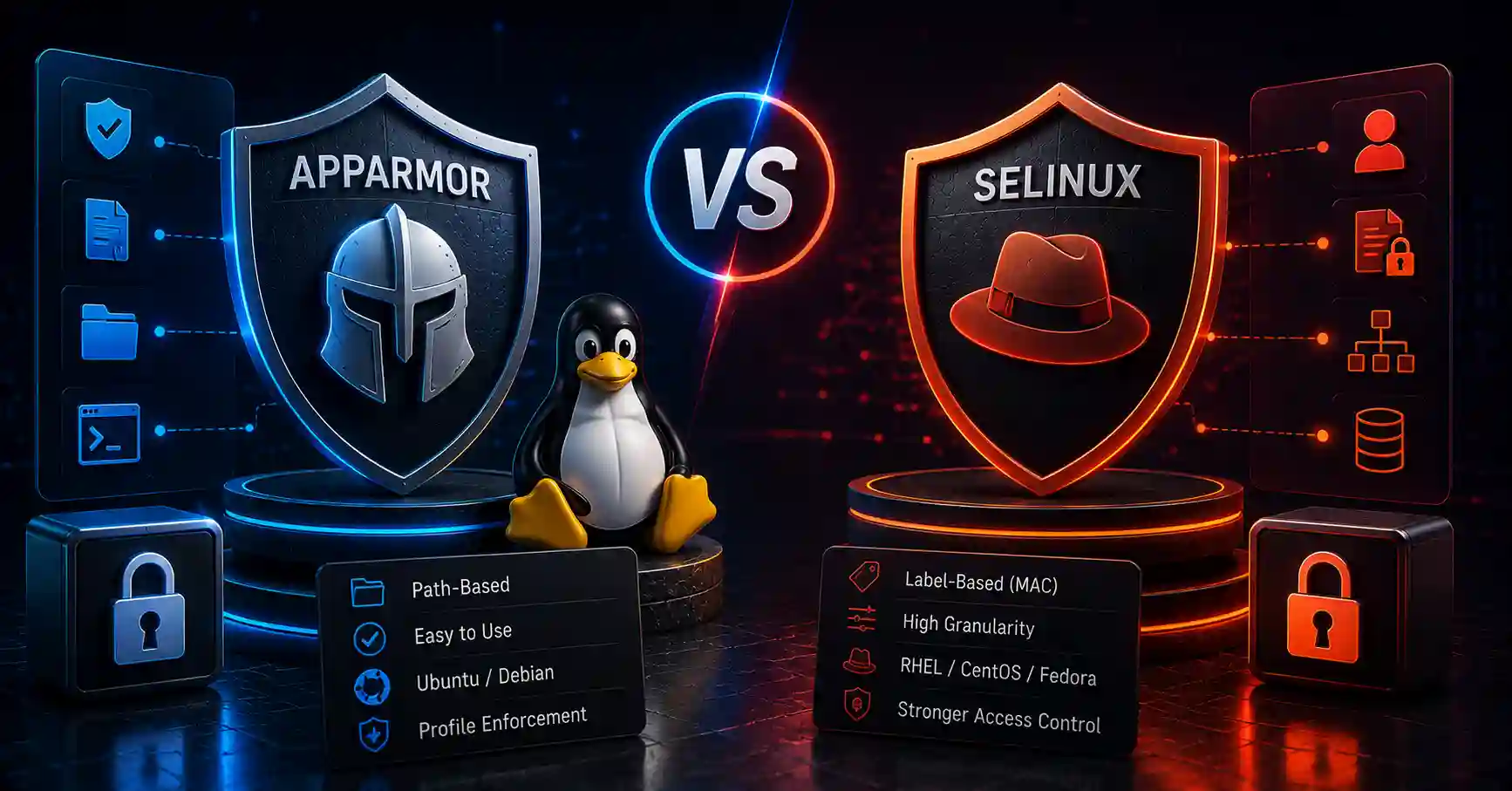
Compare AppArmor and SELinux on Linux. Learn path-based vs label-based access control, configuration methods, policy profiles, and system hardening.
Explore our full collection of free, privacy-first developer and SEO tools.
Browse All 134+ ToolsStart typing to search across articles, tools & courses