
Linux Tools
Linux Permission Calculator
Calculate and convert Linux file permissions easily.
Build and validate cron expressions with a visual scheduler interface.
The Cron Expression Generator provides a visual interface to build complex scheduling strings. It instantly translates your cron expression into plain English and calculates the next execution dates.
A cron expression is a string of five fields (minute, hour, day of month, month, day of week) that defines a recurring schedule for automated tasks.
You can run a cron job every 5 minutes by placing */5 in the minute field. The full expression would be */5 * * * *.
To run a job precisely at midnight every day, set the minute and hour to 0, leaving the rest as asterisks. The expression is 0 0 * * *.
An asterisk represents "all values". For example, an asterisk in the month field means the job will execute every single month.
A comma allows you to specify a list of values. For example, 1,15 in the day of month field means the job runs on the 1st and the 15th of the month.
A hyphen specifies a range of values. For example, 1-5 in the day of week field means the job runs from Monday through Friday.
Set the day of month field to 1, and the minute and hour to your desired time. For example, 0 8 1 * * runs at 8:00 AM on the 1st of every month.
No. Standard Linux cron jobs only support a minimum resolution of one minute. For second-level resolution, you need specialized software like systemd timers or custom scripts.
Our generator provides a visual "Next Executions" list that instantly calculates the next 5 times your expression will trigger, allowing you to test it before deploying.
Windows uses the Task Scheduler instead of cron. However, many cross-platform automation tools (like GitHub Actions or Jenkins) use Linux-style cron expressions even on Windows servers.

Learn how to install and configure Pi-hole, the self-hosted DNS sinkhole that blocks ads and trackers for every device on your network. No per-device browser extensions, no subscriptions.
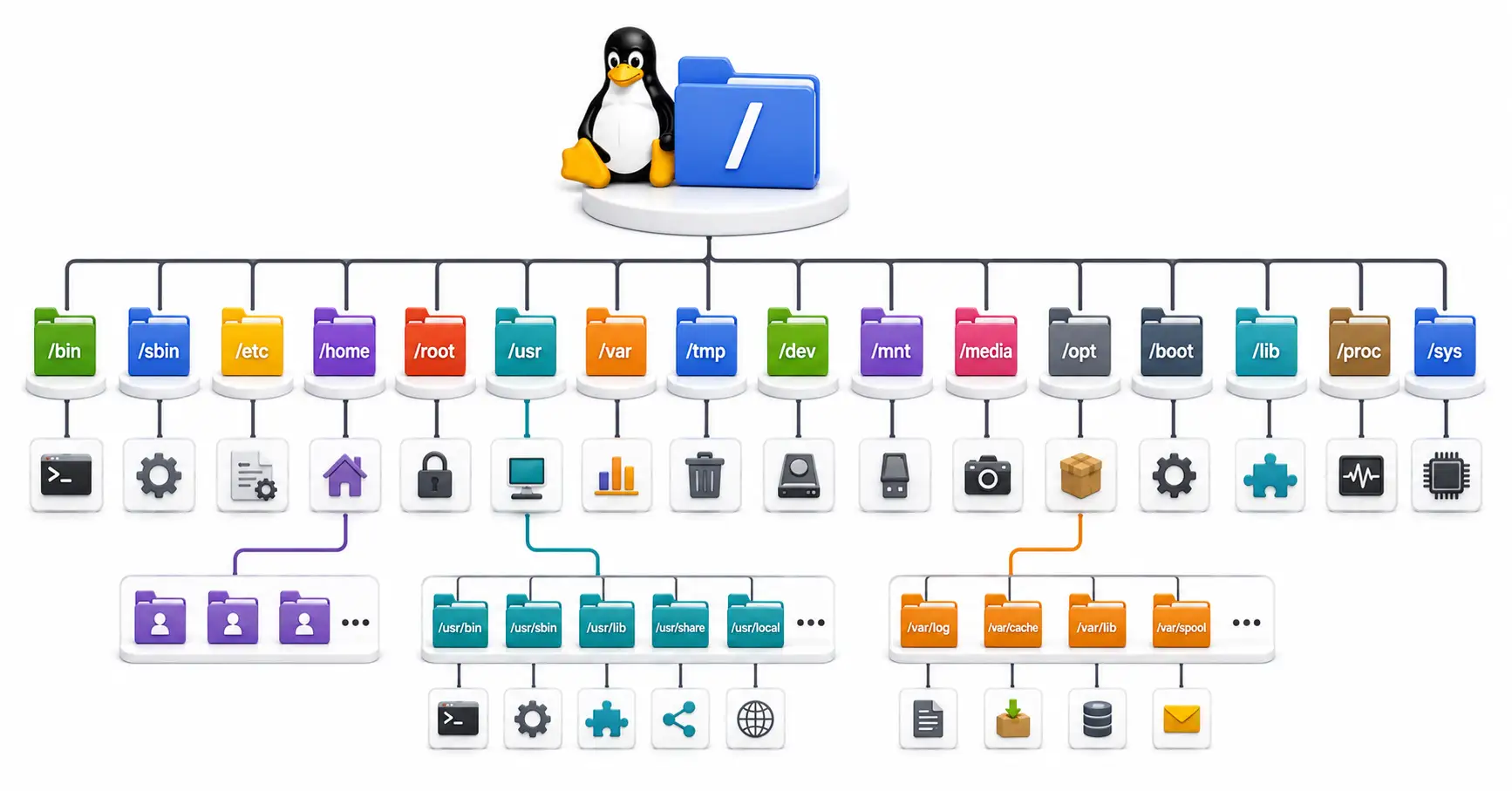
Confused by /etc, /usr, and /var? Master the Linux directory structure with this comprehensive guide to the Filesystem Hierarchy Standard (FHS) in 2026.

Complete yt-dlp tutorial — download videos, extract audio, grab playlists, handle cookies, skip sponsors, and automate archiving. Works with 1,700+ sites.
Explore our full collection of free, privacy-first developer and SEO tools.
Browse All 134+ ToolsStart typing to search across articles, tools & courses