
Developer Tools
JSON Formatter
Beautify, format, and validate JSON data with syntax highlighting.
Test, debug, and analyze regular expressions client-side instantly. Features live match highlighting, flags selection (global, case-insensitive, multiline, dotAll), syntax validation with detailed error banners, and full breakdowns of match indices and captured groups.
The FreeTechLearner Regex Tester is a real-time tool to write, test, and debug JavaScript regular expressions. It provides instant visual match highlighting, compiles regex safely to catch syntax errors, and extracts captured groups with full indices details.
This tester uses the JavaScript regular expression engine (ECMAScript), which runs natively in your browser. Most patterns behave similarly to other engines like PCRE or Python, but some features (like lookbehinds) may depend on browser support.
Flags modify how patterns are searched: "g" (Global) finds all matches in the text instead of stopping at the first; "i" (Ignore Case) makes matching case-insensitive; "m" (Multiline) allows ^ and $ to match start/end of lines; "s" (dotAll) makes the dot (.) match newline characters.
Parentheses (e.g. (group)) define a capturing group. When a match is found, the tester extracts the content matched inside these parentheses and lists them under each match detail card, making parsing checks straightforward.
Yes. Certain patterns (like ^, \b, or x*) can match zero-length character sequences. The tester is optimized to highlight these boundaries without causing browser infinite loops or freezes.
A regular expression is a sequence of characters that specifies a search pattern. They are heavily used by developers to search, replace, and validate strings of text (like checking if an email is valid).
By default, the ^ and $ anchors match the very beginning and end of the entire text string. To make them match the start and end of *each line* within the text, you must enable the Multiline (m) flag.
To ensure the entire string matches your pattern (and not just a part of it), wrap your regular expression with the start ^ and end $ anchors. For example, ^[0-9]+$ will only match if the entire string consists of numbers.
Mostly, but not exactly. While the core syntax is heavily standardized, there are different "flavors" of regex (like PCRE for PHP, Java, Python, and ECMAScript for JavaScript). Our tool uses the JavaScript engine.
Some characters have special meaning in regex (like . * ? + [ ] ( ) { } ^ $ | \). If you want to match the literal character itself (e.g., a literal period), you must "escape" it by placing a backslash \ in front of it (e.g., \.).
By default, regex quantifiers like * and + are "greedy," meaning they match as much text as possible. To make them "lazy" (matching as little as possible), append a question mark to the quantifier, like *? or +?.

Explore Vis, a highly advanced text editor that perfectly marries Vim's modal editing speed with the structural regular expression power of Plan 9's Sam editor.

A DevOps guide to JOE (Joe's Own Editor), the powerful, classic Linux text editor featuring macros, split windows, and the legendary WordStar keybindings.
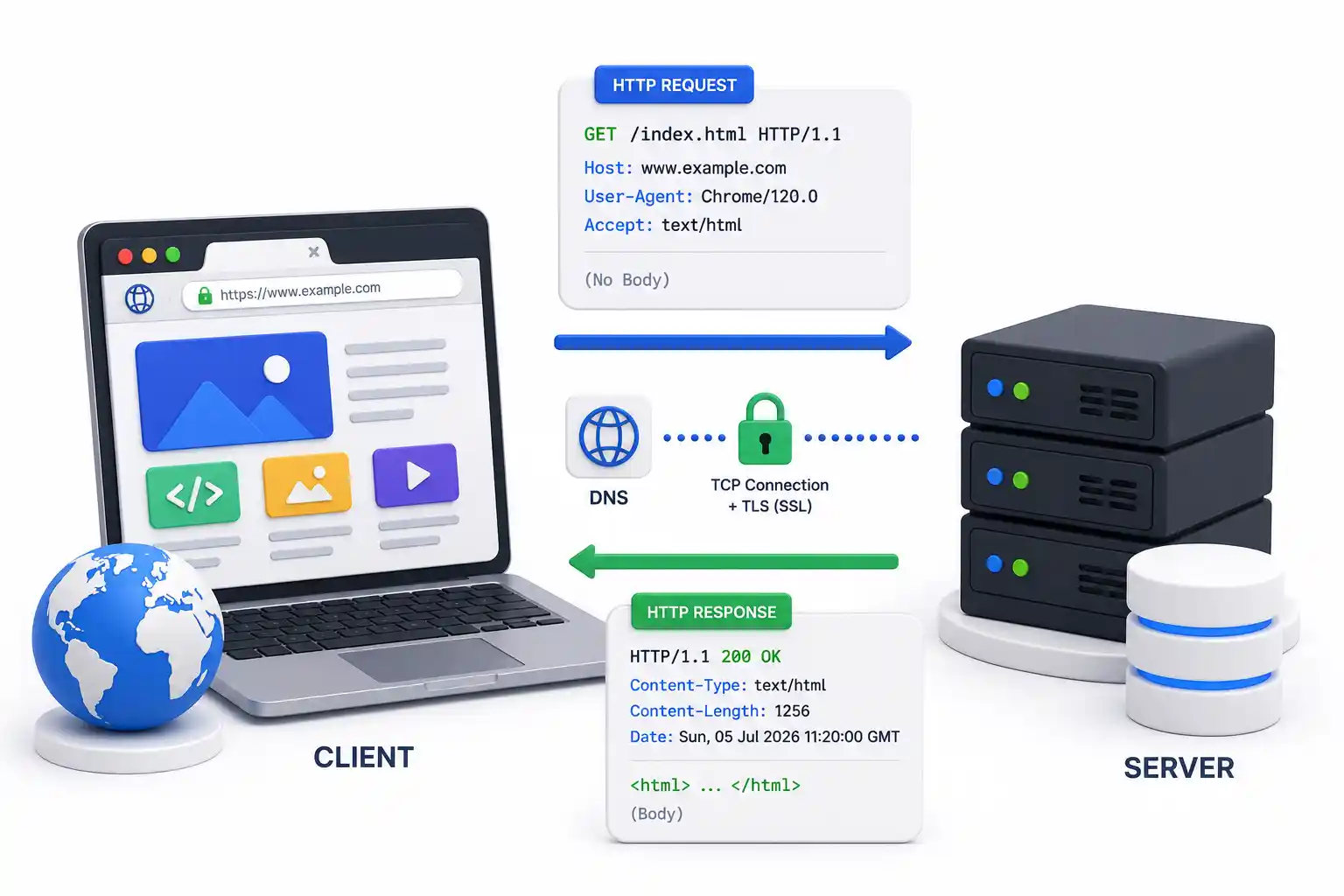
A deep dive into HTTP from an infrastructure perspective. Understand TCP handshakes, TLS encryption, reverse proxies, status codes, and HTTP/2 vs HTTP/3 architectures.
Explore our full collection of free, privacy-first developer and SEO tools.
Browse All 134+ ToolsStart typing to search across articles, tools & courses