

In the early days of global commerce, the local shopkeeper possessed a superpower that modern digital corporations spend billions of dollars trying to replicate: Intimacy.
The local shopkeeper knew every single customer by their first name. They knew what the customer bought last week, they knew if the customer preferred a specific brand of coffee, they asked about the customer’s children, and they knew exactly how to speak to them to effortlessly close a sale.
As businesses scaled from local storefronts to the global internet—serving tens of thousands or millions of customers simultaneously—that profound intimacy was completely lost. Customers were reduced to anonymous IP addresses, transaction hashes, and support ticket numbers. The result of this industrialization was a catastrophic drop in customer loyalty, personalized service, and retention.
Customer Relationship Management (CRM) is the strategic methodology and technology designed specifically to bring that “local shopkeeper intimacy” back to the modern, scaled enterprise.
A CRM is not just a digital Rolodex. It is not just a place to store phone numbers. It is the central nervous system of your entire business. In this guide, we will explore why operating without a CRM is corporate suicide, how it bridges the notoriously deadly gap between Marketing and Sales, how to calculate Lifetime Value, and how modern Artificial Intelligence is transforming CRMs into predictive revenue engines.
1. What Exactly is a CRM?
Customer Relationship Management (CRM) formally refers to the strategies, practices, and technologies that companies use to manage and analyze customer interactions and data throughout the entire customer lifecycle. The goal is simple: improve customer service relationships, assist in customer retention, and drive sales growth.
However, while “CRM” technically refers to a strategy, in the modern business vernacular, it almost exclusively refers to the Software Platform used to execute that strategy (such as Salesforce, HubSpot, or Pipedrive).
The Unified Source of Truth
A proper CRM records every single digital and physical touchpoint a human being has with your company.
- It knows exactly which Google Ad they clicked to find your website six months ago.
- It knows which Marketing Email they opened yesterday.
- It automatically records the 15-minute phone call your sales rep had with them this morning.
- It logs their past purchase history, billing disputes, and active support tickets.
Crucially, all of this massive, disparate data is housed in a single, unified, cloud-based dashboard. It is accessible by the Marketing department, the Sales team, and the Customer Support team simultaneously, ensuring that no matter who speaks to the customer, they have the full context of the relationship.
2. Why Spreadsheets Will Destroy Your Business
Almost all startups and small businesses begin by managing their sales leads in Microsoft Excel or a Google Sheet. It usually looks like this:
Row 4: John Smith | 555-0199 | Called him Tuesday. He said to call back next week.
This spreadsheet is a ticking time bomb for your company.
- Zero Automation: A spreadsheet is a static document. It cannot automatically send John Smith a follow-up email next week if your sales rep forgets to call him. The lead goes cold, and the revenue is lost.
- Siloed Intelligence: If the marketing department sends a promotional email blast to John Smith, the sales rep looking at the spreadsheet has absolutely no idea the email was sent. When the rep calls John, the conversation is disjointed and confusing. The customer immediately senses the disorganization.
- Catastrophic Turnover Risk: Sales has high turnover. If your lead salesperson quits to join a competitor, and they were managing all their relationships on a personal Excel spreadsheet saved to their desktop, your company just lost 100% of its prospective pipeline.
A CRM protects your corporate data, automates the follow-ups, and guarantees that the company owns the customer relationship, not the individual sales representative.
3. The 3 Core Functions of a Modern CRM
While enterprise CRMs are massive, complex pieces of software with thousands of integrations, their true value stems from three foundational pillars.
Pillar 1: Contact Management & The Historical Timeline
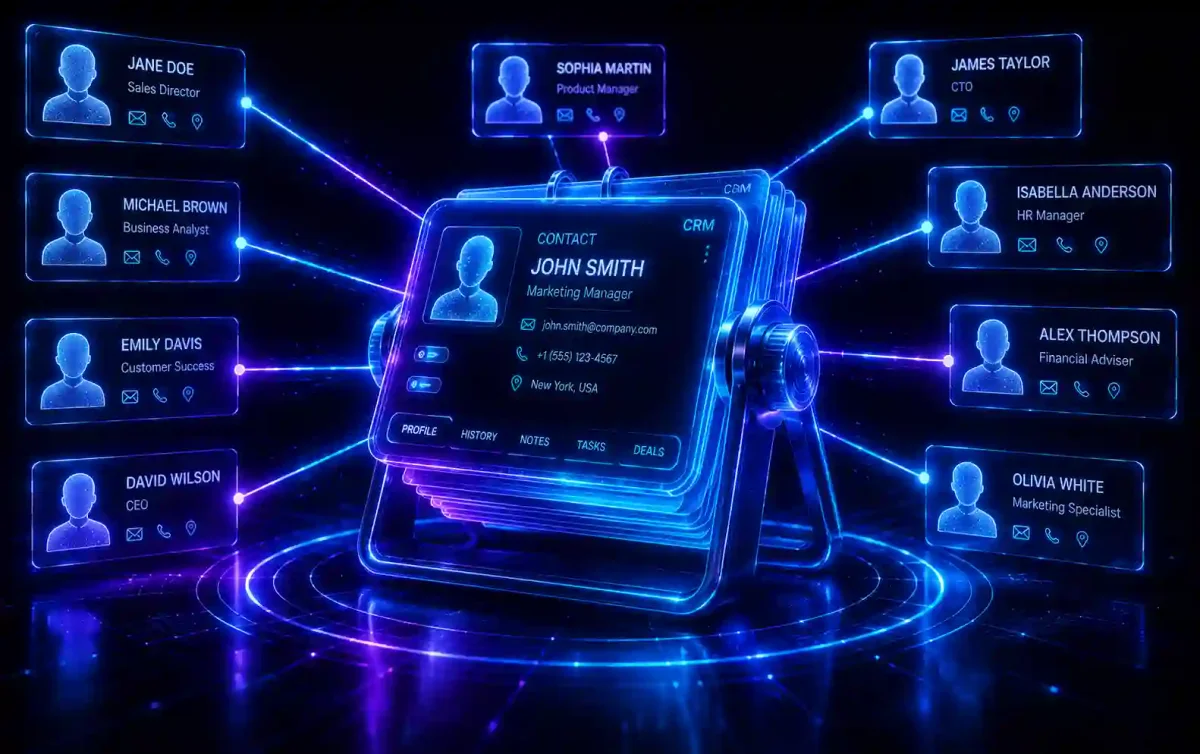
When you open a contact record in a CRM (e.g., Jane Doe), you do not just see her phone number. You see a vertically scrolling, chronological timeline of her entire life with your company. You can see the exact date she first downloaded your eBook, the exact web pages she visited on your site yesterday, and the transcript of her last chat with customer support. This allows any employee to instantly understand the context of the relationship and treat Jane like a valued, known entity.
Pillar 2: Pipeline Management (The Sales Funnel)
This is the visual heartbeat of a B2B (Business-to-Business) company. The pipeline is a Kanban-style board (similar to Trello) that tracks exactly where every single potential deal is in the sales process.
- The Columns: New Lead -> Discovery Call Completed -> Demo Booked -> Contract Sent -> Closed Won / Closed Lost.
- Forecasting: Managers do not have to guess if the company is going to make money this month. They can look at the pipeline, see that there are ten deals sitting in the “Contract Sent” column totaling $500,000, and accurately forecast revenue based on historical closing percentages.
Pillar 3: Task and Workflow Automation
Sales reps are notoriously terrible at administrative data entry and follow-ups. They want to sell, not type. The CRM automates the administration.
- Example: If a sales rep drags a deal card into the “Contract Sent” column, the CRM recognizes the movement and automatically triggers a workflow. It creates a mandatory task reminding the rep to call the client in exactly 3 days. Simultaneously, it automatically sends the client an email containing a relevant case study to keep them engaged.
4. Bridging the Deadly Gap: Marketing vs. Sales
In legacy companies operating without a CRM, the Marketing and Sales departments are usually locked in a perpetual, toxic war.
- Marketing complains: “We generated 500 leads this month! We did our job. The Sales team is just too lazy to call them and close them.”
- Sales complains: “Marketing’s leads are absolute garbage. They are unqualified, they have no budget, and none of them actually want to buy the product. We are wasting our time calling them.”
The CRM acts as the ultimate mediator, forcing both departments to align on mathematical reality rather than emotion.
Defining the Lead: MQL vs. SQL
Through the CRM, both teams must sit down and agree on strict, programmatic definitions:
- Marketing Qualified Lead (MQL): A user who has engaged with marketing efforts—perhaps they downloaded a whitepaper or attended a free webinar. They are interested in the topic, but they have not explicitly indicated they want to buy software. They are not ready to be called by a salesperson. Marketing must continue to nurture them via Marketing Automation.
- Sales Qualified Lead (SQL): An MQL whose behavior dictates they are ready to buy. Perhaps they visited the “Pricing” page three times in one day and filled out a form requesting a live demo. The CRM instantly tags them as an SQL and automatically assigns them to a sales rep for immediate outreach.
The Holy Grail: Closed-Loop Reporting
Without a CRM, a marketer only knows that a $1,000 Facebook Ad campaign generated 100 “Clicks.” They have no idea if those clicks made the company any money. With a CRM, the reporting loop is closed. The marketer can look at their dashboard and see that the $1,000 Facebook Ad generated 100 clicks, which became 10 MQLs, which resulted in 2 SQLs, and 1 of those SQLs signed a $50,000 enterprise contract six months later. The marketing team now has mathematical proof of the exact Return on Investment (ROI) of their ad spend.
5. The Power of CRM Data for Marketing Teams
While salespeople live inside the Pipeline board, marketers use the CRM as a massive data engine to inform and highly target their campaigns.
Granular Segmentation and Personalization
If your company sells software, and you are launching a brand new, highly complex feature designed specifically for massive enterprise corporations, you do not want to blast an email about it to your small business clients. It will confuse them and cause them to unsubscribe. With a CRM, you can instantly pull a segmented list: “Show me all active clients, whose company size is greater than 500 employees, who have the ‘Admin’ user tag, and who have not submitted a support ticket in the last 30 days.” Sending a highly personalized email to that exact list of 50 people will generate a massive conversion rate compared to blasting 10,000 random people.
Calculating LTV and CAC
The CRM automatically calculates the two most important metrics in digital business:
- CAC (Customer Acquisition Cost): How much total marketing and sales money did it cost to acquire one paying customer?
- LTV (Lifetime Value): How much total revenue will that customer generate over their entire lifespan with your company?
If your CAC is $500, but your LTV is only $200, your business model is fundamentally broken and you will go bankrupt, regardless of how many sales you make. The CRM reveals this math in real-time.
6. Customer Retention: The Hidden Goldmine
Marketing teams are historically obsessed with acquiring new customers. It is flashy and exciting. But financially, acquiring a brand new customer costs anywhere from 5 to 25 times more than retaining an existing one. Studies consistently show that increasing customer retention by just 5% can increase overall company profits by 25% to 95%.
The CRM is the ultimate retention engine.
- Customer Health Scores: The CRM tracks engagement. If a client logs into your software every single day for a year, their health score is 100/100. If they suddenly stop logging in for three weeks, and they haven’t opened your last four emails, the CRM automatically drops their health score to 40/100, tags them as “High Churn Risk,” and pings the Customer Success team to call them immediately before they cancel their subscription.
- Automated Loyalty: The CRM automates the mundane tasks of relationship building. It automatically sends a personalized email on the anniversary of the customer’s purchase, or triggers a check-in call task for an account manager 90 days after onboarding to ensure the client is successful.
7. The Role of Artificial Intelligence in Modern CRM (2026)
In 2026, Artificial Intelligence (AI) has transformed the CRM from a passive, static database into an active, predictive sales assistant.
- Predictive Lead Scoring: Historically, humans had to guess which leads were the best. Today, AI analyzes the millions of data points across all your past closed-won and closed-lost deals. It then looks at a brand new lead entering the system and instantly says, “Based on their industry, job title, and website behavior, this lead has a 92% mathematical probability of closing. Prioritize calling them immediately.”
- Auto-Logging and Call Analysis: Sales reps no longer have to frantically type notes during a discovery call. The CRM’s AI natively integrates with Zoom, listens to the conversation, provides a real-time transcript, identifies the customer’s core objections, summarizes the key action items, and automatically logs the entire summary into the contact record the second the call ends.
- Next Best Action (Prescriptive AI): The CRM doesn’t just tell you what happened; it tells you what to do next. The AI prompts the salesperson: “This deal has stalled in the Proposal stage for 14 days. Historical data shows that sending this specific Whitepaper to the CFO increases closing rates by 18% in this scenario. Click here to send it.”
8. Choosing the Right CRM for Your Business
Do not buy an 18-wheel semi-truck if you just need to drive down the street to get groceries. Choosing the wrong CRM is an incredibly expensive, painful mistake that can paralyze your sales team.
1. Salesforce (The Enterprise Titan)
The undisputed, multi-billion dollar king of the CRM world.
- The Pros: It is infinitely powerful. Because it has an open API and a massive ecosystem of developers, Salesforce can be customized to do absolutely anything your enterprise requires.
- The Cons: It is brutally expensive and notoriously difficult to configure. You cannot just “buy” Salesforce; you almost always have to hire a highly paid, full-time Salesforce Administrator just to maintain the architecture.
2. HubSpot (The All-in-One Growth Platform)
The absolute favorite for startups and mid-market companies.
- The Pros: Unmatched ease of use and UI. Unlike Salesforce (which bought dozens of other companies and stitched them together), HubSpot built its Marketing, Sales, and Support hubs on the exact same underlying codebase. The data flows perfectly.
- The Cons: While the foundational CRM is technically “free,” the marketing automation and sales add-ons become astronomically expensive as your contact list scales into the tens of thousands.
3. Pipedrive (The Pure Sales Tool)
The favorite for very small businesses and solo sales representatives.
- The Pros: Extremely affordable, lightning-fast, and highly visual. It focuses 100% of its energy on making the Sales Pipeline board as intuitive as possible, stripping away all the confusing enterprise bloat.
- The Cons: It severely lacks the deep, automated marketing features (like complex email drip campaigns and lead scoring) required to scale a massive marketing department alongside the sales team.
9. The Number One Reason CRM Implementations Fail
It is a tragedy repeated in the corporate world every day: A company spends $150,000 and six months implementing a brand new, state-of-the-art CRM. A year later, the company is still in chaos, revenue is flat, and the executives are furious. Why?
Lack of User Adoption.
A CRM is mathematically worthless if the data inside it is inaccurate. If the sales team hates the new software, finds it confusing, and stubbornly refuses to log their calls or update their deal stages, the entire system collapses. The pipeline forecasting becomes a work of fiction, and the marketing team has no data to base their campaigns on.
How to Guarantee a Successful Implementation:
- Do not buy software in a vacuum: Never let the IT department or the CEO buy a CRM without consulting the actual sales representatives who have to use it eight hours a day.
- Automate data entry: If a sales rep has to manually click 15 different buttons and fill out 6 forms just to log a 5-minute phone call, they simply won’t do it. You must use native integrations that log their emails and phone calls automatically in the background.
- Executive Mandate: Leadership must draw a hard line in the sand. “If the deal is not updated in the CRM, it does not exist, and you do not get paid a commission for it.”
Frequently Asked Questions (FAQ)
What is a CRM?
Customer Relationship Management (CRM) refers to the strategies, practices, and technologies—most often a software platform—used to manage and analyze customer interactions and data throughout the entire customer lifecycle to improve retention and drive sales.
Why shouldn’t I use spreadsheets to manage customer relationships?
Spreadsheets lack automation, create siloed data between marketing and sales, and pose a severe security risk if an employee leaves. They cannot trigger workflows or maintain a unified historical timeline of customer interactions.
What is the difference between an MQL and an SQL?
A Marketing Qualified Lead (MQL) is someone who has engaged with marketing content but isn’t ready to buy. A Sales Qualified Lead (SQL) is an MQL whose behavior indicates they are ready to purchase and should be contacted by a sales representative immediately.
How does AI enhance modern CRMs?
AI transforms CRMs from passive databases into active assistants through features like predictive lead, automated call logging and analysis, and prescriptive actions that recommend the next best step to close a deal.
Why do many CRM implementations fail?
The primary reason CRM implementations fail is a lack of user adoption. If sales teams find the software too complex or time-consuming, they won’t input accurate data, rendering the CRM’s forecasting and analytics useless.
Conclusion
A CRM is not a magic wand. Buying a subscription to HubSpot or Salesforce will not instantly double your sales or fix a broken product.
However, a properly implemented CRM is the foundational, load-bearing infrastructure that allows scaling to happen. It forces your company to definitively define its sales process, ruthlessly aligns your marketing and sales departments around shared mathematical revenue goals, automates the soul-crushing administrative tasks that burn out employees, and provides the hard, indisputable data required for executives to make strategic decisions.
If you are currently running your business on spreadsheets and sticky notes, your absolute highest priority tomorrow morning should be migrating to a CRM.

Discussion
Loading comments...