
Utility Tools
File Extractor
Inspect and extract files from ZIP, TAR, and GZ archives directly in your browser.
The FreeTechLearner File Decompressor leverages modern browser Web APIs, specifically the high-throughput `DecompressionStream` interface, to inflate GZIP (`.gz`, `.gzip`), Deflate, and ZLIB compressed files directly inside your client browser. It streams uncompressed data into memory in real time, delivering instant uncompressed file downloads while safeguarding sensitive data.
Drag & drop GZIP / Deflate compressed file here, or click to select
Supports: .gz, .gzip, .deflate, .zlibThe File Decompressor inflates GZIP and Deflate compressed data streams using native browser APIs and produces original uncompressed files.
It decompresses GZIP (.gz, .gzip), Deflate (.deflate), and ZLIB (.zlib) compressed files.
The tool utilizes the W3C standard DecompressionStream API supported natively by modern web browsers for maximum speed and memory efficiency.
No. Decompression streams execute locally inside your web browser. No data is sent over the network.
GZIP is a single-file stream compression format commonly used for web assets and log files, whereas ZIP is an archive format containing multiple files and folders.
Yes, large compressed server logs and database dumps can be decompressed quickly in browser memory.
Once decompression finishes, the tool displays original vs decompressed sizes and provides a "Download Decompressed File" button.
An error message will notify you that the file format is invalid or corrupted.
No command-line utilities or terminal commands are required.
Currently it focuses on GZIP and Deflate streams natively supported by browser DecompressionStream.
Yes, it is 100% free with unlimited decompressions.
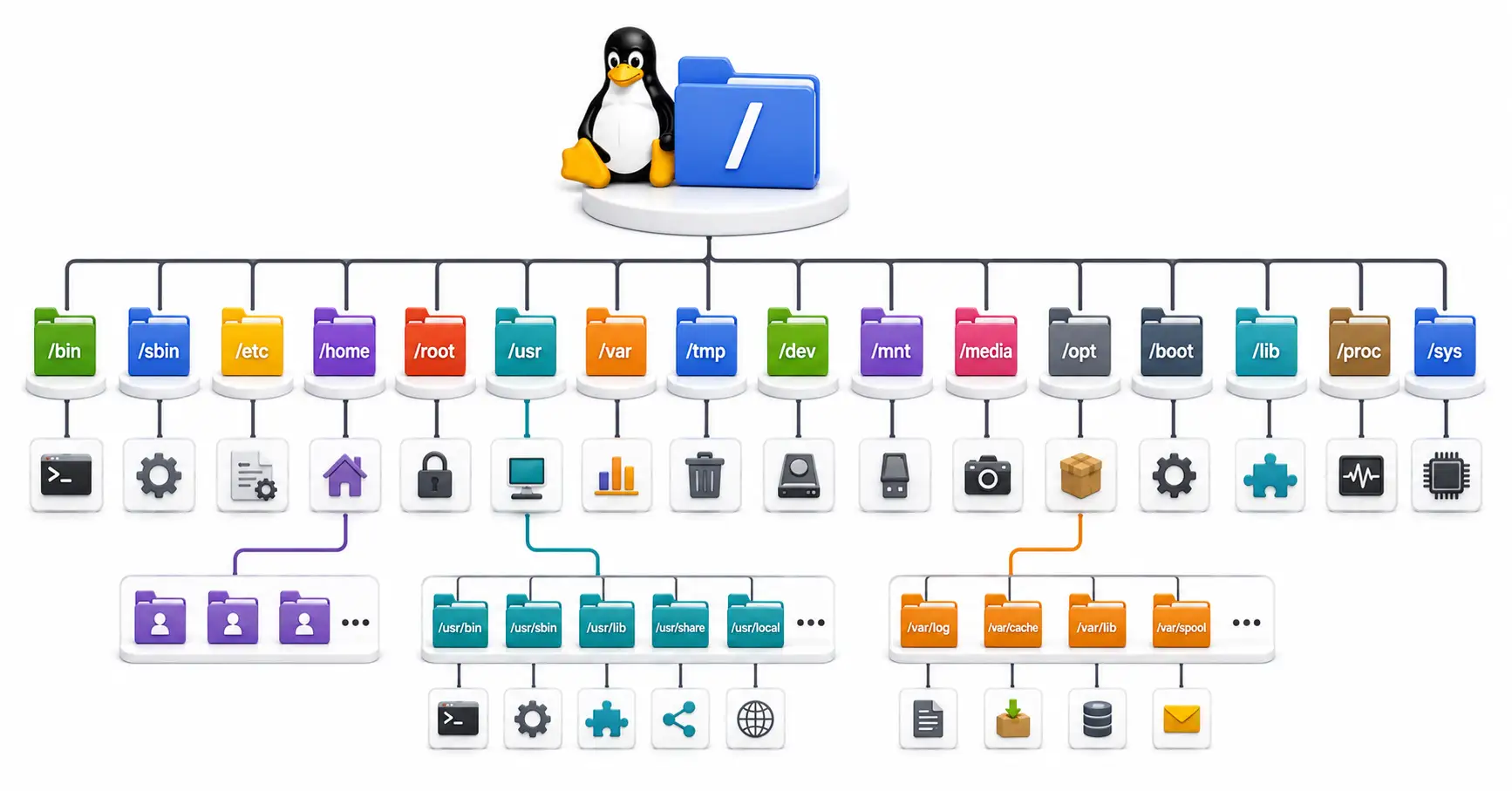
Confused by /etc, /usr, and /var? Master the Linux directory structure with this comprehensive guide to the Filesystem Hierarchy Standard (FHS) in 2026.
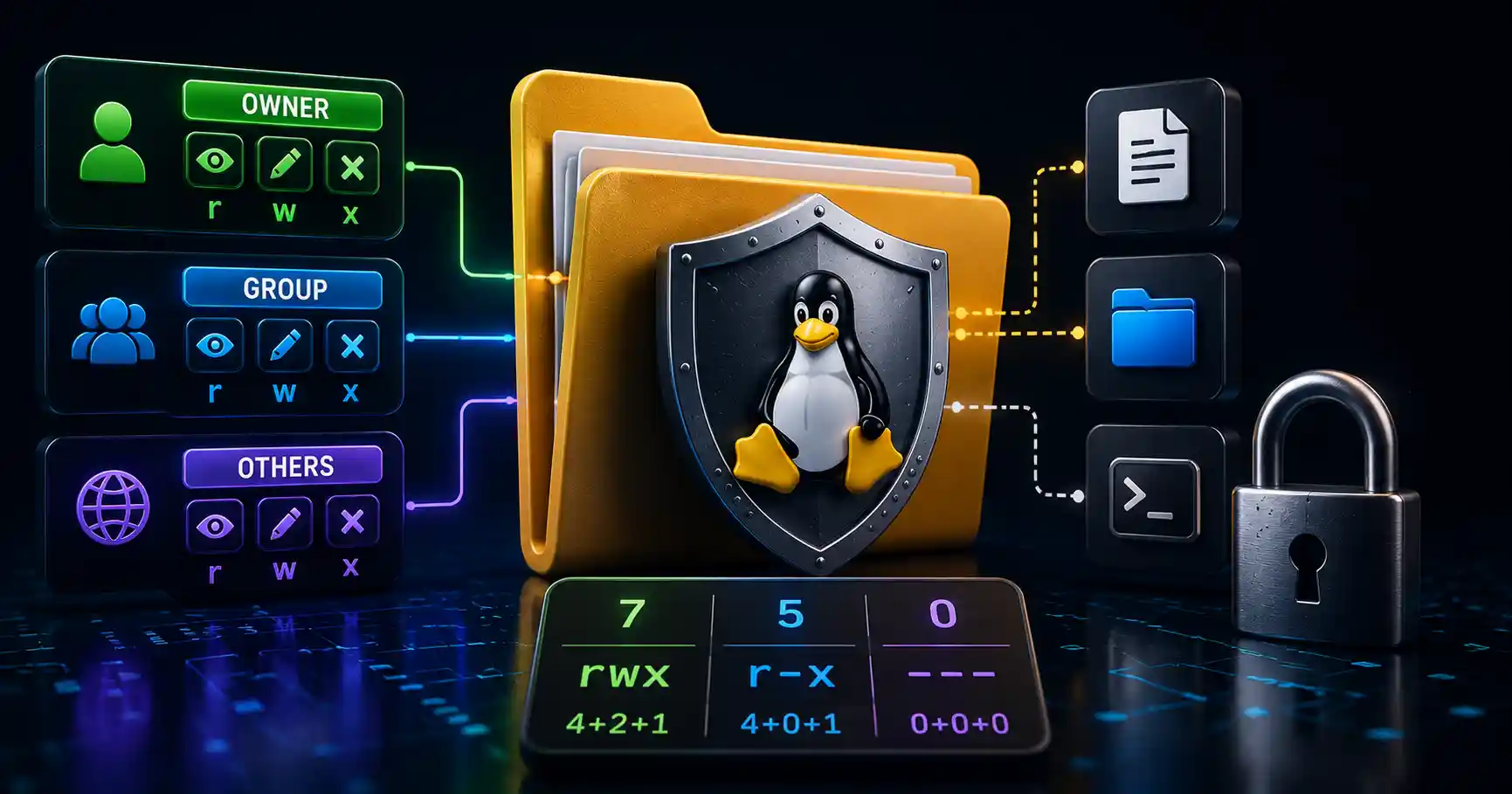
Master Linux file permissions. A sysadmin guide to chmod, chown, SUID/SGID, sticky bits, ACLs, and securing production server filesystems.

Learn how to install and configure Syncthing to create a private, secure, and decentralized file synchronization system across all your devices.
Explore our full collection of free, privacy-first developer and SEO tools.
Browse All 134+ ToolsStart typing to search across articles, tools & courses