
Utility Tools
File Decompressor
Decompress GZIP and Deflate files in your browser using native Web APIs.
The FreeTechLearner File Extractor is a browser-based archive unpacking tool that enables you to view, browse, and extract individual files from `.zip`, `.tar`, and `.gz` archives without installing third-party software like WinRAR or 7-Zip. Operating entirely in-memory using client-side JavaScript, it parses directory headers and allows single-click extraction of compressed files with complete data privacy.
Drag & drop ZIP/TAR archive here, or click to browse
Supported: .zip, .tar, .gzThe File Extractor parses archive formats in-memory, listing internal file contents and allowing selective single-click file extraction.
Upload your ZIP archive into the File Extractor tool, review the file list, and click "Extract" next to any file to download it instantly.
No. The archive is parsed directly inside your browser using client-side JavaScript. No file contents are sent over the internet.
The tool supports standard .zip, .tar, and .gz archive formats.
Yes! Unlike traditional zip tools that require extracting the whole folder, you can extract individual files one by one.
Archive size is only limited by your browser memory. Archives up to hundreds of megabytes can be extracted quickly.
No software installation is needed. It works on Chromebooks, mobile devices, and locked workstations directly in the browser.
Standard unencrypted ZIP archives are fully supported. Encrypted ZIP archives require password decryption features.
Yes, the file browser table displays file names alongside uncompressed file sizes.
Yes, you can upload and extract zip files directly on iPhone, iPad, and Android web browsers.
Yes, it is 100% free with no hidden fees or extraction limits.

Learn how to install and configure Syncthing to create a private, secure, and decentralized file synchronization system across all your devices.

A practical comparison of Btrfs and Ext4 — snapshots, performance, RAID, data integrity, and when to pick each one. Real-world guidance for desktops, servers, NAS, and home labs.
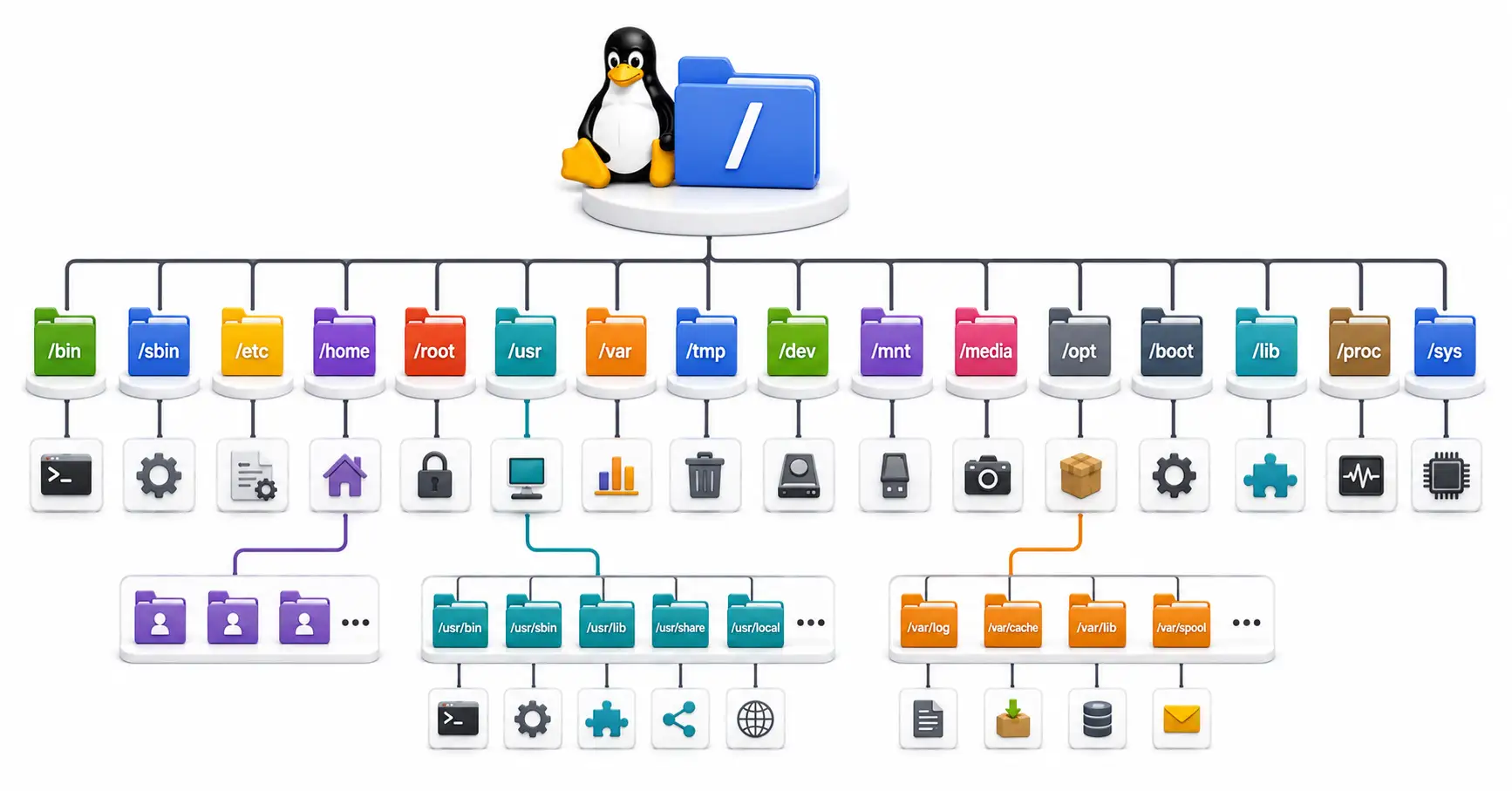
Confused by /etc, /usr, and /var? Master the Linux directory structure with this comprehensive guide to the Filesystem Hierarchy Standard (FHS) in 2026.
Explore our full collection of free, privacy-first developer and SEO tools.
Browse All 134+ ToolsStart typing to search across articles, tools & courses