

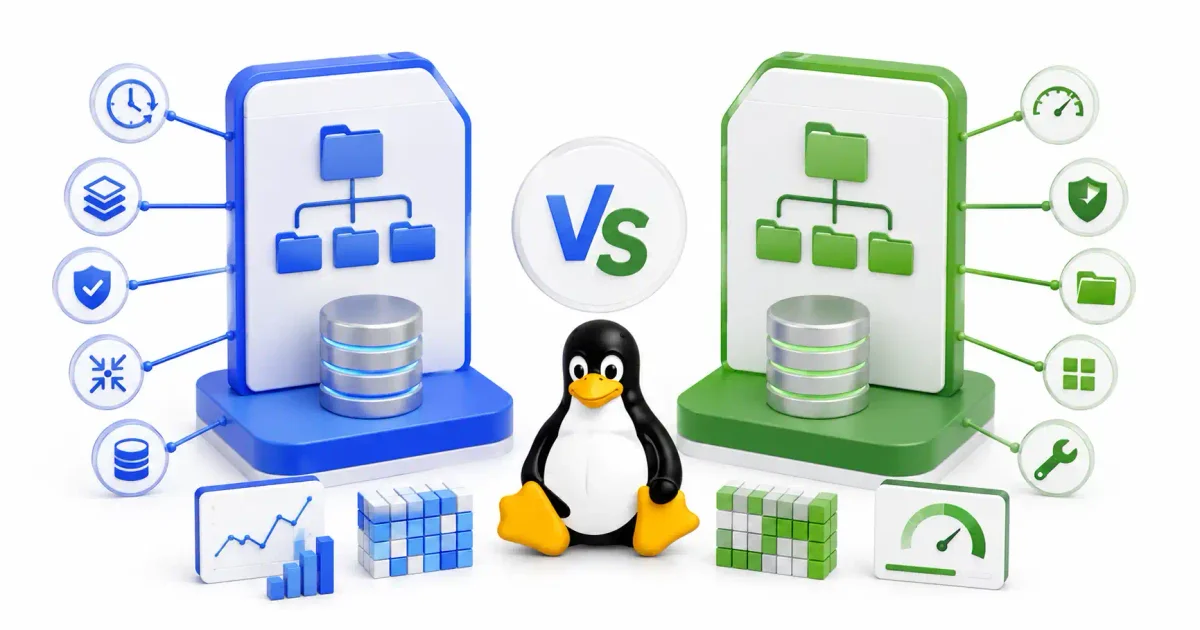
Here’s a question I get asked constantly: “Should I use Btrfs or Ext4?”
And honestly, the answer depends entirely on what you’re doing. There’s no single “best” filesystem — there’s only the right one for your workload. I’ve run both in production, on desktops, on NAS boxes, and inside Docker hosts, and they each have situations where they genuinely shine.
So let me walk you through the real differences — not the textbook definitions, but what actually matters when you’re formatting a drive and choosing between these two.
The Short Answer
If you just want the quick version:
- Use Ext4 if you want something rock-solid, proven, and maintenance-free. Databases, legacy systems, and situations where you want zero surprises.
- Use Btrfs if you want snapshots, built-in compression, multi-disk pooling, or data integrity checking. Desktops, NAS devices, home labs, and modern SSD setups.
Now let’s dig into why.
What Ext4 Actually Does Well
Ext4 has been the default Linux filesystem since 2008. It succeeded ext3, which succeeded ext2, which descended from the original Minix filesystem. That’s a lineage stretching back to the early 1990s. And that history is exactly why it’s so reliable — decades of edge cases, bugs, and kernel patches have made Ext4 battle-hardened.
How Ext4 Handles Crashes
Ext4 uses journaling to protect against data corruption during unexpected shutdowns. Before writing data to its final location on disk, Ext4 logs the operation to a dedicated journal area. If power cuts out mid-write, the journal tells the filesystem what was in progress, so it can either complete or roll back the operation on reboot.
There are three journaling modes:
- journal → Logs both metadata and file data. Safest, but slowest.
- ordered (default) → Writes file data first, then logs metadata. Good balance of safety and speed.
- writeback → Only logs metadata. Fastest, but files can contain stale data after a crash.
Most people never change this — the default ordered mode handles 99% of use cases.
Why Ext4 Is Still Fast
Ext4 introduced some clever optimizations that keep it competitive even in 2026:
- Extents → Instead of tracking every individual block a file uses, Ext4 maps contiguous ranges (“blocks 1000 through 5000 belong to this file”). This reduces metadata overhead dramatically for large files.
- Delayed allocation → Ext4 doesn’t immediately assign disk blocks when you write data. It buffers writes in memory, then allocates blocks in bulk. This naturally groups related data together and reduces fragmentation.
- Multi-block allocator → Allocates multiple blocks in a single operation instead of one-by-one, which cuts CPU overhead during heavy writes.
The result? Ext4 is fast, predictable, and boring — in the best possible way.
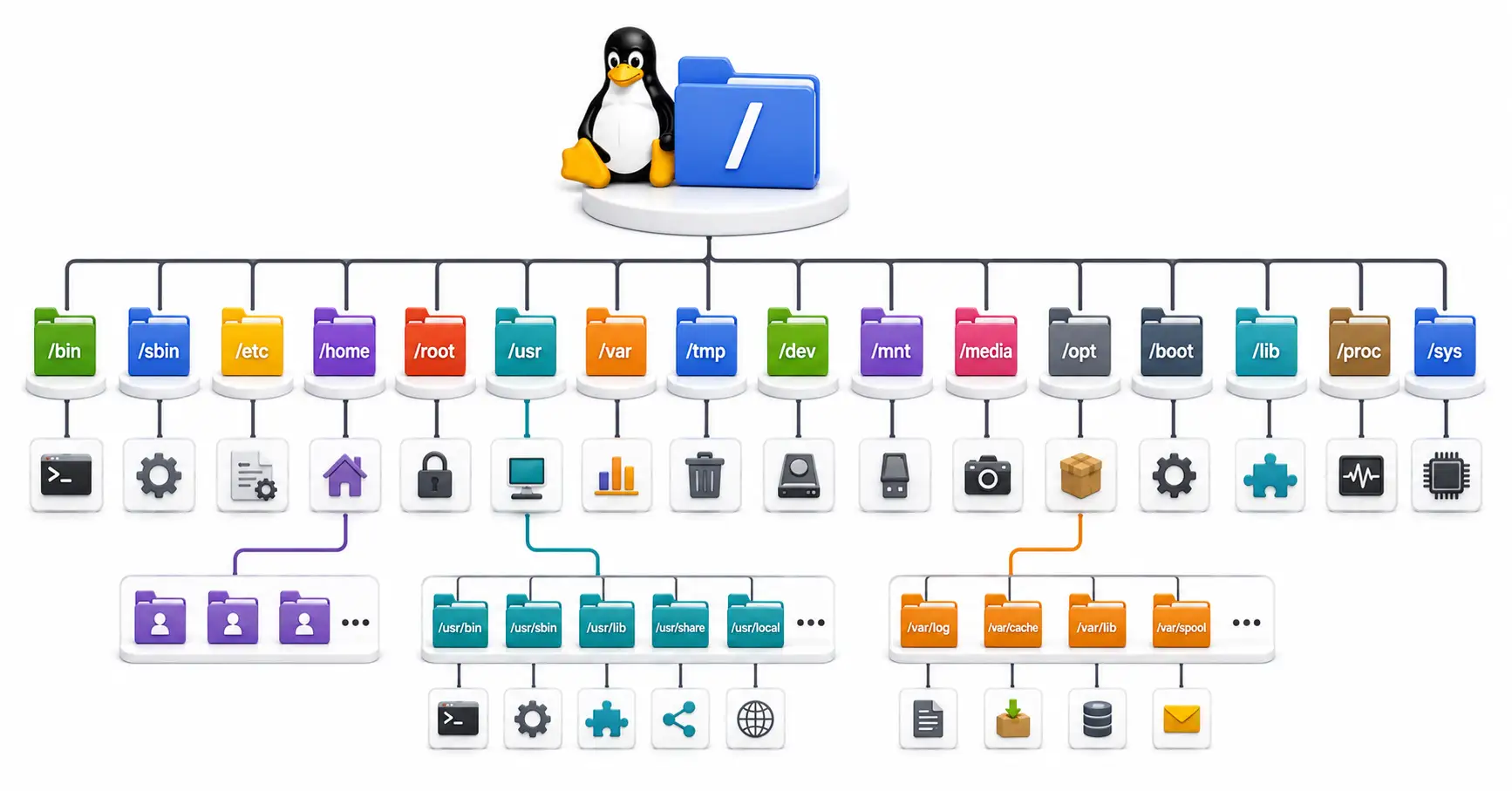
If you’re new to Linux filesystem concepts, our guide on how the Linux filesystem hierarchy works explains the directory structure, and Linux file permissions explained covers ownership and access control. You can also use our Linux permission calculator to quickly convert between numeric and symbolic permission formats.
What Btrfs Brings to the Table
Btrfs (pronounced “Butter-FS” or “B-Tree-FS”) was designed from scratch by Oracle and a consortium of companies to solve problems that Ext4 fundamentally cannot address. It’s been in the Linux kernel since 2009, but it took years of stabilization before major distros started trusting it as a default. In 2026, Fedora, openSUSE, and Synology NAS devices all ship with Btrfs by default.
The big architectural difference: Btrfs is a Copy-on-Write (CoW) filesystem.
Copy-on-Write: What It Actually Means
In Ext4, when you modify a file, the filesystem overwrites the existing data blocks on disk. If power dies mid-write, those blocks can end up partially written — corrupted.
Btrfs takes a different approach:
- When you modify a file, Btrfs allocates a new block on disk
- The modified data is written to the new block
- The metadata pointers are updated to reference the new block
- The old block is either freed or kept (if a snapshot still references it)
The original data is never touched during a write. Writes are atomic — they either succeed completely or don’t happen at all. This means Btrfs doesn’t even need a journal for crash consistency. The data structure itself guarantees it.
Snapshots — Btrfs’s Killer Feature
This is the feature that makes people switch to Btrfs and never look back.
Because of Copy-on-Write, creating a snapshot in Btrfs is instantaneous — regardless of how much data exists. A snapshot doesn’t copy any data. It just creates a new reference to the existing metadata tree. Only when files change after the snapshot do new blocks get written.
What does this mean in practice?
- System updates broke something? Roll back to a pre-update snapshot in seconds from your GRUB bootloader.
- Need daily backups without rsync or duplicating data? Create a read-only snapshot every night. They cost almost zero disk space until files actually change.
- Testing a risky configuration change? Snapshot first, experiment, restore if things go sideways.
Tools like Timeshift (with Btrfs backend) and Snapper make this workflow incredibly smooth on desktop Linux. You can keep 30 days of hourly snapshots and barely notice the storage impact.
For server-side backup strategies that complement Btrfs snapshots, our guide on backup strategies for self-hosted servers covers tools like Restic, BorgBackup, and automated scheduling. On the topic of backup tooling, the cron expression generator can help you set up recurring snapshot schedules.
Data Integrity and Self-Healing
This is something most people don’t think about until it’s too late.
Hard drives — both HDDs and SSDs — can silently corrupt data over time. A magnetic charge fades, a flash cell degrades, a cosmic ray flips a bit. This is called bit rot, and it’s real. Standard filesystems like Ext4 have no way to detect it. You could be reading a corrupted file right now and have no idea.
Btrfs calculates a checksum for every data block and stores it separately in the metadata tree. When you read a file, Btrfs recalculates the checksum and compares it. If they don’t match, something went wrong on disk.
What happens next depends on your setup:
- Single drive → Btrfs detects the corruption and returns an I/O error instead of silently serving bad data. At least you know something is wrong.
- RAID 1 mirror or DUP → Btrfs automatically reads the healthy copy from the mirror, repairs the corrupted block, and serves clean data. The user never notices.
You can proactively scan for corruption by running a scrub:
sudo btrfs scrub start /mnt/data
sudo btrfs scrub status /mnt/data
This verifies every checksum on the filesystem. Run it monthly — it’s like a health check for your drives.
Transparent Compression
Btrfs can compress data on the fly using algorithms like Zstandard (zstd), LZO, or Zlib. The best part — on modern CPUs, compression often makes things faster, not slower.
Why? Because your CPU can compress data much faster than your disk can write it. By compressing a 100MB file down to 60MB before writing, you reduce the actual I/O by 40%. The bottleneck shifts from disk speed to CPU speed, and modern CPUs have cycles to spare.
Enable Zstd compression in your /etc/fstab:
UUID=your-uuid /data btrfs defaults,compress=zstd:3 0 0Level 3 is a good balance between compression ratio and CPU usage. Level 1 is fastest, level 15 compresses most aggressively.
This is particularly useful for self-hosted services where storage efficiency matters — logs, document archives, photo libraries, and application data can see 30-50% space savings.
Built-in RAID (With a Caveat)
Btrfs has its own RAID implementation built directly into the filesystem layer. You can pool multiple drives together without needing mdadm or a hardware RAID controller:
- RAID 0 → Striping across drives for maximum speed. No redundancy.
- RAID 1 → Mirrors data across drives. Lose a drive, keep your data.
- RAID 10 → Striping + mirroring. Best performance with redundancy.
- RAID 5/6 → ⚠️ Still not production-safe in 2026. The write-hole bug has never been fully resolved. If you need parity-based RAID, use mdadm underneath Ext4, or use ZFS.
For home lab NAS setups, RAID 1 on Btrfs is solid and well-tested. If you’re building a Proxmox home lab or a dedicated file server, Btrfs RAID 1 with scrubbing gives you both redundancy and integrity checking without the licensing headaches of ZFS.
Head-to-Head Comparison
| Feature | Ext4 | Btrfs |
|---|---|---|
| Architecture | Journaling | Copy-on-Write |
| Snapshots | No (needs LVM or Timeshift rsync mode) | Native, instant, space-efficient |
| Data checksums | No | Yes (metadata + data) |
| Self-healing | No | Yes (with RAID/DUP) |
| Compression | No | Zstd, LZO, Zlib |
| Built-in RAID | No (use mdadm) | RAID 0, 1, 10 (avoid 5/6) |
| Max file size | 16 TB | 16 EB |
| Max volume size | 1 EB | 16 EB |
| SSD TRIM | Yes | Yes |
| Defragmentation | Rarely needed | Needed for database/VM workloads |
| Maturity | 16+ years in production | 15+ years, stable for most workloads |
| Default on | Debian, Ubuntu, RHEL, Arch | Fedora, openSUSE, Synology |
Performance: Where Each Filesystem Wins
Let’s be specific about workloads, because “which is faster?” isn’t a useful question without context.
Database Servers (PostgreSQL, MySQL, MariaDB)
Winner: Ext4, clearly.
Databases do constant random small writes to large files. On a CoW filesystem, every tiny write allocates a new block and updates metadata pointers. Over time, this fragments the database files badly, and read performance degrades.
If you’re running PostgreSQL or MySQL on Btrfs, you must disable CoW on the data directory:
sudo chattr +C /var/lib/postgresqlBut at that point, you’ve disabled the core feature of Btrfs for your most critical data. Just use Ext4 for database partitions.
Virtual Machines (Proxmox, KVM, QEMU)
Winner: Ext4 for VM disk images.
VM disk images (.qcow2, .vmdk, .raw) have the same problem as databases — heavy random writes that fragment badly under CoW. If you’re running VMs on a Proxmox host, Ext4 (or XFS, or ZFS) on a dedicated partition for VM storage is the better choice.
That said, Btrfs works excellently as the host operating system filesystem. Use Btrfs for the root partition with snapshots (so you can roll back Proxmox updates), and Ext4/ZFS for the VM storage pool.
Docker and Container Hosts
Winner: Btrfs, actually.
Docker can use Btrfs subvolumes as its storage driver. Each container layer becomes a lightweight Btrfs subvolume, and spinning up containers is faster than overlay2 on Ext4 in some workloads. If you’re running a container-heavy setup with Docker or comparing Docker vs Podman, Btrfs is worth considering.
You can scaffold container configurations quickly with our Docker Compose generator, and manage containers visually with Portainer.
Desktop Linux
Winner: Btrfs, for the snapshot safety net alone.
The performance difference between Ext4 and Btrfs on a desktop with an NVMe SSD is essentially unmeasurable in daily use. But Btrfs snapshots mean you can fearlessly run sudo apt upgrade or sudo dnf update knowing that if something breaks, you’re one reboot and a GRUB menu selection away from a working system.
If you’re picking a Linux distro for the first time, Fedora and openSUSE both default to Btrfs and integrate Timeshift/Snapper out of the box.
NAS and File Servers
Winner: Btrfs (with RAID 1).
For a NAS storing photos, documents, media, and backups, Btrfs gives you checksumming (catch bit rot before it ruins your files), compression (save 30-40% on text-heavy data), and RAID 1 (survive a drive failure) — all built into the filesystem.
Synology has been running Btrfs on their NAS devices since 2015. It’s mature for this workload.
Essential Commands Reference
Ext4 Quick Reference
# Format a partition as Ext4
sudo mkfs.ext4 /dev/sdb1

# Check and repair (unmount first!)
sudo fsck.ext4 -f /dev/sdb1

# Reduce reserved blocks from 5% to 1% (reclaim space on data drives)
sudo tune2fs -m 1 /dev/sdb1

# Resize filesystem to fill partition (online)
sudo resize2fs /dev/sdb1

# Show filesystem info
sudo dumpe2fs -h /dev/sdb1
Btrfs Quick Reference
# Format a partition as Btrfs
sudo mkfs.btrfs /dev/sdb1

# Create a subvolume
sudo btrfs subvolume create /mnt/data/@documents

# List all subvolumes
sudo btrfs subvolume list /mnt/data

# Create a read-only snapshot
sudo btrfs subvolume snapshot -r /mnt/data/@home /mnt/data/@snapshots/home-2026-08-13

# Delete a snapshot or subvolume
sudo btrfs subvolume delete /mnt/data/@snapshots/home-2026-08-13

# Start a scrub (background integrity check)
sudo btrfs scrub start /mnt/data

# Check scrub progress
sudo btrfs scrub status /mnt/data

# Show filesystem usage
sudo btrfs filesystem usage /mnt/data

# Add a drive to a Btrfs pool
sudo btrfs device add /dev/sdc1 /mnt/data

# Convert pool to RAID 1
sudo btrfs balance start -dconvert=raid1 -mconvert=raid1 /mnt/data

# Defragment a directory (use for VM/DB files if CoW is enabled)
sudo btrfs filesystem defragment -r /var/lib/libvirt/images
Real-World Decision Guide
Instead of a flowchart, here’s how I’d think about it:
Pick Ext4 When:
- You’re running a production database (PostgreSQL, MySQL, MariaDB, MongoDB)
- You’re storing virtual machine disk images and want maximum write performance
- You need compatibility with older kernels or recovery tools
- You want zero filesystem management overhead — format it, mount it, forget about it
- You’re on old hardware with spinning HDDs where CoW fragmentation hurts
Pick Btrfs When:
- You want instant snapshots for system rollbacks (desktop or server)
- You’re building a NAS or file server and want built-in RAID + integrity checking
- You want transparent compression to save storage (especially on SSDs)
- You’re running a Docker/container host where Btrfs subvolumes are a natural fit
- You want to detect silent data corruption before it eats your files
- You’re on modern NVMe SSDs where CoW overhead is negligible
The Hybrid Approach (What I Actually Do)
On most of my servers, I use both:
- Btrfs for the root partition → System snapshots before updates, easy rollback
- Ext4 for database storage → Raw performance for PostgreSQL/MySQL
- Btrfs for data volumes → Compression and checksumming for file storage
This gives you the best of both worlds. Separate your concerns — use each filesystem where it excels.
Converting Between Filesystems
Ext4 → Btrfs (In-Place Conversion)
Btrfs includes a conversion utility that can transform an Ext4 partition to Btrfs without losing data:
# Unmount the partition first
sudo umount /dev/sdb1

# Convert (this preserves existing data)
sudo btrfs-convert /dev/sdb1

# Mount the converted filesystem
sudo mount /dev/sdb1 /mnt/data
⚠️ Always back up before converting. If the conversion fails or power is lost during the process, data loss is possible. Test on non-critical partitions first.
Btrfs → Ext4
There is no in-place conversion from Btrfs to Ext4. You need to back up your data, reformat, and restore.
Btrfs Pitfalls to Watch Out For
Being honest about the rough edges:
- RAID 5/6 is broken. The write-hole bug has existed for years and there’s no timeline for a fix. Don’t use Btrfs RAID 5 or 6 for anything you care about. Use mdadm or ZFS for parity RAID.
btrfs check --repairis dangerous. Unlikefsck.ext4, Btrfs’s repair tool can sometimes make things worse. The developers themselves warn against using it without guidance. If your Btrfs filesystem is damaged, restoring from backups is usually safer.- Space reporting is confusing.
dfdoesn’t give accurate numbers on Btrfs because of CoW, snapshots, and metadata overhead. Usebtrfs filesystem usage /mnt/datainstead. - Database and VM workloads need
nodatacow. If you forget to setchattr +Con database directories, performance will degrade over time as fragmentation builds up.
None of these are dealbreakers for most use cases, but they’re important to know upfront.
Security and Maintenance in Context
Whichever filesystem you choose, the security of your server infrastructure matters more than the filesystem type.
Some things worth setting up alongside your storage:
- SSH hardening → If you’re managing servers remotely, secure your SSH configuration with key-based auth, disable root login, and change the default port.
- Firewall → Restrict access to storage services with UFW or firewalld. Open only the ports you need.
- Intrusion prevention → Install Fail2ban or CrowdSec to block brute-force attacks on your SSH and web services.
- Container security → If your Btrfs volume stores Docker data, follow container security best practices — don’t run containers as root, scan images with Trivy, and use network segmentation.
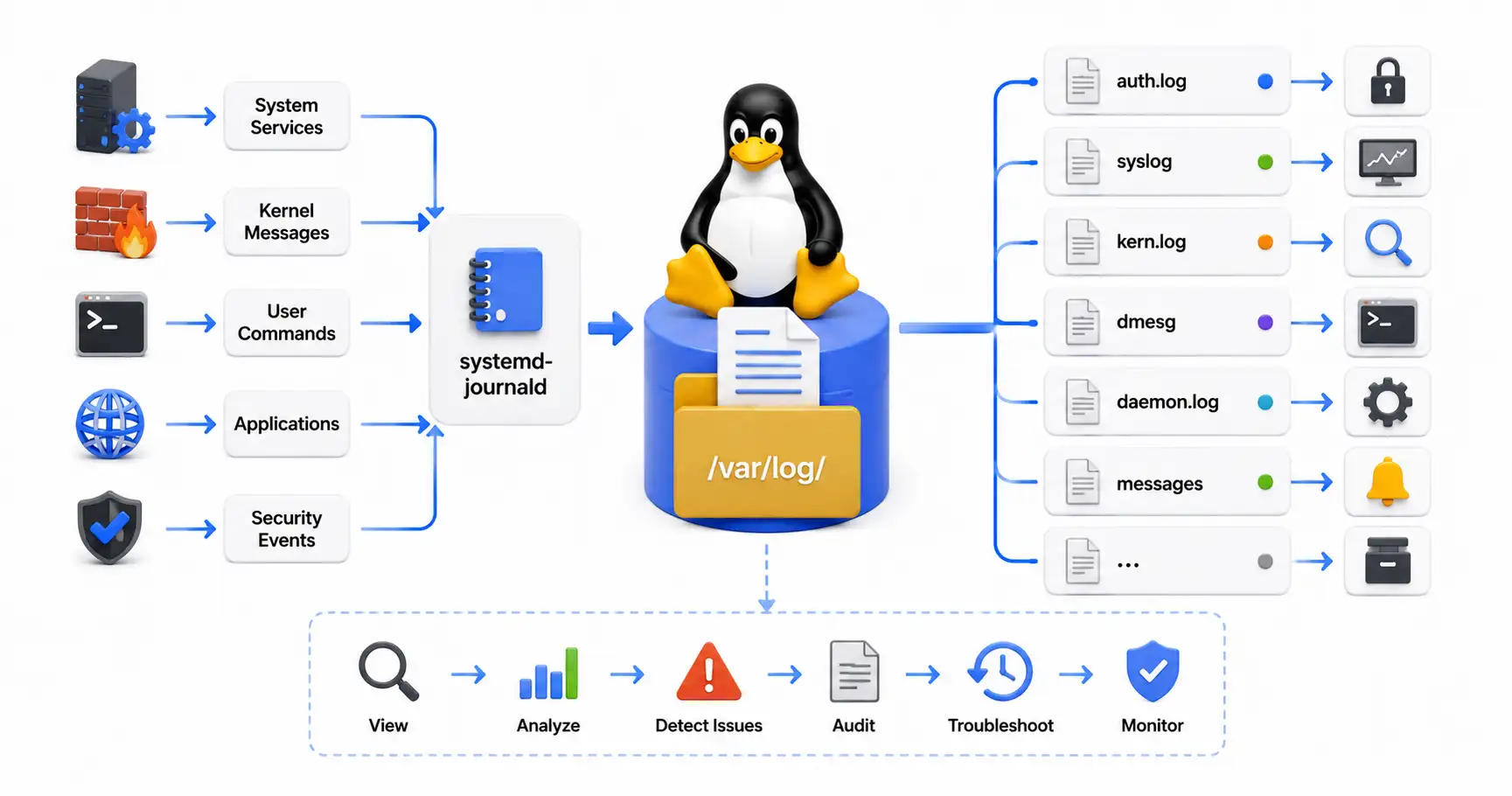
- Log monitoring → Track filesystem warnings and hardware errors through system logs. Btrfs will report checksum mismatches in
dmesg— catch them early. - Network access → For accessing storage across machines, consider a Tailscale or WireGuard mesh VPN instead of exposing NFS or SMB to the internet.
- Encrypted secrets → Don’t store plaintext passwords in configs sitting on your filesystem. Use a password manager like Vaultwarden and generate strong credentials with a password generator.
For a broader security checklist, our top 20 Linux security commands covers the essential tools every admin should know, and the Lynis security audit guide walks through automated system auditing.
Understanding the Underlying System
If you’re making filesystem-level decisions, you’ll benefit from understanding how Linux manages storage at a deeper level:
- Boot process → Our guide on the Linux boot process explains how the kernel mounts filesystems during startup, which is relevant when switching between Ext4 and Btrfs on root partitions.
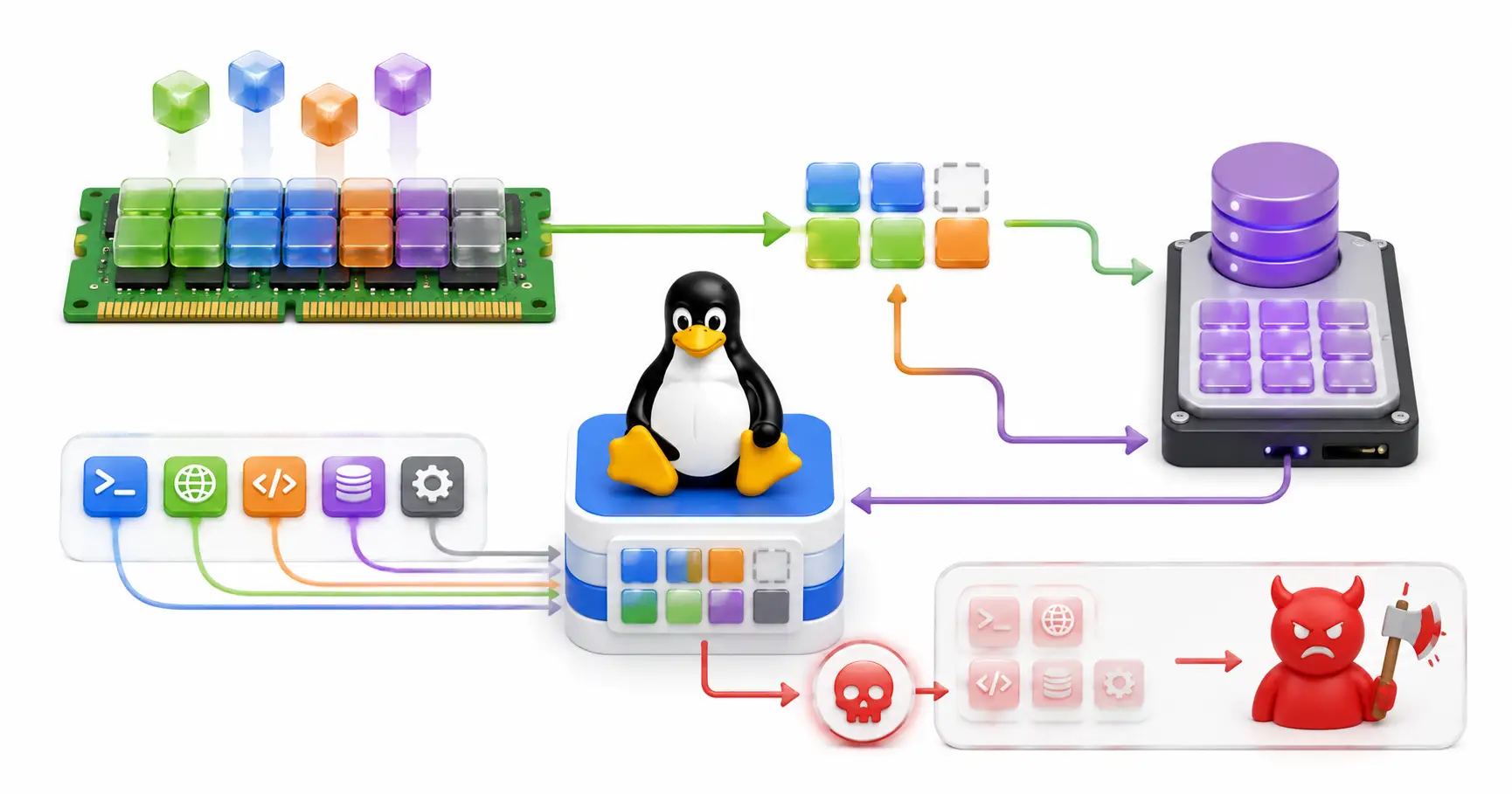
- Memory management → Filesystem caching depends heavily on the kernel’s page cache. The Linux memory management guide covers how this works.
- Systemd and services → After changing filesystem types or mount options, services may behave differently on reboot. Systemd explained for beginners covers unit files, mount units, and dependency ordering. The systemd service file generator can help create custom unit files.
- File transfers → When migrating data between filesystems, tools like
rsync,scp, and SFTP are essential. Our FTP/SFTP file transfer guide covers secure transfer methods.
Self-Hosting on Btrfs
If you’re running a home lab with self-hosted services, Btrfs is often the natural choice for the data volume. The combination of snapshots, compression, and checksumming protects the irreplaceable data these services manage:
- Photo management → Immich stores your photo library. Btrfs compression saves space, and snapshots protect against accidental deletion.
- Document management → Paperless-ngx stores scanned documents. Checksum verification ensures long-term data integrity.
- DNS and ad blocking → Pi-hole benefits from a reliable filesystem for its DNS cache and block lists.
- Platform deployment → If you’re using Coolify or DokPloy to deploy web applications, Btrfs subvolumes keep application data isolated.
- Automation → n8n workflow automation and similar tools store workflow state on disk — snapshots give you a safety net.
For reverse proxy setups in front of these services, our Let’s Encrypt guide covers automated TLS certificates, and the Nginx config generator scaffolds server blocks.
Official Documentation
- Btrfs Wiki (Official): https://btrfs.readthedocs.io
- Btrfs Kernel Documentation: https://docs.kernel.org/filesystems/btrfs.html
- Ext4 Wiki: https://ext4.wiki.kernel.org
- Ext4 Kernel Documentation: https://docs.kernel.org/filesystems/ext4/
- Btrfs GitHub (btrfs-progs): https://github.com/kdave/btrfs-progs
Frequently Asked Questions
Is Btrfs stable enough for production in 2026?
Yes, for most workloads. Btrfs has been Fedora’s default filesystem since Fedora 33 (2020) and Synology’s default for NAS devices since 2015. RAID 0, 1, and 10 are production-ready. RAID 5/6 is not — avoid those.
Does Btrfs wear out SSDs faster than Ext4?
No. Modern SSDs have internal wear leveling (FTL) that distributes writes regardless of the filesystem. Btrfs’s SSD optimization mode groups writes efficiently and supports TRIM. In practice, SSD lifespan is comparable on both filesystems.
Can I convert Ext4 to Btrfs without losing data?
Yes, using btrfs-convert /dev/sdX. The conversion preserves existing data by translating Ext4 metadata to Btrfs B-trees. Always back up first — if the process is interrupted, data loss is possible.
What is the difference between Btrfs and ZFS?
Both are CoW filesystems with snapshots and checksumming. ZFS is more mature for enterprise RAID workloads and has better RAID-Z (parity) support. However, ZFS can’t be included in the Linux kernel due to licensing conflicts (CDDL vs GPL) — it requires out-of-tree DKMS modules. Btrfs is natively in the kernel, making it easier to maintain.
Should I use Btrfs for a database server?
Generally no. Database workloads (PostgreSQL, MySQL, MongoDB) perform poorly on CoW filesystems due to write amplification and fragmentation. Use Ext4 for database partitions, or disable CoW with chattr +C on database directories.
How do Btrfs subvolumes work?
Subvolumes look like directories but behave as independent filesystem trees. You can mount them separately with different options (different compression levels, different mount flags), set quota limits, and snapshot them independently. They’re the organizational building blocks of a Btrfs filesystem.
How often should I run Btrfs scrub?
Monthly is a reasonable schedule for most setups. Scrub reads every data block and verifies its checksum, detecting silent corruption early. On RAID mirrors, it also auto-repairs corrupted blocks from healthy copies.
Does Btrfs compression slow things down?
Usually the opposite. With Zstd compression, the CPU compresses data faster than most drives can write it. The result is less actual I/O, which often makes reads and writes faster. The performance impact is negligible on modern CPUs.
Is Ext4 still a good choice in 2026?
Absolutely. Ext4 is the most battle-tested Linux filesystem in existence. It’s fast, stable, well-understood, and supported everywhere. For database servers, VM storage, and situations where simplicity matters, Ext4 remains the best choice.
Can I use both filesystems on the same machine?
Yes, and this is actually a common setup. Use Btrfs for your root partition (system snapshots) and Ext4 for dedicated data partitions (database storage, VM images). Each partition is formatted independently.
Discussion
Loading comments...