
Security Tools
Base64 Encoder
Encode any text or string to Base64 format instantly.
Decode any Base64-encoded string back to its original plain text, UTF-8, or binary representation. Supports pasting encoded strings, uploading .txt files, and provides instant real-time decoding with error validation, copy, and download.
The FreeTechLearner Base64 Decoder converts Base64-encoded strings back to their original plain text or UTF-8 representation. It validates input in real time, highlights errors for invalid Base64, and supports pasting strings, uploading files, copying results, and downloading decoded output.
Simply paste your Base64 encoded string into the input field. The decoded plain text output appears instantly in real time — no button click required.
No. Base64 is an encoding scheme, not encryption. Anyone can decode a Base64 string — it provides no security. It is used for data transport (like embedding images in emails), not for hiding sensitive information.
No. All decoding happens entirely in your browser using JavaScript. Your Base64 strings are never transmitted, logged, or stored on any server.
Standard Base64 uses uppercase A–Z, lowercase a–z, digits 0–9, plus (+), forward slash (/), and equals (=) for padding. The decoder will show an error if invalid characters are detected.
You can upload a .txt or .b64 file containing a Base64 string. The decoder will read the file content and decode it to plain text. For binary files originally encoded to Base64, the decoded output will be the raw text representation.
This usually happens if your string contains characters outside the standard Base64 alphabet, or if the string is incomplete and lacks proper padding characters.
Yes, if the Base64 string originated from an image or binary file, decoding it will return the raw binary data. Note that standard text decoders may show this as garbled characters if it is not valid text.
Yes, our decoder can handle both standard Base64 and URL-safe Base64 variants seamlessly by adjusting the characters before decoding.
The "=" sign is a padding character used at the end of a Base64 string to ensure the total length is a multiple of 4. It does not represent actual data.
The only limit is your browser's memory capacity. Our tool can easily handle large Base64 strings containing megabytes of data without lagging.

Master SSH security on Ubuntu. Learn key authentication, port changes, fail2ban, and advanced hardening configurations to protect your Linux server.

Master Helix, the Rust-based modal editor with zero-config LSP and Treesitter integration. Learn the selection-first paradigm, multiple cursors, and system setup.
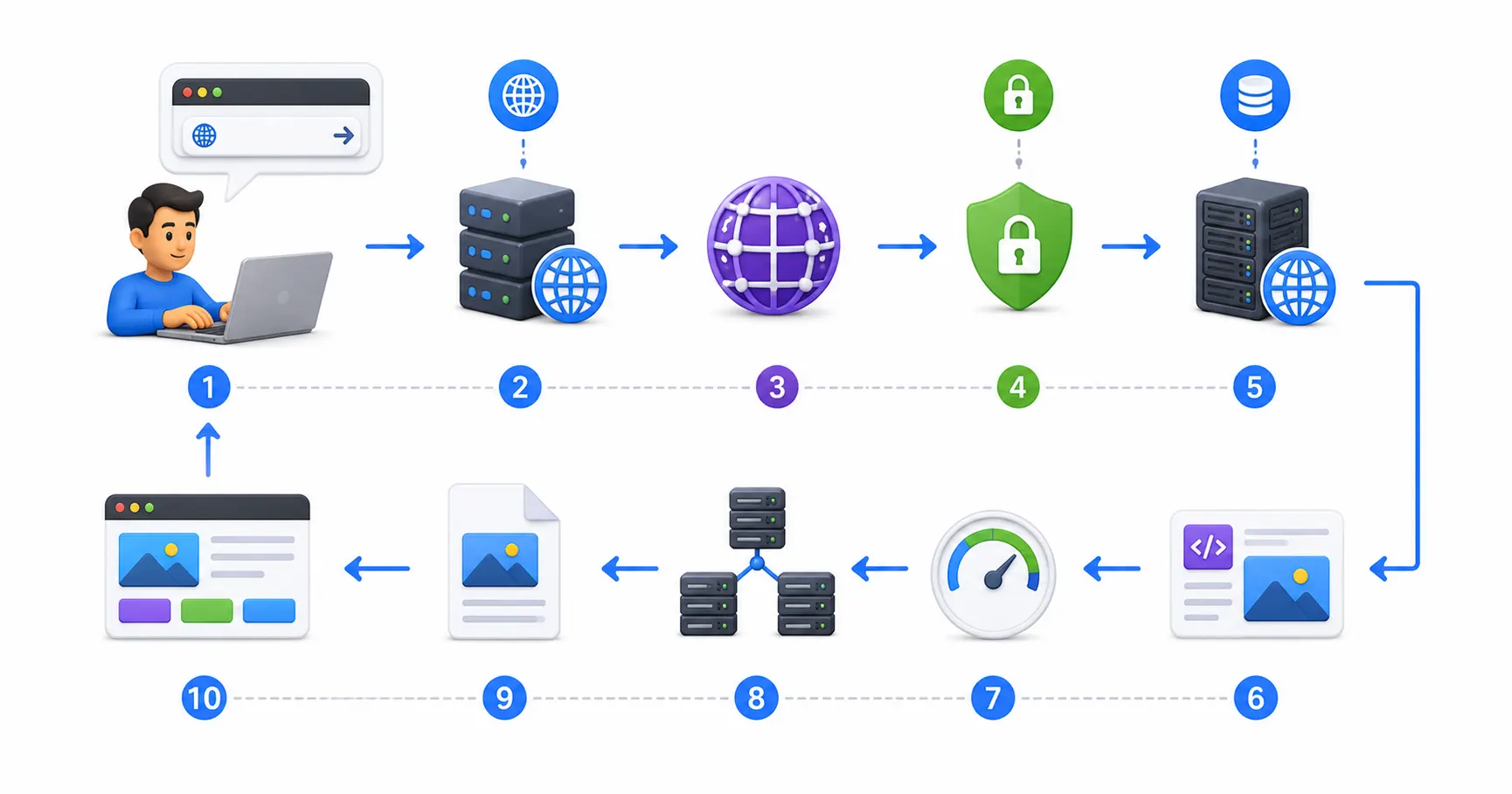
Take the ultimate deep dive into the internet request lifecycle: DNS lookup, TCP handshakes, TLS 1.3 encryption, HTTP/3 QUIC transport, and browser DOM rendering.
Explore our full collection of free, privacy-first developer and SEO tools.
Browse All 134+ ToolsStart typing to search across articles, tools & courses