

In the competitive world of modern web application security, penetration testing, and bug bounty hunting, deep reconnaissance is the non-negotiable precursor to successful exploitation. If you cannot find the vulnerable digital doorway, you cannot break through it.
A common assumption made by inexperienced web developers is that “Security by Obscurity” is an effective defense mechanism. Developers routinely upload unencrypted database backups, raw source code repositories (like .git folders), and unauthenticated internal administrative panels to public-facing web servers. Their logic is simple: If I do not put a hyperlinked button to the /admin-db-backup-2026 folder on the front page of the website, hackers will never find it.
This logic is false.
Professional threat actors and skilled penetration testers do not just click links; they brute-force directory paths. They use specialized software engines to systematically guess tens of thousands of potential directory and file names every second until the target server reveals a sensitive hidden file.
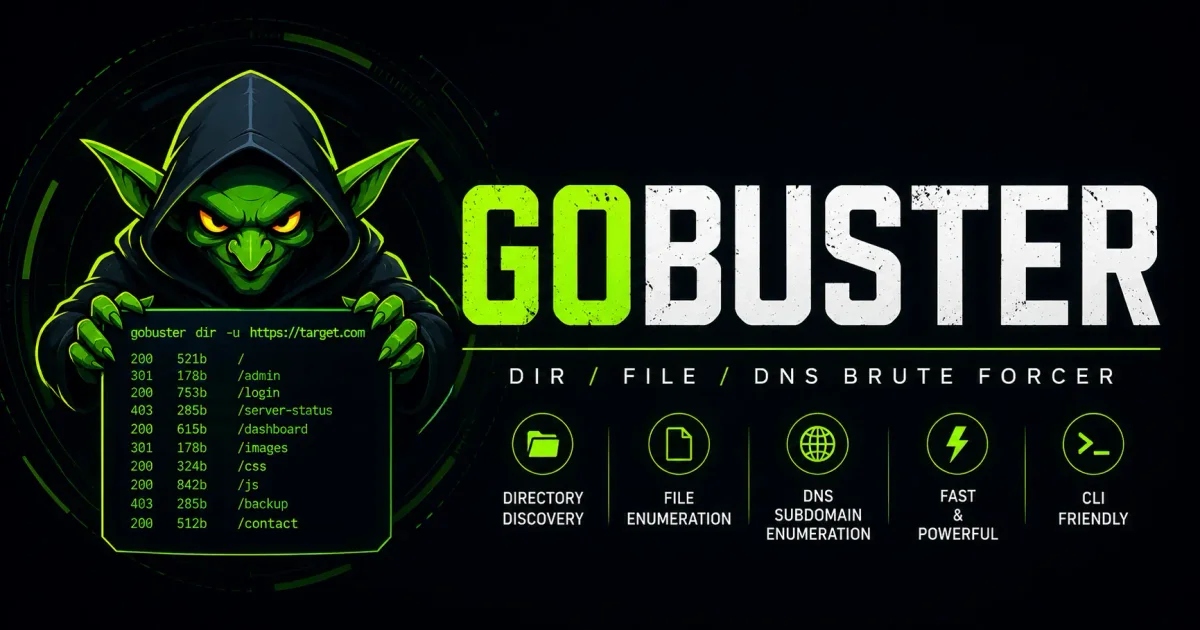
Gobuster is the leading directory enumeration tool in 2026. Written in the concurrent Go (Golang) programming language, it is a fast, optimized command-line tool designed to map out the hidden surface area of a target’s web infrastructure.
In this guide, we will explore the foundational architecture of Gobuster, guide you step-by-step through installation across all major operating systems, master the critical importance of specialized wordlists, and execute its four core enumeration modes: Directory, DNS, Virtual Host, and AWS S3 Bucket discovery. Finally, we will cover advanced techniques for bypassing modern Web Application Firewalls (WAFs).
1. The Architecture: Why Gobuster Dominates the Industry
To understand why Gobuster has become the industry standard, you must briefly understand the history of directory enumeration software.
Historically, security researchers relied on legacy tools like DirBuster (a Java-based graphical user interface tool) or Dirb (an older C-based command-line tool). While effective in their time, these older tools suffered from performance bottlenecks. Java-based tools required a Java Virtual Machine (JVM) memory overhead, frequently crashing your operating system when attempting to load large dictionary files containing ten million words. They were slow, resource-intensive, and prone to freezing mid-scan.
Gobuster revolutionized this space because it was written in Go.
Go was developed by Google engineers to handle concurrency. Instead of relying on traditional operating system threads to manage network connections, Go utilizes “Goroutines.” Goroutines are lightweight. This architectural advantage means Gobuster can spawn five hundred concurrent HTTP connections to a target web server using a fraction of the RAM required by legacy Java tools.
Furthermore, because Go compiles down to a static, standalone binary file, Gobuster runs natively on Linux, macOS, and Windows without requiring external dependencies, Python environments, or Java installations.
2. Installation and Setup
Gobuster’s cross-platform nature makes it simple to install in seconds.
🐧 Installing on Linux Systems
If you are operating a security-focused Linux distribution like Kali Linux, Parrot Security OS, or BlackArch, Gobuster is already pre-installed and ready in your path.
If you are using a standard Debian or Ubuntu server distribution, it is readily available in the default package manager:
sudo apt update
sudo apt install gobuster -y
🍎 Installing on macOS
macOS users, developers, and security analysts can install the compiled binary directly via the popular Homebrew package manager:
brew install gobuster🐹 Compiling Directly from Source (For Windows or Bleeding-Edge Users)
If you want the latest, experimental features, or if you are running natively on a Windows machine without WSL, you can compile Gobuster directly from its official GitHub repository. You must have the Go runtime installed on your machine first:
go install github.com/OJ/gobuster/v3@latestNote: Ensure your $GOPATH/bin directory is added to your system’s global PATH environment variable so you can run the gobuster command from any terminal window.
3. The Crucial Prerequisite: The Power of Wordlists
Gobuster is a brute-force engine. It does not possess artificial intelligence, it cannot read minds, and it cannot guess what is sitting on the target server. It relies on a Wordlist—a plain-text file containing millions of potential directory and file names—to feed its high-speed engine.
If your wordlist is garbage, your Gobuster scan will find nothing, and you will falsely assume the target is secure.
The industry standard collection of wordlists in 2026 is the SecLists repository (freely available on GitHub). SecLists contains thousands of specialized dictionaries curated by penetration testers over the last decade.
Choosing the Right Wordlist for the Job
- The Quick Triage List: (
/usr/share/seclists/Discovery/Web-Content/common.txt). A small, optimized list containing the 4,000 most common web directories (e.g.,admin,images,uploads,api). This is ideal for a quick, 10-second triage scan to see if the target has low-hanging fruit. - The Raft Lists: (
raft-large-directories.txt). These lists were created by analyzing the public sitemaps of trafficked websites. These are large lists (often over 150,000 words) that provide the best balance of speed and coverage. - Technology-Specific Lists (The Professional Choice): If your initial OSINT or Wappalyzer scan reveals the target server is running an outdated version of WordPress, you should not use a general wordlist. You must use a specific WordPress wordlist that contains the names of vulnerable WordPress plugins, specific backup configurations, and default database dumps.
4. Deep Dive: Directory Mode (dir)
The dir mode is Gobuster’s primary function. It is utilized to discover hidden endpoints, secret directories, and exposed configuration files on a specific web server URL.
The basic syntax requires a target URL (-u) and a wordlist (-w):
gobuster dir -u http://target-company.com -w /usr/share/wordlists/dirb/common.txtAdvanced Flags for Professional Auditing
1. File Extension Searching (-x)
This is arguably Gobuster’s most powerful feature. Lazy developers almost never name a backup file backup. They append extensions to it, naming it backup.zip, backup.tar.gz, backup.bak, or backup.sql.
If you pass the -x flag, Gobuster will take every word in your wordlist and append the specified extensions to it during the scan.
gobuster dir -u http://example.com -w common.txt -x php,txt,zip,sql,env,bakThe Mechanics: If the wordlist contains the word “config”, Gobuster will now sequentially test /config, /config.php, /config.txt, /config.zip, /config.sql, /config.env, and /config.bak. Finding a .env file usually compromises the server.
2. Thread Tuning and Rate Limiting (-t and --delay)
By default, Gobuster uses 10 concurrent threads. If you are authorized to test a corporate server sitting on a robust enterprise network, you can increase the speed by cranking the thread count high:
gobuster dir -u http://example.com -w massive-list.txt -t 100The WAF Danger: Modern Web Application Firewalls (WAFs) like Cloudflare, AWS WAF, or F5 BIG-IP will detect 100 404-error requests per second originating from your single IP address. The WAF will permanently ban your IP address at the edge, halting your penetration test.
To successfully bypass strict WAFs and Intrusion Detection Systems (IDS), you must slow the attack down to mimic human behavior using the --delay flag.
gobuster dir -u http://example.com -w common.txt -t 1 --delay 3sThis command forces Gobuster to use a single thread and wait 3 seconds between every HTTP request, flying under the radar of rate-limit firewalls.
3. Bypassing Invalid SSL Errors (-k)
When auditing internal corporate networks, staging servers, or IoT devices, you will encounter servers using self-signed, expired, or invalid SSL certificates. By default, Gobuster’s Go engine will refuse to connect to a cryptographically invalid HTTPS server. You must use the -k flag to force it to bypass certificate validation.
gobuster dir -u https://10.0.0.55 -w common.txt -k4. Manipulating the User-Agent String (-a)
When you run Gobuster, the target server’s access logs record the requesting User-Agent as Gobuster/3.x. This is a glowing red flag to any Blue Team security administrator reading the logs. To blend in with normal web traffic, you must spoof your User-Agent to look like a standard web browser:
gobuster dir -u http://example.com -w common.txt -a "Mozilla/5.0 (Windows NT 10.0; Win64; x64) AppleWebKit/537.36 (KHTML, like Gecko) Chrome/114.0.0.0 Safari/537.36"5. Interpreting HTTP Status Codes for Exploitation
When the Gobuster engine runs, it outputs the discovered paths alongside their HTTP Status Codes. Understanding how to interpret these codes is essential for pivoting into exploitation.
- Status: 200 (OK): The holy grail of enumeration. The file or directory exists and is public. If you see a
200 OKon adatabase.sqlfile or anadmin_dashboard.phpfile, you have likely discovered a critical vulnerability. - Status: 301 / 302 (Redirect): The directory exists, but the server is bouncing you to another location. You must pay close attention to where the redirect is leading; it often points to a hidden, internal administrative login portal.
- Status: 403 (Forbidden): This is valuable intelligence. A
403error means the directory does exist on the server, but the web server’s configuration is configured to block directory listing (meaning you cannot see the full list of files inside it). However, if you run a second Gobuster scan inside that 403 directory looking for specific files (e.g.,/forbidden-dir/config.php), you can often bypass the restriction and download the file. - Status: 500 (Internal Server Error): Gobuster sent a request that caused the target server’s backend logic (Python, PHP, or Java) to crash. This often indicates a misconfiguration or an exploitable vulnerability on the backend server side.
6. Deep Dive: DNS Subdomain Enumeration (dns)
Organizations often hide their vulnerable staging servers, unstable developer API portals, and internal employee VPN gateways on undocumented subdomains (e.g., vpn-nyc-backup.target-company.com or dev-api-v2.target-company.com).
Gobuster’s dns mode allows you to brute-force subdomains. Instead of sending standard HTTP requests to a web server, it fires thousands of raw DNS resolution queries directly to the internet’s global DNS servers.
gobuster dns -d target-company.com -w /usr/share/seclists/Discovery/DNS/subdomains-top1million-110000.txt -iNote: We use -d (domain) instead of -u (URL) for DNS mode. The -i flag forces Gobuster to print the IP address that the discovered subdomain resolves to, mapping the infrastructure for you.
Utilizing Custom Resolvers (-r)
By default, Gobuster uses your own local ISP’s DNS server to perform the lookups. If you send 150,000 DNS queries to your ISP in two minutes, their automated systems will likely classify it as a DDoS attack and block your internet connection.
To prevent this, you must feed Gobuster a custom list of global public DNS resolvers (like Google’s 8.8.8.8 and Cloudflare’s 1.1.1.1) using the -r flag, distributing the query load across the internet.
7. Deep Dive: Virtual Host Enumeration (vhost)
Virtual Host (vHost) enumeration is an advanced, effective technique used to bypass firewall restrictions.
A single corporate IP address (e.g., 104.22.5.10) might actually host fifty different websites simultaneously. When your standard web browser connects to that IP address, it sends an HTTP Host header telling the backend server which specific website it wants to view.
Frequently, companies host confidential, internal applications (like hr-intranet.company.local) on the same public IP address as their public marketing website. These internal applications deliberately do not have public DNS records, so Gobuster’s standard dns mode will never find them.
Gobuster’s vhost mode connects directly to the raw IP address and rapidly swaps out the HTTP Host header thousands of times a second, looking for the web server to serve the restricted internal application.
gobuster vhost -u http://104.22.5.10 -w /usr/share/seclists/Discovery/DNS/subdomains-top1million-110000.txt --append-domain target-company.com8. Deep Dive: Cloud Storage Discovery (s3)
In the 2026 era of cloud computing, corporate data breaches are frequently caused by misconfigured Amazon Web Services (AWS) S3 buckets. Inexperienced cloud engineers accidentally configure their enterprise cloud storage buckets to be publicly readable, exposing terabytes of sensitive customer data, API keys, and corporate secrets to the internet.
Gobuster includes a specialized s3 engine designed to brute-force the names of AWS storage buckets.
gobuster s3 -w common-bucket-names.txtThis mode rapidly checks the global AWS namespace to see if buckets matching your wordlist exist, and crucially, checks if they respond with vulnerable, open permissions.
9. Defensive Strategies: Stopping Gobuster in its Tracks
If you are a Systems Administrator, a Cloud Engineer, or a Blue Team analyst, the reality is that hostile threat actors are actively running Gobuster against your corporate servers right now. Here is how you defend your infrastructure:
- Implement Web Application Firewalls (WAF): You must implement a strict WAF rule that automatically IP-bans any client that generates more than twenty
404 Not Founderrors in a rolling 60-second window. Gobuster fundamentally generates thousands of404errors by design; this single rule will neutralize a brute-force attack. - Disable Directory Listing Globally: Ensure your Apache (
Options -Indexes) or Nginx (autoindex off;) configuration files explicitly forbid directory listing at the global server level. Never rely on anindex.htmlfile to hide your data. - Deploy Active Honeypots: Create fake hidden directories (like
/admin-portal-legacy-db) that contain no actual data but are monitored by your internal SIEM (Security Information and Event Management) system. If any external IP address even touches that honeypot directory, you know with certainty they are running a directory enumeration tool, and you can automatically ban their entire IP subnet at the edge firewall level.
Frequently Asked Questions (FAQ)
What is Gobuster?
Gobuster is a fast, optimized command-line tool written in Go used by penetration testers to brute-force and discover hidden directories, files, DNS subdomains, and virtual hosts on target web servers.
Why is Gobuster faster than legacy tools like DirBuster?
Because it is written in Go, Gobuster utilizes lightweight Goroutines instead of traditional OS threads. This allows it to spawn hundreds of concurrent HTTP connections using a fraction of the memory that older Java-based tools require.
How do I bypass Web Application Firewalls (WAFs) using Gobuster?
To avoid being blocked by rate-limiting WAFs like Cloudflare, slow down your attack to mimic human behavior by using a single thread (-t 1) and adding a delay between requests using the --delay flag (e.g., --delay 3s).
What wordlists should I use with Gobuster?
The industry standard is the SecLists repository. For quick scans, use a small list like common.txt. For thorough tests, use raft-large-directories.txt. For specific technologies, use specialized lists like a WordPress dictionary.
How does Gobuster Virtual Host (vHost) mode work?
Virtual Host mode connects directly to the server’s IP address and rapidly swaps the HTTP Host header to see if the web server serves a restricted internal application that isn’t publicly listed in DNS records.
Conclusion: Master the Tool, Respect the Rules
Gobuster is a masterpiece of offensive security software engineering. Its Go-based architecture provides unparalleled speed, efficiency, and flexibility, allowing professional analysts to transition seamlessly from brute-forcing hidden PHP backup files to enumerating global DNS subnets in seconds.
By mastering the advanced flags, employing targeted wordlists, and understanding how to evade modern rate-limits, you will consistently uncover critical vulnerabilities that automated vulnerability scanners miss.
However, you must use this power responsibly. Only audit digital infrastructure that you have explicit, written, and legally binding authorization to test.

Discussion
Loading comments...