

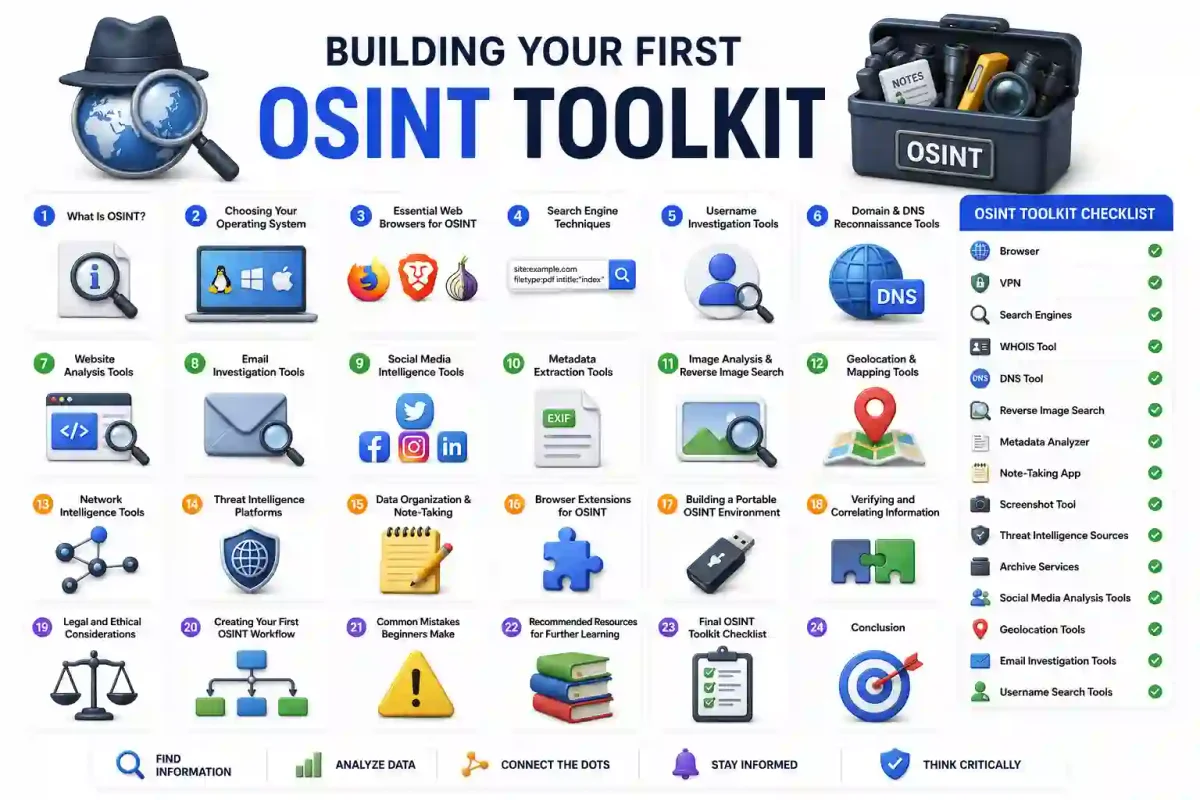
The world of Open Source Intelligence (OSINT) is fascinating.
The ability to track a global cyber threat actor, map out a complex financial fraud ring, or locate a missing person using nothing but publicly available web data feels like a superpower. It is the ultimate digital detective work.
However, one fundamental rule separates amateur internet sleuths from professional intelligence analysts:
Amateurs compromise their own operational security (OPSEC); professionals do not.
If you conduct OSINT investigations using your personal laptop, connected to your home Wi-Fi network, logged into your everyday Google Chrome profile, you are making a major security mistake. Every time you visit a target website or click a link, your browser broadcasts your real IP address, physical ISP location, screen resolution, operating system details, installed fonts, and tracking cookies. If a sophisticated target checks their web server logs, they can easily identify who is investigating them.
Threat intelligence research requires absolute digital isolation, strict identity management, and encrypted data routing.
In this guide, we will break down the 5 foundational layers of a modern OSINT environment: hypervisor virtualization, OS selection, network anonymity, browser hardening, and persona management (sock puppets).
⚡ The OSINT Research Flow
Here is how a secure, isolated OSINT query moves through your investigation environment:
- Launch Isolated VM → Boot dedicated OSINT virtual machine (Kali Linux or CSI Linux) →
- Restore Pre-Investigation Snapshot → Ensure clean system state with zero tracking cookies →
- Route Network Anonymity → Connect through encrypted mesh VPN + Tor circuit →
- Launch Hardened Browser → Open hardened Firefox container with spoofed user-agent →
- Execute OSINT Scrapers → Run specialized intelligence tools (SpiderFoot, Sherlock, ExifTool) →
- Export Evidence & Purge → Save findings to encrypted storage & revert VM snapshot to clean state
📊 OSINT Environment Setup Matrix
Here is how the key layers of a professional OSINT toolkit stack together:
| Security Layer | Recommended Tools & Technologies | Core Operational Purpose | Key OPSEC Risk Prevented |
|---|---|---|---|
| 1. Hypervisor Layer | VirtualBox, VMware Workstation, KVM | Isolates investigation code from host operating system | Prevents malware PDF counter-attacks on personal data |
| 2. OS Layer | Kali Linux, CSI Linux, Debian Linux | Pre-packaged intelligence scraping & analysis tools | Eliminates proprietary telemetry leaks |
| 3. Network Layer | Tor Browser, WireGuard, Tailscale, Mullvad | Obfuscates real IP address & geographical location | Stops target servers from logging host ISP IP address |
| 4. Browser Layer | Firefox, uBlock Origin, User-Agent Switcher | Blocks tracking scripts, fingerprinters, and canvas tags | Prevents browser fingerprint identification |
| 5. Identity Layer | Sock Puppet accounts, ThisPersonDoesNotExist | Provides isolated research identities for social intelligence | Prevents real name / personal email attribution |
1. Layer 1: Hardware & Hypervisor Virtualization
The golden rule of threat intelligence is strict isolation. You should never download target documents, run unverified GitHub scrapers, or inspect malicious URLs directly on your main computer.
If a target realizes they are under investigation, they may plant malicious payloads or canary tokens inside PDF files. Opening an infected document on your personal laptop could compromise your personal photos, passwords, and banking details.
Why Virtualization is Mandatory
To prevent cross-contamination, run your research inside a Virtual Machine (VM):
- Hypervisor Software: Install VirtualBox or VMware Workstation Pro on your laptop. Learn virtual machine basics in our guide on what is a VPS explained and home lab hypervisors in Proxmox home lab setup guide.
- Hardware Resource Isolation: Carve out CPU cores, RAM, and virtual storage isolated from your host operating system.
- Encrypted Storage Volumes: Encrypt virtual machine disk files (
.vdi/.vmdk) to keep sensitive case evidence secure from physical theft. - The Power of VM Snapshots: Before starting a research session, take a system snapshot called
Clean-Baseline. Execute your scraping scripts, inspect suspicious files, and gather intelligence. When finished, press a button to revert toClean-Baseline, instantly wiping away tracking cookies and potential malware!
2. Layer 2: Choosing the Right OSINT Linux Distribution
While you could theoretically conduct research on Windows, it is resource-heavy and broadcasts telemetry back to Microsoft. The vast majority of open-source OSINT tools on GitHub are written for Linux.
Top Linux Distributions for Sleuths
- Kali Linux: The most popular cybersecurity Linux distribution in the world. Comes pre-loaded with over 600 penetration testing and intelligence tools. Learn how to secure Linux workstations using the top 20 Linux security commands.
- CSI Linux: Purpose-built specifically for digital forensics, OSINT, and cybercrime investigations. Includes pre-configured cases management panels and dark web scrapers.
- Debian / Ubuntu Minimal: A clean, custom Linux desktop built from scratch. Install only the tools you need for ultimate control. Learn Linux permission structures in Linux file permissions explained.
3. Layer 3: Network Anonymity & IP Obfuscation
Visiting a target’s web server directly from your home ISP IP address exposes your identity. You must obfuscate your network traffic.
The 3-Tier Network Anonymity Chain
- Virtual Private Networks (VPNs): Route all VM traffic through an encrypted VPN tunnel (such as Mullvad or ProtonVPN). Compare mesh routing options in our Tailscale vs WireGuard comparison and review how a VPN works.
- The Tor Network (The Onion Router): For high-risk research, pass traffic through the Tor network. Tor bounces packets through three encrypted global relays (Guard ➔ Middle ➔ Exit), ensuring target web servers see only the Tor exit node’s IP address.
- Residential Proxies: When scraping social media sites that block commercial VPN IP blocks, route traffic through residential proxy networks.
4. Layer 4: Hardened Browser Profiles & Fingerprint Resistance
Standard web browsers (Chrome, Edge, Safari) act as tracking beacons. They leak unique device fingerprints including canvas rendering signatures, installed fonts, and hardware IDs.
Hardening Mozilla Firefox for Investigations
- Use Dedicated Firefox Profiles: Create a separate Firefox profile (
about:profiles) used exclusively for OSINT research. - Disable WebRTC Peer Connections: Disable WebRTC inside
about:config(media.peerconnection.enabled = false) to prevent real IP leaks through WebRTC STUN requests even when behind a VPN. - Essential Privacy Extensions:
- uBlock Origin: Blocks tracking scripts, malware domains, and third-party telemetry.
- User-Agent Switcher: Spoofs your browser header to look like an iPhone, Windows PC, or Android device.
- Canvas Defender: Injects subtle noise into HTML5 canvas elements to defeat canvas fingerprinting.
- Multi-Account Containers: Isolates cookies across different social media targets within separate browser tabs.
5. Layer 5: Identity Management (Sock Puppets)
A Sock Puppet is a fictitious online persona created specifically for intelligence gathering. Never log into target social media accounts using your real personal accounts!
Rules for Building Believable Sock Puppets
- Synthetic AI Profile Pictures: Generate realistic faces of people who do not exist using AI tools like ThisPersonDoesNotExist.
- Dedicated Burner Phone Numbers: Use VOIP numbers (VoIPms, MySudo) or physical prepaid SIM cards paid for with cash for SMS verification.
- Isolated Email Accounts: Register burner email addresses using privacy-focused providers (Proton Mail, Tuta).
- Consistent Background Lore: Develop a coherent backstory (hobbies, location, job title) so the sock puppet appears authentic to automated anti-fraud algorithms.
- Persona Behavioral Consistency: Log into sock puppet profiles exclusively from your dedicated OSINT VM through specific geographical VPN exit nodes to avoid security locks.
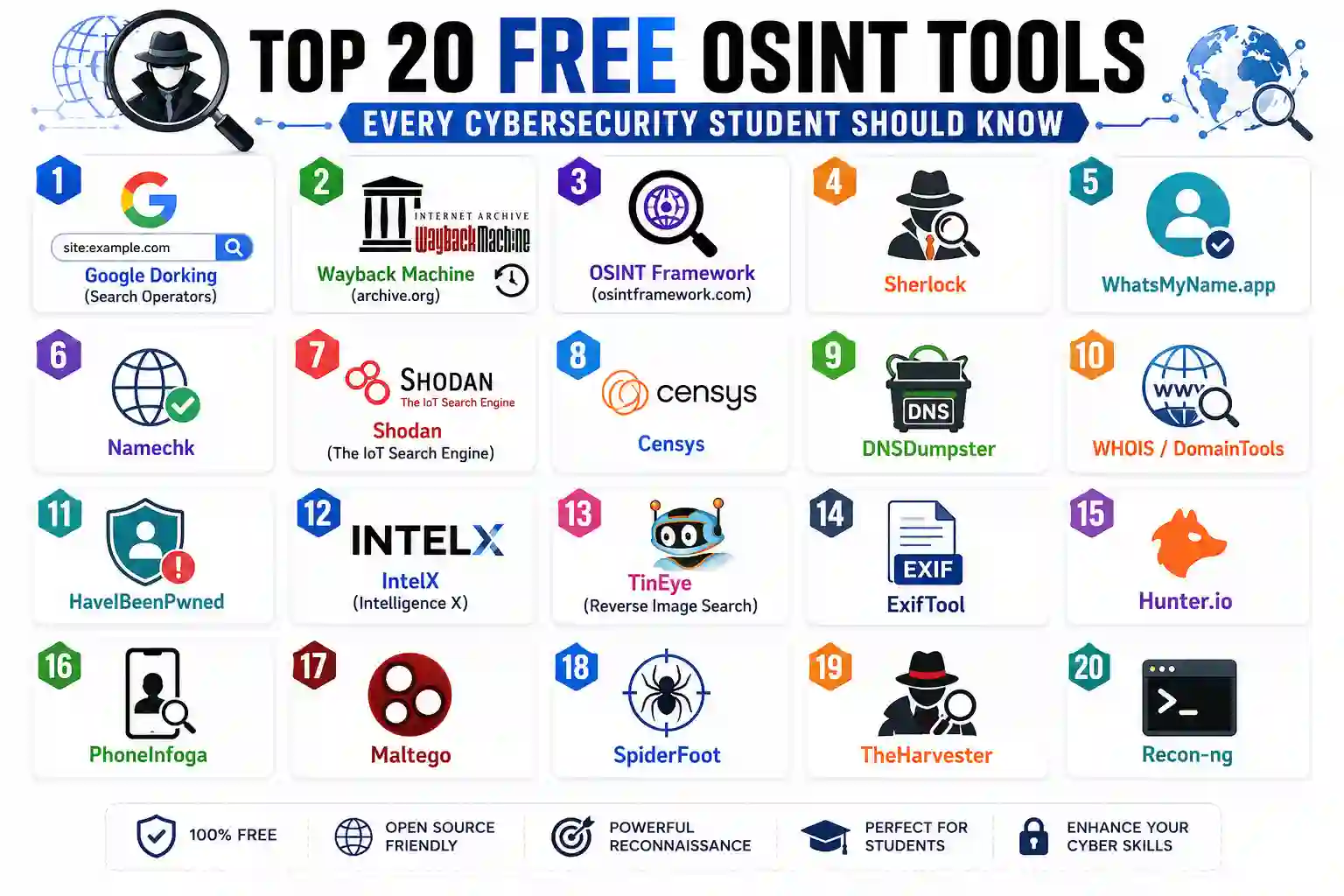
🛠️ Top 10 Must-Have OSINT Tools in 2026
Once your secure workstation is ready, equip it with these essential intelligence collection tools:
- 1. ExifTool: Reads and extracts hidden EXIF metadata (GPS coordinates, camera model, date/time) from image and video files.
- 2. SpiderFoot: An automated OSINT reconnaissance engine that queries over 100 public data sources simultaneously (IPs, domain names, email addresses).
- 3. Sherlock: Scans hundreds of social media platforms in seconds to locate usernames across the web.
- 4. Holehe: Checks if a target email address is attached to registered accounts across 120+ popular websites without triggering notifications.
- 5. Maltego: A visual link-analysis tool that maps relationships between people, domain infrastructure, DNS records, and social networks.
- 6. Recon-ng: A full-featured web reconnaissance framework written in Python, structured like Metasploit.
- 7. PhoneInfoga: Advanced OSINT tool for scanning international phone numbers, identifying carriers, and locating linked accounts.
- 8. Shodan: The search engine for internet-connected devices (webcams, industrial control systems, open database ports).
- 9. Wayback Machine (archive.org): Inspects historical snapshots of deleted web pages and modified domain content.
- 10. Ghunt: Specialized OSINT tool for analyzing Google accounts, extracting Google ID, Google Maps reviews, and public album photos.
🔒 Securing Your OSINT Workstation & Data
Protecting your local investigation findings requires applying enterprise security practices across your host machine.
Workstation Hardening Checklist
- Encrypt Local Disk Volumes: Encrypt host and VM drives using LUKS (Linux) or BitLocker (Windows) to protect sensitive case evidence.
- Secure Passwords & Keys: Store sock puppet passwords, API keys, and investigation credentials inside Vaultwarden or a password manager. See our Vaultwarden self-hosted guide and compare options in best password managers and passkeys vs passwords. Generate strong passphrases using our password generator.
- Hardened Ingress Proxying: If hosting private OSINT dashboards (like Maltego or SpiderFoot web UI) on a server, protect them behind Nginx Proxy Manager, Traefik, or Caddy with SSL encryption. Review our Nginx Proxy Manager security guide and Let’s Encrypt guide. Generate web server configs using our Nginx config generator.
- Host Firewalls & Intrusion Prevention: Secure Linux investigation servers using UFW, Fail2ban, and CrowdSec. Read our tutorials on UFW firewall guide, Fail2ban guide, and CrowdSec beginner guide. Enforce kernel security via AppArmor vs SELinux.
- Container Security: Run web tools inside Docker containers (see our installing Docker on Ubuntu guide and Docker vs Podman benchmark). Scan container images for CVEs using Trivy via our securing Docker containers guide. Generate container manifests using our Docker Compose generator.
- Host Compliance & Audit Logging: Harder server access using our Ubuntu SSH hardening guide, inspect host system logs using Linux logs explained, and audit compliance with Lynis via our Lynis security audit guide.
🛠️ Self-Hosted Cloud & Microservices Ecosystem
Integrate your OSINT research workflow with modern cloud infrastructure and self-hosted automation tools:
- Cloud Infrastructure Alternatives: Evaluate cloud hosting providers in our AWS vs Azure vs Google Cloud comparison, deploy static web portals via Azure Static Web Apps, or explore free static platforms in how to host a website for free.
- Container Orchestration: Manage containerized scrapers at scale using Kubernetes; see our guide to Kubernetes explained simply.
- Self-Hosted PaaS Panels: Deploy intelligence dashboards on VPS instances using Coolify or DokPloy. Read our Coolify self-hosting guide and DokPloy setup guide.
- Visual Management Panels: Monitor Docker containers using Portainer; read our Portainer self-hosted guide.
- Home Lab Infrastructure: Run private hypervisors using Proxmox VE; see our Proxmox home lab setup guide. Back up investigation evidence using our backup strategies for self-hosted servers, store files in Nextcloud, block tracking ads with Pi-hole, and automate OSINT scraping jobs using n8n via Docker Compose.
- Private Local AI Models: Analyze unstructured intelligence text using local LLMs via Ollama and Open WebUI. Read our guide on local AI vs cloud AI, our Ollama Linux installation guide, and Open WebUI setup guide. Connect local AI models using the Model Context Protocol (MCP).
- Development Workflows: Build custom Python scrapers across the software development life cycle (see our SDLC guide for beginners), compare programming languages in Python vs Rust, handle async JavaScript requests, and query relational databases like PostgreSQL vs MySQL.
💻 Developer & Sysadmin Web Utilities
Bookmark these interactive web utilities to format data, test regex scrapers, and generate server configs:
- Container Setup: Docker Compose Generator
- Reverse Proxy Configs: Nginx Config Generator
- Init Scripts: Systemd Service File Generator
- Data Formatting: JSON Formatter & JSON Validator
- Secret Generation: Password Generator & ENV Generator
- SEO Metadata: Schema Markup Generator
- Expression Testing: Regex Tester
- Linux Learning: Linux Command Explorer & Linux Permission Calculator
- Automation: Cron Expression Generator & Gitignore Generator
📖 Official Documentation & Standards References
- OSINT Framework Directory: https://osintframework.com
- Bellingcat Online Investigation Toolkit: https://www.bellingcat.com
- Tor Project Official Documentation: https://community.torproject.org
- VirtualBox User Manual: https://www.virtualbox.org/manual
- ExifTool Documentation: https://exiftool.org
❓ Frequently Asked Questions
What is OSINT in cybersecurity?
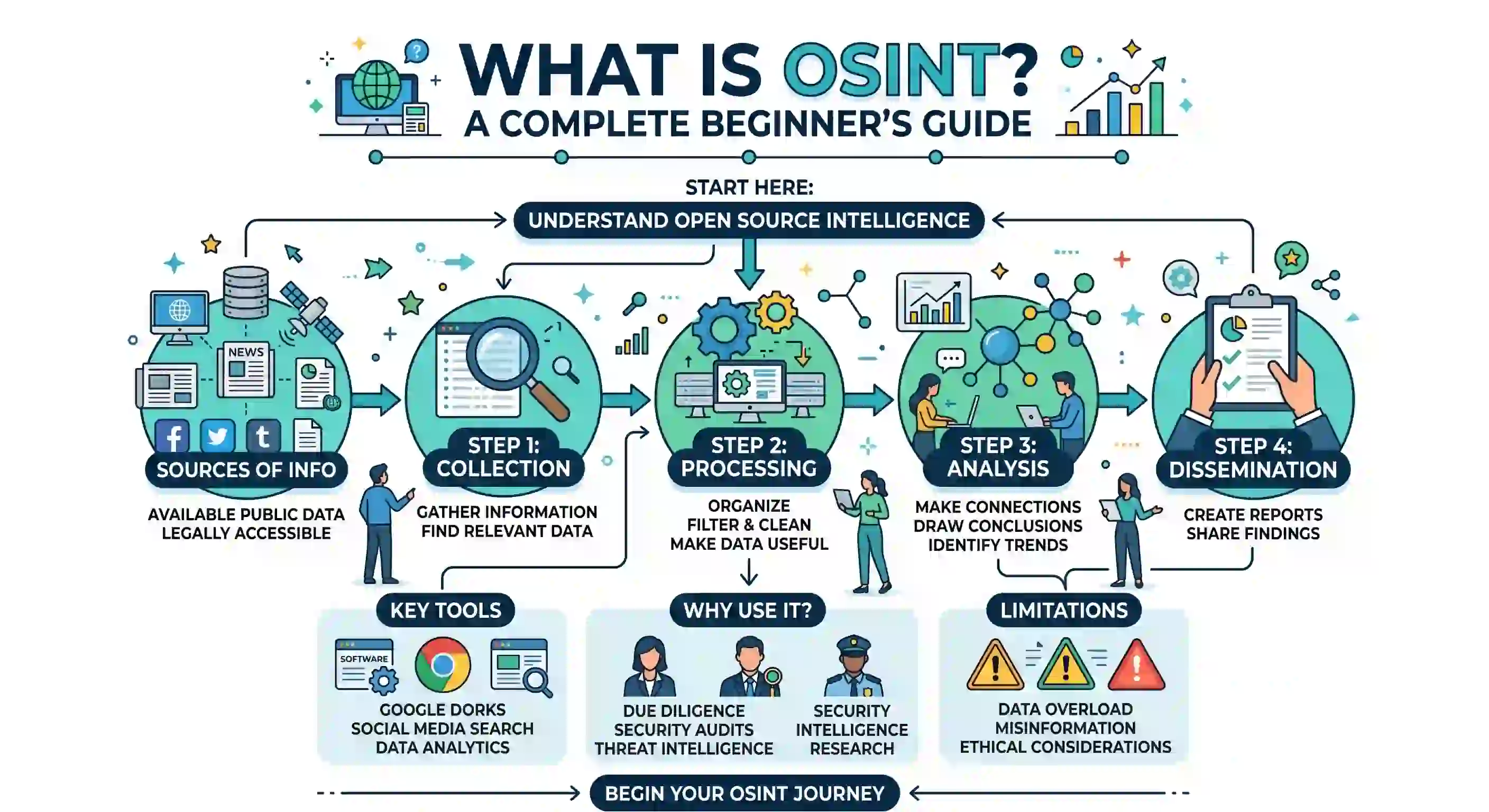
OSINT (Open Source Intelligence) is the practice of collecting, analyzing, and synthesizing publicly available data—from social media, domain registries, public records, satellite imagery, and web archives—to gather threat intelligence or conduct cyber investigations.
Is OSINT legal?
Yes. OSINT relies exclusively on publicly accessible information. However, how you collect data (e.g. respecting website terms of service) and what you do with it must comply with local privacy, computer fraud, and harassment laws.
Why shouldn’t I use my personal laptop for OSINT research?
Using a personal laptop leaks your real IP address, physical location, and browser telemetry directly to target web servers. Furthermore, if you download infected files or trigger canary tokens during an investigation, your personal files and accounts could be compromised.
What is a Virtual Machine snapshot, and why is it important for OSINT?
A Virtual Machine snapshot saves the exact state of a virtual machine at a specific moment. Researchers take a “clean” snapshot before an investigation, run scrapers and inspect files, and then revert back to the snapshot to instantly erase tracking cookies and potential malware.
What is a Sock Puppet account?
A Sock Puppet account is a synthetic online persona created specifically for intelligence research. Sock puppets use synthetic profile photos, burner email addresses, and VOIP phone numbers to prevent real-world attribution.
What is the difference between a VPN and the Tor network for OSINT?
A VPN encrypts your internet traffic and routes it through a single commercial server, trusting the VPN provider not to log your activity. Tor routes traffic through three separate encrypted global nodes (Guard, Middle, Exit), ensuring no single node knows both your source IP and your destination website.
What is ExifTool used for in OSINT?
ExifTool is a command-line tool used to extract hidden metadata from digital images, PDFs, and media files. It can reveal exact GPS location coordinates, camera models, creation dates, and software edit histories.
What is Sherlock in OSINT investigations?
Sherlock is a popular open-source Python tool that searches for a specific username across hundreds of social media platforms and forum websites simultaneously, mapping a target’s online footprint.
How do I stop target websites from fingerprinting my browser?
Use a hardened browser profile (like Firefox) with privacy extensions: uBlock Origin to block tracking scripts, User-Agent Switcher to spoof device headers, and Canvas Defender to inject random noise into HTML5 canvas tags.
What is CSI Linux?
CSI Linux is a specialized Linux distribution custom-built for digital forensics and OSINT investigations. It includes pre-packaged case management tools, dark web scrapers, and video investigation suites.
Discussion
Loading comments...