

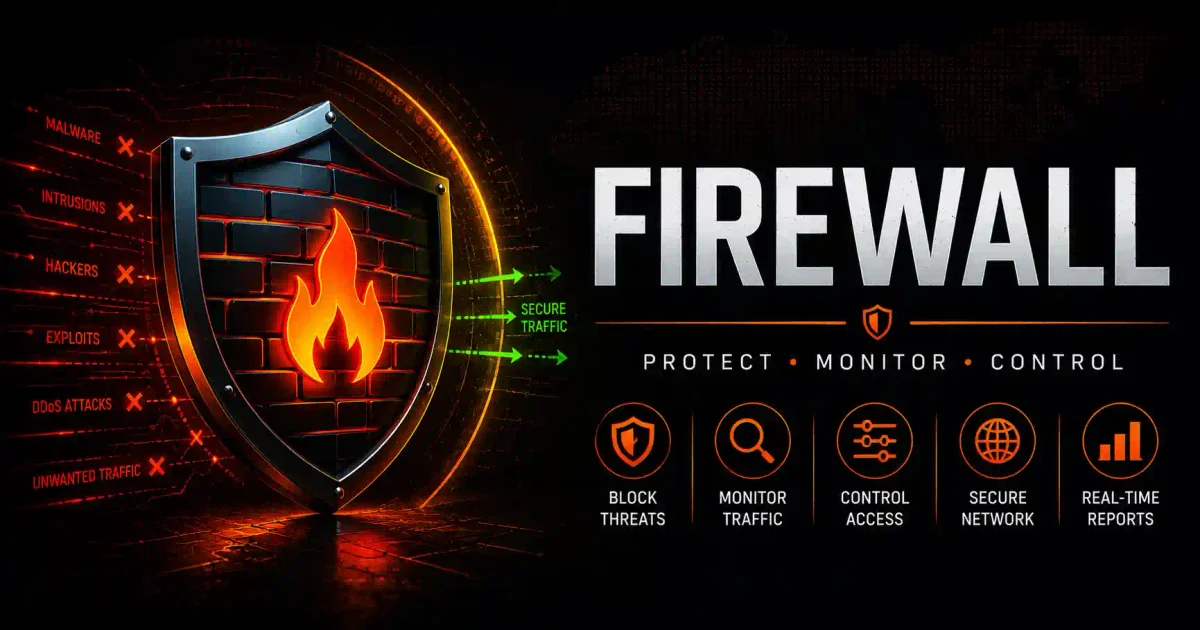
In the high-stakes arena of modern cybersecurity, if your antivirus software is considered the “internal doctor” that cures your operating system of active malware infections, the firewall is the uncompromising “security guard” stationed at the perimeter. Its sole mission is to prevent the intruder from entering the building in the first place.
In 2026, the global threat landscape is dominated by automated botnets scanning the IPv4 address space in minutes, state-sponsored ransomware gangs performing double-extortion, and sophisticated Initial Access Brokers (IABs) hunting for a single open port. In this environment, a robust, properly configured firewall is no longer just a “nice-to-have” corporate luxury. It is a fundamental necessity for digital survival.
Whether you are a remote worker connecting to a corporate VPN from a vulnerable coffee shop Wi-Fi network, a PC gamer hosting a local server, or an enterprise IT director securing a hybrid-cloud infrastructure, understanding how firewalls operate is critical to protecting your digital privacy.
In this guide, we will demystify firewall security. We will break down how they parse network packets, explore the evolutionary leap from basic packet filtering to Next-Generation Firewalls (NGFW), dissect the crucial difference between hardware and software firewalls, and explain why you cannot rely solely on your antivirus software to keep you safe.
1. The Core Mechanics: What is a Firewall?
At its most fundamental level, a firewall is a specialized network security system—implemented as dedicated physical hardware, a software program, or a combination of both. Its primary directive is to monitor, log, and filter both incoming and outgoing network traffic based on a specific, predetermined set of security rules.
Think of the firewall as the fortified border checkpoint of your computer or corporate network:
- Ingress (Incoming Traffic): It checks who is trying to knock on your digital door from the outside internet. If the incoming connection request originates from a known malicious IP address, the firewall silently drops the connection. The attacker receives no response.
- Egress (Outgoing Traffic): It scrutinizes what data is attempting to leave your computer. If a piece of dormant ransomware wakes up and tries to “phone home” to a hacker’s Command and Control (C2) server to receive its encryption keys, the firewall detects the unauthorized outbound connection and severs it, stopping the ransomware attack in its tracks.
The Foundational Principle: Trust Boundaries
Firewalls operate on a simple, binary premise: Trust vs. Untrust. The network interface connected to the inside of your building (your Local Area Network, or LAN) is considered Trusted. The network interface connected to the modem and the public internet (the Wide Area Network, or WAN) is considered Untrusted. The firewall sits on the border between these two zones, forcing all traffic to pass through its inspection engine.
2. Firewall vs. Antivirus: The Critical Distinction
This is a common and dangerous point of confusion among beginners. Many users assume that if they install an antivirus suite, they do not need to worry about their firewall.
| The Feature | The Firewall | The Antivirus (EDR) |
|---|---|---|
| The Primary Directive | Prevention: Stops unauthorized network connections from occurring. | Eradication: Hunts for and deletes malicious files residing on your hard drive. |
| The Physical Analogy | The steel fence, locked gate, and security guard surrounding your house. | The pest control expert roaming the inside of your house, hunting for pests that snuck in. |
| The Inspection Focus | Network traffic, IP packets, ports, and TCP/UDP protocols. | Downloaded files, executable .exe programs, RAM memory, and active OS processes. |
| Threat Neutralization | Blocks remote attackers, DDoS attacks, and automated network port scans. | Detects obfuscated viruses, silent trojans, and fileless malware executing in memory. |
The Truth: You need both. They are complementary layers in a “Defense in Depth” strategy. The firewall keeps most external threats and automated bots out of the network. The antivirus cleans up the sophisticated malware that sneaks through via a deceptive phishing email clicked by a careless employee.
3. The Evolution of Firewalls
Firewall technology has evolved significantly since the early 1990s in an arms race against sophisticated cybercriminals. Understanding these generations is crucial for auditing your own security.
Generation 1: The Packet-Filtering Firewall (Stateless)
- How it works: The earliest firewalls were basic. When a data packet arrived, the firewall looked exclusively at the “header” of the packet. It read the Source IP address, the Destination IP address, and the Port number. It then checked an Access Control List (ACL). If the rule said “Block all traffic on Port 23,” it dropped the packet.
- The Limitation: It was “stateless,” meaning it had no memory. It evaluated every packet in isolation. More importantly, it never looked inside the “payload” (the actual data content of the packet). Attackers quickly learned they could disguise malicious data payloads by sending them over a permitted port (like Port 80 for standard web traffic). The Gen-1 firewall would blindly let the malware through.
Generation 2: The Stateful Inspection Firewall
- How it works: Invented to solve the flaws of Gen-1, stateful firewalls possess memory. They track the “state” of every active network connection in a state table.
- The Benefit: If your internal computer initiates a connection to Google (an outbound request), the stateful firewall remembers that request. When Google replies (an inbound response), the firewall checks its state table, confirms that your computer asked for this data, and lets it through. If an attacker randomly sends an inbound packet claiming it is a response, but the firewall has no memory of anyone asking for it, it drops the packet. This mitigated early internet spoofing attacks.
Generation 3: Next-Generation Firewalls (NGFW)
The Gold Standard in 2026 Stateful inspection was effective, but it still didn’t look at the payload. In the modern era, a vast majority of malware is delivered over standard HTTPS web traffic. A stateful firewall sees an allowed HTTPS connection and lets the malicious payload through. This limitation led to the creation of the Next-Generation Firewall (NGFW). NGFWs combine the traditional stateful firewall with an Intrusion Prevention System (IPS) and Deep Packet Inspection (DPI) engines.
- Deep Packet Inspection (DPI): The NGFW analyzes the data packet in real-time as it traverses the network. It scans the content of the packet looking for known malware signatures, SQL injection strings, and malicious code.
- Layer 7 Application Awareness: Older firewalls only understood ports. If traffic was on Port 443, it assumed it was safe web traffic. An NGFW understands applications. It can look at traffic on Port 443 and identify if it is legitimate Salesforce traffic, TikTok, or a Tor exit node. A corporate IT admin can write a rule that says: “Allow Facebook on the marketing network, but block the Facebook Chat application so employees cannot leak data.”
- Cloud Threat Intelligence: Modern NGFWs are connected to a global Threat Intelligence cloud. If a firewall in Tokyo detects a new zero-day malware signature, it uploads the signature to the cloud. Shortly after, every connected firewall globally is updated to block that attack.
4. The 3 Types of Firewalls: Hardware, Software, and Cloud
Choosing the correct firewall architecture depends on the size, budget, and layout of the network you are trying to protect.
1. Software Firewalls (Host-Based)
- What it is: A software application installed directly on the local operating system of your laptop or server.
- Industry Examples: Windows Defender Firewall, the macOS built-in application firewall, or the Linux UFW (Uncomplicated Firewall).
- The Best Use Case: Individual users and remote employees working from public Wi-Fi.
- The Pros: Inexpensive (often free and built-in), customizable on a per-application basis, and travels with the device everywhere it goes.
- The Cons: It only protects that specific device. It consumes the host computer’s resources to perform the filtering. If malware compromises the host computer, it might be able to disable the software firewall.
2. Hardware Firewalls (Network-Based)
- What it is: A dedicated physical appliance placed between your ISP’s internet modem and your internal network switch.
- Industry Examples: Ubiquiti UniFi, pfSense (open-source), Fortinet FortiGate, Palo Alto Networks.
- The Best Use Case: Corporate offices, hospitals, university campuses, and homelab users.
- The Pros: It acts as a choke point. It protects every device on the network (including smart TVs, IoT security cameras, and mobile phones) without requiring you to install software on each device. It has its own dedicated hardware designed for filtering traffic without slowing down your computers.
- The Cons: More expensive (often requiring ongoing licensing fees for threat intelligence), and requires specialized networking knowledge to properly configure the VLANs and ACLs.
3. Cloud Firewalls (Firewall-as-a-Service / FWaaS)
- What it is: A distributed NGFW hosted in the cloud. Instead of buying a physical box for your office, all of your corporate network traffic is routed via a VPN tunnel to the cloud provider’s data center for filtering before reaching the internet.
- Industry Examples: Zscaler, Cloudflare Magic Firewall, Prisma Access.
- The Best Use Case: Modern enterprises with globally distributed remote workforces who rarely enter a physical corporate office.
- The Pros: It offers scalability. You have no physical hardware to maintain or upgrade. It provides a unified security policy regardless of the user’s geographical location.
- The Cons: Introduces potential network latency, as all traffic must detour to the cloud provider’s data center before reaching its destination.
5. How a Firewall Defeats Modern Cyber Attacks
Understanding the theory is helpful, but here are the specific cyberattacks a robust firewall neutralizes on a daily basis:
1. Stopping Botnet Brute-Force Attacks
Global botnets regularly scan the internet looking for exposed Remote Desktop Protocol (RDP) or SSH ports. When they find one, they launch a brute-force attack, attempting thousands of passwords a second. A modern firewall detects this abnormal volume of failed login attempts and blocks the attacker’s IP address.
2. Defeating Reconnaissance Port Scans
Before an attacker launches a targeted attack, they “scan” your external IP address using a tool like Nmap to see which ports are open. A properly configured firewall places all ports in “Stealth Mode” (Drop Mode). Instead of replying “This port is closed,” the firewall drops the scanner’s packets. To the scanner, your IP address appears non-existent, often causing them to move on to another target.
3. Severing Malware “Callbacks”
Assume an employee accidentally opens a malicious PDF attachment, and ransomware installs itself on their laptop. Modern ransomware requires a generated encryption key from the attacker’s Command and Control (C2) server to lock your files. The ransomware attempts an outbound connection to fetch the key. A strict outbound firewall policy intercepts this unauthorized connection, cuts it, and isolates the laptop from the rest of the network, preventing the encryption phase.
4. Protecting Vulnerable IoT Devices
Your smart refrigerator, baby monitor, or internet-connected thermostat may possess weak, unpatchable software security. A hardware firewall allows you to place these IoT devices onto an isolated VLAN (Virtual Local Area Network) that is forbidden from talking to the rest of your network. If an IoT device gets compromised, the firewall prevents the attacker from using it to pivot into your personal laptop.
6. Essential Firewall Configuration: The Mandatory Checklist
Buying a firewall is only part of the battle; properly configuring it is equally critical. An unconfigured firewall provides minimal protection.
- Change Default Credentials: Every firewall ships with a default administrator password (often
admin/admin). Automated botnets know these defaults. Change it to a strong passphrase immediately. - Enforce Egress (Outbound) Filtering: Many beginners allow all outbound traffic. This is a mistake. You should implement a “Default Deny” policy for outbound traffic. Only allow the specific ports your network needs (e.g., Port 80, 443, 53) and block other outbound ports to suffocate malware callbacks.
- Block External ICMP (Pings): Disable ICMP “Echo Request” responses on your external WAN interface. If an attacker pings your IP address to see if you are online, your firewall should refuse to reply.
- Implement Geo-IP Blocking: If your small business only operates locally, you may not need to accept incoming network connections from high-risk foreign countries. Use your NGFW to drop traffic originating from unnecessary IP blocks.
- Enable Automatic Firmware Updates: Firewalls run software, and that software frequently has vulnerabilities. If you fail to patch your firewall, the security device itself could become an entry point.
7. The Future: AI-Driven Zero Trust Architecture
As we move deeper into the 2026 threat landscape, the traditional concept of a “trusted internal network” is becoming obsolete.
The future of firewall security is built on Zero Trust Architecture (ZTA) and Artificial Intelligence.
Modern AI firewalls no longer just read rules; they learn the behavioral baseline of your network. If Susan in Accounting has spent three years exclusively accessing the finance server during business hours, and suddenly, at 3:00 AM on a Sunday, her laptop begins downloading hundreds of gigabytes of data from the engineering server (a classic sign of a data exfiltration breach), the AI firewall detects the anomaly. It flags the behavior, quarantines her laptop, and alerts the security team.
In a Zero Trust network, no one—not the CEO, not the IT administrator, and not the smart TV in the lobby—is implicitly trusted. Every connection, packet, and request is authenticated, authorized, and inspected by the firewall every time it occurs.
Frequently Asked Questions (FAQ)
What is the primary difference between a firewall and an antivirus?
A firewall focuses on prevention by monitoring and stopping unauthorized network connections from entering or leaving your system. An antivirus focuses on eradication by hunting for and deleting malicious files that have already made it onto your hard drive.
How does a Next-Generation Firewall (NGFW) differ from a standard stateful firewall?
Unlike older stateful firewalls that only monitor ports and connection states, an NGFW includes Deep Packet Inspection (DPI) to analyze the actual data payload for malware signatures, and Layer 7 Application Awareness to identify and control specific applications.
What is a hardware firewall and who should use it?
A hardware firewall is a dedicated physical appliance placed between your modem and internal network. It protects all devices on the network and is best suited for corporate offices, hospitals, university campuses, and advanced homelab users.
Why is it important to implement outbound (egress) filtering on a firewall?
Many malware and ransomware programs need to “phone home” to a Command and Control server to download encryption keys or exfiltrate data. Egress filtering blocks unauthorized outgoing traffic, effectively stopping the attack from progressing.
What role does AI play in modern Zero Trust Architecture firewalls?
AI-driven firewalls learn the behavioral baseline of a network. In a Zero Trust environment, if a user or device suddenly exhibits anomalous behavior—such as attempting to download massive amounts of data at unusual hours—the AI detects the anomaly, flags the behavior, and quarantines the device.
Conclusion: Building Your Digital Moat
The firewall is the unsung hero of modern cybersecurity infrastructure. While antivirus software cleans up the mess after an infection occurs, the firewall helps prevent the mess from happening in the first place.
By understanding the mechanics of packet filtering, implementing egress controls, and migrating to Next-Generation Deep Packet Inspection, you can significantly improve your network’s defensive posture.
Action Plan for 2026:
- If you are an advanced home user: Stop relying solely on the basic firewall built into your ISP modem. Consider building an open-source pfSense or OPNsense hardware firewall to gain better control over your home network traffic.
- If you are a business leader: Audit your current infrastructure. If you are not utilizing an NGFW with active, cloud-based threat intelligence and Deep Packet Inspection, you lack visibility. Upgrade your defenses.
Do not wait until a ransomware attack occurs to appreciate the importance of your perimeter defenses. Build your digital moat today.

Discussion
Loading comments...