

You already have an advanced antivirus suite installed to clean your local devices. You have a robust perimeter firewall (like UFW on Linux) configured to block unauthorized external access. You use a Virtual Private Network (VPN) to scramble your outgoing data.
But what happens when an attacker finds a zero-day vulnerability in your web server that your firewall explicitly allowed through on port 443? What happens when a trusted employee plugs a malware-infected USB drive directly into the corporate network behind the firewall?
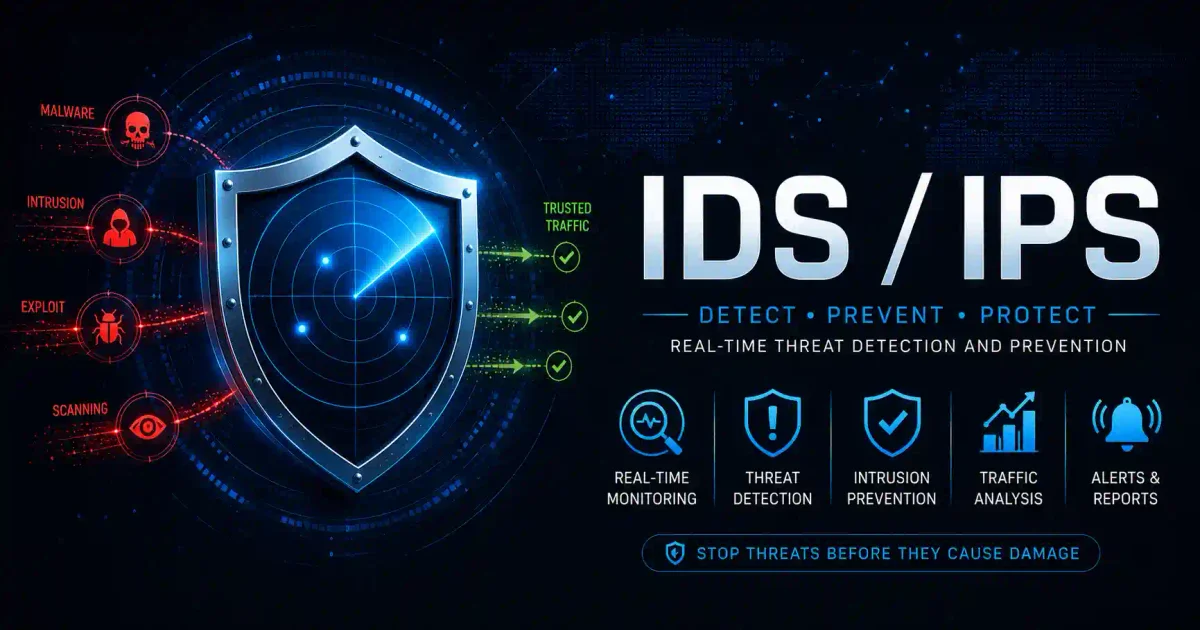
This is where Intrusion Detection Systems (IDS) and Intrusion Prevention Systems (IPS) step in. They are the security cameras and armed guards of your network.
In this guide, we will break down exactly what IDS and IPS are, the core differences between them, and why modern networks require both to survive today’s threat landscape.
What is an Intrusion Detection System (IDS)?
An Intrusion Detection System (IDS) acts as the surveillance camera of your network. It sits passively on the network, quietly watching all traffic flowing back and forth. Its sole job is to analyze this traffic, identify suspicious patterns, and trigger an alert if it sees something malicious.
How an IDS Works
An IDS typically receives a copy of the network traffic via a SPAN port or network tap. This means it is out-of-band; the actual traffic does not physically flow through the IDS itself.
When the IDS spots a threat (such as a known malware signature or a sudden spike in unusual traffic), it logs the event and sends an alert to the Security Information and Event Management (SIEM) system or the security operations center (SOC).
Crucially, an IDS does not stop the attack. It only alerts you that the attack is happening. It is up to the human analysts or automated response playbooks to actually block the malicious traffic.
The Benefits of an IDS
- Zero Network Impact: Because it operates out-of-band and only inspects copies of packets, an IDS cannot slow down your network traffic or cause a bottleneck.
- Fail-Safe Operation: If the IDS hardware crashes or goes offline, your network traffic continues to flow uninterrupted.
- Deep Visibility: Provides incredible insights into what is happening on the network, making it invaluable for threat hunting and incident response.
What is an Intrusion Prevention System (IPS)?
An Intrusion Prevention System (IPS) is the armed guard of your network. Unlike an IDS, an IPS sits directly inline with the network traffic. Every single packet of data must physically flow through the IPS before it can reach its final destination.
How an IPS Works
Because it sits inline, the IPS has the power to take immediate, automated action when it detects a threat. It doesn’t just raise an alarm; it pulls the trigger.
When malicious traffic is detected, an IPS can:
- Drop the packets: Instantly discard the malicious data before it reaches the target server.
- Reset connections: Forcibly terminate the TCP session between the attacker and the victim.
- Reconfigure firewalls: Dynamically update the external firewall rules to block the offending IP address permanently.
The Benefits of an IPS
- Automated Protection: Stops attacks in real-time without requiring human intervention, which is critical for surviving automated threats like ransomware or DDoS attacks.
- Virtual Patching: Can block exploit attempts against known vulnerabilities on legacy systems that cannot be patched immediately.
- Strict Access Control: Enforces granular network security policies across the entire organization.
IDS vs IPS: The Core Differences
Here is a quick summary of how these two critical systems compare:
| Feature | Intrusion Detection System (IDS) | Intrusion Prevention System (IPS) |
|---|---|---|
| Primary Role | Monitor and alert (Surveillance Camera) | Detect and block (Armed Guard) |
| Network Placement | Out-of-band (receives a copy of traffic) | Inline (traffic flows through it) |
| Action Taken | Sends an alert / logs the event | Drops packets / resets connections |
| Performance Impact | Zero impact on network speed | Can cause latency if overloaded |
| Failure Mode | Network stays up (Fail-open) | Network goes down (Fail-closed) |
| False Positive Risk | Annoying, but harmless | Critical (can block legitimate traffic) |
Detection Methodologies: How They Spot the Bad Guys
Both IDS and IPS use the same underlying detection engines to identify threats. The two primary methodologies are Signature-Based Detection and Anomaly-Based Detection.
1. Signature-Based Detection
This is exactly how traditional antivirus software works. The system maintains a massive database of known “signatures” (specific byte sequences, malicious IP addresses, or known exploit patterns).
Every packet is compared against this database. If a packet perfectly matches a known signature, the system flags it.
- Pros: Extremely fast and highly accurate with very few false positives.
- Cons: Completely blind to zero-day (brand new) attacks because no signature exists yet.
2. Anomaly-Based Detection (Heuristic/Behavioral)
This method first establishes a baseline of “normal” network behavior using machine learning and statistical analysis. Once the baseline is set, the system looks for any significant deviation from the norm.
For example, if an internal accounting server suddenly starts transferring massive amounts of encrypted data to an unknown IP address in Russia at 3:00 AM, the anomaly engine will flag it, even if the traffic doesn’t match any known malware signature.
- Pros: Capable of catching zero-day exploits, advanced persistent threats (APTs), and insider threats.
- Cons: Prone to false positives (e.g., flagging a legitimate but unusual administrative backup as an attack). Requires a significant tuning period.
Popular Open-Source Solutions
If you want to build your own IDS/IPS infrastructure, there are incredible open-source tools available that power many enterprise-grade commercial appliances today.
- Snort: Developed by Cisco, Snort is the most widely deployed IDS/IPS technology worldwide. It is incredibly lightweight, highly customizable, and strictly relies on a massive, constantly updated database of community rules.
- Suricata: Often considered the modern successor to Snort. Suricata is fully multi-threaded (meaning it can utilize all CPU cores simultaneously for massive throughput) and natively supports advanced features like automatic protocol detection and Lua scripting.
- Zeek (formerly Bro): Unlike Snort and Suricata which focus heavily on signatures, Zeek is primarily a powerful network analysis framework. It is the absolute gold standard for network forensics and generating high-fidelity metadata for threat hunters.
Frequently Asked Questions (FAQ)
Which is better, IDS or IPS?
Neither is inherently “better.” They serve different purposes. An IPS is better for stopping known, automated attacks at the perimeter. An IDS is better for deep internal network monitoring, threat hunting, and forensics without risking disruption to business-critical traffic.
Do I need both an IDS and an IPS?
Yes. Modern enterprise architectures require both. An IPS is typically deployed inline at the network perimeter (often built into a Next-Generation Firewall), while an IDS is deployed internally to monitor East-West traffic between servers and workstations.
Can a firewall replace an IDS/IPS?
No. Traditional firewalls only look at the “envelope” of the packet (source IP, destination IP, and port number). An IDS/IPS opens the envelope and performs Deep Packet Inspection (DPI) to analyze the actual payload and determine if it contains malicious code. However, modern Next-Generation Firewalls (NGFWs) often integrate IPS capabilities directly into the appliance.
What happens if an IPS fails?
Because an IPS sits directly inline, if the hardware completely fails, it acts as a “choke point” and can take down the entire network (fail-closed). To prevent this, enterprise IPS appliances use specialized “fail-open” network cards that automatically bypass the inspection engine and allow traffic to flow if the system crashes.
What is a false positive?
A false positive occurs when the security system mistakenly identifies legitimate, benign network traffic as a malicious attack. In an IDS, this just creates a nuisance alert. In an IPS, a false positive can actually block valid users from accessing critical company resources, which is why IPS rules must be carefully tuned.
Conclusion: Layered Defense is Key
In cybersecurity, there is no silver bullet. Relying solely on a firewall is incredibly dangerous. To build a truly resilient network, you must embrace defense-in-depth.
Deploy an IPS at your perimeter to automatically crush known threats before they enter. Deploy an IDS internally to aggressively hunt for the advanced adversaries who managed to slip past the gates. By combining the automated blocking power of an IPS with the deep visibility of an IDS, you ensure that your network is not only highly defended but intimately understood.


Discussion
Loading comments...