

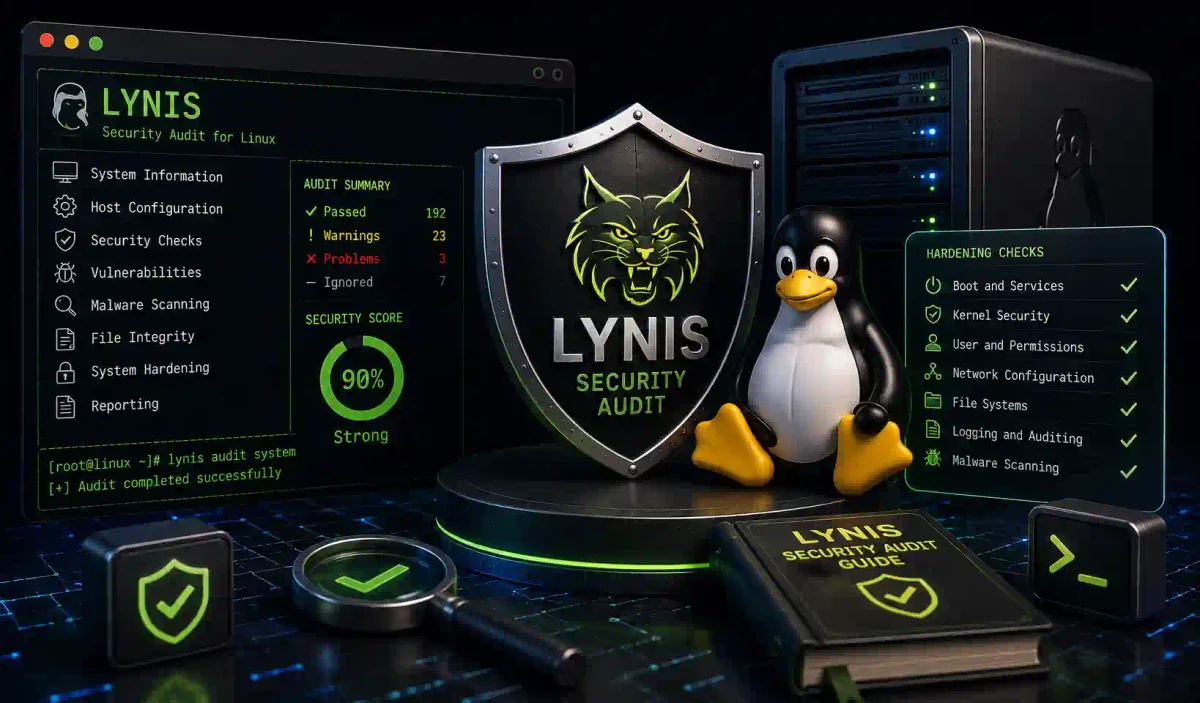
Imagine hiring a team of trained physical security experts to meticulously walk through your corporate headquarters. Imagine them checking every door lock, testing every window sensor, analyzing the patrol routes of your security guards, and scrutinizing your employee badge policies. Finally, imagine them handing you an exhaustive, 500-page detailed report listing every discovered vulnerability, prioritized by critical risk, along with the blueprint required to fix each one.
That is what Lynis does for your Linux operating system.
In the unforgiving cybersecurity landscape of 2026, server security is not merely a “nice-to-have” feature; it is a legal, financial, and operational mandate. A single, seemingly minor misconfiguration in a Linux kernel parameter or an accidentally open SSH port can instantly lead to a catastrophic ransomware deployment that bankrupts a corporation.
Lynis is the undisputed, open-source industry standard for automated security auditing, system hardening, and compliance testing across Unix-based systems. It is heavily utilized by Fortune 500 system administrators, DevOps engineers, and penetration testers globally.
In this guide, we will demystify Lynis. We will guide you step-by-step through installations across multiple Linux distributions, explore its configuration files, interpret its audit results, write custom hardening scripts, and seamlessly integrate Lynis into automated CI/CD pipelines using Ansible and Docker.
1. The Core Engine: What Exactly is Lynis?
Lynis is a powerful, modular security auditing tool originally developed by Michael Boelen and currently maintained by the security firm CISOfy.
Unlike noisy network vulnerability scanners like Nmap or Nessus (which scan a server from the outside), Lynis is an internal, host-based scanner. It must be executed directly on the target machine. Once executed, it performs an exhaustive internal investigation:
- System Hardening Assessment: It meticulously checks over 1,000 specific internal system settings against global industry best practices.
- Vulnerability Detection: It identifies outdated software packages and dangerous default configurations.
- Configuration Review: It rigorously analyzes the configuration files for critical services like Apache, Nginx, MySQL, and OpenSSH.
- Compliance Checking: It audits the system against globally mandated security frameworks, including PCI-DSS (Payment Card Industry), HIPAA, and the ISO 27001 standard.
Why Lynis is Mandatory in 2026
- Non-Intrusive: Lynis is a read-only, purely diagnostic tool. It will never modify a configuration file, delete a user, or crash a running service. It observes and reports, making it safe to run on live production databases.
- Cost-Effective: The core Lynis engine is free and open-source. It provides the same high-level auditing capabilities that proprietary enterprise vulnerability scanners charge tens of thousands of dollars annually to perform.
- Scale: It executes over 1,000 distinct security tests covering 30 categories in less than 60 seconds. No human systems administrator could manually check a Linux server with that level of speed and accuracy.
2. Installation Procedures
Because Lynis relies on standard Unix tools already present on the system (like grep, awk, and sed), it possesses zero software dependencies, making installation clean and fast.
🐧 Ubuntu / Debian / Kali Linux
The easiest method is utilizing the standard APT package manager.
# Update your local repository lists
sudo apt update

# Install Lynis directly
sudo apt install lynis -y

# Verify the installation version
lynis --version
🔴 CentOS / RHEL / Rocky Linux
For enterprise Red Hat environments, Lynis is hosted in the Extra Packages for Enterprise Linux (EPEL) repository.
# Enable the EPEL repository
sudo dnf install epel-release -y

# Install Lynis
sudo dnf install lynis -y
⚙️ Manual Installation (Bleeding Edge Version)
The packages in the default repositories (APT/DNF) are often outdated. For security audits, you should use the bleeding-edge version directly from the developers.
# Navigate to a temporary directory
cd /tmp

# Pull the latest tarball directly from CISOfy
wget https://downloads.cisofy.com/lynis/lynis-3.1.1.tar.gz

# Extract the archive directly into the /opt directory
sudo tar -xzf lynis-3.1.1.tar.gz -C /opt

# Create a system-wide symbolic link for execution
sudo ln -s /opt/lynis/lynis /usr/local/bin/lynis

# Secure the permissions
sudo chown -R root:root /opt/lynis
🐳 Docker Container Installation
If you prefer not to install software directly onto your host OS, Lynis provides an official Docker image.
# Pull the official image
docker pull cisofy/lynis

# Execute an ephemeral host audit
# We mount the host filesystem (/) as read-only (ro) into the container
docker run --rm -it --name lynis-audit \
    --volume /:/host:ro \
    cisofy/lynis \
    audit system --sk
3. Mastering Basic Lynis Usage and Auditing
Executing a Lynis audit requires Root (Administrator) privileges. Without Root, Lynis is blind and cannot access the sensitive configuration files in /etc or the raw system logs in /var/log.
The Fundamental Scan Commands
# The Standard, Interactive System Audit
# (It will periodically pause and prompt you to hit 'Enter' to acknowledge sections)
sudo lynis audit system

# The Automated, Non-Interactive Scan (The Industry Standard)
# The '--sk' flag stands for "Skip Keystrokes". It runs the entire scan without stopping.
sudo lynis audit system --sk

# The Ultra-Fast Scan
# Skips time-consuming cryptographic tests for fast results.
sudo lynis --quick
Generating Professional Reports
If you are an auditor, you should save the output for compliance documentation.
# Save the results to a dat file
sudo lynis audit system --report-file /var/log/lynis-report.dat --sk

# The Modern Standard: Output the audit into parseable JSON
# This is useful for integrating into custom Python dashboards.
sudo lynis audit system --json --sk
Understanding the Output Tiers
When Lynis runs, it color-codes its output into distinct tiers:
- [OK] (Green): The security control is configured according to industry best practices.
- [WARNING] (Red): A vulnerability or misconfiguration has been discovered. This requires immediate administrative action.
- [SUGGESTION] (Yellow): The configuration is functional, but deviates from hardening standards. Fixing this improves your overall security posture.
- [NOT FOUND] / [DISABLED] (White): The software package being tested is not installed on the system, so the test was skipped.
4. Deep Configuration: The lynis.conf Master File
To master Lynis, you must configure its central configuration file, typically located at /etc/lynis/lynis.conf (or /opt/lynis/default.prf if manually installed).
# /etc/lynis/lynis.conf (Master Configuration)

# Define the directory where logs are stored
logdir=/var/log/lynis

# Define the directory for the final compliance reports
reportdir=/var/log/lynis

# Skip specific tests that generate false positives
# Example: Skipping the strict USB storage authorization test (FILE-6310)
skip-tests=FILE-6310,AUTH-9328

# Force Lynis to run silently, useful for daily Cron jobs
cronjob=true

# Force the output to always be colorized, even when piping to other tools
color=always
5. Deconstructing the Audit Results (The 5 Core Pillars)
When Lynis finishes its execution, it generates an exhaustive summary. Let’s analyze the 5 most critical pillars it tests.
Pillar 1: Boot and Services (The Foundation)
Lynis checks the fundamental bootloader (GRUB) and the systemd initialization process.
- The Crucial Warning:
[WARNING] GRUB bootloader password not set. - The Risk: If an attacker gains physical access to your server hardware, they can reboot the machine, interrupt the GRUB bootloader, drop into a root shell, and bypass Linux passwords.
- The Fix: You must generate a secure PBKDF2 hash using
grub-mkpasswd-pbkdf2and inject it into the/etc/grub.d/configuration.
Pillar 2: Kernel Security and sysctl
The Linux Kernel controls everything. Lynis analyzes the /etc/sysctl.conf file.
- The Crucial Warning:
[WARNING] Core dumps not restricted. - The Risk: If a sensitive application (like a database or a web server handling plaintext credit cards) crashes, Linux automatically generates a “core dump” file containing the contents of the system’s RAM at the time of the crash. An attacker can steal this file and extract unencrypted data.
- The Fix: You must set
fs.suid_dumpable = 0insysctl.conf.
Pillar 3: File System Security
Lynis scans the /etc/fstab file to ensure partitions are securely mounted.
- The Crucial Warning:
[WARNING] /tmp partition lacks 'noexec' and 'nosuid' flags. - The Risk: Attackers often download malicious executable scripts into the
/tmpfolder because it is globally writable. - The Fix: You must configure the
/tmpmount point in/etc/fstabto block the execution of binary files.
Pillar 4: Authentication and Passwords
Lynis interrogates /etc/shadow and /etc/login.defs.
- The Crucial Warning:
[SUGGESTION] Password aging not explicitly implemented. - The Risk: Employees often use the same password for years, increasing the risk of compromise through long-term data breaches.
- The Fix: Force password rotation by setting
PASS_MAX_DAYS 90in the/etc/login.defsconfiguration.
Pillar 5: Network Security and Firewalls
Lynis analyzes your active firewall rules (UFW/iptables) and networking protocols.
- The Crucial Warning:
[NOTICE] IP forwarding enabled. - The Risk: IP forwarding tells the Linux kernel to act as a network router, taking packets from one interface and pushing them out another. Unless this server is a VPN or a physical firewall, this should be disabled to prevent man-in-the-middle pivot attacks.
6. Advanced Mastery: Compliance Checking and Automation
Compliance Auditing (PCI-DSS & HIPAA)
If your company processes credit cards, you must comply with PCI-DSS. Lynis has pre-built compliance profiles specifically mapped to these regulations.
# Execute a PCI-DSS audit
sudo lynis audit system --tests-category "PCI-DSS"

# Execute a HIPAA medical privacy audit
sudo lynis audit system --tests-category "HIPAA"
Automation with Ansible
In a large enterprise environment, you cannot log into each machine manually to run Lynis. DevOps engineers automate the process using Ansible Playbooks.
# lynis_audit.yml
---
- name: Execute Enterprise Lynis Audit
  hosts: all_production_servers
  become: yes

  tasks:
    - name: Execute Lynis audit silently
      command: lynis audit system --cronjob --report-file /tmp/lynis-report.dat
      register: massive_audit_result

    - name: Parse the report for CRITICAL warnings
      shell: grep "^\[WARNING\]" /tmp/lynis-report.dat
      register: critical_warnings
      ignore_errors: yes

    - name: Trigger alert if warnings exist
      debug:
        msg: "CATASTROPHIC FAILURE: Security warnings found on {{ inventory_hostname }}"
      when: critical_warnings.stdout != ""
Scheduled Daily Audits (The Cronjob)
Security is dynamic. A server that is secure on Monday could be vulnerable on Tuesday due to a careless developer pushing a bad configuration. You should schedule Lynis to run silently every night.
# Edit the root crontab
sudo crontab -e

# Add this configuration to run Lynis at 3:00 AM every night
# It silently pipes all warnings directly to the lead security administrator's email.
0 3 * * * /usr/local/bin/lynis audit system --cronjob | grep -E "WARNING|CRITICAL" | mail -s "URGENT: Daily Lynis Audit Alerts" [email protected]
7. The Ultimate Hardening Remediation Script
Finding vulnerabilities is useless if you do not fix them. Based on the most common Lynis findings, professional administrators deploy a standardized bash script to automatically harden the server.
#!/bin/bash
# Enterprise Security Remediation Script

echo "[+] Initiating Kernel Hardening..."
cat >> /etc/sysctl.conf << EOF
# Disable dangerous network routing
net.ipv4.conf.all.accept_source_route = 0
net.ipv4.conf.all.accept_redirects = 0
# Protect against SYN flood DDoS attacks
net.ipv4.tcp_syncookies = 1
# Disable core dumps
fs.suid_dumpable = 0
EOF
sysctl -p

echo "[+] Initiating SSH Hardening..."
sed -i 's/PermitRootLogin yes/PermitRootLogin no/g' /etc/ssh/sshd_config
sed -i 's/#PasswordAuthentication yes/PasswordAuthentication no/g' /etc/ssh/sshd_config
systemctl restart sshd

echo "[+] Hardening Complete. Rerunning Lynis to verify..."
lynis audit system --quick
Frequently Asked Questions (FAQ)
What exactly is Lynis and how does it work?
Lynis is an open-source, host-based security auditing tool for Linux and Unix-like systems. It runs internally on the machine to meticulously check over 1,000 system settings, configuration files, and software packages against industry security standards.
Is it safe to run a Lynis audit on a live production server?
Yes, Lynis is a non-intrusive, read-only diagnostic tool. It observes and reports without modifying configuration files, deleting users, or crashing running services, making it perfectly safe for production environments.
How can I run a silent automated scan using Lynis?
You can perform an automated, non-interactive scan using the command sudo lynis audit system --sk. The --sk flag stands for “Skip Keystrokes,” allowing the scan to run from start to finish without pausing for user input.
What do the different color-coded warnings in Lynis results mean?
Green [OK] means the configuration meets best practices. Red [WARNING] indicates a critical vulnerability requiring immediate action. Yellow [SUGGESTION] highlights a functional but sub-optimal setting, and White [NOT FOUND/DISABLED] means the software wasn’t installed.
Can Lynis check for PCI-DSS or HIPAA compliance?
Yes, Lynis features pre-built compliance profiles mapped to these regulations. You can run compliance-specific audits using flags like --tests-category "PCI-DSS" to verify your system against those specific frameworks.
Conclusion: The Relentless Pursuit of Security
In the complex world of Linux server administration, hope is not a viable security strategy. You cannot simply hope that your Apache configuration is secure, or assume that your junior developers did not leave a critical port open.
Lynis replaces hope with certainty. By mastering the execution of Lynis audits, analyzing the configuration reports, and automating the remediation process using custom scripts and Ansible playbooks, you transition your organization from a reactive, vulnerable state into a secure environment.
Execute your first audit today. Read every warning. Fix every vulnerability. Never stop hardening.
Discussion
Loading comments...