

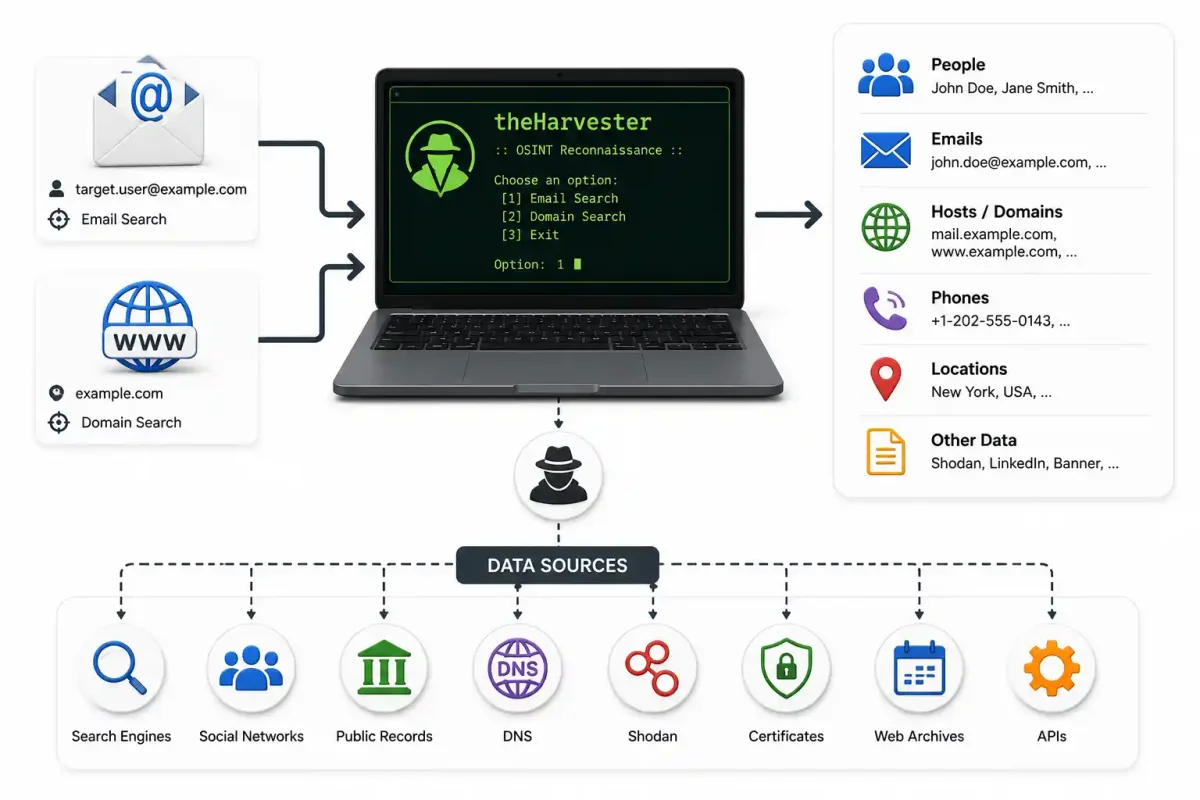
In the foundational preliminary stages of any professional penetration test, authorized Red Team engagement, or corporate threat intelligence investigation, the analyst’s primary objective is to define the target’s entire attack surface. You cannot attack, or defend, corporate infrastructure that you do not know exists.
During this crucial reconnaissance phase, elite intelligence analysts hunt for two highly valuable pieces of actionable intelligence:
- Subdomain Structures: Discovering forgotten legacy development servers, open staging environments, and unpatched employee VPN portals that are disconnected from the main corporate website.
- Employee Email Addresses: Harvesting lists of valid corporate email formats (e.g.,
[email protected]) to build targeting lists for social engineering, spear-phishing, or credential stuffing attacks.
Attempting to gather this data manually by endlessly clicking through Google search results, reading hundreds of LinkedIn profiles, and querying DNS servers by hand is an impossible task. It is too slow and prone to severe human error.
To automate this complex workflow, security professionals rely on theHarvester.
Written efficiently in Python, theHarvester is a powerful command-line reconnaissance aggregator. It rapidly queries public search engines, breach databases, and corporate security APIs to compile a unified, structured report of a target’s global public footprint in mere seconds.
In this tutorial, we will break down the philosophy of passive reconnaissance, manually install theHarvester from its raw source code, configure advanced third-party API keys, and execute complex real-world domain and email harvesting campaigns.
1. The Core Philosophy: Strict Passive vs. Active Reconnaissance
To understand why theHarvester is so valuable, you must understand the critical boundary between strict Passive and Active reconnaissance.
- Active Reconnaissance involves aggressively sending raw TCP/UDP packets directly to the target’s infrastructure. If you use an aggressive tool like Nmap to port-scan a server, or Gobuster to brute-force a web directory, the target’s firewalls will log your IP address. The target knows they are actively being investigated.
- Strict Passive Reconnaissance involves gathering information about the target from third-party sources without ever physically touching the target’s actual servers.
theHarvester is explicitly a strictly, 100% passive tool.
When you ask theHarvester to find deeply hidden subdomains for target-company.com, the tool does not send a single network packet to target-company.com. Instead, it securely connects to Google, Bing, Shodan, and public global SSL Certificate Transparency Logs. It asks those third-party global databases, “What do you already know about this specific target?”
Because the target’s physical servers are never touched, the target has no idea that you are mapping their corporate infrastructure. This makes theHarvester an indispensable tool for stealthy operations and early-stage OSINT gathering.
2. Flawless Installation and Strict Isolated Environment Setup
While theHarvester is pre-installed on security distributions like Kali Linux and Parrot OS, professional analysts frequently install it directly from the source repository to ensure they have the latest API modules and bug fixes.
We will install the tool in an isolated Python Virtual Environment on a standard Ubuntu/Debian Linux system. This prevents the tool’s complex dependencies from conflicting with your host operating system.
Step 1: Install System Prerequisites
Open your terminal and ensure Git and the Python virtual environment modules are installed:
sudo apt update
sudo apt install -y git python3 python3-pip python3-venv
Step 2: Clone the Repository
Securely download the official source code from the author’s official GitHub repository:
git clone https://github.com/laramies/theHarvester.git
cd theHarvester
Step 3: Create the Isolated Virtual Environment
Create an isolated environment folder named venv and activate it. Your terminal prompt will change, indicating you are securely operating inside the sandbox.
python3 -m venv venv
source venv/bin/activate
Step 4: Install Python Dependencies
theHarvester relies on dozens of libraries for web scraping and API interaction. Install them flawlessly using the provided requirements file:
pip install -r requirements/base.txtYou can now securely run the tool by executing the main Python script:
python3 theHarvester.py -h3. Configuring the API Arsenal
Out of the box, theHarvester works perfectly with free, unauthenticated global sources like Google, Bing, DuckDuckGo, and Yahoo. However, the true power of the tool is unlocked when you integrate it with global enterprise security APIs.
To configure your global API keys, you must edit the api-keys.yaml file located in the root directory of theHarvester directory.
nano api-keys.yamlEssential APIs to Configure:
- Shodan (
shodan): The premier search engine for the Internet of Things (IoT). Shodan maintains a global database of vulnerable open ports, server banners, and critical vulnerabilities. Feeding theHarvester a Shodan API key allows it to cross-reference discovered subdomains with Shodan’s complex port data. (See our Shodan Beginner’s guide). - Hunter.io (
hunter): A specialized global corporate service dedicated to scraping employee email addresses from the global web. A free Hunter API key will drastically increase the number of specific emails theHarvester returns. - Censys (
censys): Similar to Shodan, Censys securely scans the entire global internet for SSL/TLS cryptographic certificates. It is arguably the most powerful source for discovering deeply hidden development subdomains. - IntelX (
intelx): IntelligenceX brilliantly archives the hidden dark web, including global data breaches and sensitive Pastebin data dumps. If a careless employee’s email was leaked in a breach, IntelX will find it.
Carefully paste your unique API keys into the YAML file, ensuring you respect the strict Python indentation formatting, securely save the file, and exit the text editor.
4. Mastering the Command Line Syntax
theHarvester is efficiently controlled via specific command-line flags. The core foundational syntax requires a specific target domain (-d) and a specific data source (-b).
python3 theHarvester.py -d <domain> -b <source> [options]Critical Command Flags:
-d <domain>: The target company (e.g.,microsoft.com).-b <source>: The specific engine to query. You can specify a single engine (likegoogle), a comma-separated list (likegoogle,bing,crtsh), or useallto aggressively query every configured source.-l <limit>: Limits the number of search engine results parsed. The default is 500. If you are targeting a massive global corporation, heavily increase this to2000to ensure deep, exhaustive scraping.-f <filename>: Outputs the final parsed data directly into clean XML and readable HTML reports for easy executive reading or database integration.-v: Instructs the tool to actively verify the discovered subdomains via active DNS resolution to see if they are currently responding.
5. Elite Real-World Reconnaissance Scenarios
Let’s execute a series of targeted reconnaissance campaigns, moving seamlessly from basic email harvesting to complex infrastructure global mapping.
Scenario 1: The Fast Corporate Email Sweep
You are tasked with building a targeted phishing list for an authorized Red Team engagement against target-company.com. You need valid employee emails fast.
python3 theHarvester.py -d target-company.com -b google,bing,hunter,linkedin -l 1000The Mechanics: theHarvester will scrape 1,000 pages of Google and Bing looking for the @target-company.com string. It will simultaneously query the Hunter.io API and scrape public LinkedIn profiles to extract employee names and accurately infer their email addresses based on the corporate naming convention (e.g., first.last@).
Scenario 2: Uncovering Deeply Hidden Infrastructure (Subdomains)
The client wants you to specifically test their external perimeter. They provided their main website, but you need to discover the hidden staging servers they forgot to specify.
python3 theHarvester.py -d target-company.com -b crtsh,hackertarget,otx,shodan -vThe Mechanics: This intentionally ignores standard global search engines. It heavily queries crt.sh (Certificate Transparency logs). Every time the target company buys a secure SSL certificate for a new server (e.g., dev-api.target-company.com), it is permanently logged inside a global public database. theHarvester seamlessly pulls these logs, discovering subdomains that have never been linked publicly. The -v flag actively checks if those subdomains are currently actively online.
Scenario 3: The Ultimate Passive Audit
You want to know absolutely everything the internet knows about the specific target, and you want it correctly saved to a highly structured report for the client.
python3 theHarvester.py -d target-company.com -b all -l 2000 -v -f /reports/target_reconThe Mechanics: This command queries every single module built into the tool. It will take several minutes to run, as it perfectly respects API rate limits. Once complete, it will generate /reports/target_recon.html and /reports/target_recon.xml.
6. Integrating the Output into the OSINT Workflow
Data is useless if it is not highly actionable. The XML output generated by the -f flag is specifically designed to be flawlessly ingested by larger intelligence frameworks.
Deep Integration with Maltego
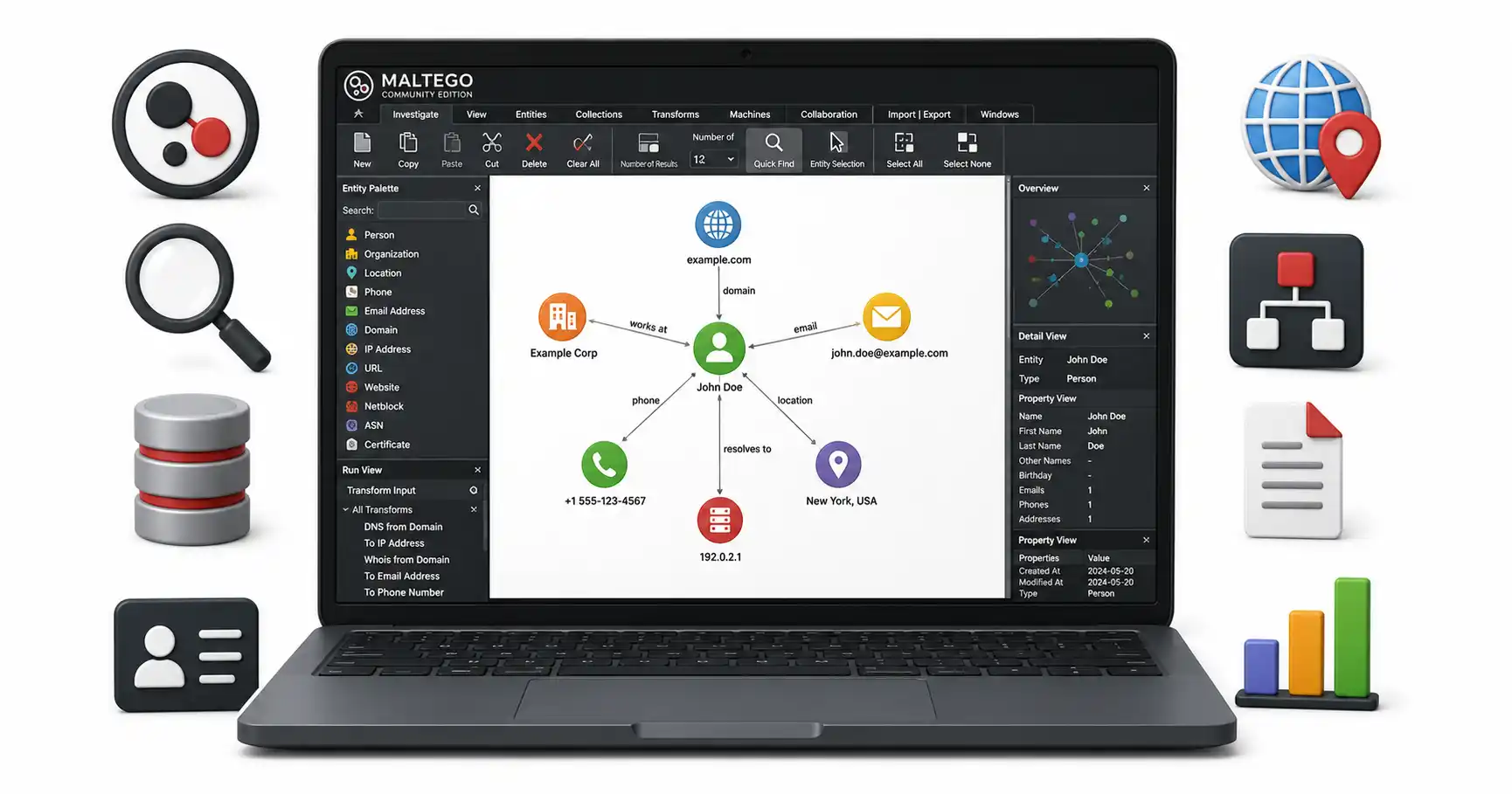
If you carefully read our Maltego Community Edition Guide, you know that visual link analysis is crucial. You can write a simple Python script to parse theHarvester’s XML output and automatically generate a CSV file that Maltego can import. This instantly translates your terminal output into a massive, interactive visual graph of the target’s entire corporate structure.
Active Scanning Handoff
Once theHarvester generates a list of 50 active subdomains, the passive phase of the investigation is over. You take that list of subdomains and feed it directly into an active vulnerability scanner like Nikto or a port scanner like Nmap to begin the exploitation phase of the engagement.
7. Crucial Defensive Measures: Minimizing the Attack Surface
If you are a corporate security administrator, it is terrifying to realize how easily an attacker can map your entire organization with a single Python script. To defend against automated reconnaissance, you must aggressively manage your public footprint.
- Strict Email Obfuscation: Stop publishing employee email addresses in plaintext on the public website.
- Monitor Certificate Logs: Threat actors use Certificate Transparency logs to find your new servers.
- DNS Zone Transfer Restrictions: Ensure your authoritative DNS servers are strictly configured to refuse
AXFR(Zone Transfer) requests from unauthorized IP addresses. - Clean the Search Index: Use Google Search Console to remove forgotten development servers.
Frequently Asked Questions (FAQ)
What is theHarvester?
theHarvester is a popular open-source intelligence (OSINT) tool designed to gather emails, subdomains, hosts, employee names, and open ports from various public sources like search engines and PGP key servers.
Is theHarvester pre-installed on Kali Linux?
Yes, theHarvester comes pre-installed on Kali Linux. You can launch it directly from the terminal by typing theHarvester. However, it is recommended to update it regularly or pull the latest version from GitHub to ensure API integrations are current.
How do I use theHarvester to find emails?
You can find emails associated with a domain by running a basic command like theHarvester -d example.com -b google,linkedin,bing. This tells the tool to search for example.com across Google, LinkedIn, and Bing.
Why is theHarvester returning no results?
If theHarvester returns no results, you may be hitting rate limits from search engines (like Google blocking automated scraping). You can bypass this by using different data sources (e.g., Baidu, DuckDuckGo), configuring API keys for premium sources (like Hunter.io), or using a proxy.
Does theHarvester perform active scanning?
By default, theHarvester is a passive reconnaissance tool, meaning it only searches public databases and search engines without touching the target’s servers. However, it does have active features (like DNS brute-forcing and port scanning) which must be explicitly enabled via command-line flags.
Conclusion
theHarvester represents the perfect synergy of automation and open-source intelligence. By chaining together dozens of disparate databases, search engines, and enterprise APIs, it reduces hours of tedious manual reconnaissance into a few seconds of terminal output. Mastering this tool is an absolute requirement for any modern penetration tester or threat intelligence analyst. Ensure your API keys are valid, tune your search limits appropriately, and always use the output as a launchpad for deeper, targeted analysis.
Discussion
Loading comments...