

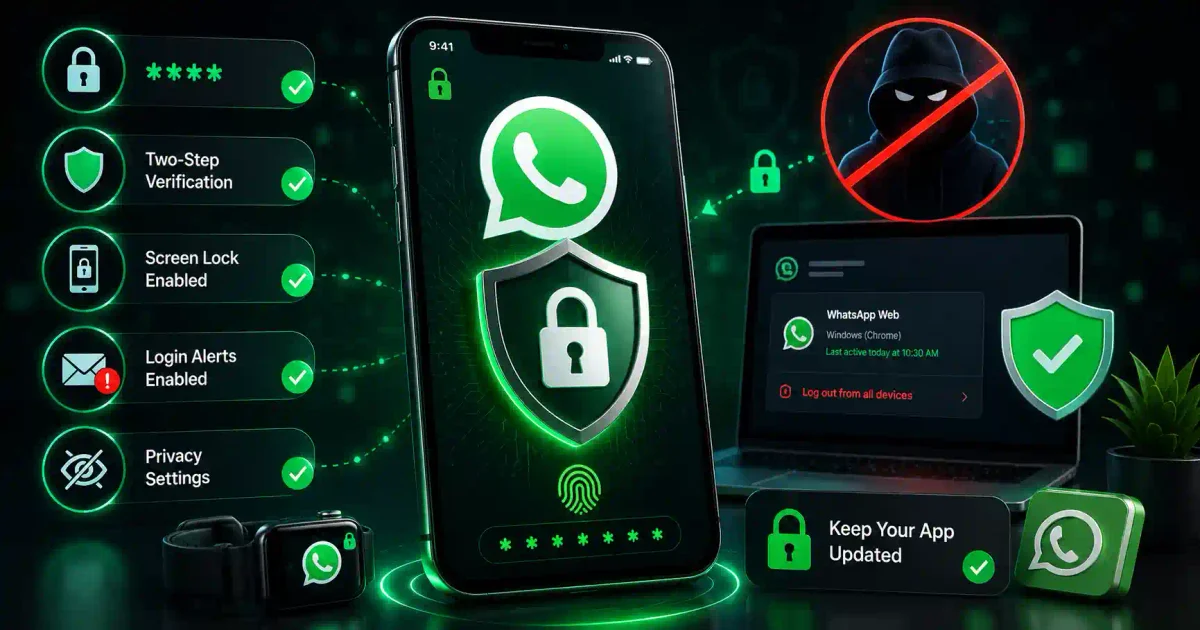
Imagine someone reading all your private messages, impersonating you to your family and friends, and locking you out of your own account. That’s the nightmare of a hacked WhatsApp account.
WhatsApp is one of the most popular messaging apps in the world, with over 2 billion users. In 2026, it’s become a prime target for hackers, scammers, and identity thieves. Your WhatsApp account contains your personal conversations, contacts, photos, and often connects to your bank and other sensitive accounts.
This guide will teach you everything you need to know to protect your WhatsApp account, from basic security settings to advanced protection strategies.
Understanding WhatsApp Security Risks
Common WhatsApp Attacks
Common Ways Hackers Target WhatsApp:
├── SIM Swapping
│   └── Hackers take over your phone number
│
├── Phishing Scams
│   └── Fake messages tricking you into giving info
│
├── Malware
│   └── Malicious apps stealing your data
│
├── Account Takeover
│   └── Hackers take control of your account
│
├── Spam and Scams
│   └── Fake offers and phishing links
│
├── Data Leaks
│   └── Your personal info exposed
│
└── Social Engineering
    └── Tricking you into revealing codes
What Hackers Want
What's at Stake:
├── Your Personal Messages
├── Your Contacts (family, friends, work)
├── Your Photos and Videos
├── Your Voice Messages
├── Your Location Data
├── Your Payment Info (WhatsApp Pay)
├── Your Business Messages
├── Your Identity (impersonation)
└── Access to other accounts (through your phone)
Essential WhatsApp Security Settings
1. Enable Two-Step Verification (Most Important!)
Two-step verification adds a PIN to your account, protecting it even if someone gets your verification code.
┌─────────────────────────────────────────────┐
│        How to Enable Two-Step               │
├─────────────────────────────────────────────┤
│                                             │
│  Steps:                                    │
│  1. Open WhatsApp                          │
│  2. Settings (3 dots or gear icon)         │
│  3. Account → Two-step verification        │
│  4. Turn on → Create a 6-digit PIN         │
│  5. Enter your email (for recovery)        │
│  6. Confirm                                │
│                                             │
│  PIN Rules:                                │
│  ✅ 6-digit number                         │
│  ✅ Not easy (123456)                      │
│  ✅ Don't share with anyone                │
│  ✅ Store safely (password manager)        │
│  ✅ Different from other PINs              │
└─────────────────────────────────────────────┘
Why Two-Step Verification Matters:
Without Two-Step:
Hacker gets SMS code → Takes over account

With Two-Step:
Hacker gets SMS code → Needs PIN → Denied!

Important:
✅ Even if you lose your phone, you can recover
✅ Your email helps you reset PIN
✅ Account is much safer
2. Check Active Sessions
See where your WhatsApp is logged in.
How to Check:
├── WhatsApp → Settings
├── Devices (or Linked Devices)
└── See all active sessions

What to Look For:
├── Your own devices
├── Unknown devices
├── Strange locations
├── Unusual browsers
└── Multiple sessions you don't recognize

If You See Something Suspicious:
├── Tap on the device
├── Click "Log out"
└── Change password/2-step PIN

Regular Check:
✅ Monthly check
✅ After using WhatsApp Web
✅ If you suspect anything
3. Control Who Can See Your Info
Limit who can see your personal information.
┌─────────────────────────────────────────────┐
│        Privacy Settings                     │
├─────────────────────────────────────────────┤
│                                             │
│  Settings → Account → Privacy              │
│                                             │
│  Last Seen & Online:                       │
│  ✅ Everyone                                │
│  ✅ My Contacts                            │
│  ✅ My Contacts Except...                  │
│  ❌ Nobody (most private)                  │
│                                             │
│  Profile Photo:                            │
│  ✅ Everyone                                │
│  ✅ My Contacts                            │
│  ✅ My Contacts Except...                  │
│  ❌ Nobody                                 │
│                                             │
│  About:                                    │
│  ✅ Everyone                                │
│  ✅ My Contacts                            │
│  ✅ My Contacts Except...                  │
│  ❌ Nobody                                 │
│                                             │
│  Status:                                   │
│  ✅ My Contacts                            │
│  ✅ My Contacts Except...                  │
│  ✅ Only Share With...                     │
│                                             │
│  Read Receipts:                            │
│  ✅ On (people see when you read)          │
│  ❌ Off (more private)                     │
└─────────────────────────────────────────────┘
Recommended Settings:
Best Privacy Settings:
├── Last Seen: My Contacts
├── Profile Photo: My Contacts
├── About: My Contacts
├── Status: My Contacts
├── Read Receipts: Off (more private)
├── Groups: My Contacts
└── Live Location: Nobody (unless needed)
4. Enable Security Notifications
Get alerts when security changes happen.
Security Notifications:
├── Settings → Account → Security
├── Enable "Show security notifications"
├── You'll get alerts when:
│   ├── New devices log in
│   ├── Security codes change
│   └── Suspicious activity detected

Why It Matters:
├── You'll know immediately
├── Can take quick action
├── Prevents unauthorized access
└── Gives you peace of mind
5. Use Fingerprint/Face ID Lock
Lock the app itself for extra security.
┌─────────────────────────────────────────────┐
│        App Lock Settings                    │
├─────────────────────────────────────────────┤
│                                             │
│  How to Enable:                            │
│  1. Settings → Account → Privacy           │
│  2. Fingerprint Lock / Face ID             │
│  3. Turn on                               │
│  4. Choose when to lock                    │
│     ✅ Immediately                         │
│     ✅ After 1 minute                      │
│     ✅ After 5 minutes                     │
│                                             │
│  Benefits:                                │
│  ✅ Protects if phone is stolen            │
│  ✅ Prevents accidental access             │
│  ✅ Adds extra layer of security           │
│  ✅ Quick and convenient                   │
│                                             │
│  Settings:                                │
│  ✅ Show content in notifications (off)    │
│  ✅ Lock after time (choose shorter)       │
└─────────────────────────────────────────────┘
How to Protect Against Specific Threats
1. SIM Swapping Protection
SIM swapping is when hackers trick your phone company into giving them your number.
┌─────────────────────────────────────────────┐
│        Protect Against SIM Swapping         │
├─────────────────────────────────────────────┤
│                                             │
│  What to Do:                               │
│  ✅ Add a PIN to your phone account         │
│  ✅ Use Two-Step Verification on WhatsApp  │
│  ✅ Don't share personal info online        │
│  ✅ Be careful of phishing attempts         │
│  ✅ Monitor your phone service              │
│                                             │
│  Signs of SIM Swapping:                    │
│  🚨 Can't make calls/send texts            │
│  🚨 Service suddenly disconnects            │
│  🚨 WhatsApp logs out                      │
│  🚨 You get strange alerts                 │
│                                             │
│  If It Happens:                            │
│  1. Contact your phone provider            │
│  2. Report suspicious activity             │
│  3. Recover your phone number              │
│  4. Check all accounts                     │
│  5. Reset all passwords                     │
└─────────────────────────────────────────────┘
How to Add a PIN to Your Phone Account:
# For Most Carriers:
1. Call your phone provider
2. Ask to add a "Account PIN" or "Account Password"
3. Create a strong PIN
4. Store it safely

# You'll need this PIN:
✅ To make changes to your account
✅ To transfer your number
✅ To add new devices
✅ For customer service
2. phishing Scams Protection
Scammers try to trick you into giving them your verification code.
┌─────────────────────────────────────────────┐
│        WhatsApp Phishing Signs              │
├─────────────────────────────────────────────┤
│                                             │
│  Common Phishing Messages:                 │
│  🚨 "WhatsApp needs to verify your account" │
│  🚨 "Your account will be deleted"         │
│  🚨 "Send this code to confirm"            │
│  🚨 "Click this link to update"            │
│  🚨 "You won a prize, click here"          │
│  🚨 "I accidentally sent you a code"       │
│                                             │
│  What Scammers Ask For:                    │
│  ❌ Your verification code                  │
│  ❌ Your Two-Step PIN                       │
│  ❌ Your personal information               │
│  ❌ Your bank details                       │
│  ❌ Your credit card info                   │
│                                             │
│  WhatsApp WILL NEVER:                      │
│  ✅ Ask for your verification code          │
│  ✅ Ask for your two-step PIN              │
│  ✅ Ask for personal info                   │
│  ✅ Threaten account deletion               │
└─────────────────────────────────────────────┘
What to Do If You Get a Phishing Message:
1. DON'T RESPOND
2. DON'T CLICK LINKS
3. DON'T GIVE ANY INFO
4. Report and block the contact
5. Block the number
6. Tell your friends/family
7. Report to WhatsApp: wa.me/61234567890
3. Protect Your Chats
backup and encrypt your conversations.
┌─────────────────────────────────────────────┐
│        Chat Protection                      │
├─────────────────────────────────────────────┤
│                                             │
│  End-to-End Encryption (Default):           │
│  ✅ All messages are encrypted              │
│  ✅ Only you and recipient can read         │
│  ✅ WhatsApp can't read your messages      │
│  ✅ No one can intercept                    │
│                                             │
│  Verify Encryption:                        │
│  ✅ Tap on contact name                    │
│  ✅ Tap "Encryption"                       │
│  ✅ Scan QR code                           │
│  ✅ Compare security codes                  │
│                                             │
│  Chat Backup:                              │
│  ✅ Back up to Google Drive (Android)      │
│  ✅ Back up to iCloud (iOS)                │
│  ✅ Encrypt backup                         │
│  ✅ Choose backup frequency                │
└─────────────────────────────────────────────┘
How to Verify Encryption:
# For Individual Chats:
1. Open the chat
2. Tap contact name at top
3. Tap "Encryption"
4. Scan the QR code with contact
5. Codes should match

# For Group Chats:
1. Open group chat
2. Tap group name
3. Tap "Group info"
4. Scroll to "Encryption"
5. Codes should match
4. Control Your Status Updates
Be careful what you share on Status.
Status Privacy Settings:
├── My Contacts (recommended)
├── My Contacts Except...
├── Only Share With...
└── Selected contacts

What to Share:
✅ General updates
✅ Safe photos/videos
✅ Non-sensitive info

What NOT to Share:
❌ Your location (real-time)
❌ Your travel plans
❌ Your address
❌ Your family's info
❌ Your work details
❌ Your daily routine
5. Manage Group Invitations
Control who can add you to groups.
┌─────────────────────────────────────────────┐
│        Group Invite Settings                │
├─────────────────────────────────────────────┤
│                                             │
│  How to Control:                           │
│  1. Settings → Account → Privacy           │
│  2. Groups                                 │
│  3. Choose:                                │
│     ✅ Everyone                            │
│     ✅ My Contacts                         │
│     ✅ My Contacts Except...               │
│                                             │
│  Best Setting:                             │
│  ✅ My Contacts                            │
│  ✅ Helps prevent spam groups              │
│  ✅ Control who can add you                │
│                                             │
│  If Added to Unknown Group:                │
│  1. Leave the group                        │
│  2. Report if spam                        │
│  3. Block the person who added you         │
└─────────────────────────────────────────────┘
Advanced Protection Tips
1. Use WhatsApp Web Securely
WhatsApp Web can be a security risk if not used properly.
┌─────────────────────────────────────────────┐
│        WhatsApp Web Safety                  │
├─────────────────────────────────────────────┤
│                                             │
│  Safe Use:                                 │
│  ✅ Log out when done                      │
│  ✅ Use private/incognito mode             │
│  ✅ Don't use on public computers          │
│  ✅ Check active sessions regularly         │
│  ✅ Log out remotely if needed              │
│                                             │
│  How to Log Out Remotely:                  │
│  1. WhatsApp → Settings                    │
│  2. Connected Devices                      │
│  3. Find the session                       │
│  4. Tap "Log out"                          │
│                                             │
│  Never:                                   │
│  ❌ Use on shared computers                 │
│  ❌ Leave logged in                        │
│  ❌ Save password in browser               │
└─────────────────────────────────────────────┘
2. Disable Auto-Download
Prevent automatic downloads of suspicious files.
Settings → Storage and Data:
├── Media Auto-Download (Wi-Fi)
│   ├── Never (most secure)
│   ├── Only when tapping (recommended)
│   └── Always (least secure)
├── Media Auto-Download (Mobile Data)
│   └── Never (recommended)
├── Media Auto-Download (Roaming)
│   └── Never (recommended)
└── Photo Quality
    └── Standard (for faster loading)

Why It Matters:
├── Prevents malware downloads
├── Saves storage space
├── Saves data
└── More control over what you receive
3. Use Disappearing Messages
Add privacy to sensitive conversations.
How to Enable:
├── Open chat
├── Tap contact/group name
├── Disappearing Messages
├── Choose time:
│   ✅ 24 hours
│   ✅ 7 days
│   ✅ 90 days
│   ❌ Off

Best For:
├── Sensitive conversations
├── Temporary information
├── Private discussions
├── Business communications
└── When sharing sensitive data

Note:
✅ Messages disappear after time
✅ Photos and videos also disappear
✅ You can enable per chat
✅ Friends can screenshot (so still be careful)
What to Do If Your Account Is Hacked
Immediate Actions
┌─────────────────────────────────────────────┐
│      If Your Account is Compromised         │
├─────────────────────────────────────────────┤
│                                             │
│  1. CONTACT WHATSAPP SUPPORT                │
│     ✅ Email: [email protected]         │
│     ✅ Or: wa.me/61234567890               │
│     ✅ Include your phone number            │
│                                             │
│  2. RE-REGISTER YOUR NUMBER                 │
│     ✅ Reinstall WhatsApp                   │
│     ✅ Enter your phone number              │
│     ✅ Receive SMS verification code        │
│     ✅ Enter the code (hackers don't have)  │
│                                             │
│  3. ENABLE TWO-STEP VERIFICATION            │
│     ✅ Set up a new PIN                     │
│     ✅ This removes the hacker               │
│     ✅ They can't get back in              │
│                                             │
│  4. CHECK YOUR ACCOUNT                      │
│     ✅ Review active sessions               │
│     ✅ Log out unknown devices              │
│     ✅ Check group memberships              │
│     ✅ Check status updates                 │
│                                             │
│  5. WARN YOUR CONTACTS                      │
│     ✅ Tell them you were hacked            │
│     ✅ Tell them to ignore strange messages │
│     ✅ Ask them to report any suspicious    │
│                                             │
│  6. SECURE OTHER ACCOUNTS                   │
│     ✅ Change passwords                    │
│     ✅ Check linked accounts                │
│     ✅ Enable 2FA everywhere                │
└─────────────────────────────────────────────┘
How to Recover Your Account
Step 1: Try to Log In
├── Open WhatsApp
├── Enter your phone number
├── Request SMS verification
├── If you get the code → You're back!

Step 2: If You Can't Log In
├── Contact WhatsApp support
├── Provide proof of identity
├── They'll help you recover
├── May take a few days

Step 3: After Recovery
├── Change your Two-Step PIN
├── Check all linked devices
├── Review all group memberships
├── Update your privacy settings
├── Warn your contacts
└── Enable all security features
WhatsApp Security Checklist
Daily Habits
┌─────────────────────────────────────────────┐
│      WhatsApp Security Checklist            │
├─────────────────────────────────────────────┤
│                                             │
│  SETUP:                                    │
│  □ Two-Step Verification enabled           │
│  □ Fingerprint/Face ID lock enabled        │
│  □ Privacy settings configured              │
│  □ Security notifications on               │
│  □ Disappearing messages set (if needed)   │
│                                             │
│  WEEKLY:                                   │
│  □ Check active sessions                   │
│  □ Review group memberships                │
│  □ Check for unknown messages              │
│  □ Review privacy settings                 │
│                                             │
│  MONTHLY:                                  │
│  □ Update WhatsApp (latest version)        │
│  □ Check Two-Step PIN                      │
│  □ Review backup settings                  │
│  □ Check encryption codes                  │
│                                             │
│  ALWAYS:                                   │
│  □ Don't share verification codes          │
│  □ Don't click suspicious links            │
│  □ Verify unknown numbers                  │
│  □ Report spam/scams                       │
│  □ Log out of WhatsApp Web                 │
└─────────────────────────────────────────────┘
Quick Reference
Emergency Actions
If Your Account is Hacked:
1. Contact WhatsApp: [email protected]
2. Re-register your number
3. Enable Two-Step Verification
4. Warn your contacts
5. Check all accounts

If You Get a Suspicious Message:
1. Don't respond
2. Don't click links
3. Report the contact
4. Block the number

If You Lose Your Phone:
1. Contact your phone provider (SIM block)
2. Deactivate WhatsApp via email
3. Recover your phone number
4. Re-register WhatsApp

WhatsApp Support:
- Email: [email protected]
- Website: whatsapp.com/contact
- In-app: Settings → Help → Contact Us
Conclusion
WhatsApp security is essential in 2026. With two billion users, it’s a prime target for hackers and scammers. By following these practices, you can protect your account and your privacy.
Key Takeaways:
- Enable Two-Step Verification immediately
- Use fingerprint/Face ID lock
- Review active sessions regularly
- Be careful with verification codes
- Keep app updated
- Control your privacy settings
Your Action Plan:
- Enable Two-Step Verification TODAY
- Check your active sessions
- Review your privacy settings
- Set up app lock
- Share this guide with family
Ready to protect more of your accounts? Explore our Complete Social Media Security Guide for more protection strategies.
Frequently Asked Questions (FAQs)
Q: Can someone hack my WhatsApp without my phone? A: Yes, through SIM swapping, phishing, or if they get your verification code.
Q: What’s the most important WhatsApp security feature? A: Two-Step Verification. It protects you even if someone gets your SMS code.
Q: Should I back up my WhatsApp chats? A: Yes, but encrypt the backup. Enable “End-to-end encrypted backup” in settings.
Q: Is WhatsApp Web safe? A: Yes, if used properly. Always log out when done and never use on public computers.
Q: Can I recover deleted WhatsApp messages? A: Yes, if you have a backup. Regular backups help recover lost or deleted messages.
Q: What if I lose my phone with WhatsApp? A: Immediately contact your phone provider, deactivate WhatsApp, and secure other accounts.
Q: Does WhatsApp share my data with Facebook? A: They share limited data for business purposes. You can opt out of data sharing for ads in privacy settings.
Discussion
Loading comments...