

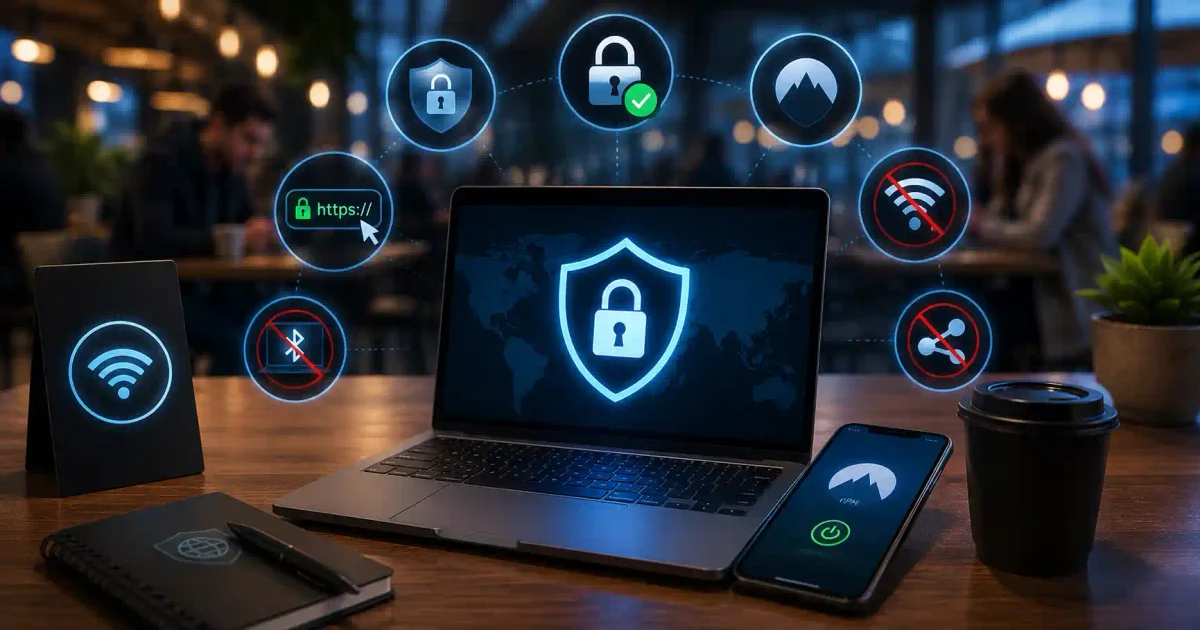
Imagine leaving your bank vault door wide open, with stacks of cash visible to anyone walking by. That’s exactly what online banking without proper security feels like—you’re exposing your life savings to anyone who knows where to look.
Online banking is convenient and essential in 2026, but it’s also a prime target for cybercriminals. Bank fraud is on the rise, with criminals using increasingly sophisticated methods to steal money and identities.
This guide will teach you everything you need to know about safe online banking practices, from basic security to advanced protection strategies.
Understanding Online Banking Risks
How Hackers Target Bank Accounts
Common Banking Threats:
├── Phishing Attacks
│   └── Fake emails pretending to be your bank
│
├── Malware and Keyloggers
│   └── Stealing your login credentials
│
├── Man-in-the-Middle Attacks
│   └── Intercepting your banking session
│
├── SIM Swapping
│   └── Taking over your phone number
│
├── Account Takeover
│   └── Stealing your entire account
│
├── Identity Theft
│   └── Using your info for fraud
│
└── Social Engineering
    └── Tricking you into giving access
What’s at Stake
If Your Bank Account is Compromised:
├── Financial Loss (your savings)
├── Identity Theft (fraud in your name)
├── Credit Damage (ruined credit score)
├── Emotional Distress (anxiety, stress)
├── Time Loss (fixing the issue)
├── Privacy Invasion (personal info exposed)
└── Reputation Damage (if used for fraud)
Essential Safe Banking Practices
1. Use Strong, Unique Passwords
Your bank password should be your strongest password.
┌─────────────────────────────────────────────┐
│         Bank Password Rules                 │
├─────────────────────────────────────────────┤
│                                             │
│  ✅ Minimum 16 characters                   │
│  ✅ Mix of uppercase, lowercase, numbers    │
│  ✅ Include special characters              │
│  ✅ Unique (not used anywhere else)         │
│  ✅ Changed every 90 days                   │
│  ✅ Not personal info (birthday, name)      │
│  ✅ Not common words or phrases             │
│  ✅ Stored in password manager              │
│                                             │
│  ❌ DON'T:                                  │
│  - Use the same password elsewhere          │
│  - Write it down on paper                   │
│  - Share it with anyone                     │
│  - Use your bank name in password           │
└─────────────────────────────────────────────┘
Example Strong Bank Passwords:
Good:   G9$mKp@2Lq#5W!
Better: MyBankAcc0unt!2024#Secure
Best:   NeverUseThisPasswordForBanking!2024
password manager Recommendation:
Use a Password Manager:
├── Bitwarden (free, open-source)
├── 1Password (premium, polished)
├── Dashlane (feature-rich)
└── NordPass (simple, affordable)

Why Password Manager:
├── Generates strong passwords
├── Stores them securely
├── Auto-fills login forms
├── Warns about weak passwords
└── Protects from phishing
2. Enable Two-Factor Authentication (2FA)
2FA is your second layer of defense.
┌─────────────────────────────────────────────┐
│       Why 2FA is Essential                  │
├─────────────────────────────────────────────┤
│                                             │
│  Without 2FA:                              │
│  Password → Access (only one lock)         │
│                                             │
│  With 2FA:                                 │
│  Password + Code → Access (two locks)      │
│                                             │
│  Even if hackers have your password:       │
│  ✅ They can't log in without the 2FA code │
│  ✅ You get an alert about attempt         │
│  ✅ You can quickly take action             │
└─────────────────────────────────────────────┘
Best 2FA Methods:
1. Authenticator App (BEST)
   ✅ Google Authenticator
   ✅ Authy (has backup)
   ✅ Microsoft Authenticator
   ✅ Duo Mobile

2. Hardware Key (EXCELLENT)
   ✅ YubiKey
   ✅ Google Titan Key
   ✅ Thetis FIDO2

3. SMS Text (LEAST SECURE)
   ❌ Can be intercepted
   ❌ SIM swapping risk
   ❌ Less secure than app

4. Backup Codes (EMERGENCY)
   ✅ Print them
   ✅ Store safely
   ✅ Don't lose them
How to Enable 2FA:
# Step 1: Log in to your bank
# Step 2: Go to Security Settings
# Step 3: Find "Two-Factor Authentication"
# Step 4: Choose "Authenticator App"
# Step 5: Scan QR code with app
# Step 6: Enter verification code
# Step 7: Save backup codes
# Step 8: Test it works
3. Use Secure Networks Only
Where you bank matters as much as how you bank.
┌─────────────────────────────────────────────┐
│         Safe vs. Unsafe Networks            │
├─────────────────────────────────────────────┤
│                                             │
│  SAFE Networks:                            │
│  ✅ Your home Wi-Fi (secure)               │
│  ✅ Mobile data (4G/5G)                    │
│  ✅ VPN on public Wi-Fi                    │
│  ✅ Private/Work network                   │
│                                             │
│  UNSAFE Networks:                          │
│  ❌ Public Wi-Fi (no VPN)                  │
│  ❌ Free Wi-Fi at cafes                    │
│  ❌ Hotel Wi-Fi                            │
│  ❌ Airport Wi-Fi                          │
│  ❌ Unknown networks                       │
│  ❌ Unsecured networks                     │
│                                             │
│  When using public Wi-Fi:                  │
│  ✅ ALWAYS use VPN                         │
│  ✅ Check HTTPS padlock                    │
│  ✅ Don't save passwords                   │
└─────────────────────────────────────────────┘
Banking on Mobile:
Mobile Banking Safety:
├── Use bank's official app (not browser)
├── Download only from official app stores
├── Check app permissions
├── Enable biometric login (fingerprint/face)
├── Don't use rooted/jailbroken devices
├── Keep device updated
└── Use VPN on public Wi-Fi
4. Watch for phishing Attempts
Banks never ask for personal info via email.
┌─────────────────────────────────────────────┐
│        Banking Phishing Red Flags           │
├─────────────────────────────────────────────┤
│                                             │
│  🚨 SENDER ADDRESS                         │
│  ❌ [email protected]           │
│  ❌ [email protected]                │
│  ❌ @gmail.com, @yahoo.com                 │
│                                             │
│  🚨 SUBJECT LINE                          │
│  ❌ "URGENT: Account Locked"               │
│  ❌ "Security Alert: Verify Now"           │
│  ❌ "Your account has been compromised"     │
│                                             │
│  🚨 MESSAGE CONTENT                       │
│  ❌ Asks for password                      │
│  ❌ Asks for 2FA code                     │
│  ❌ Asks for SSN                          │
│  ❌ Asks for credit card                   │
│  ❌ Threatens account closure              │
│                                             │
│  🚨 LINKS                                  │
│  ❌ Hover shows fake address               │
│  ❌ Uses URL shorteners                    │
│  ❌ Slight misspellings                    │
│                                             │
│  Banks NEVER:                              │
│  ✅ Ask for passwords by email             │
│  ✅ Ask for 2FA codes by email            │
│  ✅ Ask for personal info by email         │
│  ✅ Threaten immediate closure             │
└─────────────────────────────────────────────┘
What to Do If You Get a Suspicious Email:
1. DON'T CLICK ANYTHING
2. DON'T REPLY
3. DON'T OPEN ATTACHMENTS
4. Forward to your bank's fraud department
5. Delete the email
6. Call your bank (using official number)
7. Report to FTC (reportfraud.ftc.gov)
5. Use Your Bank’s Official App
Banking apps are often more secure than websites.
┌─────────────────────────────────────────────┐
│        App vs. Browser Security             │
├─────────────────────────────────────────────┤
│                                             │
│  Banking App Advantages:                   │
│  ✅ Better encryption                       │
│  ✅ Biometric login (fingerprint/face)      │
│  ✅ Push notifications for alerts           │
│  ✅ Device verification                     │
│  ✅ Less vulnerable to phishing             │
│  ✅ Auto-logout for security                │
│  ✅ Regular security updates                │
│                                             │
│  Browser Banking:                          │
│  ⚠️ Phishing risk (fake websites)          │
│  ⚠️ Need to check URL carefully            │
│  ⚠️ Less security features                  │
│  ⚠️ Malware risk                           │
│                                             │
│  Best Practice:                            │
│  ✅ Use app whenever possible               │
│  ✅ Use browser only on trusted devices     │
│  ✅ Always check HTTPS padlock             │
└─────────────────────────────────────────────┘
Safe App Download:
Always Download from Official Sources:
├── Google Play Store (Android)
├── Apple App Store (iOS)
└── Samsung Galaxy Store (Samsung)

Never Download from:
├── Third-party websites
├── Links in emails
├── Links in text messages
└── Unknown sources
6. Monitor Your Accounts Regularly
The sooner you spot fraud, the better.
┌─────────────────────────────────────────────┐
│       Account Monitoring Schedule           │
├─────────────────────────────────────────────┤
│                                             │
│  DAILY (5 minutes):                        │
│  ✅ Check recent transactions               │
│  ✅ Verify your balance                     │
│  ✅ Check for unauthorized activity         │
│                                             │
│  WEEKLY (10 minutes):                      │
│  ✅ Review all transactions                 │
│  ✅ Check for small charges                 │
│  ✅ Verify all recurring payments           │
│                                             │
│  MONTHLY (15 minutes):                     │
│  ✅ Review full statement                   │
│  ✅ Check for any discrepancies             │
│  ✅ Verify all charges                      │
│  ✅ Review credit score                     │
│                                             │
│  SET UP ALERTS:                            │
│  ✅ Transaction alerts                      │
│  ✅ Large withdrawal alerts                 │
│  ✅ Low balance alerts                      │
│  ✅ Login alerts                           │
│  ✅ Password change alerts                  │
└─────────────────────────────────────────────┘
How to Set Up Alerts:
# Most banks offer these alerts:
├── Text message alerts
├── Email alerts
├── Push notifications (app)
├── Phone call alerts (for large transactions)
└── In-app notifications

# What to set alerts for:
├── Any transaction over $X
├── Withdrawals from ATMs
├── International transactions
├── Online purchases
├── Balance below $X
├── Account login
├── Password changes
└── Profile changes
7. Use Credit Cards When Online
Credit cards offer better protection than debit cards.
┌─────────────────────────────────────────────┐
│         Credit vs. Debit Cards              │
├─────────────────────────────────────────────┤
│                                             │
│  Credit Cards (SAFER):                     │
│  ✅ Limited to credit limit                 │
│  ✅ Not connected to your cash              │
│  ✅ Better fraud protection                │
│  ✅ Can dispute charges easily              │
│  ✅ $0 liability for fraud                  │
│  ✅ Fraud doesn't affect your cash          │
│                                             │
│  Debit Cards (RISKIER):                    │
│  ❌ Direct access to your money             │
│  ❌ Can drain your entire account           │
│  ❌ Harder to recover stolen funds          │
│  ❌ Can take time to get money back         │
│  ❌ Bills may bounce                       │
│                                             │
│  Best Practice:                            │
│  ✅ Use credit cards for online purchases   │
│  ✅ If using debit, use virtual cards       │
│  ✅ Keep low balance in debit account       │
└─────────────────────────────────────────────┘
8. Use Virtual Cards
Virtual cards add an extra layer of protection.
What Are Virtual Cards:
├── Temporary card numbers
├── Limit to specific amount
├── Expire after use
├── No impact on your main card
└── Protects your real card number

How to Use:
├── Most banks offer virtual cards
├── Some services: Privacy.com
├── Revolut, Monzo offer this
├── Create for each merchant
└── Delete when done

Benefits:
├── Hackers can't use if stolen
├── Can't charge more than you set
├── No recurring payments
└── Protected main card
9. Use Biometric Authentication
Biometrics add convenience and security.
What Biometrics Can Secure:
├── Fingerprint
├── Face ID
├── Voice recognition
└── Iris scan

Benefits:
├── Hard to fake
├── Convenient
├── Fast
└── More secure than passwords

Enable On:
├── Banking apps
├── Credit card apps
├── Investment apps
└── Payment apps
10. Log Out Completely
Always log out of your banking session.
When to Log Out:
├── After each session
├── When you're done banking
├── When using shared devices
├── When on public networks

Don't:
├── Just close the browser
├── Leave the app open
├── Stay logged in
└── Save login info

Also:
├── Clear browser cache
├── Delete browsing history
├── Remove saved passwords
└── Close all tabs
Advanced Protection Tips
1. Use a Password Manager for Banks
Why Use Password Manager:
├── Generates strong passwords
├── Stores them securely
├── Auto-fills (stops phishing)
├── Warns about weak passwords
└── Breach alerts

Recommended:
├── Bitwarden (free, open-source)
├── 1Password (premium, polished)
├── NordPass (simple, affordable)
└── Dashlane (feature-rich)

Security:
├── Master password (memorize!)
├── 2FA for password manager
└── Emergency access setup
2. Use a VPN on Public Wi-Fi
VPN Best Practices:
├── Connect before banking
├── Use trusted VPN (NordVPN, ExpressVPN)
├── Enable kill switch
├── Check for IP/DNS leaks
└── Use WireGuard protocol

Recommended VPNs:
├── NordVPN (best overall)
├── ExpressVPN (best speed)
├── ProtonVPN (best privacy)
└── Mullvad (best anonymity)
3. Check for Bank Imposters
Real Bank Contact:
├── Official website
├── Official app
├── Phone number on back of card
├── In-person branch
├── Official email with @bank.com

Fake Contact:
├── Link in unexpected email
├── Phone number in suspicious email
├── Text from unknown number
├── Website with misspelling
└── Social media message

Always:
├── Type bank URL yourself
├── Use official app only
├── Call official number only
└── Visit branch if unsure
What to Do If Your Account Is Compromised
Immediate Actions
┌─────────────────────────────────────────────┐
│      If Your Account is Compromised         │
├─────────────────────────────────────────────┤
│                                             │
│  1. STOP ALL ACTIVITY                      │
│     ✅ Don't log in                        │
│     ✅ Don't click anything                │
│     ✅ Don't transfer funds                │
│                                             │
│  2. CONTACT YOUR BANK                      │
│     ✅ Call fraud department               │
│     ✅ Use official number                 │
│     ✅ Tell them immediately               │
│     ✅ Follow their instructions           │
│                                             │
│  3. FREEZE ACCOUNT                         │
│     ✅ Ask bank to freeze                  │
│     ✅ Stop all transactions               │
│     ✅ Prevent further loss                │
│                                             │
│  4. CHANGE PASSWORDS                       │
│     ✅ Bank password                       │
│     ✅ Email password                      │
│     ✅ Any related accounts                │
│                                             │
│  5. REPORT TO AUTHORITIES                  │
│     ✅ FTC (identitytheft.gov)             │
│     ✅ Local police                         │
│     ✅ Credit bureaus                      │
│                                             │
│  6. MONITOR EVERYTHING                     │
│     ✅ Credit reports                      │
│     ✅ All accounts                        │
│     ✅ Identity theft alerts               │
└─────────────────────────────────────────────┘
Recovery Process
Step 1: Bank Investigation
├── They'll review transactions
├── Identify fraud
├── Freeze fraud accounts
└── Start refund process

Step 2: File a Claim
├── Fill out fraud forms
├── Provide details
├── Submit evidence
└── Track claim

Step 3: Credit Freeze
├── Freeze all credit bureaus
├── Equifax, Experian, TransUnion
└── Prevent new accounts

Step 4: Update Security
├── New passwords
├── New 2FA
├── New security questions
└── New alerts
Safe Banking Checklist
Daily Banking Habits
┌─────────────────────────────────────────────┐
│        Safe Banking Checklist               │
├─────────────────────────────────────────────┤
│                                             │
│  BEFORE BANKING:                           │
│  □ Use secure network (home, VPN)          │
│  □ Device is updated                       │
│  □ Antivirus is running                    │
│  □ Browser is secure                       │
│  □ VPN is connected (if public)            │
│                                             │
│  DURING BANKING:                           │
│  □ URL is correct                          │
│  □ HTTPS padlock visible                   │
│  □ App is official                         │
│  □ No one is looking (physical)            │
│  □ Using 2FA                              │
│  □ Not saving passwords                    │
│                                             │
│  AFTER BANKING:                            │
│  □ Logged out completely                   │
│  □ Browser closed                          │
│  □ History cleared                         │
│  □ App closed                             │
│  □ Checked for alerts                     │
│                                             │
│  REGULAR CHECKS:                           │
│  □ Checked transaction history             │
│  □ Verified all charges                    │
│  □ Updated password (if due)               │
│  □ Reviewed security settings              │
│  □ Verified 2FA is working                │
└─────────────────────────────────────────────┘
Quick Reference
Emergency Contacts
Contact Your Bank Immediately:
├── Fraud department number (back of card)
├── Customer service (24/7)
├── In-person branch (during hours)
├── Online chat (if available)
└── Email (for documentation)

Reporting Fraud:
├── FTC: reportfraud.ftc.gov
├── Identity Theft: identitytheft.gov
├── Local Police: non-emergency number
└── Credit Bureaus:
    ├── Equifax: 1-800-525-6285
    ├── Experian: 1-888-397-3742
    └── TransUnion: 1-800-680-7289
Conclusion
Safe online banking is about building good habits and using the right tools. In 2026, protecting your finances requires vigilance, but it’s not complicated.
Key Takeaways:
- Use strong, unique passwords
- Enable 2FA everywhere
- Bank on secure networks (VPN)
- Watch for phishing
- Monitor accounts regularly
- Use official bank apps
- Log out completely
Your Action Plan:
- Enable 2FA on all banking accounts TODAY
- Create strong, unique passwords
- Get a VPN for public Wi-Fi
- Set up account alerts
- Review this guide quarterly
Ready to protect more of your digital life? Explore our Complete Online Security Guide for more protection strategies.
Frequently Asked Questions (FAQs)
Q: Is online banking safe in 2026? A: Yes, if you follow security best practices. Banks invest heavily in security, but you need to do your part.
Q: Should I use the bank’s app or website? A: App is generally safer because it has better security features and is harder to fake.
Q: What if I can’t afford a VPN? A: Use mobile data (4G/5G) or use free VPN like ProtonVPN’s free tier for banking.
Q: How often should I change my bank password? A: Every 90 days, or immediately if you suspect any suspicious activity.
Q: Can I recover money stolen from my bank account? A: Yes, if you report it quickly. Most banks have $0 fraud liability policies if you report within 2-60 days.
Q: Should I use the same password for my bank and email? A: NEVER. Email password should be different from bank password. Email is often used for password recovery.
Q: What’s the most important online banking security measure? A: Two-factor authentication (2FA). It protects you even if your password is stolen.
Discussion
Loading comments...