

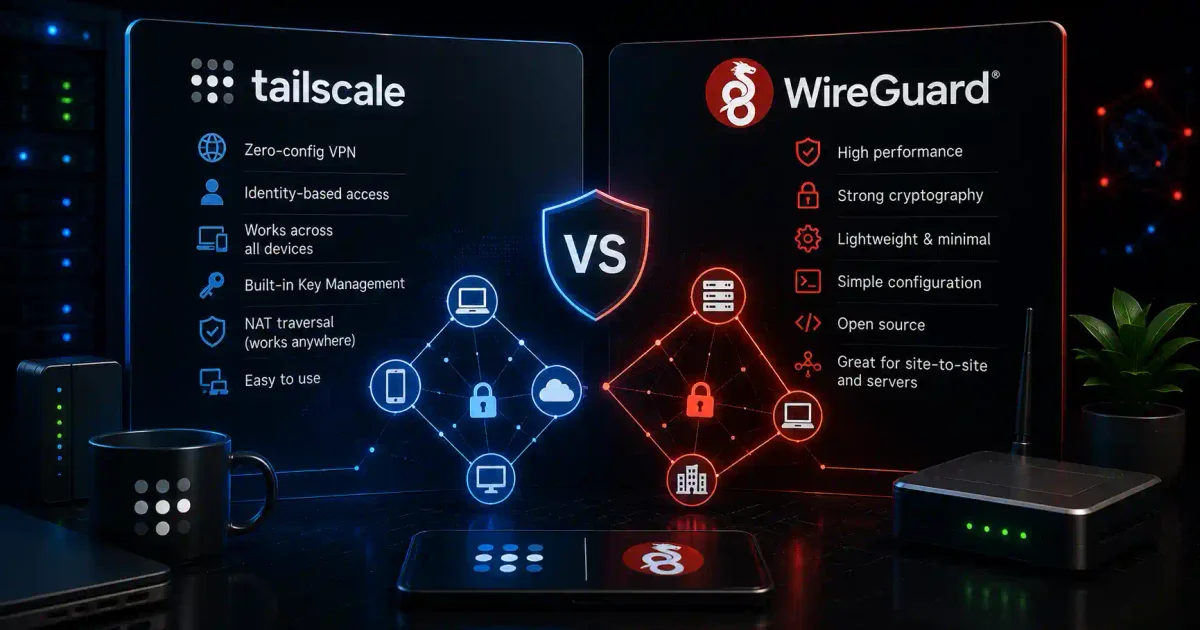
Imagine needing to access your home server from anywhere in the world—like having a secret tunnel that only you can use, connecting your devices securely across the internet. That’s exactly what VPNs like Tailscale and WireGuard provide.
Tailscale and WireGuard are two of the most popular solutions for secure remote access in 2026. While they’re related (Tailscale is built on WireGuard), they serve different needs and use cases. This guide will help you understand which one is right for you.
Understanding VPN Basics
What is a VPN?
A VPN (Virtual Private Network) creates a secure, encrypted connection between your devices over the internet. Think of it as a private tunnel through the public internet.
Without VPN:
Your Device → Internet (Public) → Your Server
              (Anyone can see)

With VPN:
Your Device → Encrypted Tunnel → Your Server
              (No one can see)
Why Use a VPN for Your Home Server?
| Benefit | Description |
|---|---|
| Secure Remote Access | Access your server from anywhere |
| Encryption | All traffic is protected |
| Privacy | Hide your activities from ISPs |
| Network Security | Don’t expose services to the internet |
| Access Control | Only authorized devices can connect |
WireGuard: The Technology
What is WireGuard?
WireGuard is a fast, modern VPN protocol. Think of it as the “engine” that powers secure connections. It’s like the foundation of a building—strong, reliable, and essential.
Key Characteristics
| Feature | Description |
|---|---|
| Protocol Type | VPN protocol (the technology) |
| Complexity | Simple, minimal code |
| Speed | Extremely fast |
| Security | State-of-the-art cryptography |
| Platform Support | Linux, Windows, macOS, Android, iOS |
How WireGuard Works
WireGuard creates a peer-to-peer network where each device has:
- Private Key (kept secret)
- Public Key (shared with others)
- Allowed IPs (what addresses can connect)
# Generate keys
wg genkey | tee privatekey | wg pubkey > publickey

# Result:
# Private key: eJ5... (keep this secret!)
# Public key: k7J... (share this with peers)
Installing WireGuard
On Ubuntu/Debian:
# Install WireGuard
sudo apt update
sudo apt install wireguard -y

# Check installation
wg --version

# Basic configuration
sudo nano /etc/wireguard/wg0.conf

# Start WireGuard
sudo wg-quick up wg0
WireGuard Configuration Example
# /etc/wireguard/wg0.conf
# Server configuration

[Interface]
Address = 10.0.0.1/24
ListenPort = 51820
PrivateKey = SERVER_PRIVATE_KEY

# Peer 1 (your laptop)
[Peer]
PublicKey = LAPTOP_PUBLIC_KEY
AllowedIPs = 10.0.0.2/32

# Peer 2 (your phone)
[Peer]
PublicKey = PHONE_PUBLIC_KEY
AllowedIPs = 10.0.0.3/32

# Client configuration (laptop)
[Interface]
Address = 10.0.0.2/24
PrivateKey = LAPTOP_PRIVATE_KEY
DNS = 1.1.1.1

[Peer]
PublicKey = SERVER_PUBLIC_KEY
AllowedIPs = 0.0.0.0/0
Endpoint = your-server-ip:51820
PersistentKeepalive = 25
Pros and Cons of WireGuard
Pros:
- ✅ Extremely fast performance
- ✅ Very secure (modern cryptography)
- ✅ Open source and free
- ✅ Simple configuration
- ✅ Works on all platforms
- ✅ Low battery usage (great for mobile)
Cons:
- ❌ Manual configuration required
- ❌ Needs static IP or DDNS
- ❌ No built-in management features
- ❌ Can be complex for beginners
- ❌ Peers need public IPs or NAT traversal
Tailscale: The Solution
What is Tailscale?
Tailscale is a commercial service built on WireGuard. Think of it as a “managed” version of WireGuard that handles all the complex networking for you. It’s like using a self-driving car instead of driving yourself.
Key Characteristics
| Feature | Description |
|---|---|
| Technology | Built on WireGuard |
| Management | Automatic (cloud-based) |
| Complexity | Extremely simple |
| Speed | Same as WireGuard |
| Platform Support | All major platforms |
| Free Tier | Available for personal use |
How Tailscale Works
Tailscale creates a mesh network where devices connect directly. The service handles:
- Key management (generates and shares keys)
- NAT traversal (works behind routers)
- Peer discovery (finds other devices)
- Mesh networking (direct peer-to-peer connections)
Tailscale Architecture:
┌─────────────────────────────────────┐
│         Tailscale Cloud             │
│   (Key management, discovery)       │
└─────────────────────────────────────┘
         ↓                ↓
    ┌────────┐      ┌────────┐
    │ Device │←────→│ Device │
    │  (VPN) │      │  (VPN) │
    └────────┘      └────────┘
    Direct connection when possible
Installing Tailscale
On Ubuntu/Debian:
# Install Tailscale
curl -fsSL https://tailscale.com/install.sh | sh

# Start Tailscale
sudo tailscale up

# Authentication required
# Visit the URL shown in terminal to log in

# Check your Tailscale IP
sudo tailscale ip -4

# List all devices
sudo tailscale status
On Other Platforms:
# Windows
# Download from tailscale.com/download

# macOS
# Install from App Store or homebrew
brew install tailscale
sudo tailscale up

# Android
# Install from Google Play Store

# iOS
# Install from Apple App Store

# Raspberry Pi
curl -fsSL https://tailscale.com/install.sh | sh
Tailscale Configuration Example
# Basic setup (all done via CLI)
sudo tailscale up

# Advanced setup
sudo tailscale up \
    --advertise-routes=192.168.1.0/24 \  # Share your local network
    --ssh \                               # Enable SSH access
    --accept-routes \                     # Accept routes from others
    --operator=username \                 # Allow user to manage
    --reset                               # Reset configuration

# Use exit node (route all traffic)
sudo tailscale up --exit-node=server-name

# Check status
tailscale status
tailscale ip -4
Tailscale Features
1. Magic DNS (Automatic Hostnames)
# Access devices by name, not IP
ssh server-name.tailnet-name.ts.net
ping laptop-name.tailnet-name.ts.net

# No need to remember IPs!
2. SSH Access (Built-in)
# Enable SSH in Tailscale
sudo tailscale up --ssh

# SSH to any device using Tailscale
ssh username@device-name

# No SSH configuration needed!
3. Subnet Routing (Access Your Entire Network)
# Advertise your local network
sudo tailscale up --advertise-routes=192.168.1.0/24

# In Tailscale admin console:
# Route accepted: 192.168.1.0/24
# Now you can access 192.168.1.100 (media server)
# even from outside your home!
4. Exit Nodes (Internet Routing)
# Make a device an exit node
sudo tailscale up --advertise-exit-node

# Use it to route traffic
sudo tailscale up --exit-node=server-name

# Now all your internet traffic goes through the server
Pros and Cons of Tailscale
Pros:
- ✅ Extremely easy setup
- ✅ No static IP needed
- ✅ Works through NAT/firewalls
- ✅ Automatic key management
- ✅ Magic DNS (simple hostnames)
- ✅ Great for beginners
- ✅ Free for personal use (up to 3 users, 100 devices)
- ✅ Works on almost all platforms
- ✅ Built-in SSH and file sharing
Cons:
- ❌ Relies on Tailscale cloud service
- ❌ Limited free tier
- ❌ Advanced features require subscription
- ❌ Not open source (client is, server isn’t)
- ❌ Slightly less flexible than pure WireGuard
- ❌ Requires internet connection for authentication
Detailed Comparison
1. Setup and Configuration
| Aspect | WireGuard | Tailscale |
|---|---|---|
| Time to setup | 30-60 minutes | 5 minutes |
| Difficulty | Moderate | Easy |
| Required knowledge | Networking basics | Can you use a website? |
| Number of steps | Many | Just install and run |
WireGuard Setup (Simplified):
# 1. Install WireGuard
# 2. Generate keys
# 3. Create config file
# 4. Configure router/firewall
# 5. Set up port forwarding
# 6. Share config with clients
# 7. Test connection
Tailscale Setup:
# 1. Install Tailscale
curl -fsSL https://tailscale.com/install.sh | sh

# 2. Start it
sudo tailscale up

# 3. Done!
# Visit the URL to authenticate
Winner: Tailscale (by a large margin)
2. Performance and Speed
| Aspect | WireGuard | Tailscale |
|---|---|---|
| Protocol | WireGuard | WireGuard |
| Raw speed | Maximum | Same as WireGuard |
| Latency | Direct connection | Direct connection |
| NAT traversal | Manual | Automatic |
| Mesh networking | Manual | Automatic |
Performance Test:
# Testing speed between two devices

# WireGuard (direct connection)
iperf3 -c 10.0.0.2
# Results: ~900 Mbps (fast!)

# Tailscale (direct connection)
iperf3 -c 100.64.0.2  # Tailscale IP
# Results: ~900 Mbps (same!)
Winner: Tie (both use WireGuard protocol)
3. Security Features
| Feature | WireGuard | Tailscale |
|---|---|---|
| Encryption | Excellent | Excellent |
| Key management | Manual | Automatic |
| Key rotation | Manual | Automatic |
| Access control | Manual | Built-in |
| Audit logs | None | Available |
| 2FA support | None | Yes |
| SSO integration | None | Yes |
WireGuard Security:
# Manual key management
wg genkey > privatekey
wg pubkey < privatekey > publickey

# Share keys securely (challenge!)
Tailscale Security:
# Automatic key management
# Integrated with OAuth (Google, Microsoft, GitHub)
# 2-factor authentication available
# Automatic key rotation
Winner: Tailscale (automated security features)
4. Ease of Use
| Aspect | WireGuard | Tailscale |
|---|---|---|
| Installation | Manual | One command |
| Configuration | Complex | Automatic |
| Mobile apps | Manual setup | App store |
| Cross-platform | Yes | Yes |
| User management | Manual | Dashboard |
| Support | Community | Professional |
WireGuard User Experience:
- Need to understand IP addresses
- Need to manage keys manually
- Need to handle NAT traversal
- Need to update configs for changes
Tailscale User Experience:
- Just install and authenticate
- Everything works automatically
- Devices show up by name
- Just works
Winner: Tailscale (significantly easier)
5. Management and Administration
| Feature | WireGuard | Tailscale |
|---|---|---|
| Dashboard | None | Web dashboard |
| Device management | Manual | GUI |
| User management | Manual | Built-in |
| Route management | Manual | Click to enable |
| Monitoring | Manual | Basic |
| Audit logs | None | Available |
| API access | None | Yes |
Tailscale Dashboard Features:
# View all devices
https://login.tailscale.com/admin/machines

# Features available:
- See all connected devices
- Enable/disable devices
- Manage routes
- View connection history
- Set access controls
- Generate API keys
Winner: Tailscale (comprehensive management)
6. Pricing
| Aspect | WireGuard | Tailscale |
|---|---|---|
| Cost | Free | Freemium |
| Free tier | Unlimited | Up to 3 users, 100 devices |
| Personal use | Free | Free (with limitations) |
| Business use | Free | Starts at $6/month/user |
| Features | All included | Premium features locked |
Tailscale Free Tier (2026):
- ✅ 3 users
- ✅ 100 devices
- ✅ Magic DNS
- ✅ Subnet routing
- ✅ SSH access
- ✅ 5 sharing devices
Tailscale Paid Features:
- 🟡 Unlimited users
- 🟡 Advanced access controls
- 🟡 Audit logs
- 🟡 SOC2 compliance
- 🟡 Priority support
Winner: WireGuard (completely free)
7. Network Flexibility
| Feature | WireGuard | Tailscale |
|---|---|---|
| Custom networks | Unlimited | Pre-defined |
| IP assignment | Manual | Automatic |
| Routing | Full control | Simplified |
| Multi-subnet | Yes | Yes |
| NAT traversal | Manual | Automatic |
| Dynamic IPs | With DDNS | Automatic |
WireGuard Flexibility:
# Create any network you want
Address = 10.0.0.1/24  # Custom subnet
Address = 172.16.0.1/16  # Another option
Address = 192.168.100.1/24  # Your choice
Tailscale Flexibility:
# Tailscale uses 100.64.0.0/10 (Carrier Grade NAT)
Address = 100.64.0.x/32 (assigned automatically)

# Can also advertise your own routes
--advertise-routes=192.168.1.0/24
Winner: WireGuard (more flexible)
8. When to Use Each
Choose WireGuard If You:
# 1. Need complete control
# 2. Have networking knowledge
# 3. Want a free solution forever
# 4. Have static IP or DDNS
# 5. Need to connect many devices
# 6. Want open-source solution
# 7. Need to integrate with other tools

# Example use cases:
- Enterprise VPN deployment
- Cloud infrastructure
- Connecting multiple sites
- Large networks (100+ devices)
- Learning networking
Choose Tailscale If You:
# 1. Want something that "just works"
# 2. Are a beginner
# 3. Need quick setup
# 4. Have dynamic IPs
# 5. Need access from anywhere
# 6. Want magic DNS
# 7. Don't want to manage keys

# Example use cases:
- Home server remote access
- Small team collaboration
- Personal cloud storage
- Connecting to home from travel
- IoT device management
- Quick prototypes
Real-World Examples
Scenario 1: Home Server Access
You have: A media server at home. You want to access it from anywhere.
WireGuard Approach:
# 1. Set up WireGuard server at home
# 2. Configure port forwarding (51820)
# 3. Set up DDNS (if no static IP)
# 4. Create client configs
# 5. Install on all devices
# 6. Test connections

# Time: 1-2 hours
# Difficulty: Medium
Tailscale Approach:
# 1. Install Tailscale on server
curl -fsSL https://tailscale.com/install.sh | sh
sudo tailscale up

# 2. Install Tailscale on clients
# 3. Authenticate with same account
# 4. Access server by name

# Time: 5 minutes
# Difficulty: Very easy
Winner: Tailscale
Scenario 2: Business Network
You have: A small business with 50 employees. Need secure remote access to internal resources.
WireGuard Approach:
# 1. Set up WireGuard server
# 2. Create 50 client configurations
# 3. Distribute keys securely
# 4. Manage user access manually
# 5. Set up monitoring
# 6. Handle onboarding/offboarding

# Time: 4-6 hours
# Difficulty: High
Tailscale Approach:
# 1. Install Tailscale on server
# 2. Create users in dashboard
# 3. Users install Tailscale
# 4. Enable subnet routing
# 5. Manage access via dashboard
# 6. Automatic key rotation

# Time: 1 hour
# Difficulty: Medium
Winner: Tailscale
Scenario 3: IoT Device Management
You have: 100 IoT devices in different locations. Need secure management access.
WireGuard Approach:
# 1. Set up central WireGuard server
# 2. Manage 100 configurations
# 3. Handle NAT issues per location
# 4. Manual monitoring

# Time: Very complex
# Difficulty: Very high
Tailscale Approach:
# 1. Install Tailscale on all devices
# 2. All devices appear in dashboard
# 3. Tag devices for organization
# 4. Use automatic updates

# Time: Automated
# Difficulty: Easy
Winner: Tailscale
Scenario 4: Learning Networking
You want to: Learn how VPNs work.
WireGuard Approach:
# ✅ Perfect learning experience
# - Understand encryption
# - Learn key management
# - Understand NAT
# - Learn routing concepts
# - Valuable skills

# Time: Valuable learning time
# Difficulty: Good learning curve
Tailscale Approach:
# ❌ Everything is automated
# - Don't learn underlying tech
# - Too easy for learning
# - Skills don't transfer

# Time: 5 minutes
# Difficulty: Too easy
Winner: WireGuard (for learning)
Advanced Configuration Tips
WireGuard Tips
# 1. Use persistent keepalive for mobile
[Peer]
PersistentKeepalive = 25

# 2. Set up kill switch
# Prevent traffic outside VPN
sudo iptables -I OUTPUT ! -o wg0 -m mark ! --mark $(wg show wg0 fwmark) -j DROP

# 3. Use multiple peers
# Share same server with multiple clients

# 4. Use with DDNS
# Update endpoints automatically

# 5. Monitor connections
wg show
wg show wg0
Tailscale Tips
# 1. Use Magic DNS
# Access by hostname instead of IP

# 2. Enable SSH access
sudo tailscale up --ssh

# 3. Share devices
tailscale share device-name

# 4. Use tags for organization
sudo tailscale up --advertise-tags=tag:media-server

# 5. Set up auto-updates
sudo tailscale set --auto-update

# 6. Use ACLs for access control
# In admin console, define who can access what

# 7. Use exit nodes
# Route all traffic through a device
Common Scenarios Comparison
Remote Access to Home Server
| Aspect | WireGuard | Tailscale |
|---|---|---|
| Setup time | 1-2 hours | 5 minutes |
| Static IP needed | Yes (or DDNS) | No |
| Port forwarding | Required | Not needed |
| Mobile access | Manual | App store |
| Family sharing | Complex | Easy |
| Maintenance | Regular | Automated |
Business Use
| Aspect | WireGuard | Tailscale |
|---|---|---|
| User management | Manual | Dashboard |
| Cost | Free | Paid (starts $6/user) |
| Scalability | Manual scaling | Automatic |
| Support | Community | Professional |
| Compliance | Self-audit | SOC2 compliant |
| Audit logs | None | Yes |
Development/Testing
| Aspect | WireGuard | Tailscale |
|---|---|---|
| Quick setup | 30 minutes | 1 minute |
| Cleanup | Manual | Delete device |
| Access control | Manual | Dashboard |
| Multiple envs | Complex | Easy (tags) |
Quick Reference
WireGuard Commands
# Installation
sudo apt install wireguard

# Generate keys
wg genkey | tee privatekey | wg pubkey > publickey

# Start/Stop
sudo wg-quick up wg0
sudo wg-quick down wg0

# Status
wg show
wg show wg0

# Configuration
sudo nano /etc/wireguard/wg0.conf

# Enable at boot
sudo systemctl enable wg-quick@wg0
Tailscale Commands
# Installation
curl -fsSL https://tailscale.com/install.sh | sh

# Start
sudo tailscale up

# Status
tailscale status
tailscale ip -4

# SSH
sudo tailscale up --ssh
ssh user@device-name

# Routes
sudo tailscale up --advertise-routes=192.168.1.0/24

# Exit node
sudo tailscale up --advertise-exit-node

# Stop
sudo tailscale down

# List devices
tailscale status

# Share a device
tailscale share device-name
Troubleshooting Guide
Common WireGuard Issues
# Issue: Can't connect
# Check:
sudo wg show
# - Is wg0 interface up?
# - Are keys correct?
# - Is port forwarding set up?
# - Is firewall allowing port?

# Issue: Handshake not working
# Check endpoints
# Add persistent keepalive
# Check MTU (try 1280)

# Issue: No internet
# Check allowed IPs
# Set to 0.0.0.0/0 to route all traffic
Common Tailscale Issues
# Issue: Can't connect
# Check:
sudo tailscale status
# - Is tailscale running?
# - Are you logged in?

# Issue: Devices not showing
# Restart tailscale
sudo tailscale down
sudo tailscale up

# Issue: Magic DNS not working
# Check DNS settings
# Try using IP instead

# Issue: Can't access subnet
# Check route advertisement
# Accept routes in admin console
Final Decision Matrix
Choose WireGuard If:
| Factor | Weight | Your Score |
|---|---|---|
| You have networking experience | High | |
| You need complete control | High | |
| You want free solution | High | |
| You have static IP or DDNS | Medium | |
| You’re learning VPNs | Medium | |
| You need 100+ users | Medium |
Choose Tailscale If:
| Factor | Weight | Your Score |
|---|---|---|
| You want easy setup | High | |
| You’re a beginner | High | |
| You have dynamic IP | High | |
| You need quick access | High | |
| You want minimal maintenance | High | |
| You have 1-3 users | Medium |
Conclusion
Both WireGuard and Tailscale are excellent solutions for secure remote access. Your choice depends on your needs:
Choose WireGuard if:
- You want complete control
- You have networking knowledge
- You need a free solution
- You’re learning about VPNs
- You need unlimited users/devices
Choose Tailscale if:
- You want something that “just works”
- You’re a beginner
- You need quick setup
- You have dynamic IP addresses
- You want automatic management
For most home users: Tailscale is the better choice because of its simplicity and automatic features.
For learning and enterprise: WireGuard offers more control and flexibility.
Ready to set up your VPN? Check out our Complete Home Server Security Guide for more tips.
Frequently Asked Questions (FAQs)
Q: Is Tailscale really free? A: Yes, for personal use (up to 3 users, 100 devices). Business use requires a paid plan.
Q: Does WireGuard work behind NAT? A: Yes, but it requires port forwarding. Tailscale handles NAT automatically.
Q: Which is more secure? A: Both use the same WireGuard protocol and are equally secure. Tailscale adds automatic key rotation.
Q: Can I use WireGuard and Tailscale together? A: Technically yes, but not recommended. Choose one for simplicity.
Q: Do I need a static IP for WireGuard? A: Either a static IP or DDNS (Dynamic DNS) service. Tailscale doesn’t need either.
Q: How fast are they? A: Both are very fast (theoretically up to line speed). Tailscale uses the same protocol as WireGuard.
Q: Can I access my local network with Tailscale?
A: Yes, using subnet routing feature (--advertise-routes).
Q: Is there a mobile app for both? A: Yes, both have apps for iOS and Android.

Discussion
Loading comments...