

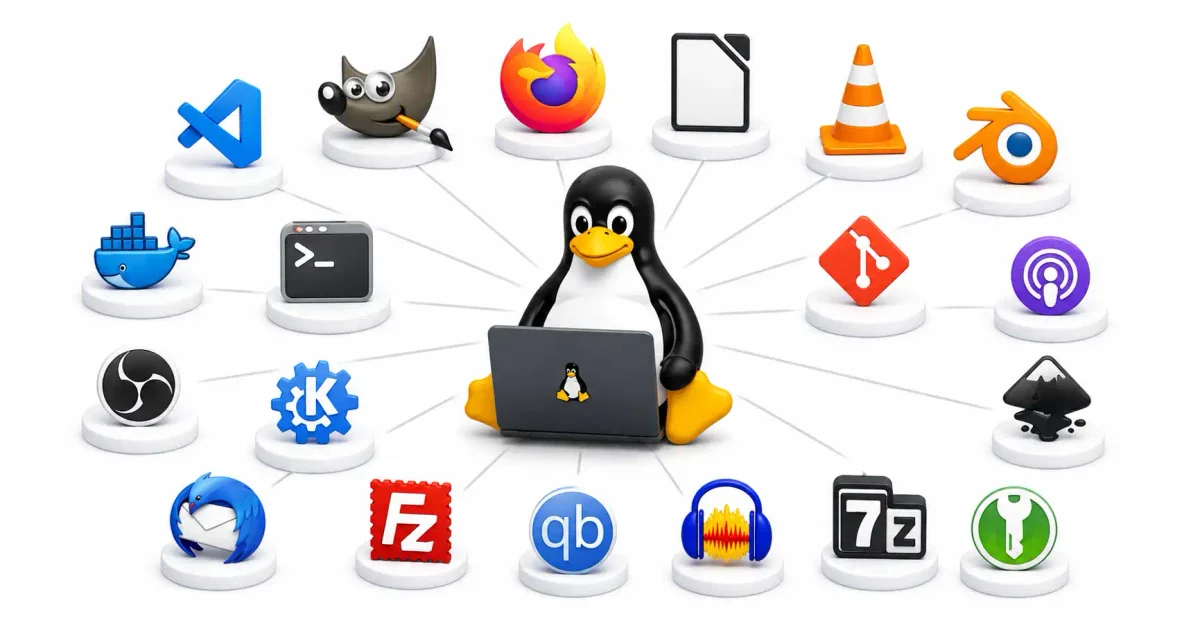
Whenever someone asks me what the biggest advantage of switching to Linux is, I do not point to the Linux kernel architecture or the absence of forced updates. I point to the Free and Open Source Software (FOSS) ecosystem.
In a tech landscape where proprietary desktop operating systems force telemetry trackers down your throat, inject AI into every search bar, and push costly monthly software subscriptions, the Linux community stands apart. As a sysadmin, I rely heavily on tools designed with privacy, control, and user freedom in mind.
In 2026, FOSS applications are no longer just “minimalist clones” of commercial products. They are often class-leading, high-performance applications used daily by professional software developers, digital artists, sysadmins, and enterprise IT teams.
Whether you have just set up your first beginner-friendly Linux distribution or you are a seasoned engineer spinning up Docker containers on Ubuntu, you need a reliable software stack. In this showcase guide, I am pulling back the curtain on the must-have open-source software for Linux in 2026, categorized by productivity, privacy, terminal power tools, and server-side utilities.
1. The FOSS Philosophy: Why Open Source Matters
Before we look at the software catalog, it is essential to understand the core philosophy behind FOSS, especially when comparing Linux vs Windows paradigms:
- Free Speech, Not Free Beer: When we say open-source software is “free,” we refer to liberty (the freedom to inspect, modify, audit, compile, and distribute the code) rather than just its price tag.
- Zero Telemetry (Total Privacy): FOSS applications are audited by independent community developers. There are no hidden backdoors or invisible analytics engines collecting your Linux file permissions.
- Zero Vendor Lock-in: FOSS applications write to open file standards (like Markdown, CSV, and OpenDocument). Your data remains readable for decades, completely independent of the software that created it.
- No Planned Obsolescence: FOSS tools do not get decommissioned because a parent company pivoted its business model. If a project maintainer steps down, the community can fork the repository and maintain it indefinitely on GitLab or GitHub.
2. Productivity & Knowledge Management
In 2026, managing your thoughts, projects, and documents privately is a major concern. These tools guarantee you remain productive while maintaining data sovereignty.
1. Logseq (Privacy-First Outliner)
For note-taking, bullet journaling, and database building, Logseq is my daily driver. Operating as a local-first outliner, it organizes notes into a bidirectional knowledge graph.
- Plaintext Markdown: Every document is saved as a simple Markdown or Org-mode file on your local drive. You can edit files directly using standard text editors like Vim or Micro.
- Bidirectional Linking: Create connections between thoughts using double brackets. Over time, Logseq builds a visual map of your ideas.
2. Joplin (The Evernote Successor)
If you prefer a traditional notebook-and-folder layout over outliners, Joplin is the ultimate FOSS replacement for Evernote.
- End-to-End Encryption (E2EE): Joplin encrypts notes locally before syncing them. You can sync notes securely using Nextcloud or WebDAV without exposing plaintext to cloud hosts.
- Web Clipper: Includes a robust browser extension to save entire web articles and screenshots cleanly.
3. OnlyOffice (Document Suite)
While LibreOffice remains a solid classic, OnlyOffice has gained massive traction in 2026 due to its near-perfect compatibility with Microsoft Office formats (.docx, .xlsx, .pptx).
- Collaborative Editing: When integrated into self-hosted platforms, OnlyOffice allows real-time document collaboration matching Google Docs.
3. Password Managers & Decentralized Synchronization
Securing credentials and syncing files across platforms privately is a foundational element of any secure home server checklist.
1. Bitwarden & Vaultwarden (Credential Vaults)
Bitwarden is the premier open-source password manager, featuring zero-knowledge encryption using PBKDF2 and Argon2 hashing.
- Vaultwarden Integration: For sysadmins, Vaultwarden is a lightweight Rust implementation of the Bitwarden API. It consumes a fraction of the system resources, making it ideal to deploy on a Linux VPS. Check out our Vaultwarden setup guide.
- Passwordless Future: Fully supports FIDO2 passkeys for hardware-backed authentication.
2. Syncthing (Decentralized File Sync)
Tired of trusting big tech clouds with your sensitive files? Syncthing is a peer-to-peer file synchronization engine that syncs directories directly between your laptops, phones, and servers.
- No Central Server: Data never touches third-party storage. Syncthing establishes secure, encrypted TLS connections directly between paired devices over your local network or a VPN tunnel.
- Resource Efficiency: Written in Go, it runs quietly with minimal memory footprint.
4. System Utilities & Maintenance
Keeping your Linux installation optimized and securely backed up requires a robust utility suite.
1. Timeshift (System Restore)
Timeshift acts as an automated snapshot engine for your OS. It captures the state of critical system directories at regular intervals.
- Btrfs Integration: While it supports standard rsync backups, it is incredibly powerful on a Btrfs filesystem. Snapshots take milliseconds and consume zero duplicate disk space by utilizing copy-on-write blocks.
- Instant Rollback: If a bad package upgrade breaks your system, you can boot into a Live USB and instantly roll back to yesterday’s snapshot.
2. BleachBit (Disk Cleaner)
BleachBit is a powerful system cleaner designed to wipe cache, delete cookies, destroy temporary files, and shred tracking logs.
- Privacy Guard: Wipes remnants of deleted files to make forensic recovery nearly impossible.
- Free Space Shredding: Shreds empty space on your storage drive to erase trace data.
3. Stacer (System Dashboard)
For users who want a graphical dashboard to monitor hardware, Stacer provides an intuitive GUI showing real-time CPU, RAM, and disk utilization, allowing you to manage startup apps and system services natively.
5. Terminal & CLI Power Tools
The terminal is the heart of Linux. As a sysadmin, upgrading my command-line tools is crucial for managing system resources.
1. btop (Resource Monitor)
If you are still using top or htop, upgrade to btop.
- Modern Interface: Uses terminal graphics to display CPU topology graphs, memory allocations, disk speeds, and process trees.
- Interactive Controls: Supports mouse clicks to filter processes, send SIGKILL signals, and view kernel temperatures.
2. Fastfetch (System Fetch Utility)
Following the abandonment of the classic neofetch, Fastfetch is the new standard. Written in C, it queries hardware APIs directly, rendering system hardware specs in milliseconds.
3. Micro (Intuitive Text Editor)
While learning Neovim or Emacs is great, sometimes you just need to edit a configuration file fast. Micro is a terminal-based editor supporting standard hotkeys (Ctrl+C to copy, Ctrl+S to save) and full mouse support.
6. Server, Security, and Self-Hosting Tools
If you are running a server, your software stack shifts to infrastructure management. These tools are the backbone of my homelab environments.
- Docker & Portainer: Essential for containerizing applications. Managing them graphically is effortless with Portainer.
- UFW (Uncomplicated Firewall): The definitive front-end for iptables. Check our UFW Firewall Guide.
- Fail2ban / CrowdSec: Analyzes log files and bans IP addresses showing malicious signs, essential for defending against brute-force attacks. See our Fail2ban guide.
- Uptime Kuma: A self-hosted monitoring tool providing beautiful status pages. Learn to set it up via our Uptime Kuma guide.
- Tailscale / WireGuard: Creates zero-configuration mesh VPNs. Read our comparison on Tailscale vs WireGuard.
- Coolify / DokPloy: Open-source alternatives to Vercel and Heroku for deploying Node.js applications and static sites. Read our Coolify deployment guide.
- BorgBackup / Restic: Elite deduplicating backup programs perfect for securing self-hosted server architectures.
7. Creative Suite & Media Applications
Linux provides professional platforms for digital creation, streaming, and entertainment.
1. OBS Studio
The industry-standard software for live streaming and recording. In 2026, OBS runs natively under Wayland, offering high-performance screen capture with hardware-accelerated NVENC or AV1 encoding.
2. Krita & GIMP
For illustrators, Krita is a world-class painting application with advanced brush stabilizers and PSD compatibility. For image manipulation, GIMP 3.0 introduces non-destructive editing workflows and improved color management, rivaling Adobe Photoshop.
3. VLC Media Player
A classic that plays almost any audio or video codec ever created, supporting network streams, subtitle integrations, and Chromecast casting perfectly out of the box.
8. Software Management & Installation Best Practices
Managing how you install software on Linux is critical for stability. Modern distributions support three main formats:
- Native Packages (APT, DNF, Pacman): Installed directly from your distribution’s repositories. These interact directly with the Linux filesystem. Read more in our guide on how to install software on Linux.
- Flatpak: A sandboxed packaging format that bundles dependencies. Flatpaks are excellent because they run in isolation, meaning they cannot interfere with systemd or core kernel drivers.
- Snap: Canonical’s containerized app format, heavily utilized in Ubuntu servers.
Configuration Backup Script
To protect your application configurations, save this bash script to backup your FOSS configs locally. (You can also automate this via cron):
#!/bin/bash
# Backup personal FOSS configuration folders
BACKUP_DEST="/home/$USER/Backups/configs_$(date +%Y%m%d)"
mkdir -p "$BACKUP_DEST"

CONFIGS=(
    ".config/joplin-desktop"
    ".config/logseq"
    ".config/btop"
    ".config/micro"
    ".config/obs-studio"
)

for folder in "${CONFIGS[@]}"; do
    if [ -d "$HOME/$folder" ]; then
        cp -r "$HOME/$folder" "$BACKUP_DEST/"
        echo "Backed up: $folder"
    else
        echo "Warning: Directory $HOME/$folder not found, skipping."
    fi
done
echo "Configuration backup completed successfully."
Official Documentation
Always refer to the official source code repositories and documentation for accurate, up-to-date information on FOSS projects:
- GNU Project Philosophy: https://www.gnu.org/philosophy/
- Flatpak Official Documentation: https://docs.flatpak.org/
- Docker & Portainer Documentation: https://docs.docker.com/
- Syncthing Documentation: https://docs.syncthing.net/
- Bitwarden Open Source: https://github.com/bitwarden
Frequently Asked Questions (FAQ)
What does “free” mean in Free and Open Source Software (FOSS)?
In FOSS, “free” refers to liberty rather than price. This concept is often described as “free speech, not free beer.” It means users have the absolute freedom to inspect, modify, audit, compile, and distribute the underlying source code without proprietary restriction.
Why should I use Logseq instead of proprietary note-taking apps?
Logseq is a local-first outliner that saves your notes as plain Markdown files on your hard drive. Proprietary cloud apps lock your data into a closed ecosystem and scan your notes for telemetry or AI training. Logseq guarantees complete privacy and data sovereignty.
How does Syncthing differ from cloud storage like Google Drive?
Syncthing is a decentralized, peer-to-peer synchronization engine. Instead of uploading your private files to a central, third-party server where they can be scanned, Syncthing establishes secure, encrypted TLS connections to sync files directly between your authenticated devices.
Why is Timeshift recommended for Linux system backups?
Timeshift acts as a “System Restore” utility for Linux. It takes snapshots of critical OS folders (which is instantaneous on Btrfs file systems) so that if a kernel update or bad configuration breaks your system, you can instantly roll back to a clean state.
What are Flatpaks and why are they useful?
Flatpak is a modern, sandboxed packaging format for Linux that bundles an application with all its required dependencies. They are highly recommended for desktop apps because they run in isolation, preventing dependency conflicts with core system files.
Do open-source password managers like Bitwarden provide adequate security?
Yes, they often provide superior security to closed-source alternatives. Because Bitwarden’s code is public, it is continuously audited by thousands of independent security researchers. It utilizes zero-knowledge encryption, meaning not even the host server can read your passwords.
Is GIMP a true replacement for Adobe Photoshop?
For the vast majority of users, yes. The upcoming GIMP 3.0 release brings non-destructive editing and CMYK color management. While Photoshop retains dominance in specific enterprise workflows, GIMP is more than capable of handling professional graphic design without a subscription fee.
How do I safely test Linux applications without breaking my system?
Utilize Flatpaks or Docker containers. Because both technologies sandbox the application away from the host OS, you can safely install, test, and completely purge the software without leaving residual dependency files on your root partition.
Are there open-source alternatives to Microsoft Office?
Yes. LibreOffice is the standard suite included in most Linux distributions, while OnlyOffice provides near-perfect formatting compatibility with .docx and .xlsx files, utilizing a familiar tabbed interface.
Why do sysadmins prefer terminal tools like btop over GUI task managers?
Terminal tools like btop consume significantly fewer system resources, run flawlessly over remote SSH connections, and allow for rapid, keyboard-driven navigation. They provide deeper, unabstracted access to kernel processes than standard GUI monitors.
Discussion
Loading comments...