

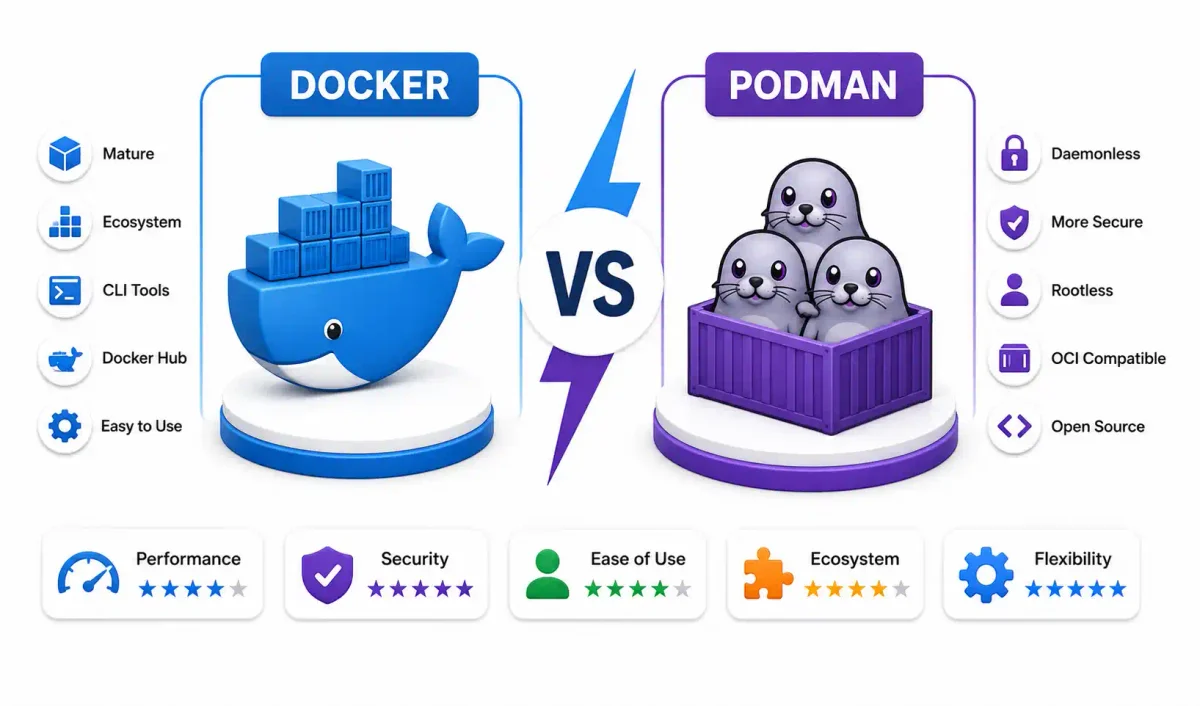
In 2026, the container orchestration landscape looks vastly different than it did five years ago. Both Docker and Podman are now fully OCI (Open Container Initiative) 1.1 compliant, utilizing low-level executors like runc, crun, or the Rust-written youki. However, beneath the surface, their architectural divergence—specifically Docker’s persistent client-server daemon versus Podman’s daemonless fork-exec model—creates measurable performance gaps in production.
As a DevOps engineer who has deployed thousands of containers on Linux VPS environments, I often see teams arguing over which runtime to use based on outdated information.
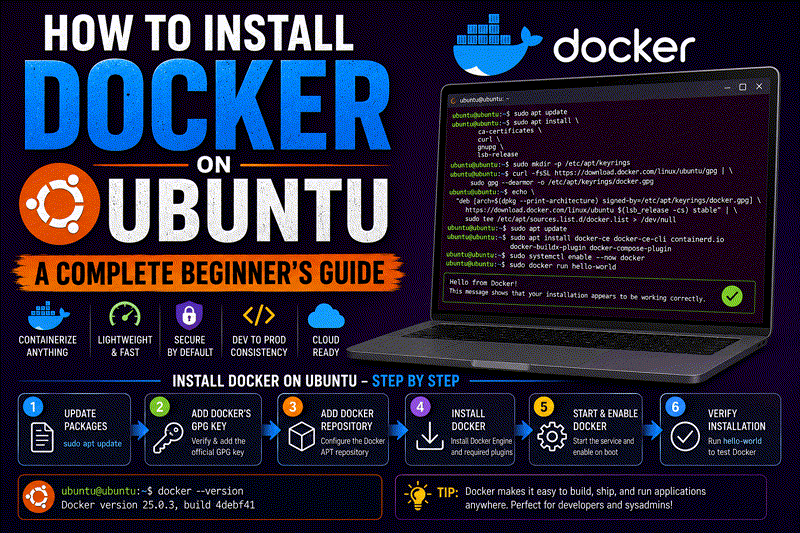
This benchmark analyzes the actual kernel primitives — namespaces, cgroups v2, overlay filesystems, and network routing — to provide an objective runtime comparison. (If you are completely new to containers, start with our guide to installing Docker on Ubuntu before reading this deep dive).
1. Process Architecture: Daemon vs Daemonless
Understanding the underlying process tree is fundamental to any Docker vs Podman debate. How a container starts determines its security posture and its resilience against failures.
Docker’s Daemon Architecture
Docker relies on a persistent background daemon (dockerd). When you run a container, you are actually asking the Docker client CLI to send a REST API request to the daemon, which then orchestrates the container lifecycle via containerd and runc.
- The Single Point of Failure: Because
dockerdacts as the parent process tocontainerd, if the daemon crashes or is terminated due to memory constraints, all containers lose their parent. (While Docker’s--live-restoremitigates some of this during a daemon restart, it does not completely solve the architectural chokepoint). - Cgroup Management: Docker uses systemd as the cgroup driver by default, but because the daemon holds the file handles to the cgroup files, rapid container churn can cause resource contention.
Podman’s Daemonless Fork-Exec Model
Podman eliminates the central daemon entirely. When you execute podman run, the command directly invokes the OCI runtime (runc or crun) via a tiny C-written monitor called conmon.
- Re-parenting to systemd: If you run a detached Podman container (
podman run -d), the container process naturally re-parents directly tosystemd(PID 1). This is exactly how standard Linux services operate. - No Central Failure Point: If the Podman CLI crashes, your containers keep running perfectly. The
conmonmonitor handles standard output (logs) and exit codes with almost zero RAM overhead.
Winner: Podman. The daemonless model drastically reduces the attack surface, eliminates the single point of failure, and aligns perfectly with native Linux process architecture. (See our guide on understanding the Linux boot process for more on PID 1).
2. Rootless Networking: slirp4netns vs pasta
Rootless containers (containers running as an unprivileged user) are the default standard in 2026. The way network packets are routed in rootless mode is a massive performance differentiator.
Docker: User-Space TCP/IP (slirp4netns)
Docker’s rootless mode defaults to slirp4netns. It creates a TAP device and runs a complete TCP/IP stack in user-space. This requires heavy context switching between user and kernel space for every packet, introducing significant latency.
- Throughput Drop: Expect a 25–30% reduction in network throughput compared to native host networking.
Podman: Flow Sequencing (pasta)
Podman defaults to pasta (Pack A Simple Tap Agent). Instead of rebuilding the TCP/IP stack, pasta leverages flow sequencing to securely forward existing TCP states directly from the host into the container namespace.
- Near-Native Speed: Expect only a 5–8% throughput reduction, making it viable for high-traffic Node.js REST APIs and dense database clusters like PostgreSQL or Redis.
Winner: Podman. pasta provides dramatically lower latency and higher throughput, which is essential if you are running self-hosted monitoring tools like Uptime Kuma rootless.
3. Storage Drivers & Security Contexts
Storage performance dictates build times and I/O-heavy database operations.
The Storage Backends (overlay2 vs native overlayfs)
Historically, Docker used overlay2 and rootless Podman used the FUSE-based fuse-overlayfs (which was slower). In 2026, on modern kernels (5.11+), both runtimes natively utilize kernel overlayfs.
- Write amplification is identical.
- If you deploy on a Btrfs filesystem, both runtimes automatically switch to native Btrfs subvolumes, offering copy-on-write speed.
SELinux & AppArmor Automation
If you manage enterprise servers on RHEL or Fedora, SELinux enforcement is mandatory (read our AppArmor vs SELinux guide).
- Docker: Requires you to manually specify
--security-opt label=type:container_file_tto avoid “Permission Denied” errors when mounting volumes. - Podman: Automatically handles SELinux context relabeling via the
:Z(private) or:z(shared) volume flags.
# Podman automatically relabels the directory for container access
podman run -v /host/data:/container/data:Z alpine ls
Winner: Podman. The automatic handling of MAC (Mandatory Access Control) labels makes it vastly superior for secure distributions.
4. Kubernetes Integration: Compose vs CRI-O
This is the ultimate deciding factor for DevOps engineers managing orchestration.
Docker: Compose Transpilation
Docker relies heavily on Docker Compose. To deploy a Compose stack to Kubernetes, Docker transpiles the compose.yaml into Kubernetes manifests. This translation is lossy.
- Features like
shareProcessNamespacedo not translate. - You must maintain separate configuration pipelines for local development and CI/CD testing.
Podman: Native Kubernetes API (CRI-O)
Podman embeds the CRI-O libraries directly into its binary.
- podman play kube: You can execute standard Kubernetes Pod YAML directly on your local machine without needing heavy localized clusters like Minikube or k3s.
- podman generate kube: You can spin up local containers, configure them, and instruct Podman to spit out production-ready Kubernetes YAML.
- There is zero configuration drift. What runs locally is exactly what gets passed to your production Kubernetes API.
Winner: Podman. Native Kubernetes manifest consumption eliminates the need for Docker Compose in modern DevOps workflows.
5. Image Building: BuildKit vs Buildah
CI/CD pipeline efficiency (like GitLab CI or GitHub Actions) heavily depends on the image builder.
Docker: BuildKit (LLB Graph)
Docker defaults to BuildKit, which compiles Dockerfile instructions into a Low-Level Build (LLB) graph.
- Concurrent Execution: Independent stages in a multi-stage build run in parallel.
- Advanced Caching: Supports
RUN --mount=type=cache, which is incredible for cachingnpmorpipdependencies. - Secret Management: Supports
--mount=type=secretto securely pass tokens into the build without leaving them in the image layers.
Podman: Buildah
When you run podman build, it invokes Buildah. Buildah is mount-based. It mounts the container filesystem, runs the commands using unshare, and commits the layer without ever actually spawning a full container process.
- Memory Efficiency: Buildah uses roughly 40–50% less RAM during compilation than BuildKit.
Winner: Split. Use Docker’s BuildKit for massive, complex multi-stage monorepos. Use Podman’s Buildah if your CI/CD runners are memory-constrained.
6. GPU Passthrough for AI & Machine Learning
In 2026, running local AI models (like Ollama) inside containers requires pristine GPU passthrough.
- Docker: Features deep integration with the NVIDIA Container Toolkit. You simply pass
--gpus all, and Docker automatically mounts the necessary CUDA libraries, binaries, and devices into the container. - Podman: Requires manual device passing via
--device nvidia.com/gpu=alland explicit environment variables (NVIDIA_VISIBLE_DEVICES). While the compute performance is identical once configured, the setup is tedious.
Winner: Docker. The NVIDIA integration is practically plug-and-play, saving ML engineers hours of debugging Linux file permissions.
7. The 2026 Ecosystem: GUI and Management Tools
Managing containers visually is critical for developers who prefer not to use CLI text editors for every task.
- Docker Desktop: The undisputed king of Windows and macOS. It provisions a lightweight Linux VM seamlessly.
- Podman Desktop: A rapidly maturing alternative that natively handles Kubernetes manifests and integrates with Skopeo for remote registry image inspection.
- Web Dashboards: Both runtimes integrate flawlessly with Portainer and Coolify for server-side GUI management.
8. Final Verdict: Which Should You Use?
Both runtimes are completely interoperable. You can build an image with Docker, push it to a registry, and pull/run it with Podman.
Choose Docker if:
- You are building complex AI/ML pipelines requiring immediate NVIDIA CUDA support.
- You have a massive legacy investment in Docker Compose.
- You rely on advanced BuildKit caching mechanisms in your CI/CD pipelines.
Choose Podman if:
- You are actively deploying to Kubernetes and want identical local-to-production YAML execution.
- You prioritize the security of daemonless, rootless containers.
- You deploy on SELinux-enforced distributions (RHEL, Fedora, Rocky Linux).
- You operate memory-constrained cloud instances.
For most modern DevOps teams, the best strategy is to use both. Use Docker’s BuildKit on your local machine for rapid, cached compilation, and deploy to production servers using Podman for its daemonless stability and security. Ensure you read our guide on Securing Docker Containers to lock down your runtime regardless of which you choose.
Official Documentation
For technical specifications, installation guides, and command references, consult the official sources:
- Podman Official Documentation: https://docs.podman.io/
- Docker Engine Documentation: https://docs.docker.com/engine/
- Buildah Documentation: https://buildah.io/
- CRI-O (Kubernetes Integration): https://cri-o.io/
- OCI (Open Container Initiative) Specs: https://opencontainers.org/
Frequently Asked Questions (FAQ)
What is the primary architectural difference between Docker and Podman?
Docker utilizes a central, persistent daemon (dockerd) running as root to manage all containers, creating a single point of failure. Podman utilizes a daemonless “fork-exec” architecture where containers run as child processes of the user’s shell (or systemd), making them inherently more resilient and secure.
Can Podman completely replace Docker?
Yes, in almost all standard use cases. Podman is designed as a drop-in replacement. You can literally alias docker to podman in your .bashrc and your scripts will continue to work perfectly, as they both adhere to the same OCI image and runtime specifications.
Which runtime offers better network performance for rootless containers?
Podman. Docker uses slirp4netns for rootless networking, which forces a slow user-space TCP/IP stack. Podman defaults to pasta, which uses flow sequencing to forward the host’s TCP state, resulting in vastly superior network throughput and lower latency.
How does Kubernetes integration differ between the two?
Podman embeds CRI-O, allowing it to natively read, execute, and generate standard Kubernetes Pod YAML files via podman play kube. Docker cannot run Kubernetes manifests natively; it relies on translating Docker Compose files into Kubernetes specs, which often results in configuration drift.
Is Docker faster at building images than Podman?
For complex, multi-stage builds, Docker is generally faster because its BuildKit engine executes independent stages concurrently and utilizes advanced persistent caching. However, Podman’s Buildah is more memory-efficient because it does not require spinning up a container process to compile layers.
Can I run Podman on Windows and macOS?
Yes. Because both Docker and Podman require a Linux kernel, neither runs “natively” on Windows or Mac. However, tools like Podman Desktop and Docker Desktop automatically spin up a lightweight Linux virtual machine in the background to handle the container execution seamlessly.
How do Docker and Podman handle SELinux differently?
Podman automatically manages SELinux context labeling. By passing the :Z or :z flags to a volume mount, Podman dynamically relabels the directory permissions so the container can access it. Docker requires manual security flag configurations to avoid permission denials on SELinux-enforced systems.
Can I use Portainer to manage Podman containers?
Yes. While Portainer was built originally for Docker, it fully supports Podman environments via the Podman socket service (systemctl enable --now podman.socket). This allows you to manage daemonless containers through the standard Portainer web UI.
Why does Docker have an advantage in AI/ML workloads?
Docker possesses deep, native integration with the NVIDIA Container Toolkit. Passing the --gpus all flag automatically mounts the correct host drivers, CUDA libraries, and devices into the container. Podman requires more manual device passing and environment variable configuration to achieve the same GPU compute functionality.
Should I migrate my existing Docker Compose stacks to Podman?
Podman includes a utility called podman-compose that executes standard Compose files flawlessly. However, if your ultimate goal is Kubernetes, you should migrate your Compose files to Kubernetes Pod manifests and run them natively using podman play kube.

Discussion
Loading comments...