

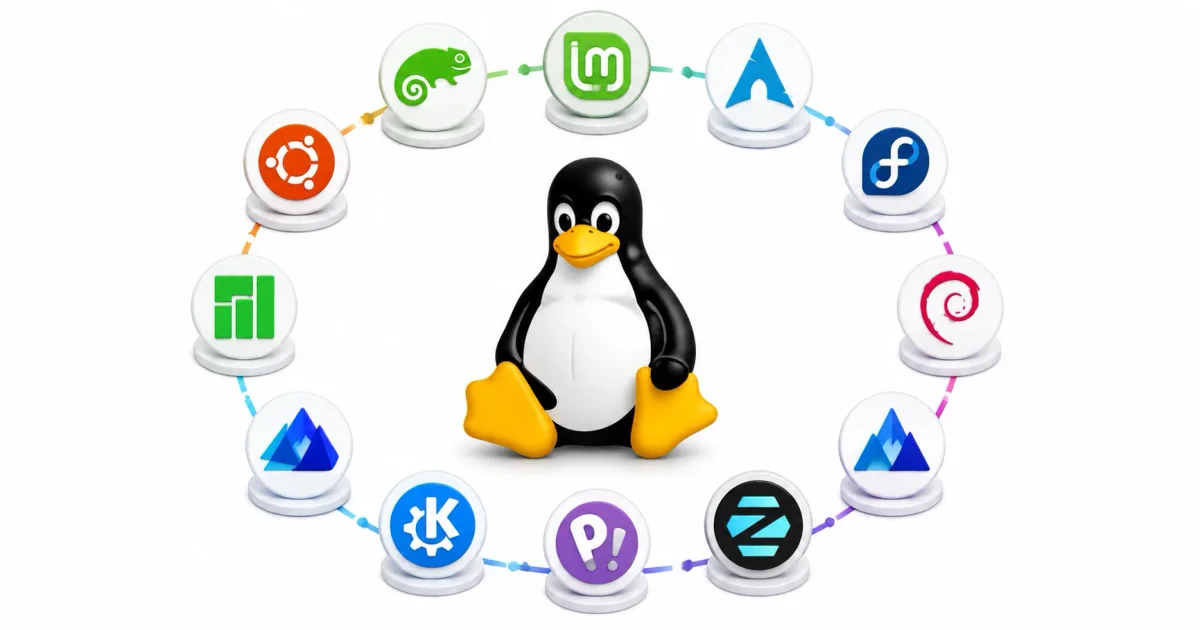
Switching to Linux is no longer a rite of passage reserved strictly for sysadmins manually compiling drivers. In 2026, desktop operating systems like Windows and macOS have increasingly moved toward aggressive telemetry, forced AI integrations, mandatory cloud accounts, and massive memory overhead.
As a DevOps engineer who spends all day configuring secure SSH connections and managing Docker containers, my primary desktop must be rock-solid, private, and out of my way. Linux provides exactly that. But with hundreds of active distributions listed on DistroWatch, where does a beginner start?
If you are a student learning to deploy Node.js apps, a gamer looking for better framerates, or just a power user tired of forced updates, there is a Linux distro designed for you. In this comprehensive guide, we will dissect the best Linux distros for beginners in 2026, explaining the core architecture of the OS, the package managers that power them, and which one fits your specific hardware workflow.
1. Why the Shift to Linux in 2026?
If you haven’t used Linux since 2015, your assumptions are likely outdated. Linux is now a mainstream, consumer-ready platform.
- Privacy & Telemetry Elimination: Unlike proprietary platforms that track your search queries and application usage, open-source Linux distros do not compile telemetry profiles on you. If you are serious about firewall security, moving to Linux is step one.
- Hardware Efficiency: A default Windows 11 installation idles around 3–4 GB of RAM. A lightweight Linux desktop uses less than 800 MB, giving you deeper control over Linux memory management.
- Unified Package Management: Forget downloading
.exefiles and dodging adware. Modern Linux utilizes centralized package managers (like APT, DNF, Flatpak, and Snap) where you update your entire OS and all applications simultaneously. For more, read our guide on how to install software on Linux. - The Gaming Renaissance: Thanks to Valve’s massive investment in SteamOS, Proton, and Wine, over 90% of the top Steam games run flawlessly out-of-the-box.
2. Deconstructing the Linux Ecosystem
Before installing anything, it helps to understand what actually makes up a “Linux distribution.” It is a highly modular stack.
The Linux Kernel
The “kernel” is the core software engine that sits between your hardware and the applications. It contains the drivers for your GPU, Wi-Fi, and storage controllers. Everything from a Linux VPS to a Raspberry Pi shares this core.
The Desktop Environment (DE)
The DE is the graphical user interface. The same base OS can look entirely different depending on which DE you install:
- Cinnamon: A traditional taskbar and start menu interface. Perfect for Windows switchers.
- GNOME: Clean, distraction-free, and workspace-focused. Highly gesture-driven.
- KDE Plasma: Extremely customizable, modern, and feature-rich.
- XFCE: Ultra-lightweight and classic. Ideal for older laptops.
- COSMIC: A modern, Rust-based desktop environment designed for high-performance window tiling.
Package Formats (The App Stores)
Modern distros mix native packages with containerized apps:
- Native Packages (.deb / .rpm): Built specifically for your distro’s base. They install directly into the Linux filesystem hierarchy.
- Flatpak: A universal, sandboxed package format. Flatpaks bundle all required libraries inside the package, preventing dependency conflicts.
- Snap: Developed by Canonical for Ubuntu. Similar to Flatpaks but heavily used for server-side utilities.
3. The Best Beginner Linux Distros of 2026
Let us evaluate the top distributions for beginners. Every choice listed here is stable, possesses a large help community, and is easy to install via a graphical wizard.
1. Linux Mint (Cinnamon Edition)
Linux Mint is universally regarded as the absolute best entry point for Windows users. It prioritizes stability and a familiar interface.
- Desktop Environment: Cinnamon (default), MATE, or XFCE.
- Package System: APT (
.deb) and Flatpak (via Flathub out-of-the-box). - Base: Built on top of Ubuntu LTS (Long Term Support), but explicitly strips out Canonical’s controversial Snap packages.
- Why it’s great for beginners:
- Timeshift Integration: Automatically configures Timeshift backups natively if you use Btrfs. If you break the OS, you roll back to yesterday’s snapshot instantly.
- Driver Manager: Automatically detects NVIDIA graphics cards and Broadcom Wi-Fi chips, presenting a simple GUI to install proprietary drivers.
- Zero Learning Curve: The menu layout, system tray, and update manager mimic traditional Windows workflows flawlessly.
2. Ubuntu Desktop
Ubuntu remains the undisputed heavyweight champion of the Linux desktop world. It is the default standard for developers, meaning if a software vendor makes a Linux app, they build it for Ubuntu first.
- Desktop Environment: Custom GNOME.
- Package System: APT (
.deb) and Snap. - Why it’s great for beginners:
- The Massive Community: Ask Ubuntu, Reddit, and thousands of blogs cover every edge case. If you need to debug Linux boot processes or secure Docker deployments, the tutorials are all written for Ubuntu.
- Enterprise Stability: Backed by Canonical, featuring a 2-year LTS release cycle with fast CVE security patching.
3. Pop!_OS by System76
Developed by hardware manufacturer System76, Pop!_OS is aggressively engineered for software developers, content creators, and gamers.
- Desktop Environment: COSMIC (Rust-based).
- Package System: APT and Flatpak.
- Why it’s great for beginners:
- The Pre-baked NVIDIA ISO: Pop!_OS offers a dedicated installer ISO that bundles proprietary NVIDIA drivers. This prevents the infamous “black screen” boot issue on gaming laptops.
- Auto-Tiling: A simple toggle instantly tiles your active windows into a dynamic grid, maximizing screen real estate without manual dragging.
- Hybrid Graphics Management: A seamless system tray toggle lets you switch between integrated Intel/AMD graphics for battery life, or dedicated NVIDIA processing for gaming.
4. Zorin OS
If aesthetics, smooth animations, and visual polish are your primary criteria, Zorin OS is the premium choice.
- Desktop Environment: Zorin Desktop (Heavily modified GNOME).
- Package System: APT, Flatpak, and Snap.
- Why it’s great for beginners:
- Zorin Appearance: An incredibly powerful app that allows you to change the entire desktop layout to mimic Windows 11 or macOS with a single click.
- Windows App Interception: If you mistakenly download a Windows
.exeinstaller, Zorin intercepts it, warns you, and automatically suggests the native Linux alternative or offers to set up Wine / Bottles to run it. - Zorin Connect: A robust mobile integration tool that links your Android phone to your desktop for file sharing and SMS mirroring.
5. Fedora Workstation
Sponsored by Red Hat (IBM), Fedora is the upstream source for Red Hat Enterprise Linux. It is known for integrating bleeding-edge technologies while maintaining rock-solid stability.
- Desktop Environment: Pure GNOME.
- Package System: DNF (
.rpm) and Flatpak. - Why it’s great for beginners:
- The “Pure” GNOME Experience: No customized skins. You experience the desktop exactly as the GNOME designers intended.
- Modern Infrastructure: Fedora is usually the first to adopt modern protocols like Wayland (display server) and PipeWire (audio engine).
- Sysadmin Friendly: If your goal is to learn top Linux security commands for a career in IT, managing SELinux and systemd on Fedora is invaluable experience.
4. Honorable Mentions: Distros for Specific Use-Cases
- MX Linux (The Lightweight Champion): Based on Debian Stable and utilizing the XFCE desktop. It requires less than 600 MB of RAM at idle, perfect for reviving a decade-old laptop.
- Nobara Project (The Gamer’s Choice): A modified version of Fedora built by “GloriousEggroll” (famous for his Proton patches). It ships with Steam, Lutris, OBS Studio, and specific kernel patches to maximize gaming frame rates.
- EndeavourOS (The Arch Gateway): Arch Linux is famous for its rolling releases and granular control, but it is notoriously difficult to install. EndeavourOS provides a friendly graphical installer, allowing beginners to experience Arch safely.
5. Step-by-Step Installation Walkthrough
Installing Linux is no longer a command-line chore. Modern installers are incredibly user-friendly.
Step 1: Create a Bootable USB Drive
You cannot just copy the ISO file onto a USB drive. You must flash it.
- Standard Method: Download the
.isoand use BalenaEtcher or Rufus to write it to your USB stick. - DevOps Method: Use Ventoy. It formats your USB drive once, and then you simply drag and drop multiple ISO files onto it, giving you a dynamic boot menu to test different distros.
Step 2: Configure Your BIOS/UEFI Settings
Reboot and press your BIOS hotkey (F2, F12, Del).
- Disable Secure Boot: While major distros support Secure Boot, disabling it resolves painful conflicts with third-party Wi-Fi and NVIDIA drivers.
- Ensure AHCI Mode: Verify your SATA/NVMe controller is set to AHCI instead of RAID.
- Boot the USB: Set the flash drive as the primary boot device.
Step 3: Boot into the “Live Environment”
Your computer will boot into a functional preview version of the Linux OS running entirely from your RAM. Test your Wi-Fi, Bluetooth, and audio here. If they work, they will work post-installation.
Step 4: Partition and Install
Click the “Install” icon on the desktop. The wizard will ask how you want to partition your disk:
- Erase Disk (Recommended): The installer automatically handles the EFI boot partition, Swap space, and Root (
/) ext4 or Btrfs formatting. - Dual Boot: The installer safely shrinks your Windows partition and installs Linux alongside it. A GRUB bootloader will let you choose your OS every time you boot.
6. Post-Installation Security and Maintenance
As soon as you log into your fresh installation, perform these three tasks:
- Update the System:
For Mint / Ubuntu / Pop!_OS:
For Fedora:sudo apt update && sudo apt upgrade -ysudo dnf upgrade --refresh - Enable the Firewall:
Linux is secure by design, but closing unused ports is basic hygiene. See our UFW setup guide.
sudo ufw enable - Configure Backups: If you plan to heavily modify the system, set up automated snapshots with Timeshift or full backups using a robust solution like Restic or BorgBackup.
Conclusion
In 2026, there is no wrong choice among the top tier beginner Linux distributions.
- Linux Mint remains the safest, most stable entry point.
- Pop!_OS is the dream environment for gamers and modern laptop users.
- Ubuntu provides the largest support ecosystem and server-grade stability.
- Fedora offers a clean, modern workstation experience for aspiring sysadmins.
The best approach? Grab a USB drive, install Ventoy, and test them all via their live environments without altering your hard drive. Welcome to the open-source world.
Ready to self-host your own services on your new Linux machine? View our guides on deploying a private Nextcloud instance or configuring a secure Vaultwarden password manager!
Official Documentation
- Linux Mint Official Guide: https://linuxmint-installation-guide.readthedocs.io/
- Ubuntu Desktop Installation: https://ubuntu.com/tutorials/install-ubuntu-desktop
- Pop!_OS Support Documentation: https://support.system76.com/
- Fedora Workstation Docs: https://docs.fedoraproject.org/
- Flathub (The Universal App Store): https://flathub.org/
Frequently Asked Questions (FAQ)
What is a Linux Desktop Environment (DE)?
A Desktop Environment is the graphical interface sitting on top of the Linux kernel. It determines how your windows, taskbars, and application menus look and function. Popular DEs include GNOME, KDE Plasma, XFCE, and Cinnamon.
Can I run Microsoft Office natively on Linux?
No, the native desktop applications for Microsoft Word and Excel do not run on Linux. However, you can use the web-based Microsoft 365, or utilize high-quality native open-source alternatives like LibreOffice or OnlyOffice.
What is the difference between APT and Flatpak?
APT (Advanced Package Tool) manages native .deb packages that interact directly with the core system files, making them small and fast. Flatpak is a modern, sandboxed format that bundles all necessary dependencies inside an isolated container, preventing system conflicts and improving security.
Do I need to install antivirus software on Linux?
Generally, no. Because Linux uses a strict permission model (where files require explicit chmod +x execution privileges) and software is pulled from vetted central repositories, malware transmission is extremely rare compared to Windows. Basic firewalling via UFW is usually sufficient.
Is dual-booting Linux and Windows safe?
Yes, dual-booting is extremely common. The Linux installer will automatically partition your drive and install the GRUB bootloader. However, you must disable Windows BitLocker encryption before attempting to resize partitions, or you risk locking yourself out of Windows.
Why do I need to disable Secure Boot to install Linux?
While major distros like Ubuntu and Fedora officially support Secure Boot, third-party proprietary drivers (such as NVIDIA graphics or Broadcom Wi-Fi chips) are often unsigned. Disabling Secure Boot allows the Linux kernel to properly load these closed-source drivers during boot.
Can I play modern PC games on Linux?
Yes. Thanks to Valve’s Proton compatibility layer built into Steam, the vast majority of Windows games run flawlessly on Linux. However, competitive multiplayer games that rely on intrusive Windows kernel-level anti-cheat software (like Valorant) remain unsupported.
What does “LTS” mean in Linux releases?
LTS stands for Long Term Support. Distros like Ubuntu and Linux Mint release LTS versions that guarantee critical security patches and stability updates for several years (usually 3 to 5 years), meaning you do not have to endure major OS upgrades constantly.
How do I use the Linux terminal if I am a beginner?
You do not strictly need the terminal for daily use in modern beginner distros; the GUI handles updates and app installations. However, learning basics like navigating directories (cd), checking logs (journalctl), and installing packages (apt install) gives you unparalleled troubleshooting power. (Check out our text editor guide to get comfortable).
Will Linux run on my old laptop?
Absolutely. Distros utilizing the XFCE or LXQt desktop environments (like MX Linux or Linux Mint XFCE) idle at extremely low RAM footprints (under 600 MB) and do not require hardware graphics acceleration, making them perfect for reviving hardware built a decade ago.
Discussion
Loading comments...