

In the early days of the personal computing era, antivirus (AV) software was straightforward. It was a digital scanner that checked files on your hard drive against a catalog of known signatures, matching hashes, and deleting basic macro viruses or executables that behaved maliciously. Fast forward to 2026, and the digital threat landscape has mutated completely. We are no longer just fighting simple “viruses”; we are battling highly automated ransomware syndicates, fileless malware, credential harvesting networks, zero-day browser exploits, and AI-powered phishing campaigns.
The question is no longer simply whether you need antivirus software—it is what kind of endpoint security you need to defend your systems. In this comprehensive, guide, we will break down the mechanics of modern endpoint security, evaluate the shift from legacy signature detection to Next-Generation Antivirus (NGAV) and Endpoint Detection and Response (EDR), and help you choose the best defense strategies for Windows, macOS, Linux, and mobile devices in 2026.
1. The Anatomy of Modern Malware (What We Face in 2026)
To understand why security tools have evolved, we must first understand the threats they are designed to stop. Today’s malware is highly dynamic, often written to bypass standard operating system defenses:
- Polymorphic Malware: These are malicious files that dynamically modify their code structure, encryption keys, and cryptographic hashes each time they infect a new device. Because their signature changes constantly, legacy antivirus tools are blind to them.
- Fileless Malware: Instead of writing a file directly to the disk (which would trigger file-scanners), fileless malware injects malicious code directly into the computer’s volatile RAM. It frequently leverages legitimate, trusted system administrative tools—like PowerShell on Windows or bash on Linux—to execute commands. This is known as Living off the Land (LotL).
- AI-Driven Ransomware: Modern ransomware attacks operate at machine speeds. Automated scripts target shadow copies and backups first, encrypting files in minutes and locking entire networks before security teams can respond.
- Zero-Day Exploits: Vulnerabilities in popular software (like Chrome, Zoom, or Office suites) that are exploited by hackers before the vendor has released a patch.
2. Under the Hood: How Legacy vs. Next-Gen Antivirus Works
To choose the right security posture, we must understand the core technologies powering modern security software.
                  Incoming File / Process
                             │
                             ▼
              [ Static Hash Signature Check ] ───► Match Found? ──► [ QUARANTINE ]
                             │
                             ├─► No
                             ▼
              [ Heuristic / Code Emulation ] ───► Suspect Code? ──► [ QUARANTINE ]
                             │
                             ├─► No
                             ▼
              [ Behavioral / Process Monitor ] ──► Ransomware Behavior? ──► [ BLOCK & ROLLBACK ]
                             │
                             ├─► No
                             ▼
              [ Cloud AI & Telemetry Audit ] ───► Threat Confirmed? ──► [ DISCONNECT / REMOVE ]
                             │
                             ├─► No
                             ▼
                       [ RUN SAFE ]
1. Signature-Based Detection (Legacy AV)
This method relies on creating a cryptographic fingerprint (using hashes like MD5, SHA-1, or SHA-256) of a known malicious file. When a user downloads or opens a file, the AV scanner calculates its hash and compares it against a massive database of known malware.
- The Problem: Signature-based detection is entirely reactive. It can only block malware that has already been discovered, analyzed, and added to the database. If a hacker alters a single byte of code, the hash changes, rendering the signature useless.
2. Heuristic Analysis (Static Analysis)
Heuristic analysis looks at the properties of a file rather than its exact hash. It scans the code structure for patterns, instruction sets, or commands commonly used by malware creators.
- Code Emulation (Sandboxing): The antivirus creates a virtual, isolated environment (a sandbox) in memory. It executes the file inside this sandbox to see what it tries to do—such as editing boot sectors or writing to system folders—before allowing it to run on the actual operating system.
3. Behavioral Detection (Dynamic Analysis)
Behavioral detection monitors active processes on your computer in real time. Instead of looking at what a file looks like, it looks at what the file does.
- Ransomware Mitigation: If a process suddenly begins renaming hundreds of files in your Documents folder and modifying their extensions to
.lockedor.crypto, behavioral analysis flags this as ransomware behavior. The AV instantly kills the process and blocks the source executable, even if that executable has never been seen before.
4. Next-Generation Antivirus (NGAV) & Cloud Telemetry
Modern NGAV solutions offload heavy processing to the cloud. Instead of storing multi-gigabyte signature databases on your local hard drive, the software queries cloud-based threat intelligence systems. This allows real-time threat intelligence updates across millions of endpoints worldwide, using machine learning models to identify suspicious patterns in milliseconds.
3. Beyond Antivirus: EDR and XDR Explained
For businesses and power users, traditional antivirus is no longer sufficient. Endpoint security has evolved into EDR and XDR.
Endpoint Detection and Response (EDR)
EDR tools (like CrowdStrike Falcon, SentinelOne, or Microsoft Defender for Endpoint) do not just block files; they record all activities happening on a computer—process creations, network connections, memory allocations, and registry writes.
- Threat Hunting: If a hacker accesses a server using stolen credentials, they do not trigger a malware warning because they are not running a virus. EDR tools detect their “lateral movement” (searching for other systems on the network) and alert administrators.
- Containment: If a machine is compromised, EDR allows network administrators to isolate the host from the network with a single click, stopping the spread of infection while preserving remote analysis capabilities.
Extended Detection and Response (XDR)
XDR takes EDR data and correlates it with logs from your network firewalls, email gateways, cloud environments (like Azure or AWS), and identity providers. If a user receives a suspicious email, logs in from an unusual IP, and their computer runs a PowerShell script, XDR links these events into a single incident timeline.
4. Detailed Comparison: Built-in vs. Premium vs. EDR
To help you decide which level of protection is right for your needs, here is a detailed breakdown of the three main tiers of security:
| Feature | Built-in Protection (Windows Defender) | Premium Consumer Suites (Bitdefender, Norton) | Enterprise Next-Gen EDR (SentinelOne, CrowdStrike) |
|---|---|---|---|
| Best For | Average home users with safe browsing habits. | Families, remote professionals, multi-device homes. | Businesses, corporate servers, high-risk targets. |
| Real-time Engine | Excellent (Cloud-assisted signature & basic heuristics). | Outstanding (Behavioral + Advanced local heuristic engines). | Elite (Zero signatures; entirely AI-driven behavioral models). |
| System Performance Impact | Extremely Low (Deep OS integration). | Low to Medium (Can be resource-heavy during full scans). | Microscopic (Lightweight agents, cloud-native processing). |
| Ransomware Rollback | Basic (Controlled Folder Access). | Yes (Automatic folder backup and recovery). | Yes (One-click system state rollback via shadow copies). |
| Extra Privacy Features | None. | Included (VPN, Password Manager, Identity/Dark Web monitors). | None (Focuses purely on endpoint threat containment). |
| Management Console | Local device settings only. | Centralized family web portal. | Global enterprise dashboard with policy controls. |
5. Why Built-in Security is (and Isn’t) Enough in 2026
Modern operating systems have dramatically improved their built-in defenses, raising the baseline of security across the board.
Windows Defender: The Modern Standard
Windows Defender is no longer the slow, ineffective tool it was a decade ago. It includes:
- Microsoft Active Protection Service (MAPS): Instantly uploads suspicious file metadata to Microsoft’s cloud for analysis.
- Tamper Protection: Prevents malicious software from turning off the firewall or disabling the real-time scanner.
- Attack Surface Reduction (ASR): Blocks Office macros from launching executable content.
macOS Security: Gatekeeper and XProtect
Apple uses a layered security model:
- Gatekeeper: Enforces code signing, ensuring that only apps approved by Apple or verified developers can run.
- XProtect: A built-in, silent signature scanner that runs in the background to detect and remove known Mac malware.
- System Integrity Protection (SIP): Locks down the system partition, preventing even root users from modifying critical macOS files.
Why You Might Need Third-Party Protection:
While built-in tools are excellent, they have limitations:
- Phishing Protection: Windows Defender is optimized for Microsoft Edge. If you use Chrome, Firefox, or Brave, third-party extensions or AV suites provide better anti-phishing protection across all browsers.
- Identity Theft Protection: Premium consumer security suites now offer dark web monitoring, alerting you if your email, social security number, or passwords are leaked in a data breach.
- Cross-Platform Management: If you manage multiple devices (a Windows PC, an iPad, and an Android phone), a premium suite lets you monitor the security status of all devices from a single web portal.
6. Debunking Modern Security Myths
Myth 1: “I use macOS / Linux, so I don’t get malware.”
This is the most dangerous myth in cybersecurity. While Windows is targeted more due to its massive market share, macOS and Linux malware is growing rapidly.
Mac-specific trojans, adware, and info-stealers (designed to grab browser cookies and crypto wallets) are highly active. Linux servers, which power the web, are targeted constantly by cryptojackers (unauthorized crypto miners) and botnets. For Linux server security, refer to our Ubuntu Hardening Guide.
Myth 2: “I only visit safe websites.”
Legitimate websites are frequently hacked or compromised through their ad networks. This is known as malvertising. A legitimate website displaying a corrupted ad banner can load exploit kits onto your computer, targeting browser vulnerabilities without you ever clicking on the ad itself.
Myth 3: “I have a VPN, so my computer is secure.”
A VPN (Virtual Private Network) encrypts your network traffic, hiding it from local snoops or your ISP. A VPN does not scan files. If you download a malicious email attachment while connected to a VPN, the virus will infect your computer just as quickly. Read our detailed VPN guide to understand how VPNs differ from endpoint security.
7. How to Install and Uninstall Antivirus Software Correctly
A common cause of system crashes and slow performance is running multiple antivirus applications simultaneously. Because security software hooks deep into the operating system kernel, two active scanners will conflict, locking files and competing for system resources.
Proper Removal Procedure:
- Do not just delete the program folder.
- Go to the OS settings panel (e.g., Windows Add/Remove Programs) and uninstall the application.
- Use the official vendor removal tool to clean up leftover registry keys and kernel drivers:
- Norton Remove and Reinstall (NRnR) Tool
- McAfee Consumer Product Removal (MCPR) Tool
- Bitdefender Uninstall Tool
- Restart your computer to ensure all kernel drivers are completely cleared.
8. Best Practices for Modern Endpoint Security
To protect your system without bogging down your computer’s performance, follow these guidelines:
- Use a Password Manager: Strong, unique passwords prevent credential stuffing attacks. Read our comparison on Passkeys vs. Passwords to prepare for a passwordless future.
- Enable Multi-Factor Authentication (MFA): Even if an attacker steals your login credentials, they cannot access your account without your secondary MFA code.
- Keep Software Updated: Turn on automatic updates for your operating system, web browsers, and document readers. Most malware relies on unpatched vulnerabilities to bypass system security.
- Leverage Cloud Scanning: In your security settings, ensure “Cloud-delivered protection” and “Automatic sample submission” are turned on. This ensures your computer has the latest protection against brand-new malware variants.
Conclusion & Setup Action Plan
In 2026, antivirus is no longer a luxury—it is an essential layer of a comprehensive defense-in-depth strategy. While built-in tools like Windows Defender are sufficient for many users, choosing a premium consumer suite or an enterprise-grade EDR depends on your risk profile, devices, and the value of the data you protect.
Recommended Setup:
- Average User: Enable Windows Defender, turn on Automatic Updates, use a secure web browser with an ad blocker, and deploy a password manager.
- Power User / Remote Professional: Choose a premium suite (like Bitdefender or ESET) for advanced browser protection, identity monitoring, and rollback features.
- Small Business: Upgrade to a cloud-managed Next-Gen Endpoint Protection (EDR) platform to monitor, identify, and contain threats across all remote devices.
Frequently Asked Questions (FAQs)
Q: Is Windows Defender alone enough to stay safe?
A: For many users, yes. Windows Defender offers excellent, low-overhead security. However, you should supplement it with a browser extension that offers strong anti-phishing protection, and ensure you use strong passwords and MFA.
Q: Why does my antivirus flag a safe file as a virus?
A: This is called a false positive. It occurs when heuristic analysis flags a file because its code patterns resemble malware. If you are confident the file is safe (such as a custom software application you wrote), add it to the exclusion list in your antivirus settings.
Q: Do smartphones need antivirus?
A: Android devices are susceptible to malware, especially if you install apps from third-party websites. iPhones are less susceptible to traditional viruses due to strict iOS sandboxing, but are still vulnerable to phishing, malicious profiles, and network interception.
Q: Should I run full scans every day?
A: No. Real-time scanning constantly monitors files as they are opened, modified, or downloaded. Running a full system scan once a week or once a month is sufficient to identify idle malware stored in archives or legacy folders.
Q: What should I do if my system is infected?
A: Disconnect the device from the internet (unplug the ethernet cable or turn off Wi-Fi) to prevent the malware from communicating with its Command & Control (C2) server. Reboot the computer in Safe Mode and run a full scan using a bootable recovery scanner (like Kaspersky Rescue Disk) to clean the system.
Ready to secure your entire network?
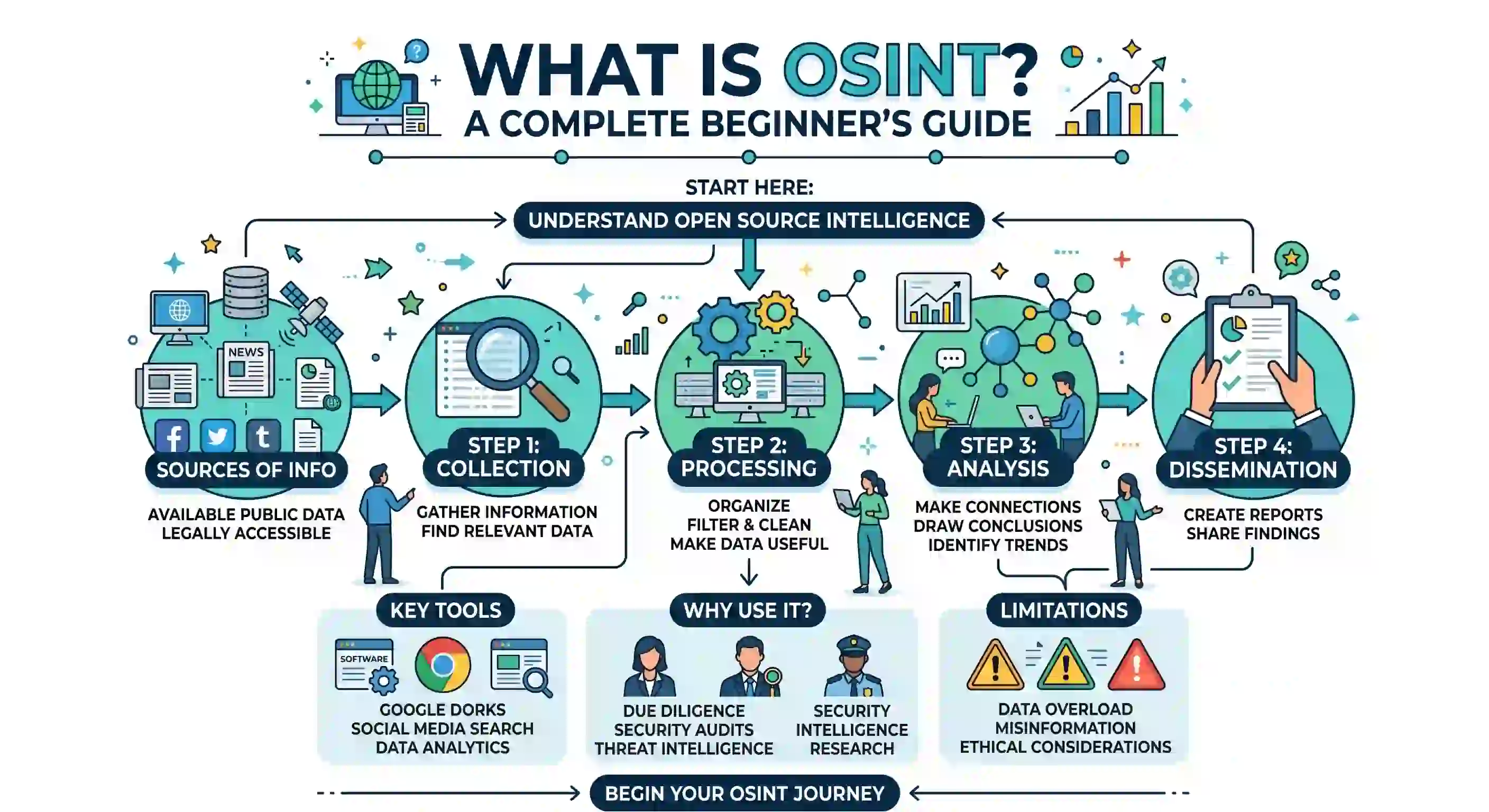
Learn how to Configure a UFW Firewall on Linux or explore the mechanics of OSINT investigations.
Discussion
Loading comments...