

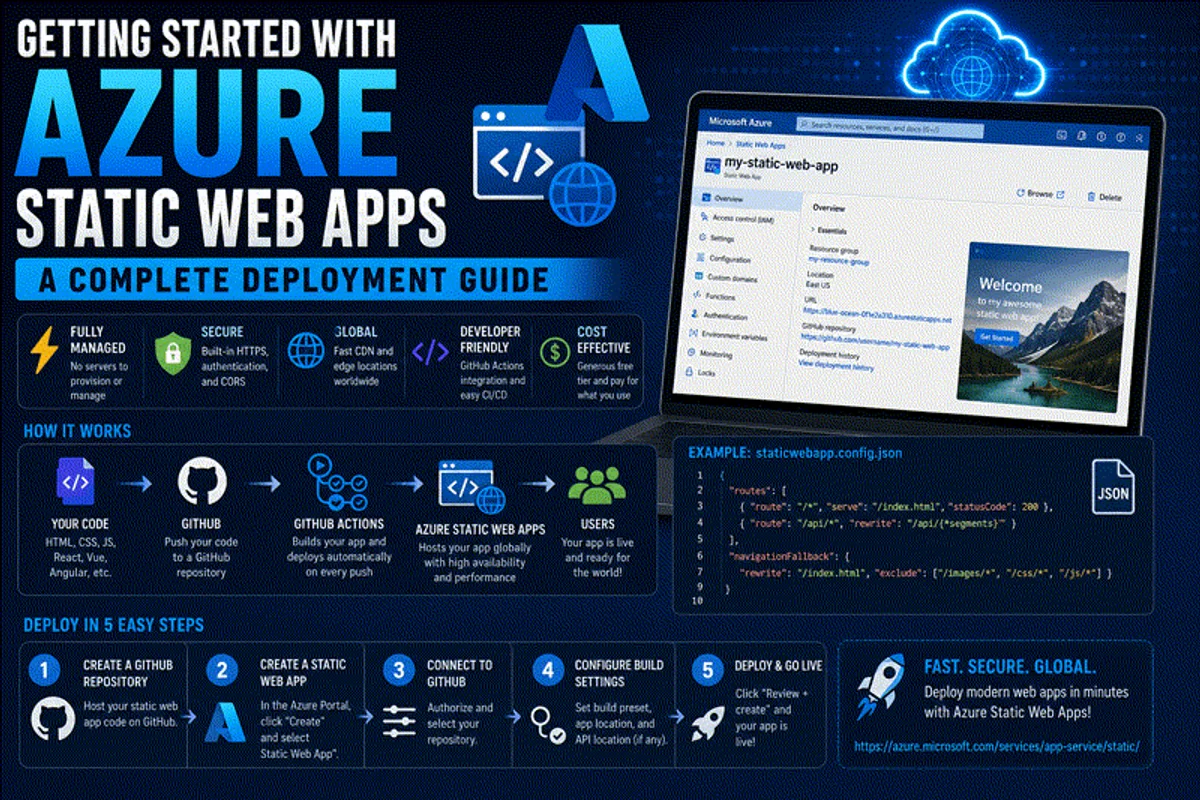
Hosting web applications in 2026 no longer requires managing virtual servers, patching Nginx web servers, or paying high monthly hosting bills. Azure Static Web Apps (SWA) is Microsoft’s purpose-built cloud service for deploying modern static websites, single-page applications (SPAs), and full-stack jamstack frameworks directly from version control to a globally distributed edge CDN.
Whether you are building a personal technical blog, a developer portfolio, a documentation portal, or an enterprise web application using modern frameworks like Astro, Next.js, React, Vue, or Svelte, Azure Static Web Apps delivers high performance with minimal operational complexity.
In this step-by-step technical deployment guide, we will walk through setting up Azure Static Web Apps from scratch—covering GitHub Actions CI/CD pipelines, custom DNS configuration, serverless Azure Functions API integration, preview staging environments, and production security hardening.
⚡ The Modern Deployment Workflow
Traditional hosting required manual FTP uploads or complex SSH deployments. Azure Static Web Apps automates the entire delivery pipeline:
- Local Code Edit ➔ Developer edits source files locally in VS Code or Neovim
- Git Push ➔ Commit pushed to
mainbranch on GitHub or Azure DevOps - GitHub Action Trigger ➔ Automated workflow compiles static assets & runs test suites
- Azure Edge Distribution ➔ Pre-rendered HTML/CSS/JS deployed to 100+ global edge locations
- Free SSL Certificate ➔ TLS 1.3 certificate auto-provisioned & renewed via Let’s Encrypt / Azure
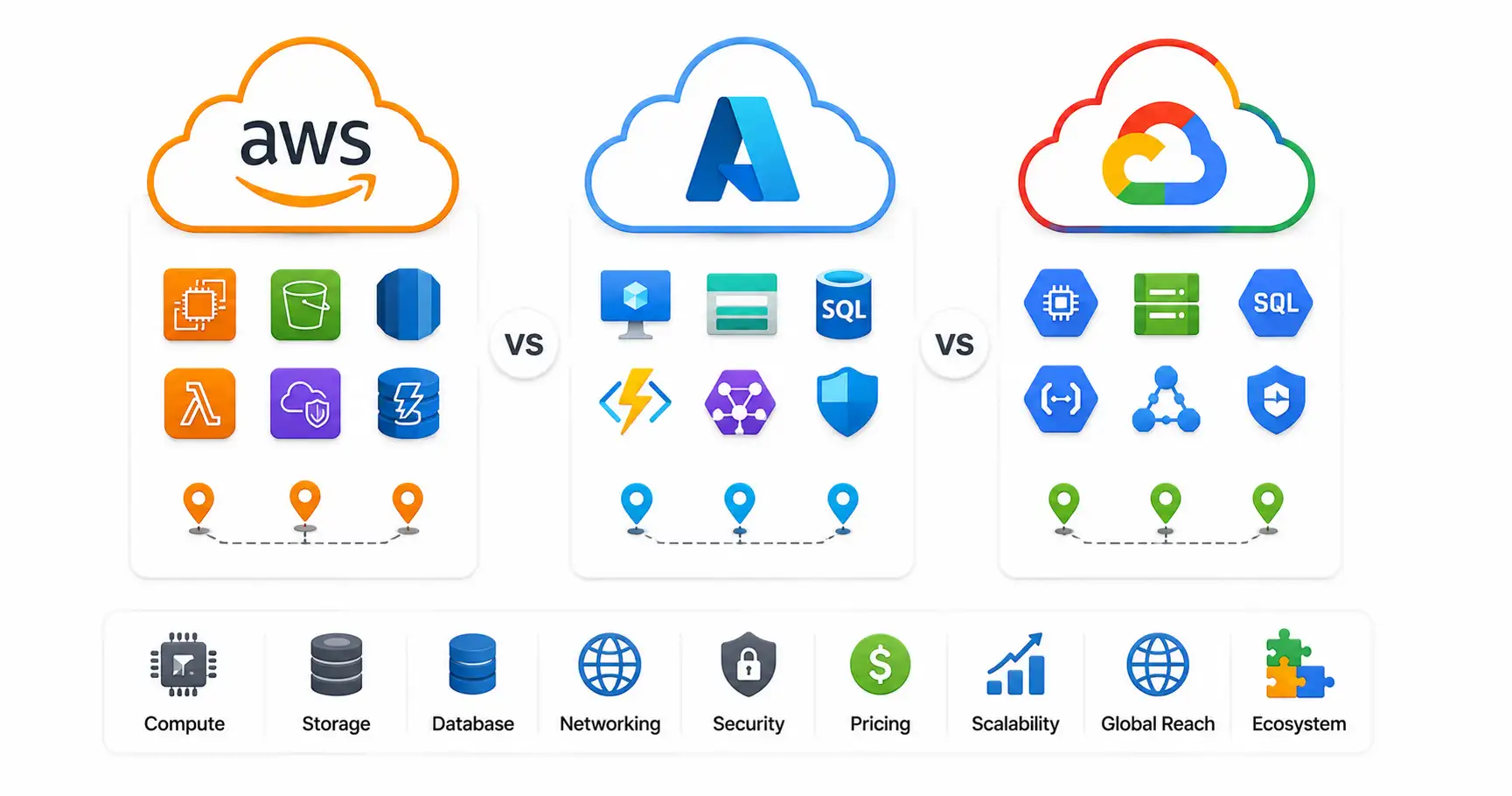
If you are comparing cloud providers before starting, read our comprehensive AWS vs Azure vs Google Cloud comparison or explore our guide on how to host a website for free.
🔑 Key Features & Free Tier Specifications
Azure Static Web Apps offers one of the most generous free tiers in cloud computing, making it ideal for developers, students, and small businesses.
Free Plan vs Standard Plan Matrix
| Service Capability | Free Tier | Standard Tier ($9/month) |
|---|---|---|
| Bandwidth (Monthly) | 100 GB Included | 2 TB Included |
| Custom Domains | 2 per App (Free SSL Included) | 5 per App (Free SSL Included) |
| App Storage Size | 0.5 GB per App | 5 GB per App |
| Preview Environments | 3 Active Staging Environments | 10 Active Staging Environments |
| Built-in Authentication | Azure AD, GitHub, Twitter | Azure AD, GitHub, Custom OpenID Connect |
| Serverless API Support | Managed Azure Functions | Managed or Brought Your Own Functions |
| Enterprise SLA | No SLA guarantee | 99.95% Availability SLA |
Why Developers Choose Azure Static Web Apps
- Zero Infrastructure Management: No virtual machines, OS patches, or web server maintenance required.
- Automated CI/CD: GitHub Actions and Azure DevOps pipelines are generated automatically during initial setup.
- Pull Request Preview Environments: Every opened pull request triggers a temporary staging URL so you can preview changes before merging code to production.
- Integrated Serverless APIs: Add backend API routes seamlessly using Azure Functions written in JavaScript, TypeScript, Python, or C#.
- Global Edge Acceleration: Content is cached at Azure points of presence (PoPs) worldwide for sub-100ms response times.
- Enterprise Security Boundaries: Built-in SSL termination, custom route authorization rules, and seamless integration with Microsoft Entra ID (Active Directory).
🛠️ Step 1: Preparing Your Web Project
Before linking your site to Azure, ensure your repository contains a buildable static project.
Recommended Framework Stack
Azure Static Web Apps supports all major modern frontend frameworks across the software development life cycle (see our SDLC guide for beginners):
- Astro: Ideal for content-rich tech blogs and documentation sites; optimize for search crawlers using our beginner’s guide to SEO and learn how search engines crawl websites
- Next.js & React: Popular for dynamic web applications, handling async JavaScript, and single-page apps; review our React vs Vue vs Svelte framework guide
- Vue.js & Nuxt: Lightweight, progressive frontend framework for parsing JSON payloads
- Svelte & SvelteKit: Ultra-fast, compiler-based web framework using modern HTML vs HTML5 standards
- Vanilla HTML/CSS/JS: Simple static files served over standard HTTP protocols without heavy build frameworks
Verifying Git & Directory Structure
Ensure your project root contains a valid package.json file and a build script:
{
  "name": "my-static-site",
  "version": "1.0.0",
  "scripts": {
    "dev": "astro dev",
    "build": "astro build",
    "preview": "astro preview"
  }
}
Push your project to a public or private GitHub repository:
- Create Git Repo ➔
git init - Stage & Commit ➔
git add . && git commit -m "Initial commit" - Push to GitHub ➔
git remote add origin [email protected]:username/my-static-site.git && git push -u origin main
Read our complete reference on Git and GitHub best practices if you need to brush up on version control commands.
🚀 Step 2: Provisioning Azure Static Web Apps via Azure Portal
Now let’s provision the Azure Static Web App resource and connect it to your GitHub repository.
Interactive Provisioning Checklist
-
Log into Azure Portal: Navigate to portal.azure.com and log into your Azure account.
-
Create New Resource: Click Create a resource ➔ Search for Static Web App ➔ Click Create.
-
Configure Basics:
- Subscription: Select your active Azure Subscription (Free Trial or Pay-As-You-Go).
- Resource Group: Click Create new ➔ Name it
rg-static-websites(Resource Groups organize related Azure assets). - Name: Enter a unique name (e.g.,
app-techblog-prod). - Plan Type: Select Free: For hobby or personal projects.
- Region: Choose the deployment region closest to your primary developer location (e.g., East US 2 or West Europe).
-
Authenticate with GitHub:
- Click Sign in with GitHub.
- Authorize Azure to access your GitHub repositories and workflow permissions.
-
Select Repository & Branch:
- Organization: Select your GitHub username or organization.
- Repository: Select
my-static-site. - Branch: Select
main.
-
Configure Build Presets:
- Build Presets: Select your framework (e.g., Astro, Next.js, React, or Custom).
- App location:
/(the root of your repository). - Api location:
api(optional; leave blank if not using Azure Functions). - Output location:
dist(orbuild/publicdepending on your framework’s build output).
-
Review & Create: Click Review + create ➔ Click Create.
⚙️ Step 3: Understanding the Automated GitHub Actions Workflow
During provisioning, Azure automatically creates and commits a GitHub Actions workflow file to your repository at .github/workflows/azure-static-web-apps-<random-name>.yml.
Workflow File Breakdown
Here is what the automatically generated YAML workflow looks like:
name: Azure Static Web Apps CI/CD

on:
  push:
    branches:
      - main
  pull_request:
    types: [opened, synchronize, reopened, closed]
    branches:
      - main

jobs:
  build_and_deploy_job:
    if: github.event_name == 'push' || (github.event_name == 'pull_request' && github.event_action != 'closed')
    runs-on: ubuntu-latest
    name: Build and Deploy Job
    steps:
      - uses: actions/checkout@v4
        with:
          submodules: true
          lfs: false

      - name: Build And Deploy
        id: builddeploy
        uses: Azure/static-web-apps-deploy@v1
        with:
          azure_static_web_apps_api_token: ${{ secrets.AZURE_STATIC_WEB_APPS_API_TOKEN }}
          repo_token: ${{ secrets.GITHUB_TOKEN }}
          action: "upload"
          app_location: "/"
          api_location: ""
          output_location: "dist"

  close_pull_request_job:
    if: github.event_name == 'pull_request' && github.event_action == 'closed'
    runs-on: ubuntu-latest
    name: Close Pull Request Job
    steps:
      - name: Close Pull Request
        uses: Azure/static-web-apps-deploy@v1
        with:
          azure_static_web_apps_api_token: ${{ secrets.AZURE_STATIC_WEB_APPS_API_TOKEN }}
          action: "close"
How the Pipeline Executes
- Main Push Trigger ➔ Triggers the
build_and_deploy_job➔ Compiles assets ➔ Deploys to live production URL - Pull Request Trigger ➔ Triggers a staging deployment ➔ Posts a temporary preview URL in the PR comments
- PR Close Trigger ➔ Triggers the
close_pull_request_job➔ Tears down the temporary preview environment automatically
You can generate custom workflow snippets and .gitignore files using our interactive Gitignore Generator.
🌐 Step 4: Configuring Custom Domains & Free SSL
When created, Azure assigns your app a randomly generated URL (such as agreeable-sea-012345.azurestaticapps.net). For production branding, you will want to attach your custom domain (e.g., example.com).
Custom DNS Configuration Checklist
-
Open Azure Portal: Navigate to your Static Web App resource ➔ Click Custom domains under Settings.
-
Add Domain: Click + Add ➔ Select Custom domain on other DNS.
-
Enter Domain Name: Type your custom domain name (e.g.,
www.example.comorblog.example.com). -
Configure DNS CNAME Record: Log into your domain registrar (such as Cloudflare, Namecheap, or GoDaddy) and add a CNAME record:
- Type:
CNAME - Host / Name:
www(orblog) - Target / Value:
agreeable-sea-012345.azurestaticapps.net - TTL: Automatic or 300 seconds
- Type:
-
Validate & Complete: Click Validate in Azure Portal. Once DNS propagation completes, Azure automatically provisions a free SSL certificate.
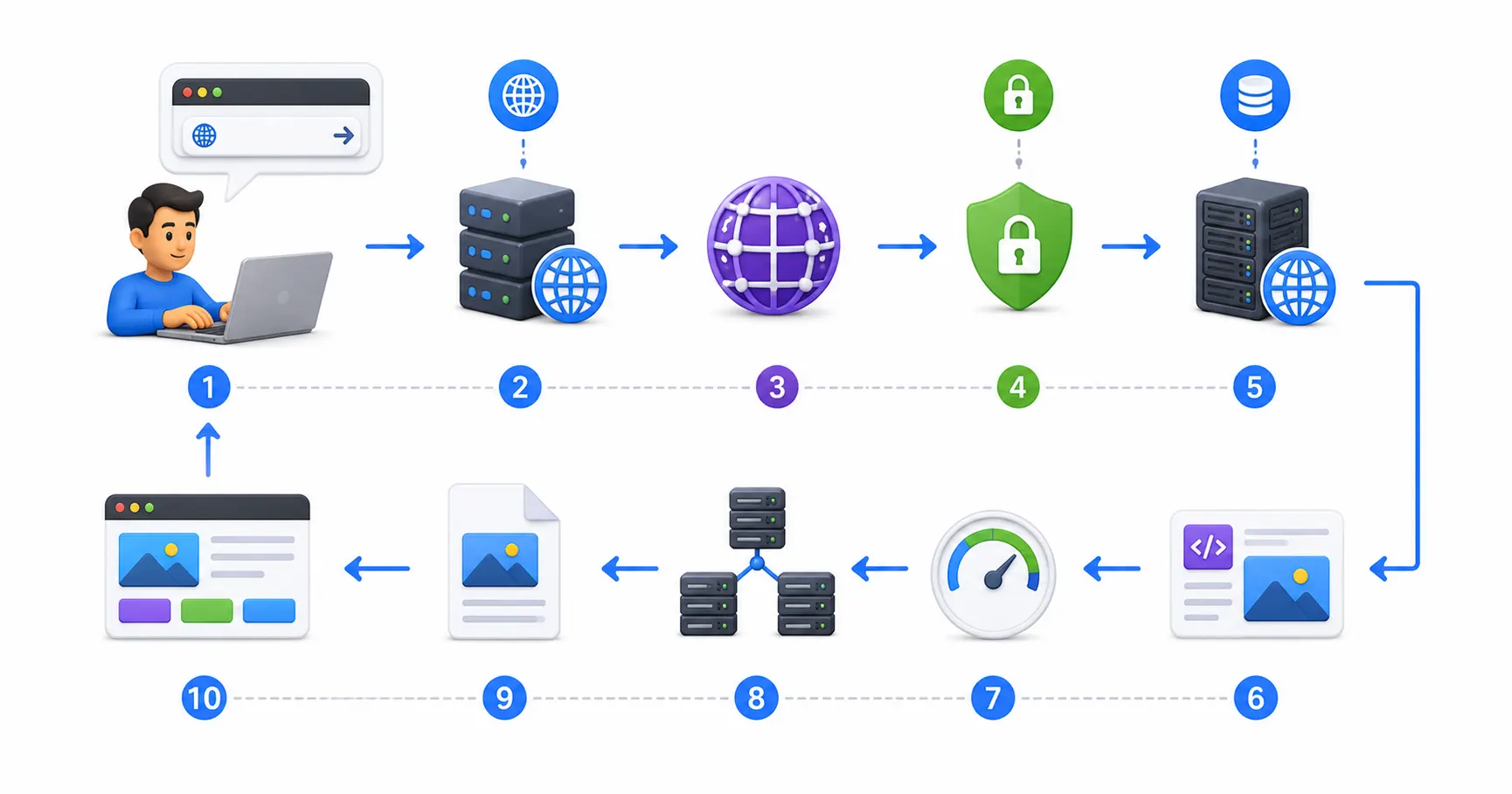
To understand domain resolution and DNS record propagation, read our detailed guide on what is DNS explained and inspect request lifecycles in what happens when you type a URL.
⚡ Step 5: Adding Serverless Backend APIs (Azure Functions)
Azure Static Web Apps allows you to add serverless API endpoints without managing backend servers or configuring CORS rules.
Integrated API Folder Architecture
Create an api directory in your repository root:
my-static-site/
├── api/
│   ├── GetContact/
│   │   ├── index.ts
│   │   └── function.json
│   └── host.json
├── src/
├── package.json
└── astro.config.mjs
Writing a Serverless API Function (api/GetContact/index.ts)
import { AzureFunction, Context, HttpRequest } from "@azure/functions";

const httpTrigger: AzureFunction = async function (
  context: Context,
  req: HttpRequest
): Promise<void> {
  context.res = {
    status: 200,
    headers: { "Content-Type": "application/json" },
    body: {
      status: "success",
      message: "Hello from Azure Static Web Apps Serverless API!",
      timestamp: new Date().toISOString(),
    },
  };
};

export default httpTrigger;
Update your .github/workflows/ file to set api_location: "api". When pushed, Azure automatically builds both your frontend static assets and your backend serverless functions.
Your frontend JavaScript can query the API using relative paths like fetch('/api/GetContact'), avoiding all Cross-Origin Resource Sharing (CORS) security issues! Read about backend integrations in our REST API guide for beginners.
🔒 Security Hardening & Zero Trust Practices
Securing static web apps requires proper authentication boundaries, route protections, and secret management.
Operational Security Checklist
- Route Authorization Rules: Use
staticwebapp.config.jsonin your root directory to lock down private routes:{ "routes": [ { "route": "/admin/*", "allowedRoles": ["authenticated"] } ], "responseOverrides": { "401": { "redirect": "/.auth/login/github", "statusCode": 302 } } } - Enforce HTTPS & Security Headers: Azure SWA automatically redirects HTTP requests to HTTPS using TLS 1.3. Learn about certificate management in our Let’s Encrypt HTTPS guide.
- Identity Management: Restrict internal routes to authorized users authenticated via Microsoft Entra ID (Active Directory) or GitHub. Read our comprehensive SSO guide for 2026.
- Secret Management: Store backend API keys in Azure Application Settings rather than committing them to source code. Use Vaultwarden for local password management; see our Vaultwarden self-hosted guide and generate strong keys with our password generator.
- Web Application Firewalls: Route public domains through Cloudflare or Azure Front Door for DDoS protection and WAF filtering. For self-hosted reverse proxies, check our Nginx Proxy Manager security guide and learn to configure UFW firewalls, Fail2ban, and CrowdSec.
- Container & Code Auditing: Scan dependencies for vulnerabilities using Trivy; review our best practices for securing Docker containers. Secure server access following our Ubuntu SSH hardening guide and audit compliance using Lynis via our Lynis security audit guide.
🛠️ Comparing Hosting Alternatives
Depending on your architecture, compare Azure Static Web Apps with other popular hosting paradigms:
| Hosting Service | Best For | SSL & CDN | Cost | Key Differentiator |
|---|---|---|---|---|
| Azure Static Web Apps | Jamstack, Astro, React, Enterprise Azure sites | Included (Free) | Generous Free Tier | Built-in Azure Functions & PR staging environments |
| Self-Hosted VPS (Hetzner / VPS) | Full control, custom Docker stacks | Self-managed via Let’s Encrypt | $5 – $20/month | Complete OS root access. Learn in our VPS guide and deploying Node.js on a VPS |
| Coolify / DokPloy (PaaS) | Self-hosted Heroku alternative | Self-managed | Server cost only | Open-source control. Read our Coolify setup guide and DokPloy setup guide |
| Local AI & Self-Hosted Servers | Privacy-first apps, Ollama, local LLMs | Private mesh VPN | CapEx Hardware | 100% privacy. Compare backend languages in our Python vs Rust guide, database options in our PostgreSQL vs MySQL comparison, and monitor uptime using our Uptime Kuma guide |
💻 Essential Developer Web Tools
Bookmark these interactive web utilities for building, debugging, and configuring web applications:
- Container Setup: Docker Compose Generator
- Reverse Proxy Configs: Nginx Config Generator
- Linux Init Scripts: Systemd Service File Generator
- Data Formatting: JSON Formatter & JSON Validator
- Secret Generation: Password Generator & ENV Generator
- SEO Metadata: Schema Markup Generator
- Expression Testing: Regex Tester
- Linux Learning: Linux Command Explorer & Linux Permission Calculator
- Workflow Automation: Cron Expression Generator & Gitignore Generator
📖 Official Documentation & References
- Azure Static Web Apps Documentation: https://learn.microsoft.com/azure/static-web-apps
- GitHub Actions Documentation: https://docs.github.com/actions
- Azure Functions Developer Guide: https://learn.microsoft.com/azure/azure-functions
- Astro Deployment Guide for Azure: https://docs.astro.build/en/guides/deploy/azure
- Microsoft Entra ID Authentication: https://learn.microsoft.com/entra/identity
❓ Frequently Asked Questions
Is Azure Static Web Apps completely free to use?
Yes. Azure Static Web Apps offers a permanent free tier that includes 100 GB of monthly bandwidth, 2 custom domains with free SSL certificates, 0.5 GB of app storage, integrated authentication, and staging environments for pull requests.
How does Azure Static Web Apps differ from standard Azure App Service?
Azure App Service is an enterprise PaaS designed for running full server-side web applications (like Node.js, Python, or C# servers) with continuous background compute. Azure Static Web Apps is optimized specifically for pre-rendered static assets served from a global CDN, using serverless Azure Functions only when API endpoints are invoked.
Can I deploy sites built with Astro, Next.js, or React to Azure SWA?
Yes. Azure Static Web Apps natively supports all major modern web frameworks including Astro, Next.js, React, Vue, Svelte, Angular, and static site generators like Hugo and Eleventy.
How do preview staging environments work in Azure Static Web Apps?
When you open a pull request in your linked GitHub repository, Azure Static Web Apps automatically builds the branch and deploys it to a temporary staging URL. You can test your changes live before merging to the main branch. Closing the pull request automatically tears down the staging environment.
Do I need to manually configure GitHub Actions workflows?
No. During initial provisioning through the Azure Portal, Azure automatically generates, commits, and configures the required .github/workflows/ YAML workflow file directly into your repository.
Can I use custom domain names on the free plan?
Yes. The free tier allows you to attach up to 2 custom domains (e.g., www.example.com or blog.example.com). Azure automatically provisions and renews free SSL/TLS certificates for all attached custom domains.
How do I add backend API functionality to my static site?
You can add serverless API endpoints by placing an Azure Functions app inside an api directory in your repository root. Azure Static Web Apps automatically builds and routes requests from yourdomain.com/api/* directly to your functions without requiring CORS configuration.
What happens if I exceed the 100 GB monthly bandwidth limit on the free plan?
If your static site exceeds the 100 GB monthly bandwidth limit on the free tier, Azure may temporarily throttle or suspend request serving until the next billing cycle, or prompt you to upgrade to the Standard tier ($9/month) which includes 2 TB of monthly bandwidth.
How does authentication work in Azure Static Web Apps?
Azure Static Web Apps includes built-in authentication routing out of the box. You can restrict routes to authenticated users by updating staticwebapp.config.json and allowing logins through Microsoft Entra ID (Active Directory), GitHub, or Twitter without writing custom auth code.
Can I connect Azure Static Web Apps to Azure DevOps instead of GitHub?
Yes. Azure Static Web Apps fully supports both GitHub and Azure DevOps repositories. When selecting your deployment source in the Azure Portal, choose Azure DevOps to automatically configure Azure Pipelines instead of GitHub Actions.

Discussion
Loading comments...